Tech all rounder

Samsung One UI 9: July Release Date, Features & Eligible Devices
Smart Samsung One UI 9 Upgrades You Can't Miss Today

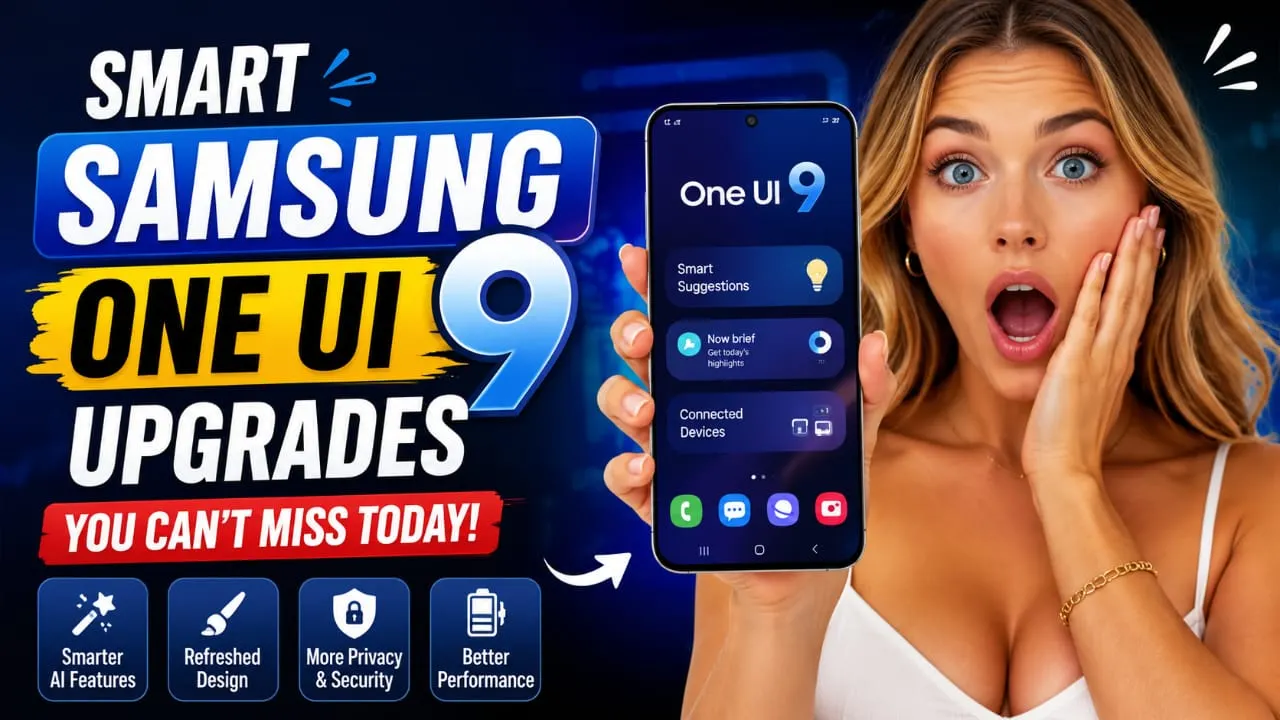
If you or someone in your family has a Samsung phone, dude, you’ve probably already heard about this. Samsung One UI 9 is almost here, and it’s bringing one of the biggest software updates for Galaxy users. I remember waiting for One UI 8 last year, refreshing the settings page every day like it would make things happen faster. Well, it never did, but yeah, the excitement was real. In this article, I’m going to tell you everything about Samsung One UI 9, from the release date to features and which phones will get it first and when it will reach you. No confusing tech stuff, just simple and honest info you’ll get in this article. Highlight key Samsung One UI 9 launches officially on July 22, 2026 Built on Android 17 First arrives on the new Galaxy Z Fold8 and Z Flip8. Beta program has been running since May 13, 2026, on the Galaxy S26 series. Brings Gemini Intelligence and other AI tools Older phones will get it gradually through the rest of 2026 What Exactly Is Samsung One UI 9? One UI 9 interface running on a Galaxy smartphone with Android 17 features Samsung One UI 9 is the newest version of Samsung’s software skin that sits on top of Android. Think of it like a fresh coat of paint plus some new tools added to your house. It is based on Android 17, and it focuses more on smoother performance, better AI features, and small but useful design changes rather than a complete visual overhaul. Samsung already gave the Quick Panel a big redesign in One UI 8.5, so this time around, One UI 9 is more about polishing things and adding smarter AI tools underneath. Samsung One UI 9 Release Date: When Is It Really Coming Here is the part everyone wants to know, buddy. The official One UI 9 update goes live on July 22, 2026, alongside the Galaxy Unpacked event happening in London. This is when Samsung will show off the “full experience” of the update, including the AI features it has been teasing since May. The catch is that the very first phones to run stable One UI 9 will be the brand new Galaxy Z Fold8 and Z Flip8, expected to go on sale in the first week of August. If you already own a Galaxy phone, you will not get the update on July 22 itself. For the Galaxy S26 series, which has been testing beta builds since May 13, the stable rollout is expected around September 2026. Tell me the truth: waiting two extra months feels long, but Samsung usually uses this time to fix bugs so your daily phone does not get messed up. Older flagships and mid-range A-series phones should start receiving One UI 9 gradually from September right through to December 2026, depending on your region and carrier. Also Read : HarmonyOS 7: Release Date, Features & What’s New (2026) One UI 9 Eligible Devices List Samsung has not published one single official list yet, but based on confirmed beta testing and firmware leaks, here is roughly who is getting Samsung One UI 9.  Galaxy S series: S26, S25 (including FE), S24, and S23 series Galaxy Z series: Z Fold8, Z Flip8, Z Fold7, Z Flip7, Z Fold6, Z Flip6, Z Fold5, Z Flip5 Galaxy A series: A57, A56, A55, A54, A37, A36, A35, A34, A25, A24, A17, A16, A15, and A07 Galaxy M series: M34 and other recent M-series models Galaxy Tab: Tab S9 series and newer Tab A9 models In my experience, if your phone is from 2023 or later, chances are high it will get One UI 9. Older phones like the S22 series or the Z Fold4 are already on security-only updates, so sadly they are out of the picture. What’s New in Samsung One UI 9 Features One UI 9 new AI features, Gemini Intelligence, Quick Panel, and security improvements This is where things get exciting. One UI 9 brings a genuine push toward smarter AI on your phone. Gemini Intelligence, Google’s newer AI agent, can complete small multi-step tasks on your behalf, though it will mostly work on flagship chips. A refreshed Quick Panel with separate sliders for brightness, sound, and media Combined TalkBack accessibility tool that merges Samsung and Google’s screen readers into one A new Text Spotlight feature that pops selected text into a floating window, great for reading small fonts High-risk app detection that warns and blocks suspicious apps before they run Samsung Notes gets decorative tapes and more pen styles. Contacts app now connects directly to Creative Studio for custom profile cards. A long-requested network speed indicator finally lands in the status bar. If you think as I do, the accessibility and security additions are honestly more useful day-to-day than flashy AI demos. Should You Wait For The Update? If you are not buying a new foldable, there is no rush. One UI 9 will still have some bugs in its early builds, since that is normal for any big software update. I would say wait for at least the second or third stability patch before installing it, especially if your phone is your only daily driver. However, if you already joined the Samsung Members beta program, you are ahead of the curve and can enjoy early access right now. Final Thoughts I feel that Samsung One UI 9 is more of a solid, AI-focused update rather than a completely new design. It kicks off with the launch of the Z Fold8 and Z Flip8 on July 22, and the rest of us might have to wait for our turn sometime between September and December 2026. Now, we just wait and see how smooth the rollout really is or if it’s just a normal update. Disclaimer: This article is based on beta builds, leaks, and official Samsung statements available at the time. Release dates and features might change before the final stable release. For the most accurate updates, … Read more

Best AI Logo Maker Tools in 2026: Create Stunning Logos in Minutes

Best AI logo maker tools creating modern business logos in 2026

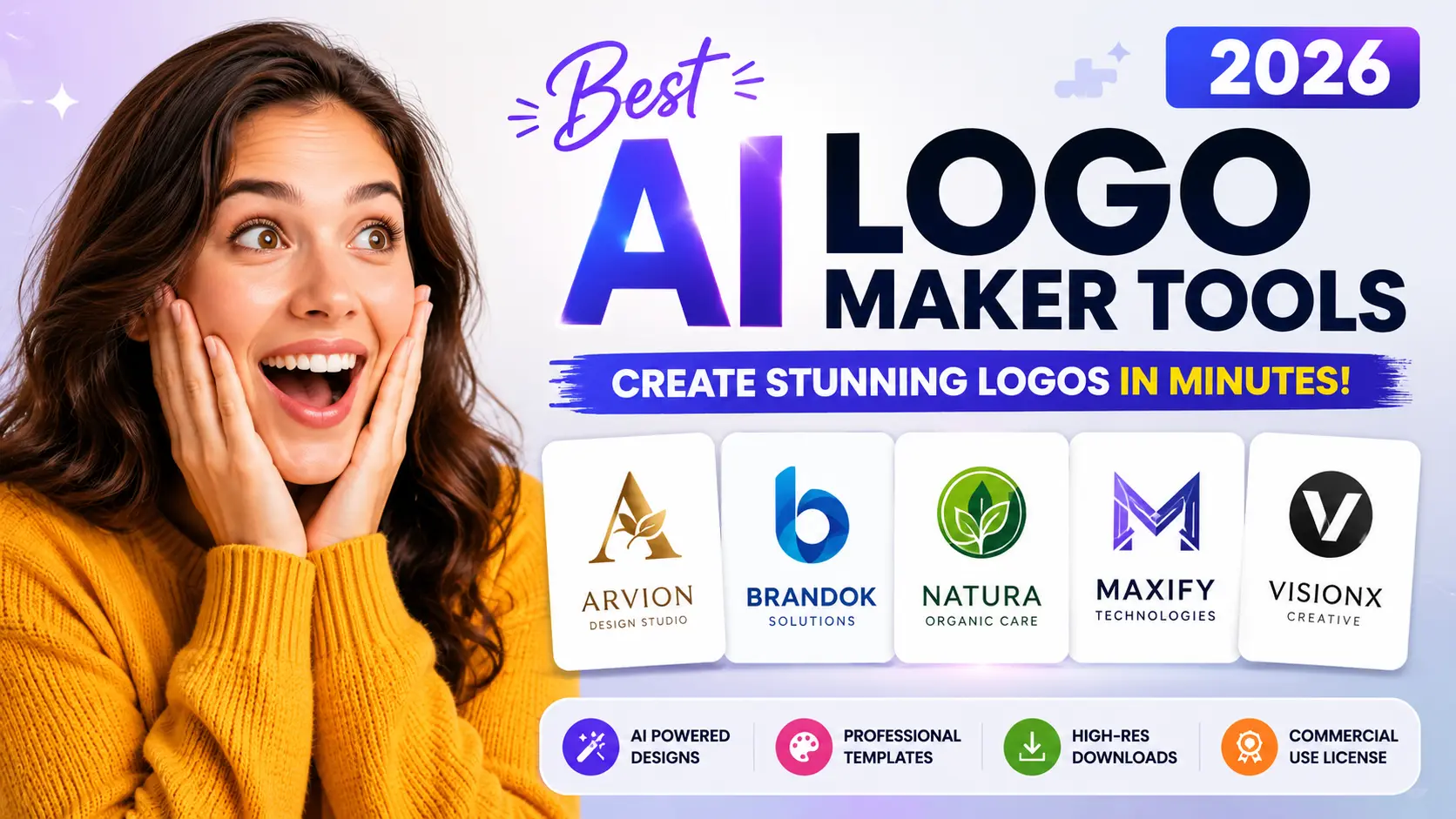
Bro, I need to ask you something. Have you ever tried making a logo yourself and ended up with a result that looks like a kid made it in five minutes? Yeah, I’ve done the same a long time ago, and I was really disappointed back then. That’s exactly why, in 2026, the best AI logo maker tools have become such a big deal. These tools let you type in your business name, choose a style, and just like that, in minutes, they give you dozens of clean logo options. I remember when I started my little blog project. I didn’t even have enough money to hire a designer, and to be honest, I didn’t really know what a ‘good design’ was or how it worked. So I tried some of these AI tools, and I was amazed to see how far they’ve come nowadays. In this article, I’ll tell you about the best AI logo maker tools in 2026, what’s good about them, what’s not so great, and which tool might be a fit for your needs. Highlights Best AI Logo Maker Tools now use smart image models that spell your brand name correctly, which was a big problem before Free AI Logo Maker options are decent for quick drafts, but paid plans give you real commercial rights. Looka, Canva, and Design.com remain strong picks for most small businesses. Kittl and Brandmark work better if you want deep typography and customization control. Tell me the truth: do you really need a $500 designer logo, or can AI Branding Tools do the job just as well? Why Best AI Logo Maker Tools Matter for Your Brand in 2026 Your logo is the first thing people see, even before they read a single word about your business. In my experience, a messy or outdated logo makes people trust your brand less, even if your product is great. The good news is that Best AI Logo Maker Tools have improved a lot this year. Earlier, AI tools were often used to write letters wrong or give users weirdly shaped text instead of clean text. Now, most Online AI Logo Creator platforms render your business name properly and give you options that actually look professional. However, not every tool is equal. Some are still template-heavy, and some genuinely use smarter AI models to create something that feels made just for you. Also Read: Can AI Tools Write High-Quality Blog Posts? Complete Guide What Makes a Good AI Logo Creator in 2026? Key features every great AI logo maker should include Before we jump into the list, let us talk about what actually matters when picking a tool. Design quality: Does the logo look fresh, or does it look like a template you have seen a hundred times Customization: Can you tweak fonts, colors, and icons easily File formats: Do you get PNG, SVG, and transparent background options Pricing: Is there a genuine free option, or is everything locked behind a paywall Commercial rights: Can you legally use the logo for your business without extra fees later If you think as I do, commercial rights are honestly the most underrated point. Many free tools give you a nice logo, but then trap the SVG file behind a payment wall. So always check that part first. Top Best AI Logo Maker Tools in 2026 Best AI logo generators compared for businesses and creators Now, let us get into the actual list. I am giving you an honest picture here, not just hype. Looka – Best Overall AI Logo Creator Looka has stayed consistent as one of the strongest all round options. It gives you a guided flow where you pick your industry and style, and then it generates a good variety of logo concepts. What is good: The brand kit is solid. You get business cards, social media templates, and a full package, not just a logo. What is not so great: Pricing starts around ten dollars a month for high resolution files, so the truly free version is limited to low res downloads only. Best for: Small business owners who want a complete branding package, not just a single image file. Canva – Best Free AI Logo Maker Canva is not built only for logos, but honestly, this is one of my personal favorites because I already use Canva for other design work too. What is good: The free plan actually works. You get thousands of templates and can export PNGs with a transparent background at no cost. What is not so great: SVG export and the full Brand Kit feature need Canva Pro, which is around fifteen dollars a month. Best for: Anyone who wants their logo to match other marketing material, like posters or social posts, all inside one platform. Design.com – Best for Businesses Wanting a Fast Professional Look Design.com pulls from a massive template library and mixes it with AI suggestions based on your prompt. What is good: The variety is honestly impressive. You get minimal, mascot style, vintage, and emblem options in one go. What is not so great: Some users feel the free tier pushes you toward the paywall pretty quickly once you like a design. Best for: Startups and creators who want a Professional AI Logo Maker experience without spending hours customizing. Brandmark – Best for Unique Icon-Based Logos Brandmark stands out because it focuses heavily on color harmony and icon design, not just plain text logos. What is good: Even their most basic paid plan gives you a genuinely different-looking result compared to typical template tools. What is not so great: The free preview is limited, and there are fewer brand kit extras compared to Looka. Best for: Businesses that want an AI Logo Creator with a distinct visual mark, not just a wordmark. Kittl – Best for Typography and Vintage Style Logos If your brand needs something like a badge logo, a retro look, or heavy text styling, Kittl is genuinely one of the … Read more

Best Gaming Laptops Under $900 Worth Buying Today

Best Gaming Laptops Under $900 Worth Buying Today

Hey bro, if you’re still on the hunt for the best gaming laptops under $900 in July 2026, you’ve come to the right place. I know it’s tough picking a solid gaming laptop without spending too much, especially when every brand is out to prove it’s the best. From my experience in the US and India, in this price range, you can actually get real RTX power if you know where to look. Today, I’m talking about three awesome options: the Asus TUF A15, Lenovo LOQ, and Acer Aspire 7, plus a few others you should check out before making your final pick. Highlight key Asus TUF A15 gives tough build quality with RTX 3050 or RTX 4050 graphics. Lenovo LOQ offers clean design and strong Ryzen performance for the price. Acer Aspire 7 is a solid all-rounder for students and casual gamers. All three support 144Hz displays for smooth gameplay Great pick for budget gaming laptops under $900 in the USA and students in India too Why Look For Gaming Laptops Under $900 Tell me the truth, do you really need a $1500 laptop just to play games at 1080p? Most people don’t. The best gaming laptops under $900 now come with RTX 3050, RTX 4050, or even RTX 4060 graphics cards depending on the deal you find. That is honestly a huge deal because just two years back this kind of power was only found in costly laptops. Now let’s talk about why this price segment has become so competitive. Brands know that most gamers, especially students and casual players, do not want to spend a fortune just to enjoy their favorite titles. So they are packing solid processors, decent RAM, and real gaming graphics cards into laptops priced well under $900. This is great news if you are shopping in the USA or comparing options in India where budget matters even more. Also Read : Top 5 Best Lenovo Laptops Under ₹60,000 in India 2026 Asus TUF A15: Built Like A Tank Asus TUF A15 gaming laptop with RTX 4050 and Ryzen processor I used the Asus TUF A15 for almost two months last year, and buddy, it never let me down. It has military-grade toughness, so it can handle drops, dust, and rough daily use better than most laptops in this range. It usually comes with an AMD Ryzen 5 or Ryzen 7 chip paired with RTX 3050 or RTX 4050 graphics, and a 144Hz full HD screen that feels genuinely smooth during fast-paced games. The good part is the cooling system. It stays cool even after long gaming sessions, thanks to the dual fan setup and extra heat pipes. The bad part, honestly, is that the build feels a bit heavy to carry around campus or the office every day. If you think as I do, that toughness matters more than looks, this one is a clear winner for you. Another thing worth mentioning is that the keyboard on the TUF A15 feels satisfying to type and game on. It is not flashy with RGB lighting everywhere, but it gets the job done without any drama. If You Want To Buy This Then Click Here Buy Now Lenovo LOQ: Smart Value Pick Lenovo LOQ gaming laptop with RTX 4050 and 144Hz display The Lenovo LOQ has turned out to be one of the best RTX gaming laptop deals right now, especially when you catch it on sale. It often comes with a Ryzen 5 processor, RTX 4050 graphics, a 144Hz screen, and a clean, simple design without flashy gamer looks. In my experience, this is perfect if you want performance without looking like you are showing off to everyone in the room. However, base models sometimes come with lower RAM, like 8GB or 12GB, so I always suggest upgrading to at least 16GB if your budget allows a little extra. The Lenovo LOQ vs Asus TUF A15 debate really comes down to this: TUF wins on toughness and durability, while LOQ wins on clean design, lighter weight, and overall value for money. One more point: the LOQ series is also known for being upgrade-friendly. You can bump up the RAM or swap the storage later without much hassle, which is a nice bonus for anyone planning to keep the laptop for a few years. If You Want To Buy This Then Click Here Buy Now Acer Aspire 7: Best For Students Acer Aspire 7 gaming laptop for students with RTX graphics Now let’s talk about the Acer Aspire 7. This one usually pairs an Intel Core i5 with RTX 3050 or RTX 4050 graphics, and it works great for both study and casual gaming. This usually comes with an Intel Core i5 paired with RTX 3050 or RTX 4050 graphics, and it works really great for both studying and casual gaming. It is lighter than the TUF A15, which makes it a good daily carry laptop for college students who need to shift between classes and gaming sessions. The screen quality is decent, not amazing, but good enough for most games at medium to high settings. Battery life is also reasonable for daily study use, though gaming will drain it faster like any other laptop in this segment. If you are looking for the best gaming laptops for students under $900, this deserves a serious look. The aluminum chassis on some Aspire 7 models also gives it a slightly premium feel, which is a nice surprise at this price point. If You Want To Buy This Then Click Here Buy Now Other Options Worth Checking In this budget range, you’ll also often come across other names, like HP Victus and Acer Nitro V. Both offer RTX 4050 options and are worth comparing before you decide. Prices and configurations keep shifting, so always check current deals because the same laptop can drop in price during sales seasons in the USA and India. Also Read : Top 10 Best Laptops 2026 in India-Best for Work & Gaming! … Read more

Huawei Band 11 Series Features You Shouldn’t Miss

Huawei Band 11 Series Features You Shouldn't Miss

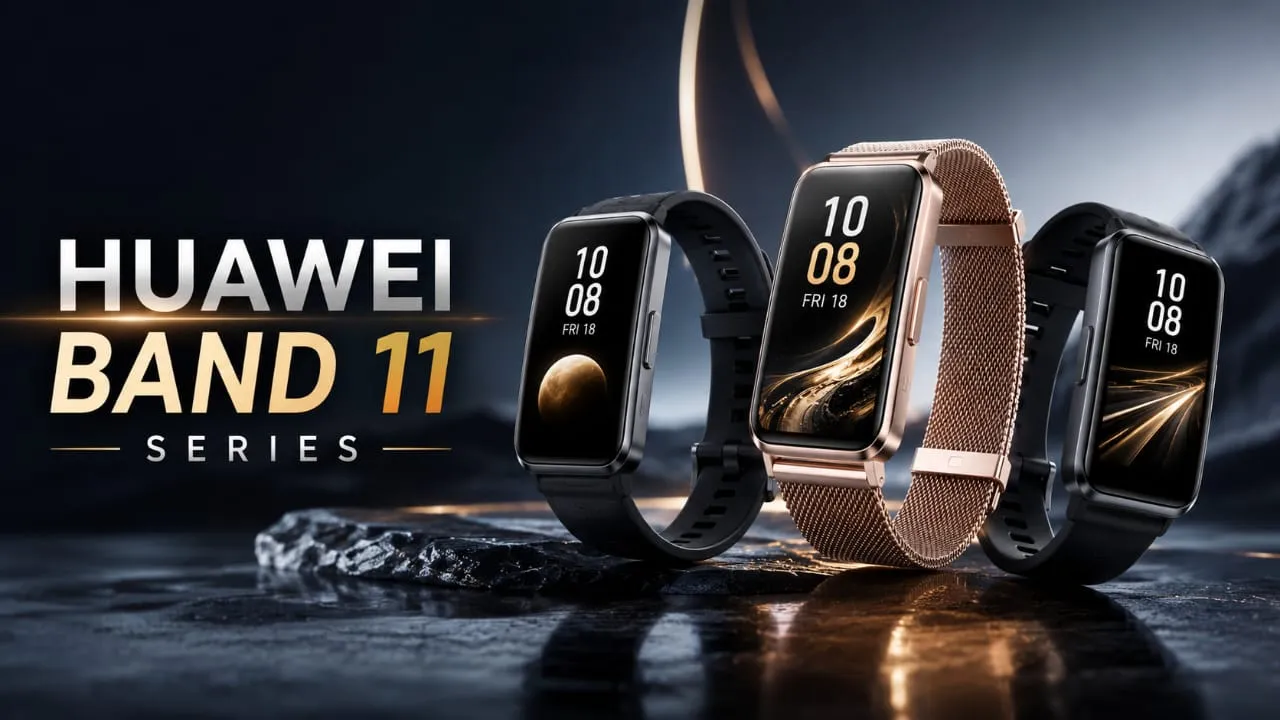
Hey friends, want to know all the details about the Huawei Band 11 series? You’ve come to the right place. Huawei has finally brought this band to India, and honestly, for its price, it offers a lot. Let’s be real, you probably just want to know two things: how much it costs, and whether buying it is really worth the money. Let’s understand it well in simple words. Highlight key 1.62-inch AMOLED display with sharp visuals Peak brightness up to 1,500 nits (2,000 nits on Pro) Battery life up to 14 days Three variants in India: Band 11, Band 11 Metal, Band 11 Pro 100+ workout modes Heart rate, SpO2, sleep, and stress tracking Built-in GNSS on Pro model Slim 8.99mm body, only 16-17 grams Huawei Band 11 Price and Launch Date in India Huawei launched the Band 11 Series in India on July 2, 2026. It is available on Flipkart, Amazon, and offline stores. Here is the pricing: Model MRP Launch Offer Huawei Band 11 Rs. 6,499 Rs. 3,999 Huawei Band 11 Metal Rs. 7,999 Rs. 4,799 Huawei Band 11 Pro Rs. 8,999 Higher tier In my experience, launch offers like this Rs. 3,999 price on the base model do not last long. If the price looks good to you, buddy, do not wait too long. The Metal variant gives a premium aluminium alloy look, while the Pro is built for serious fitness users thanks to its GNSS chip. Also Read : Tim Cook’s Biggest Mistake and Proudest Moment Revealed Before Leaving Apple Huawei Band 11 Series Features and Specifications Huawei Band 11 Series Features Display and Design The Huawei Band 11 Series has a 1.62-inch AMOLED screen. Colors look rich, and text stays readable even in sunlight. The standard model hits 1,500 nits of brightness, while the Pro goes up to 2,000 nits. If you work out outdoors under harsh sunlight, this brightness actually matters.At just 8.99mm thickness and 16-17 grams weight, it stays comfortable all day, even while sleeping. A bulky band ruins sleep tracking, and this one avoids that problem. Health Tracking Features This is where the Huawei Band 11 Series really shines:  Continuous heart rate monitoring SpO2 (blood oxygen) tracking Stress level monitoring Sleep tracking with HRV analysis Sleep breathing awareness Emotional wellbeing monitoring with breathing exercises Pulse Wave Arrhythmia Analysis Tell me the truth, how many bands in this price segment offer arrhythmia analysis? Not many. However, remember these are wellness features, not medical tools. Do not use them to self-diagnose anything serious. Huawei Band 11 Health (Black) Buy here Fitness and Workout Modes With 100+ workout modes, the band covers running, cycling, swimming, yoga, and gym sessions. It uses intelligent activity detection to auto-recognize some exercises. The Huawei Band 11 Pro adds built-in GNSS, so it tracks outdoor runs accurately without needing your phone nearby. Great news if you hate carrying your phone on every run. Battery Life The Huawei Band 11 Series promises up to 14 days of battery life. In real daily use, expect around 8 to 10 days depending on always-on display usage. It also supports magnetic fast charging, so topping up does not take forever. If you hate charging devices daily, this is a solid reason to pick this band. Huawei Band 11 vs Xiaomi and Samsung Xiaomi Smart Band models are usually cheaper with a huge user base already. However, the Huawei Band 11 Series brings a bigger display and stronger health features like arrhythmia analysis that budget Xiaomi bands often skip. Samsung Galaxy Fit works best only if you already own a Samsung phone. Huawei Band 11 Series, on the other hand, works with any Android 9+ phone, giving you wider compatibility regardless of brand. Should You Buy It? If you want a bright AMOLED display, solid health tracking, and long battery life without daily charging stress, yes, the Huawei Band 11 Series makes sense, especially at the launch price. But if you want smartwatch-level apps and calling features, this band may feel limited since it stays focused on fitness and health tracking. Final Thoughts The Huawei Band 11 series gives great value with its AMOLED display, strong battery, and real health tracking features, especially at the launch price of Rs. 3,999. Since offers aren’t always the same, if this is something you need, grab it quickly. No band is perfect for everyone, but at this price, buddy, it has emerged as one of the best options in India’s fitness band market right now. Also Read : Google Fitbit Air Clears BIS Certification – India Launch Could Be Around the Corner If You Want To Buy This Then Click Here Buy Now Related Post Huawei Band 11 Series Features You Shouldn’t Miss Samsung Galaxy Watch 9 and Ultra 2: Truth Behind the Hype Best AI Video Generator Tools: Top Picks for YouTube and Social Media in 2026 Nothing Phone 4b RCB Edition: Bold New Design Before Launch Complete Guide to the Best AI Image Generator Tools in 2026 1 2 Earbuds OPPO Enco Air 5 India Launch Confirmed: Amazon Teaser is Live! 5 Best Earbuds of 2025: Sound, Battery, and Reviews Top 10 Earbuds in India 2026 – Best Wireless & Budget Picks Vivo Over-Ear ANC Headphones: 7 Powerful Features Revealed Realme Buds Air 8 Pro Review: Best ANC Earbuds Under ₹6,999 1 2 Laptops Lenovo Legion Y700 AI Tablet: Price, Specs & Gaming Review (2026) Acer Aspire 5 AI 2026: Powerful Student Gaming Laptop? ASUS Zenbook A16: Premium Design, But Should You Buy It? Lenovo Bellator 7000 in 2026: Killer Performance Laptop Under Budget? FAQ’s What is the price of Huawei Band 11 in India? Priced at Rs. 6,499, but currently available at a launch offer of Rs. 3,999 on Flipkart. When did the Huawei Band 11 Series launch in India? It launched on July 2, 2026, via Flipkart, Amazon, and offline retail stores across India. What is the battery life of Huawei Band 11? Up to 14 days on a single charge, with typical usage lasting … Read more

Samsung Galaxy Watch 9 and Ultra 2: Truth Behind the Hype

Samsung Galaxy Watch 9 and Ultra 2: Truth Behind the Hype

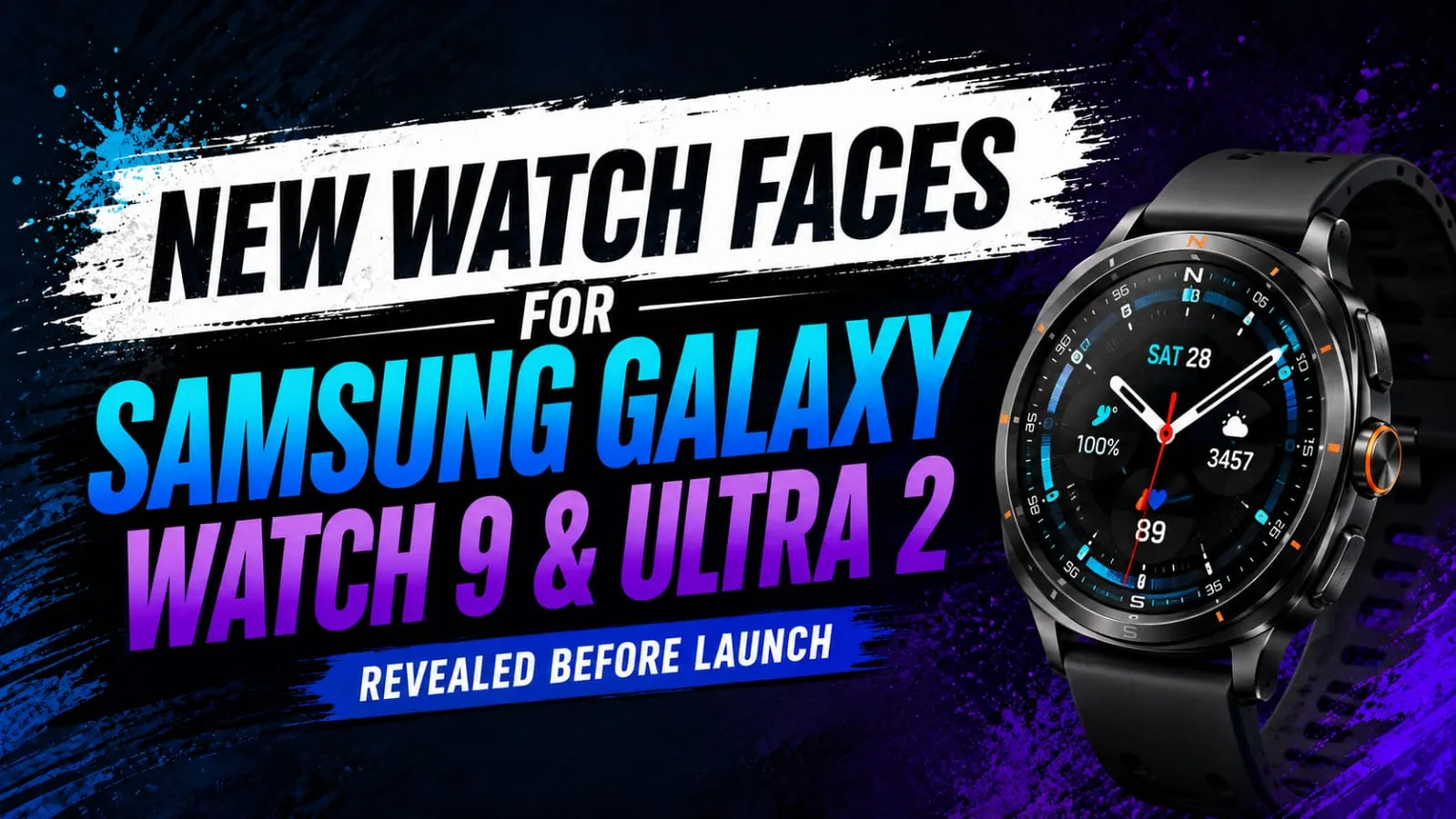
Hey friend, if you’re also a Samsung fan like me, you already know how exciting this time of year gets. The Samsung Galaxy Watch 9 is almost here, and leaks are coming in fast. This time, we’ve gotten a really good look at the new watch faces that will probably come with the Samsung Galaxy Watch 9 and Watch Ultra 2. I remember when I first saw these leaked images and was checking them on my phone that night. I couldn’t believe how clean and detailed these new designs looked. So today, let me tell you everything I know so far with full details. Highlight key Five new watch faces leaked for Galaxy Watch 9 and Ultra 2 One face called Ultra Performance is exclusive to the Ultra 2 New faces will come with the One UI 9 Watch update. The unpacked event is rumored for July 22, 2026, but it is not officially confirmed yet. What Are the New Watch Faces? Explore the biggest upgrades and AI features. The leak shows five new watch faces made for the Samsung Galaxy Watch 9 and Ultra 2. Alright, I’ll explain these to you in simple words. The first one is called Analog Balance. Tell me the truth, doesn’t a clean analog face just look more classy on your wrist? This one looks like last year’s Minimal Analog face from Watch 8, but with a cleaner layout. It gives you room for three complications, like steps, weather, and battery percentage. Then there is Dual Digit, which is a simple digital face. In my experience, digital faces are easier to read quickly, especially when you are in a hurry. This one keeps things minimal but useful. Radial Dashboard is the most detailed one out of all five. It looks packed with health data, almost like a mini fitness dashboard sitting right on your wrist. There is also a new Wallpaper face. This one is interesting because it uses an adaptive clock design. The numbers actually move around objects in your photo, like a person or a pet, so it feels more personal and dynamic. Ultra Performance Face for the Ultra 2 Built for adventure and extreme performance. Now here is the part that Ultra fans will love. The Ultra Performance face seems to be exclusive to the Galaxy Watch Ultra 2. It comes with a Low Light Mode, which is great if you like night hikes or early morning runs. If you think as I do, having a screen that adjusts for low light is a small feature that makes a big difference in real use. Also Read : Google Fitbit Air Clears BIS Certification – India Launch Could Be Around the Corner Will Older Watches Get These Faces Too? Here is some good news for existing users. Most of these new faces are expected to roll out through the One UI 9 Watch update. This means even if you own an older Galaxy Watch, you might still get access to most of these designs. However, the Ultra Performance face may stay locked to the Ultra lineup only. When Is the Samsung Galaxy Unpacked Event? Right now, reports suggest the Galaxy Unpacked event could happen on July 22, 2026, in London. But Samsung has not made any official announcement yet. So be a bit careful about this date, buddy, because these launch dates can change. Along with the Galaxy Watch 9 and Ultra 2, this same event may also bring the Galaxy Z Fold 8, Z Fold 8 Ultra, and Z Flip 8. At this event, it can be seen that a lot of new hardware is coming in the same event. My Honest Take I like where Samsung is heading with these watch face designs. The Analog Balance and Wallpaper faces feel fresh, and the Ultra Performance face makes sense for outdoor users. However, I do wish Samsung gave more customization to the base Galaxy Watch 9 model instead of locking cool features to the Ultra line only. Also Read : Tim Cook’s Biggest Mistake and Proudest Moment Revealed Before Leaving Apple Final Verdict Overall, these new watch faces for the Samsung Galaxy Watch 9 seem promising. They combine good design with useful health data, and most users should get access through a software update. Rating: 4 out of 5, just because we are still waiting for Samsung’s official confirmation. All the information given above is based on leaks. Related Post Samsung Galaxy Watch 9 and Ultra 2: Truth Behind the Hype Best AI Video Generator Tools: Top Picks for YouTube and Social Media in 2026 Nothing Phone 4b RCB Edition: Bold New Design Before Launch Complete Guide to the Best AI Image Generator Tools in 2026 Lenovo Legion Y700 AI Tablet: Price, Specs & Gaming Review (2026) 1 2 Earbuds OPPO Enco Air 5 India Launch Confirmed: Amazon Teaser is Live! 5 Best Earbuds of 2025: Sound, Battery, and Reviews Top 10 Earbuds in India 2026 – Best Wireless & Budget Picks Vivo Over-Ear ANC Headphones: 7 Powerful Features Revealed Realme Buds Air 8 Pro Review: Best ANC Earbuds Under ₹6,999 1 2 Laptops Lenovo Legion Y700 AI Tablet: Price, Specs & Gaming Review (2026) Acer Aspire 5 AI 2026: Powerful Student Gaming Laptop? ASUS Zenbook A16: Premium Design, But Should You Buy It? Lenovo Bellator 7000 in 2026: Killer Performance Laptop Under Budget? FAQ’s What new watch faces are coming to Samsung Galaxy Watch 9? Leaks show five new faces, including Analog Balance, Dual Digit, Radial Dashboard, a Wallpaper face, and an exclusive Ultra Performance face for Watch Ultra 2 users. Is the Ultra Performance watch face available on Samsung Galaxy Watch 9? No, reports suggest Ultra Performance stays exclusive to the Galaxy Watch Ultra 2, mainly because of its special Low Light Mode feature for outdoor use. When will Samsung reveal the Samsung Galaxy Watch 9? Samsung has not confirmed an official date yet. Current reports suggest July 22, 2026 in London, but this could still change before official confirmation. … Read more

Best AI Video Generator Tools: Top Picks for YouTube and Social Media in 2026

7 Best AI Video Generator Tools for YouTube & Social media

Good morning, friends. Have you ever thought about making a cool video but felt scared because you don’t know video editing? Be honest, most of us feel that way. Making a video used to take a camera, a laptop full of software, and hours of your hard work. But things have changed a lot now. With the Best AI video generator tools, you can turn a simple prompt idea into an actual video in just a few minutes. In this article, I’ll tell you all about the best AI video generator tools working in 2026. I’ll also share my own experiences with some AI tools so you can see what really works well and what doesn’t. Whether you run a YouTube channel or post daily on Instagram and TikTok, this article will help you choose the right tool. Highlight key Best AI video generator tools for beginners in 2026 Top Free AI Video Makers You Can Start Using Today Best text-to-video AI tools for quick content AI video maker tools that need zero editing skills Top AI video generator software for professional-level videos Why Are AI Video Generator Tools So Popular Now? In my experience, the biggest reason is speed. You just type what you want, and the AI creates a video for you. No camera, no actors, no big budget needed. Small creators and even big brands are using these tools daily to save time and money. Another reason is quality. Earlier, AI videos looked weird and shaky. Now the newer models create smooth, realistic clips with proper sound and lip sync. So the gap between a real video and an AI video is becoming very small. Best AI Video Generator Tools You Should Try in 2026 Now let’s talk about the actual tools. I have picked these based on what creators are really using and talking about right now. 1. Google Veo If you want a Best AI video Generator tools for realistic-looking clips, Veo is a top pick. It understands your text prompt well and gives good camera movement along with matching sound. In my experience, it works best when you write a clear and detailed prompt. The only issue is that the paid plans can feel a bit costly if you are just starting out. 2. Runway Runway is great if you care about camera control. You can add zoom, pan, and different camera angles very easily. It is more popular with people who already know a bit about filmmaking style. If you think as I do, tools like this are perfect for YouTube intros or short cinematic clips. The free plan is quite limited though, so keep that in mind. 3. Kling Kling is known for smooth motion and stable output. This means the video does not look shaky or broken, which is common in some free AI video generator tools. It works well for both text-to-video and image-to-video projects. Also Read : Complete Guide to the Best AI Image Generator Tools in 2026 4. PixVerse This one is good for beginners. PixVerse gives free daily credits, so you can test it without paying anything first. It supports different styles like anime, realistic, and 3D. The videos are short, usually around 15 seconds, which is perfect for Reels and Shorts. 5. HeyGen If your content needs a talking avatar, HeyGen is one of the Best AI video Generator tools out there. It supports voice cloning and many languages. This is great for explainer videos, tutorials, or even ads. Businesses also use it a lot because it feels more professional. 6. InVideo InVideo works a little differently. Instead of creating videos from scratch, it uses stock clips along with AI voiceover and editing. This is one of the best AI video generator tools for beginners in 2026 who want a polished video fast without knowing editing. 7. Luma Luma is simple and clean to use. It gives a good free trial with short clips, and you can also use start and end images to guide your video. It is more casual and easy to pick up compared to some heavier tools. Also Read : Claude AI Review: Pros, Cons & Use Cases – Is It Worth Using in 2026? Free vs Paid: What Should You Choose? 7 Best AI Video Generator Tools: Free VS Paid Now this is where I want to be honest with you. Free AI video generator tools are great for testing and learning. But most free plans add a watermark and give limited credits. If you are serious about YouTube or brand content, paid plans remove watermarks and give better quality output. My advice: start free. See which tool matches your style. Then move to a paid plan only for the tool you actually enjoy using. Things to Keep in Mind Before You Pick a Tool: Check how long the free trial or credits last. See if the tool supports your language, especially if you make Hindi or Hinglish content. Look at the video length limit; most tools give short clips only. Check commercial usage rights if you plan to use it for business or client work. Test the tool with your own prompt before buying any plan. Final Thoughts AI video generator tools have truly changed the world of making real videos and how regular people create content. Now, you don’t need big studios or years of editing skills. With a good idea and the right tool, you can make a solid video in minutes. In my experience, no single tool is perfect for everyone. Some are great for realistic cinematic videos, some are better for quick social media clips, and some are best for avatar-based explainer videos. So try two or three tools, compare the results, and stick with the one that fits your content style the best. If you’re just starting out, there’s no need to overthink it. Pick a free plan, try out a few text-to-video AI tools, and slowly build up your skills from there. Related Post Best … Read more

Complete Guide to the Best AI Image Generator Tools in 2026

The Best AI Image Generator Tools in 2026: Complete Guide

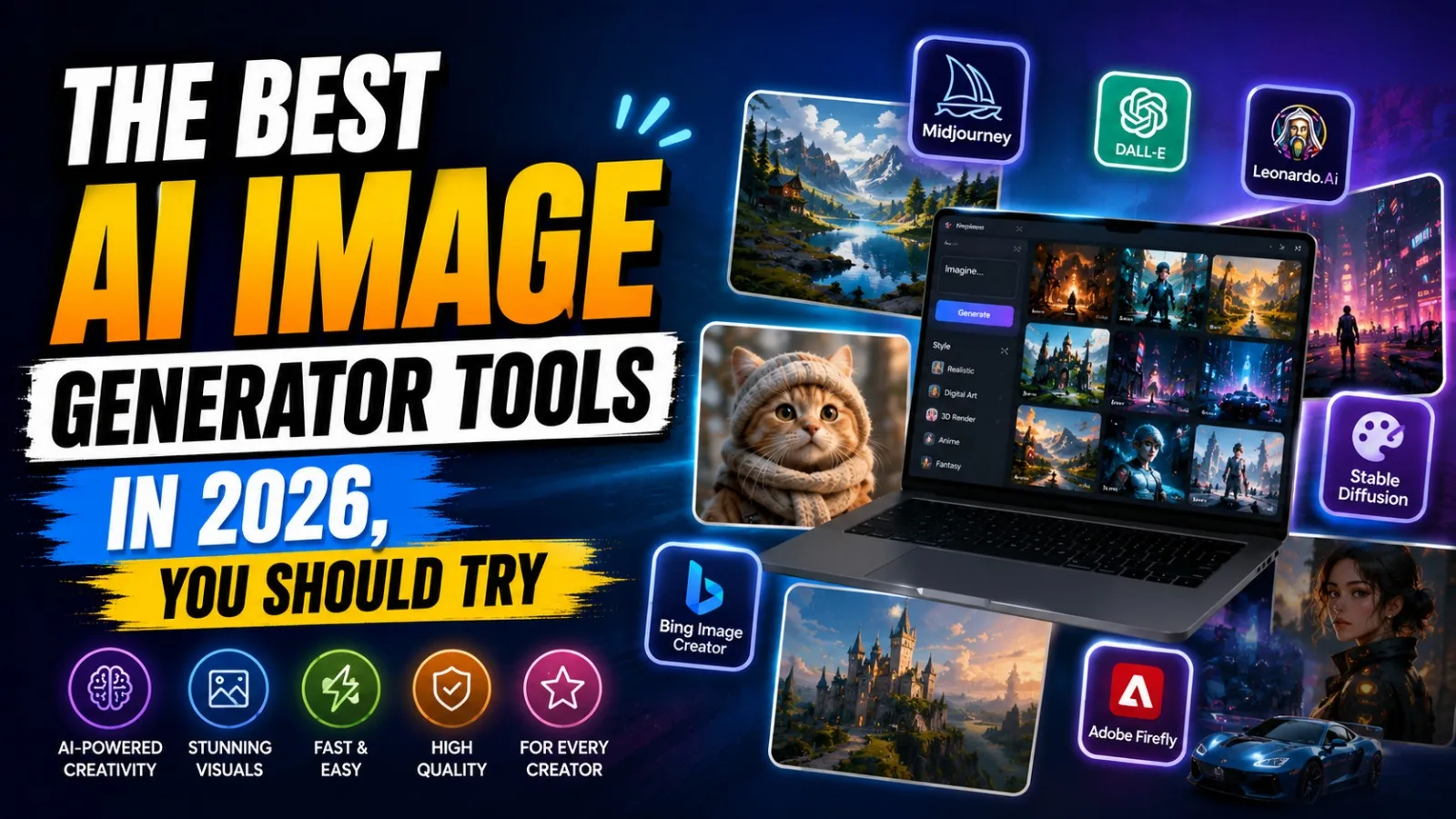
Hey friend, the best AI image generator tools in 2026 that you should try. If you’re into content creation, marketing, or just love making cool images, you already know that AI image generator tools have completely changed the game in this field in 2026. I remember the first time I used an AI tool to make a thumbnail, and honestly, I was blown away by how fast and well it works. Now, you don’t need to wait for a designer or spend hours in Photoshop. In this article, I’ll show you the top AI image generator tools worth trying in 2026. I’ve tried many of these for my own content work, so trust me, this isn’t just some random list copied from the internet. Let’s dive in. Highlight key Here is what you will learn in this guide: Which AI Image Generator Tools are actually worth your time in 2026 Free AI Image Generator tools that don’t put a watermark on your images Best tools for realistic images, text inside images, and fast social media content Honest pros and cons, not just hype Why Are AI Image Generator Tools So Popular Right Now? Tell me the truth; who has time to sit for hours designing a single image? These days, everyone wants fast results. Whether you need a YouTube thumbnail, a product photo, or just a fun picture for Instagram, AI Image Generator Tools do the job in seconds. That is the real reason why so many creators, marketers, and even small business owners are switching to these tools. The Best AI Image Generator Tools in 2026 You Should Try Google Gemini (Nano Banana Pro) In my experience, this is one of the best free AI Image Generator tools you can use right now. It gives clear, realistic images and handles small details really well. The best part is you can use it without paying anything, which makes it great for beginners. It also lets you upscale images and remove backgrounds easily. Midjourney V7 If you want artistic and cinematic-looking images, Midjourney is still the king. This tool is more about creative and beautiful art-style images rather than plain realistic photos. If you think as I do, that art should feel alive, Midjourney will not disappoint you. The only downside is it is a bit slower, and you need a paid plan for full access. Adobe Firefly Firefly is made for people who care about safe and legal image use, especially designers and businesses. It is trained on licensed content, so there is less worry about copyright issues. It works smoothly with Photoshop and Illustrator too. This is one of the best AI image generators for Designers who already use Adobe tools daily. ChatGPT (GPT Image) Honestly, ChatGPT is the easiest tool for beginners. You just type what you want in simple words, and it gives you the image right there in the chat. No complicated settings, no confusion. If you are new to Text to Image AI tools, start here. Also Read : Claude AI Review: Pros, Cons & Use Cases – Is It Worth Using in 2026? Ideogram 3 Now let’s talk about a common problem: text inside AI images looking weird or broken. Ideogram fixes that. If you need images for YouTube thumbnails, banners, or posters with clear, readable text, this tool does it better than most others. FLUX.2 This one is great if you want more control and even self-host your own setup. It is popular among developers and advanced users who want to connect it with their own apps or websites. Leonardo.ai Leonardo works like a full creative studio. It lets you sketch something rough, and the AI turns it into a proper image in real time. It also has a decent free plan, which is good news if you are just starting out. Which One Is Best for Realistic Images in 2026? If your main goal is realistic photos, Nano Banana Pro from Google and Adobe Firefly are your safest bets. They handle lighting, face and body textures, and small details in a very good and natural way. I have tried both for my own site images, and honestly, they saved me a lot of time. Free AI Image Generator Tools Worth Trying Not everyone wants to pay right away, and that is fair. Google Gemini and ChatGPT both offer solid free options. Leonardo.ai also gives free credits daily, which is enough if you are just experimenting or making content for personal use. Also Read : Can AI Tools Write High-Quality Blog Posts? Complete Guide My Honest Opinion Tell me the truth: no tool is perfect. Midjourney looks amazing but costs money. ChatGPT is easy but sometimes lacks fine control. Nano Banana Pro is a great mix of free and quality features, but it can feel slow during high-traffic times. So my advice, buddy, don’t stick to just one tool. Try two or three based on what you need. Final Thoughts In 2026, AI image generator tools aren’t just for fun anymore – they’ve become a real part of everyday content work. Whether you’re a student, blogger, YouTuber, or business owner, there’s definitely a tool for you. Just pick what you need – realistic photos, artistic style, or quick social media content, and you’re all set. Related Post Complete Guide to the Best AI Image Generator Tools in 2026 Lenovo Legion Y700 AI Tablet: Price, Specs & Gaming Review (2026) OPPO Reno 16 vs Vivo V70 Elite: Ultimate Buying Guide Top 5 Upcoming Mobile Phones India July 2026 Buying Guide 7 Amazing Samsung Galaxy S26 Ultra Features You Must Know 1 2 Earbuds OPPO Enco Air 5 India Launch Confirmed: Amazon Teaser is Live! 5 Best Earbuds of 2025: Sound, Battery, and Reviews Top 10 Earbuds in India 2026 – Best Wireless & Budget Picks Vivo Over-Ear ANC Headphones: 7 Powerful Features Revealed Realme Buds Air 8 Pro Review: Best ANC Earbuds Under ₹6,999 1 2 Laptops Lenovo Legion Y700 AI Tablet: Price, Specs & … Read more

7 Amazing Samsung Galaxy S26 Ultra Features You Must Know

7 Amazing Samsung Galaxy S26 Ultra Features You Must Know

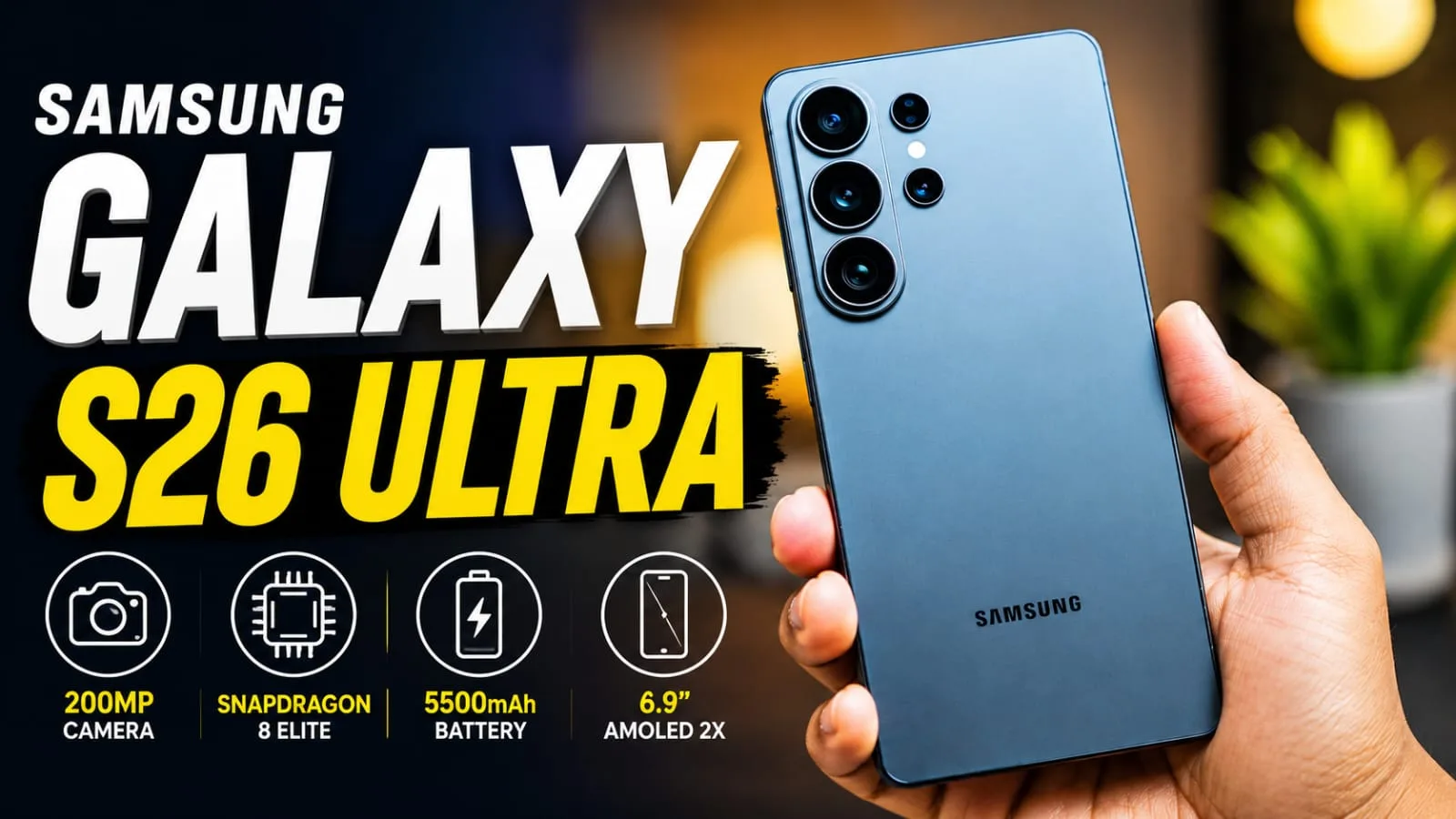
You also want to know about the Samsung Galaxy S26 Ultra, just like others, right? Buddy, you’ve come to the right place. I’ve been using this phone for a few weeks on a friend’s advice, and I want to tell you the truth about it—no hype, no drama, just straightforward and honest talk. The Samsung Galaxy S26 Ultra is Samsung’s top phone of 2026 so far, and it comes with a powerful chip, a smart camera, and some new AI tools as features. But is it really worth your hard-earned money or not? There’s something special at the end for you. Highlight key Big 6.9-inch AMOLED screen with smooth 120Hz refresh rate Snapdragon 8 Elite Gen 5 chipset made just for Galaxy phones 200MP main camera with three more lenses for zoom and wide shots 5000mAh battery with 60W fast charging New Privacy Display, the first of its kind on any phone S Pen included in the box, as always. Samsung Galaxy S26 Ultra launch date and price Samsung Galaxy S26 Ultra launch date and USA price details 2026 Samsung launched the Galaxy S26 Ultra at a global Unpacked event in February 2026, and the phone hit stores in March. Now let’s talk numbers, because I know that’s what you really care about. In India, the Samsung Galaxy S26 Ultra price starts at around ₹1,39,999 for the 12GB RAM and 256GB storage model. If you want more space, the 512GB version costs close to ₹1,59,999, and the top 1TB model with 16GB RAM comes in at around ₹1,89,999. In the USA, the Samsung Galaxy S26 Ultra price begins at $1,299.99 for the base storage. Tell me the truth: that is not a small amount. However, Samsung usually gives good exchange offers and bank discounts, so keep an eye on those if you plan to buy one. You can grab it from Samsung’s own store, Flipkart, Amazon, or your local shop. Samsung Galaxy S26 Ultra Display Quality Samsung Galaxy S26 Ultra 6.9-inch Dynamic AMOLED 2X display The Samsung Galaxy S26 Ultra display is honestly one of its best parts. It has a 6.9-inch Dynamic AMOLED 2X panel with sharp QHD+ resolution, so text and photos look crisp and clean. The screen supports a smooth 1 to 120Hz adaptive refresh rate, which means scrolling feels buttery in games and normal apps too. In my experience, watching movies on this screen at night is a treat; colors pop and blacks look deep. Samsung also added Gorilla Armor 2 glass on top, so small drops and scratches should not scare you too much. The biggest new thing here is the Privacy Display feature. When you switch it on, people sitting beside you on a train or in a cafe cannot see your screen clearly from the side. If you think as I do, this is a genuinely useful feature, not just a gimmick, especially when you are checking bank apps or private chats in public places. Samsung Galaxy S26 Ultra Specifications Feature Details Display 6.9-inch QHD+ Dynamic AMOLED 2X, 120Hz Refresh Rate Weight 214g Processor Snapdragon 8 Elite Gen 5 for Galaxy RAM 12GB / 16GB Storage 256GB / 512GB / 1TB Rear Camera 200MP (Main) + 50MP (Ultra-Wide) + 10MP (Telephoto) + 50MP (Periscope Telephoto) Front Camera 12MP Selfie Camera Battery 5000mAh Fast Charging 60W Wired Fast Charging Wireless Charging 25W Qi2 Wireless Charging Operating System Android 16 with One UI 8.5 Build & Protection Gorilla Armor 2, IP68 Water & Dust Resistance AI Features Galaxy AI, Privacy Display, S Pen Support Connectivity 5G, Wi-Fi 7, Bluetooth 6.0, NFC, USB Type-C Available Colors Cobalt Violet, Sky Blue, Black, White, Silver Shadow Also Read : Samsung Galaxy A27: Should You Buy in 2026? Honest information Samsung Galaxy S26 Ultra Specifications and Performance 7 Amazing Samsung Galaxy S26 Ultra Features You Must Know Now let’s talk about power. The Samsung Galaxy S26 Ultra runs on the Snapdragon 8 Elite Gen 5 chipset, built specially for Galaxy phones, and it comes with either 12GB or 16GB RAM depending on the storage you pick. Samsung says this chip gives about 19% faster CPU speed and 24% better graphics compared to last year’s S25 Ultra. In real use, apps open fast, and heavy games like BGMI or Genshin Impact run smoothly on high settings without much lag. The phone also has a redesigned vapor chamber, so it stays cooler during long gaming sessions, which is something gamers will really like. Storage options go up to 1TB, though you cannot add extra memory cards, so choose your storage wisely at the time of buying. Samsung Galaxy S26 Ultra Camera Review Samsung Galaxy S26 Ultra 200MP camera sample and photography features The camera setup on the Samsung Galaxy S26 Ultra is where things get exciting. You get a 200MP main lens, a 50MP ultrawide lens, a 10MP telephoto lens with 3x optical zoom, and a 50MP periscope lens for 5x optical zoom. That is four cameras working together, and honestly, the results are lovely in daylight. Photos come out sharp with natural colors, not too fake or over-sharpened. For low light, Nightography does a solid job of keeping noise low while still showing good detail. I took some night shots of my street lights, and I was pleasantly surprised by the clarity. However, I will be honest, the improvement over the S25 Ultra is small this year, mostly software-based rather than a big hardware jump. So, if you already own an S25 Ultra, the camera alone should not be your only reason to upgrade. Samsung Galaxy S26 Ultra Battery Life and Charging Samsung Galaxy S26 Ultra 5000mAh battery with 60W fast charging Battery size stays the same at 5000mAh, which might disappoint some buyers who wanted a bigger cell. However, Samsung improved the charging speed to 60W wired, up from 45W last year, so the phone tops up faster now. Wireless charging also jumped to 25W. In daily use, the battery easily lasts a full day with normal texting, scrolling, … Read more

How to Use ChatGPT: Complete Tutorial, Prompts & Use Cases (2026)

learn how to use ChatGPT like a pro in 2026

So you’ve heard about ChatGPT everywhere, right? On YouTube, in news articles, from your friends, and maybe even from your boss. And now you want to actually understand what it is, how it works, and most importantly, how to use ChatGPT properly. Tell me the truth, most people just open ChatGPT, type something random, and then say, “Man, this isn’t anything special.” The problem is not ChatGPT. The problem is they don’t know how to talk to it. And that’s exactly what this article is going to fix. I’ve been using ChatGPT since early 2023, and honestly, it has changed the way I work, write, and even think. From writing blog articles to debugging code to brainstorming YouTube video ideas, this one tool does it all. So let me walk you through everything you need to know, step by step, as a complete ChatGPT guide for beginners 2026. Highlight key Topic Details Tool Name ChatGPT Developer OpenAI Launch Year November 2022 Free Plan Available Paid Plans Plus ($20/month), Pro ($200/month) Key Features Text, Image, Voice, Code, File Analysis Best For Students, Bloggers, Developers, Marketers Focus Keyword How to Use ChatGPT What is ChatGPT? ChatGPT is an advanced artificial intelligence (AI) based conversational system, developed by OpenAI. This name is used for the Chat Generative Pre-Trained Transformer. Sounds complicated? Don’t worry, buddy, it’s actually very simple to understand. Basically, ChatGPT is a very smart computer program that can have a real conversation with you. You type something, and it types back. But unlike old chatbots that gave you only fixed, scripted answers, ChatGPT can actually understand your question, think about it (in its own AI way), and give you a detailed, useful, and often surprisingly good answer. If you ask ChatGPT to write a birthday message, it writes one. Ask it to explain quantum physics like you’re 10 years old, and it does that too. Ask it to write Python code for a calculator, and it will write that as well. This is why so many people are using it right now. Why is ChatGPT So Popular? Discover why millions use ChatGPT every day ChatGPT became the fastest app to reach 100 million users in history. Why? Because it actually works. It’s not just hype. Before ChatGPT, getting smart AI responses required either being a developer or paying a lot of money for special tools. But ChatGPT made it free and easy. Anyone with an internet connection can go to chat.openai.com and start using it right away. Another reason is that ChatGPT features are genuinely useful in real life. Students use it for homework help. Writers use it for content. Developers use it for coding. It’s not a toy, it’s a real productivity tool. Who Should Use ChatGPT? Honestly, if you’re reading this article, you should use ChatGPT. Whether you’re a student, a freelancer, a business owner, a teacher, or someone who just wants to save time, ChatGPT has something for you. If you think as I do, you probably find many daily tasks a bit boring and repetitive. Replying to emails, writing reports, and doing basic research. ChatGPT can handle most of that, and you can focus on the real, creative, and important work. Also Read :  iPhone 17 Complete Information – Is It Worth Buying? History of ChatGPT Evolution of AI Chatbots Long before ChatGPT, there were basic chatbots. Remember those annoying customer support bots that could only answer 5 questions? Those were rule-based bots. They didn’t really have a true understanding or grip on the language. Then came smarter systems like Apple’s Siri and Amazon’s Alexa. Better, but still limited. They were mostly voice assistants built for specific tasks. Development Timeline OpenAI was founded in 2015. They started working on language models early on. In 2018, they released GPT-1, their first language model. In 2019, GPT-2 came, which was so powerful that OpenAI was actually afraid to fully release it publicly. GPT-3 arrived in 2020, and it was a huge step forward. But it was mostly available through an API for developers. Normal people couldn’t easily access it. Then, in November 2022, OpenAI launched ChatGPT, built on GPT-3.5. And that changed everything. In just about five days, it hit 1 million users. By January 2023, it crossed 100 million users.Major Updates Over the Years After the original ChatGPT launch, things moved fast. March 2023: GPT-4 was released, bringing a massive improvement in reasoning. Late 2023: ChatGPT Plus users got access to image generation through DALL-E 3. 2024: Voice mode got much better. ChatGPT could now talk back with a natural human-like voice. 2025: ChatGPT got real-time web browsing, file uploads, data analysis, and much more. 2026: Now ChatGPT is one of the most advanced AI assistants in the world, with memory, custom instructions, and a massive context window. How ChatGPT Works Learn the technology behind ChatGPT’s intelligent answers Artificial Intelligence and Large Language Models Behind ChatGPT works a state-of-the-art language model that understands questions and gives appropriate answers. Think of it as a brain that has read almost the entire internet, millions of books, research papers, websites, and code repositories. From all this reading, the model learned patterns in language. It learned how sentences work, how ideas connect, and how to explain things clearly. It didn’t memorize everything. It learned the structure of knowledge. Training Process Training ChatGPT was a huge process. First, OpenAI fed it a massive amount of text data. Then, human trainers gave it feedback on which answers were good and which were bad. This process is called Reinforcement Learning from Human Feedback (RLHF). Because of this training, ChatGPT doesn’t just give random answers. It gives answers that humans have actually rated as helpful, accurate, and clear. Token System and Context Window Here’s something a bit technical but very useful to know. ChatGPT reads and responds in “tokens.” A token is roughly 3-4 characters of text. Every conversation has a “context window,” which is the total number of tokens ChatGPT can remember in one conversation. GPT-4o, the latest model in ChatGPT as … Read more

One UI 8.5: A Revolutionary Update with Painful Compromises

One UI 8.5 premium update feature image

Hey guys, the One UI 8.5 rollout has finally begun, and everyone is buzzing in their groups! Some are asking when the Samsung One UI 8.5 update will arrive, some are even more worried about the One UI 8.5 release date, and people in India want it first. I’m excited myself because my Galaxy device is still running great, but once the update arrives, battery life and smoothness will be at a whole new level. In this complete guide, we’ll break it all down: One UI 8.5 features, eligible devices, supported phones, the Samsung Android 16 update, the One UI 8.5 beta program, the One UI 8.5 update in India, the changelog, and the installation guide. It’s all in detail, no nonsense, just straight up about the pros and cons. What is One UI 8.5? Before & After One UI 8.5 is Samsung’s latest custom skin that runs on Android 16. Samsung has focused on battery optimization, user interface performance, and AI intelligence in this update. It seems that 8.5 feels smoother, cleaner, and more intelligent than the previous One UI 8.0. Samsung says that the main objective of this update is to focus on a “Natural & Intelligent Experience.” One UI 8.5 Release Date – So What’s the Situation Now? The stable One UI 8.5 rollout has officially begun in May 2026. In South Korea, the Galaxy S25 series began receiving it in early May, and it’s rolling out to global markets (including India) from mid-May. Previously, it came pre-installed with the S26 series, but now older flagships are getting it. If you’re using a Samsung Galaxy S25, S24, Z Fold/Flip series, or A-series phone, One UI 8.5 could completely transform your phone experience. According to the Samsung One UI roadmap 2026, it is coming in waves: Wave 1 (May early): S25 series, latest foldables Wave 2: S24 series or Z Fold6/Flip6 Wave 3: S23 series or select A series You can expect this update to arrive in India soon, especially for flagship users. Samsung typically starts each update in Korea and then expands to other countries. If your phone is eligible for the update, you should receive a notification very soon. Key Features of One UI 8.5 This is based on Android 16 QPR2, so the features are solid. There are significant improvements in visual polish and AI. New Design and Animations: One UI 8.5 includes a new “Blur & Glow” effect. Icons, notification shade, and quick settings will now appear more glassy and premium. Animations are much smoother. After this update, your device’s home screen, lock screen, and Always On Display will now have new styles. Advanced AI Features:  Galaxy AI 2.0: Improved Circle to Search, Live Translate, Note Assist, and Photo Assist AI Wallpaper Generator: Creates beautiful wallpapers from text descriptions AI Call Translator: Real-time call translation Smart Reply and AI Summarizer: Easily summarize messages and notes with one click. Performance improvements: One UI 8.5 features improved RAM management and CPU optimization. Gaming mode will now be more powerful. This update results in more stable frame rates and lower battery consumption. Battery optimization: Battery life is seeing significant improvements thanks to AI battery optimization. Many phones are easily achieving 1.5 days of battery life. Privacy and Security: The new Privacy Dashboard, Secure Folder, and App Permission Manager have been further strengthened. Also Read :  iPhone 17 Complete Information – Is It Worth Buying? One UI 8.5 Eligible Devices and Supported Phones Samsung has stated that several devices will receive this Samsung Android 16 update with One UI 8.5. Most phones that were eligible for One UI 8 will also receive it. Galaxy phones that will soon receive the One UI 8.5 update: Galaxy S25 series (S25, S25+, S25 Ultra, FE, Edge) Galaxy S24 series Galaxy S23 series Some S22 models (the biggest and final update for some) Foldables: Z Fold7, Flip7, Fold6, Flip6, and select older phones Mid-range and budget: A series like the A56, A36, A55, A35 Some M and F series Tab S series To check if you’re receiving the update, go to Settings > Software Update or open the Samsung Members app. In India, A-series devices may have to wait a little longer, but it will arrive. The full list of One UI 8.5 eligible devices can be found on Samsung’s official source. One UI 8.5 Changelog – Important Changes The changelog includes visual refreshes, improvements to AI features, connectivity fixes, and the latest security patch. Several bugs have been fixed from the beta version to the stable version. One UI 8.5 offers significant performance improvements, especially on older flagship phones. Battery life has also improved. One UI 8.5 Beta Program The beta program has been running since December 2025, and India was included in this program. Now that the stable version is coming, it’s not time to join the beta, but keep checking the Samsung Members app for future updates. Many people have tried the beta and provided feedback that the stable version is much better. Installation Guide – Step by Step (Also for India) Back up your photos, WhatsApp chats, and important files first. Sometimes minor issues occur during updates. Go to Settings > Software Update > Download and Install. Stay connected to Wi-Fi, and keep your battery at least 50%. It will download (about 2-4GB), then restart and install. My tip: Update at night; you’ll get a fresh phone in the morning. In India, the One UI 8.5 update on carrier versions (Jio and Airtel) may take longer than the unlocked version. Keep notifications turned on in the Members app. Performance Improvements and Battery Optimization Beta users and those with early stable versions are saying that animations are smoother than ever, heating is reduced, and One UI 8.5’s battery optimizations are really working. Network Saver handles background data smartly. You can clearly feel the difference between gaming and daily multitasking. Every device is different, but overall, the vibes are positive. Also Read : Samsung Galaxy S26 Ultra 5G: 5000mAh … Read more