Tech all rounder

One UI 8.5: A Revolutionary Update with Painful Compromises

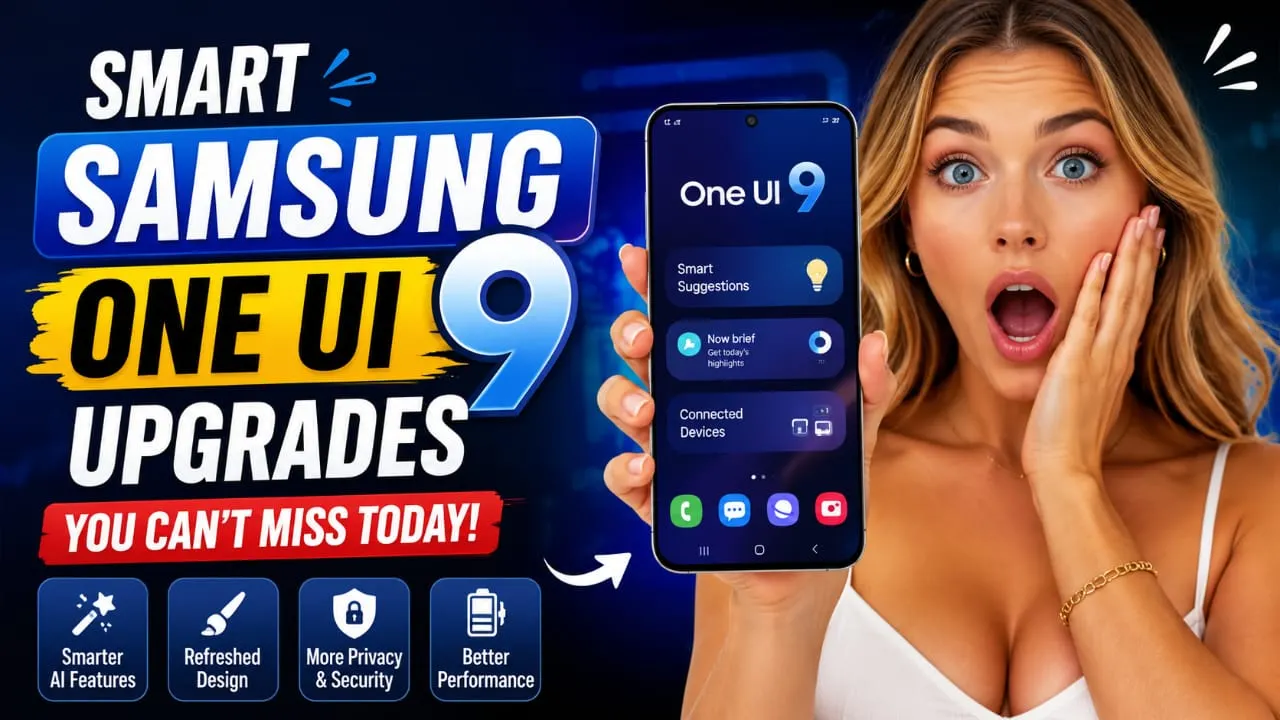
One UI 8.5 premium update feature image

Hey guys, the One UI 8.5 rollout has finally begun, and everyone is buzzing in their groups! Some are asking when the Samsung One UI 8.5 update will arrive, some are even more worried about the One UI 8.5 release date, and people in India want it first. I’m excited myself because my Galaxy device is still running great, but once the update arrives, battery life and smoothness will be at a whole new level. In this complete guide, we’ll break it all down: One UI 8.5 features, eligible devices, supported phones, the Samsung Android 16 update, the One UI 8.5 beta program, the One UI 8.5 update in India, the changelog, and the installation guide. It’s all in detail, no nonsense, just straight up about the pros and cons. What is One UI 8.5? Before & After One UI 8.5 is Samsung’s latest custom skin that runs on Android 16. Samsung has focused on battery optimization, user interface performance, and AI intelligence in this update. It seems that 8.5 feels smoother, cleaner, and more intelligent than the previous One UI 8.0. Samsung says that the main objective of this update is to focus on a “Natural & Intelligent Experience.” One UI 8.5 Release Date – So What’s the Situation Now? The stable One UI 8.5 rollout has officially begun in May 2026. In South Korea, the Galaxy S25 series began receiving it in early May, and it’s rolling out to global markets (including India) from mid-May. Previously, it came pre-installed with the S26 series, but now older flagships are getting it. If you’re using a Samsung Galaxy S25, S24, Z Fold/Flip series, or A-series phone, One UI 8.5 could completely transform your phone experience. According to the Samsung One UI roadmap 2026, it is coming in waves: Wave 1 (May early): S25 series, latest foldables Wave 2: S24 series or Z Fold6/Flip6 Wave 3: S23 series or select A series You can expect this update to arrive in India soon, especially for flagship users. Samsung typically starts each update in Korea and then expands to other countries. If your phone is eligible for the update, you should receive a notification very soon. Key Features of One UI 8.5 This is based on Android 16 QPR2, so the features are solid. There are significant improvements in visual polish and AI. New Design and Animations: One UI 8.5 includes a new “Blur & Glow” effect. Icons, notification shade, and quick settings will now appear more glassy and premium. Animations are much smoother. After this update, your device’s home screen, lock screen, and Always On Display will now have new styles. Advanced AI Features:  Galaxy AI 2.0: Improved Circle to Search, Live Translate, Note Assist, and Photo Assist AI Wallpaper Generator: Creates beautiful wallpapers from text descriptions AI Call Translator: Real-time call translation Smart Reply and AI Summarizer: Easily summarize messages and notes with one click. Performance improvements: One UI 8.5 features improved RAM management and CPU optimization. Gaming mode will now be more powerful. This update results in more stable frame rates and lower battery consumption. Battery optimization: Battery life is seeing significant improvements thanks to AI battery optimization. Many phones are easily achieving 1.5 days of battery life. Privacy and Security: The new Privacy Dashboard, Secure Folder, and App Permission Manager have been further strengthened. Also Read :  iPhone 17 Complete Information – Is It Worth Buying? One UI 8.5 Eligible Devices and Supported Phones Samsung has stated that several devices will receive this Samsung Android 16 update with One UI 8.5. Most phones that were eligible for One UI 8 will also receive it. Galaxy phones that will soon receive the One UI 8.5 update: Galaxy S25 series (S25, S25+, S25 Ultra, FE, Edge) Galaxy S24 series Galaxy S23 series Some S22 models (the biggest and final update for some) Foldables: Z Fold7, Flip7, Fold6, Flip6, and select older phones Mid-range and budget: A series like the A56, A36, A55, A35 Some M and F series Tab S series To check if you’re receiving the update, go to Settings > Software Update or open the Samsung Members app. In India, A-series devices may have to wait a little longer, but it will arrive. The full list of One UI 8.5 eligible devices can be found on Samsung’s official source. One UI 8.5 Changelog – Important Changes The changelog includes visual refreshes, improvements to AI features, connectivity fixes, and the latest security patch. Several bugs have been fixed from the beta version to the stable version. One UI 8.5 offers significant performance improvements, especially on older flagship phones. Battery life has also improved. One UI 8.5 Beta Program The beta program has been running since December 2025, and India was included in this program. Now that the stable version is coming, it’s not time to join the beta, but keep checking the Samsung Members app for future updates. Many people have tried the beta and provided feedback that the stable version is much better. Installation Guide – Step by Step (Also for India) Back up your photos, WhatsApp chats, and important files first. Sometimes minor issues occur during updates. Go to Settings > Software Update > Download and Install. Stay connected to Wi-Fi, and keep your battery at least 50%. It will download (about 2-4GB), then restart and install. My tip: Update at night; you’ll get a fresh phone in the morning. In India, the One UI 8.5 update on carrier versions (Jio and Airtel) may take longer than the unlocked version. Keep notifications turned on in the Members app. Performance Improvements and Battery Optimization Beta users and those with early stable versions are saying that animations are smoother than ever, heating is reduced, and One UI 8.5’s battery optimizations are really working. Network Saver handles background data smartly. You can clearly feel the difference between gaming and daily multitasking. Every device is different, but overall, the vibes are positive. Also Read : Samsung Galaxy S26 Ultra 5G: 5000mAh … Read more

Oppo ColorOS 16.1: Impressive Yet Not Revolutionary

Oppo ColorOS 16.1: Impressive Yet Not Revolutionary

Oppo has announced the official rollout plan for its ColorOS 16.1 update, based on Android 16. This version makes the interface more attractive and responsive while also adding useful smart features that users use every day. Rollout Timeline in China Market – April 2026 Update Beta Testing: The application has been open for early access for a while and will close on April 17, 2026. I expect selected users on top flagships to receive the beta around April 21, 2026.Stable Version: First Wave (May 10 to May 20, 2026): I expect the newest and most premium devices will be covered first in this phase. Second Wave (May 21 to May 31, 2026): A wider rollout will be conducted for additional flagship, foldable, and mid-range models. The schedule mentioned in this article is for the Chinese market, and a global rollout, including India, is expected to occur a few weeks later – if leaks are to be believed, it could begin in late May or early June 2026, depending on your region and device variant. Updates tend to arrive gradually, so even after the official window opens, users need to be patient. Eligible Devices (Confirmed for Stable Rollout) Eligible Devices (Confirmed for Stable Rollout) Oppo and OnePlus have released the update for over 20 smartphones: First Wave (May 10–20): OnePlus Ace 6 Collection and OnePlus Turbo 6 Lineup Oppo’s Find X9, Find X8, and Find X8s smartphone series OnePlus 15 Series, OnePlus 13 Series Oppo Find N6 and Find N5 (Foldable) Oppo Pad 4 Pro OnePlus Tablet 2 Pro Second Wave (May 21–31): Reno 14 Pro Series, Oppo Reno 15 Series Oppo K15 Series, K13 Turbo Pro Oppo Find X7 Series Oppo Pad 5 Additional OnePlus models from previous series (final list subject to change) If your device is the latest flagship or high-end foldable, you have an even better chance of getting it in the first wave. Mid-range and older flagships are expected to arrive in the second wave or later in the global phase. Regularly check your phone’s Settings > About Phone > System Updates for updates. Also Read :  iPhone 17 Complete Information – Is It Worth Buying? What’s new in ColorOS 16.1? What’s new in ColorOS 16.1? ColorOS 16.1 isn’t just a single update—it includes a host of features that improve the lock screen and animations and make everyday use even easier. Smart Lock Screen Island / Live Activities Bar: A new pill-shaped or capsule-like area at the bottom of the lock screen that displays real-time information. It handles playback, flashlight, calls, navigation, music, time, and more in a compact, easily visible way. This design is inspired by the modern Dynamic Island concept but seamlessly integrated into ColorOS. The lock screen media player is now even better with an updated music widget: with the updated music widget, album artwork stands out more, and lyrics can be viewed directly on the lock screen or always-on screen. Smoother Animations and Transitions: The engine upgrade makes every system movement (scrolling, app switching, and interface) visible, further enhancing the user experience. Notification Improvements: Notifications are now displayed neatly on a single screen, reducing unnecessary information. Camera Interface Refresh: The camera UI has been redesigned to make modes and settings quicker and easier to access. AI and Performance Polishing: Additional AI-based features to improve smart interactions, reduce heating during extended use, and provide stable performance. Slightly increased power efficiency during extended use. Many initial impressions show how these lock screen changes make the phone feel more fresh and intelligent, without making things overly complicated. Tips for a Smooth Update Experience (Especially for Indian Users) Ensure your phone has at least 50% battery, is connected to stable Wi-Fi, and has plenty of free storage (around 5–8 GB is recommended). Back up important data before updating. Flagship users (Find X series or OnePlus 13/15) may see this soon. If you have a Reno or K-series device, expect this feature to arrive around the second wave or a little later in the global rollout. Realme smartphones with the same software may receive a parallel Realme UI update, but it may release at different times. ColorOS 16.1 continues Oppo’s move towards a cleaner, more responsive experience with thoughtfully designed smart elements. While the company is already working on future Android versions in the background, this 16.1 update delivers immediate daily improvements. Final Verdict ColorOS 16.1 is coming with a polish-focused update—it might not look like a big deal, but it has the potential to make everyday use feel smoother, smarter, and more modern. For users who prefer a clean UI and improved performance, this could definitely be a useful upgrade. It hasn’t hit the market yet. Once it does, we’ll definitely hear about its features through some means. All the information above is based on leaks. Also Read : Samsung Galaxy S26 Ultra 5G: 5000mAh battery, Snapdragon 8 Elite Gan 5, 200MP Camera. Pros of ColorOS 16.1 & Cons     Pros of ColorOS 16.1 Smoother & Faster Performance – animations, scrolling, app switching more fluidSmart Lock Screen Island – real-time updates for music, calls, timer, navigation Improved Camera UI – cleaner, faster, and premium-looking interface Better Notification Management – stacked notifications for clutter-free view Enhanced Music Lock Screen – album art + lyrics support AI Smart Features – better suggestions and system optimization Refined Premium Design – smoother transitions, transparency, modern UI   Cons of ColorOS 16.1 Minor Upgrade – not a major or revolutionary update Inspired Design – some UI elements look similar to iOS / One UI Possible Bugs – early builds may have glitches or stability issues Slow Rollout – update may arrive late on some devices Device Limitations – some features only on high-end phones Adjustment Time – new UI changes may take time to get used to Latest Post Oppo ColorOS 16.1: Impressive Yet Not Revolutionary ByThe Legend | April 21, 2026 | Read More Snapdragon 7 Gen 4 vs 7s Gen 4: Big Difference Explained! ByThe Legend | … Read more