Tech all rounder

MagicOS 9.0: Revolutionary Update You Can’t Ignore

With MagicOS 9.0, Honor has once again demonstrated its dedication to providing its users with the best possible experience. This new version, built on Android 16, is revitalizing Honor phones. Whether you’re gaming, working professionally, or using social media daily, MagicOS 9.0 is making an impact everywhere. I’ve personally spoken to several Honor users and compiled this article based on our testing. If you’re an Honor user or considering purchasing a new Honor phone, this comprehensive guide will be very useful. Let’s take a closer look at what MagicOS 9.0 offers and how it can enhance your phone. Release Timeline Honor has begun the MagicOS 9.0 rollout in phases. Q2 2026: Flagships like the Honor Magic 7, Magic 7 Pro, and Magic V3 are receiving the update first. Q3-Q4 2026: The Magic 6 series, Note series, and other mid-range models will receive the update. The rollout may be a little slower in India, but Honor typically provides 2-3 OS updates and 4-5 years of security patches. What is MagicOS 9.0? MagicOS 9.0 is Honor’s new operating system built on Android 16. Honor calls it a “smarter and smoother experience.” Compared to the previous MagicOS 8.0, it features significant improvements in AI capabilities, UI design, privacy features, and performance optimizations.Honor’s focus this time is on “Intelligent Interaction.” MagicOS 9.0 automatically adjusts the phone to your usage patterns – whether it’s gaming, multitasking, or battery saving. This update gives Honor the ability to compete directly with OnePlus’s OxygenOS and OPPO’s ColorOS. What exactly is MagicOS 9.0 changing? What exactly change in MagicOS 9.0 1. AI-Powered Intelligence MagicOS 9.0 features a significant boost in AI. Smart Scene Recognition — The phone automatically detects whether you’re gaming, watching videos, or working and optimizes the background. AI Assistant — Improved voice commands, real-time translation, and smart suggestions. AI Image & Video Editing — Remove unnecessary elements and change backgrounds in photos/videos without the need for an additional app. 2. New UI Design – Magic Glow MagicOS 9.0’s new design is called “Magic Glow.” It features glassy, ​​translucent effects, smooth animations, and a modern icon style. The Quick Settings panel, notification shade, and homescreen now look more elegant and intuitive. New styles have also been added to Dark Mode and Always-On Display. 3. Performance & Gaming Improvements Improved CPU/GPU management has reduced frame drops. Magic Gaming Mode – Bypass Charging, Anti-Interference, and High FPS Support. Multitasking is now smoother – split screen, floating windows, and app locker work better. 4. Battery Optimization MagicOS 9.0 has a noticeable improvement in battery life. Smart battery saving, background app control, and AI-based power management allow phones like the Honor Magic 7 series to easily last 1.5-2 days. This combination, combined with fast charging, is proving very popular with users. 5. Privacy & Security New Privacy Dashboard App Permission Manager Secure Folder and Private Space Improved biometric security (In-Display Fingerprint + Face Unlock) 6. Customization Options: Honor has made customization more powerful. There are numerous new options across themes, icon packs, fonts, Always-On Display styles, and home screen widgets. Also Read :  iPhone 17 Complete Information – Is It Worth Buying? Which Honor phones will get frist? Which Honor phones will get MagicOS 9.0 first? Key eligible devices: Honor has launched it as the Honor Magic 7 / 7 Pro / 7 Ultra. Honor Magic V3 (Foldable) Honor Magic 6 / 6 Pro / 6 RSR Honor Note 60 / Note 50 series Honor 400 Pro and select mid-range models This may be the last major update for some older models. Honor will update the official list periodically. The update is rolling out slowly in India, but Honor typically releases 2-3 major OS updates. If your phone is from the Magic 7 or Magic 6 series, you should receive a notification soon. OS 9.0 vs. OS 8.0 – What are the changes? MagicOS 8.0 was already good, but MagicOS 9.0 goes even further: The UI is more modern and smoother AI features are more useful Battery and performance improvements Gaming mode is more powerful Privacy tools are improved Overall, MagicOS 9.0 gives Honor a more premium feel. MagicOS 9.0 vs. Older Version MagicOS 8.0 was already better, but 9.0’s UI is more modern, AI is more useful, and performance is more stable. Animations are smoother, battery life is better, and minor bugs have been reduced. Overall, this upgrade really makes a difference. How to install Go to Settings → About Phone → Check MagicOS Version. When the update is available, download it while connected to Wi-Fi. Perform a full backup of your phone. Keep your phone charged during the update. Keep track of updates on Honor’s official website and community. Also Read : Samsung Galaxy S26 Ultra 5G: 5000mAh battery, Snapdragon 8 Elite Gan 5, 200MP Camera. Pros & Cons Pros Attractive Magic Glow UI – a glassy and elegant look Useful AI features that simplify everyday tasks Improved performance and gaming optimizations Good battery life and fast charging support Robust customization options Improved security and privacy Cons Rollout is currently in the pipeline – not all phones will receive it immediately According to Honor, not all older devices will be eligible for this update. Minor bugs may occur in the initial days AI features may be limited in some regions Some users may experience fewer features than ColorOS or OxygenOS Final verdict MagicOS 9.0 shows Honor is serious about giving users a complete package – good looks, smart features, solid performance, and decent battery life. It’s not trying to reinvent the wheel, but rather polish what already works and fix the small annoyances. For existing Honor owners, this update makes the phone feel fresh again. For anyone thinking about buying a new Honor device in 2026, MagicOS 9.0 is a big reason to consider their lineup seriously. The mobile experience keeps evolving, and Honor is clearly keeping pace. If your device is supported, MagicOS 9.0 is worth installing. It turns a good phone into one that feels more … Read more

OxygenOS 17: Powerful Features You’ll Love or Hate

The biggest software revolution for OnePlus users is coming in 2026 – OxygenOS 17. Based on Android 17, it will make OnePlus phones smoother and more powerful than ever. Whether you’re using the OnePlus 15, OnePlus 13, or an older flagship smartphone, this update brings significant improvements to performance, AI features, battery life, and the daily experience. OxygenOS has been praised for its simple design, fast performance, and stock Android-like experience. In OxygenOS 17, OnePlus has focused primarily on performance. It features smooth and fluid animations, improved CPU optimization, fewer frame drops, and smart AI technology. If you’re using a OnePlus phone or planning to buy a new one, this article is essential for you. What is OxygenOS 17? Full features and launch date revealed OxygenOS 17 is a modern custom Android skin based on Android 17. Google started Android 17 development early, so OnePlus has also picked up the pace. According to Tech Update, OnePlus 15 users will have access to Android 17 Beta 2 in April 2026. The rollout of OxygenOS 17 is expected to begin between June and July 2026. Flagship devices like the OnePlus 15 series will receive the update first, followed by support for other smartphones. OnePlus also provided an early update to Android 16 last year, so OxygenOS 17 is expected to arrive soon. What is OxygenOS 17? The new OxygenOS 17 primarily aims to deliver significant improvements in performance and fluidity, delivering a smoother experience. Improved animations, reduced frame drops, and improved CPU/GPU management significantly improve phone speed and responsiveness. Performance will remain unchanged even during prolonged gaming or multitasking. The company has improved system optimizations to balance battery efficiency and performance. OxygenOS 17 will feature smart integration of AI features, making AI more helpful and less interruptive. Homescreen apps are automatically shifted to the correct category using artificial intelligence. Privacy is improved by processing data on-device. Next-generation smart suggestions system Improved AI Eraser and video editing tools. In the future, AI will not only be a feature, but will become a necessary tool to simplify everyday tasks. The new update focuses on battery and charging optimization, improving charging and battery performance. Smart battery saving modes, improved CPU scheduling, and background process control will maximize battery life. This combination, combined with OnePlus’ fast charging technology, allows users to enjoy uninterrupted use throughout the day. The camera and media experience will receive significant improvements, including improved zoom transitions, editing tools, and video stabilization. Color accuracy and brightness management for media consumption (videos and photos) will be further improved. OxygenOS is known for its simplicity and clean design when it comes to customization and user interface. The new OxygenOS 17 features advanced customization, improved quick settings, a refined notification shade, and a lightweight design. Select users can benefit from high-level customization settings like Good Lock. OnePlus has taken privacy and security to a new level with Android 17’s advanced security features. Improved app lock, new private space and permission management features will give users more control. Primary eligible devices: OnePlus 15 Series / 15R • OnePlus 13 Series (13 / 13R / 13T) OnePlus 12 Series (12 / 12R) OnePlus 11 lineup OnePlus Open (Foldable Smartphone) Selected Nord Smartphones For older flagships and devices like the OnePlus Open, OxygenOS 17 will be the last major OS update. After that, only security updates will be supported. OnePlus typically provides 4-5 years of OS updates and 5-6 years of security updates, though this may vary by model. What’s new between OxygenOS 17 and OxygenOS 16? OxygenOS 16 was already very smooth. But OxygenOS 17 takes it to a higher level– Smoother UI and less lagging experience Advanced use of AI features Improvements to battery performance and thermal control Improvements to camera and media quality In OxygenOS 17, you’ll get a lighter and smoother “breathing” experience, while AI features make it even more user-friendly. How to install OxygenOS 17 on your phone? Go to Settings > About Phone > OxygenOS Version to check. You’ll receive a notification as soon as the update arrives. Download and install while connected to Wi-Fi. Don’t forget to back up. It’s important to keep an eye on the OnePlus Community and official website for the latest updates. Also Read :  iPhone 17 Complete Information – Is It Worth Buying? Pros & Cons Pros of OxygenOS 17 Minimal and clean user interface Great customization features Ultra-smooth and fast experience Smart and privacy-focused AI features Long-lasting battery performance Long-term security updates (depending on model) Excellent balance with OnePlus’ hardware Cons of OxygenOS 17 Some features may be locked in countries like India Early updates may introduce bugs (always wait for the stable version) This may be the last major update for some older devices AI is still in its early stages and not completely perfect Customization may require some compromises Final Verdict OxygenOS 17 will provide OnePlus users with a great and rewarding experience with a host of new features. It’s not just a new version, but a combination of improved performance, a smoother experience, and smart features. If your device deserves this update, be patient and wait. OnePlus has always been known for fast software updates and a clean, lag-free experience. OxygenOS 17 will take that commitment to new heights. Which OnePlus device are you using? What features do you want to see in OxygenOS 17? Let us know in the comments. Stay tuned for ground-level reviews as soon as the new update arrives! Also Read : Samsung Galaxy S26 Ultra 5G: 5000mAh battery, Snapdragon 8 Elite Gan 5, 200MP Camera. If you want to buy POCO X8 Pro Max then click on the buy button given below. Buy Now Related Post OxygenOS 17: Powerful Features You’ll Love or Hate OnePlus Buds Ace 3: Mind-Blowing Features in Budget Segment Infinix GT50 Pro vs POCO X8 Pro: The Most Powerful Mid-Range Battle of 2026 iPhone 17 Pro vs OPPO Find X9s Pro: Epic Showdown 2026 Huawei Mate 80 Pro: Powerful Beast You Must See … Read more

Oppo ColorOS 16.1: Impressive Yet Not Revolutionary

Oppo ColorOS 16.1: Impressive Yet Not Revolutionary

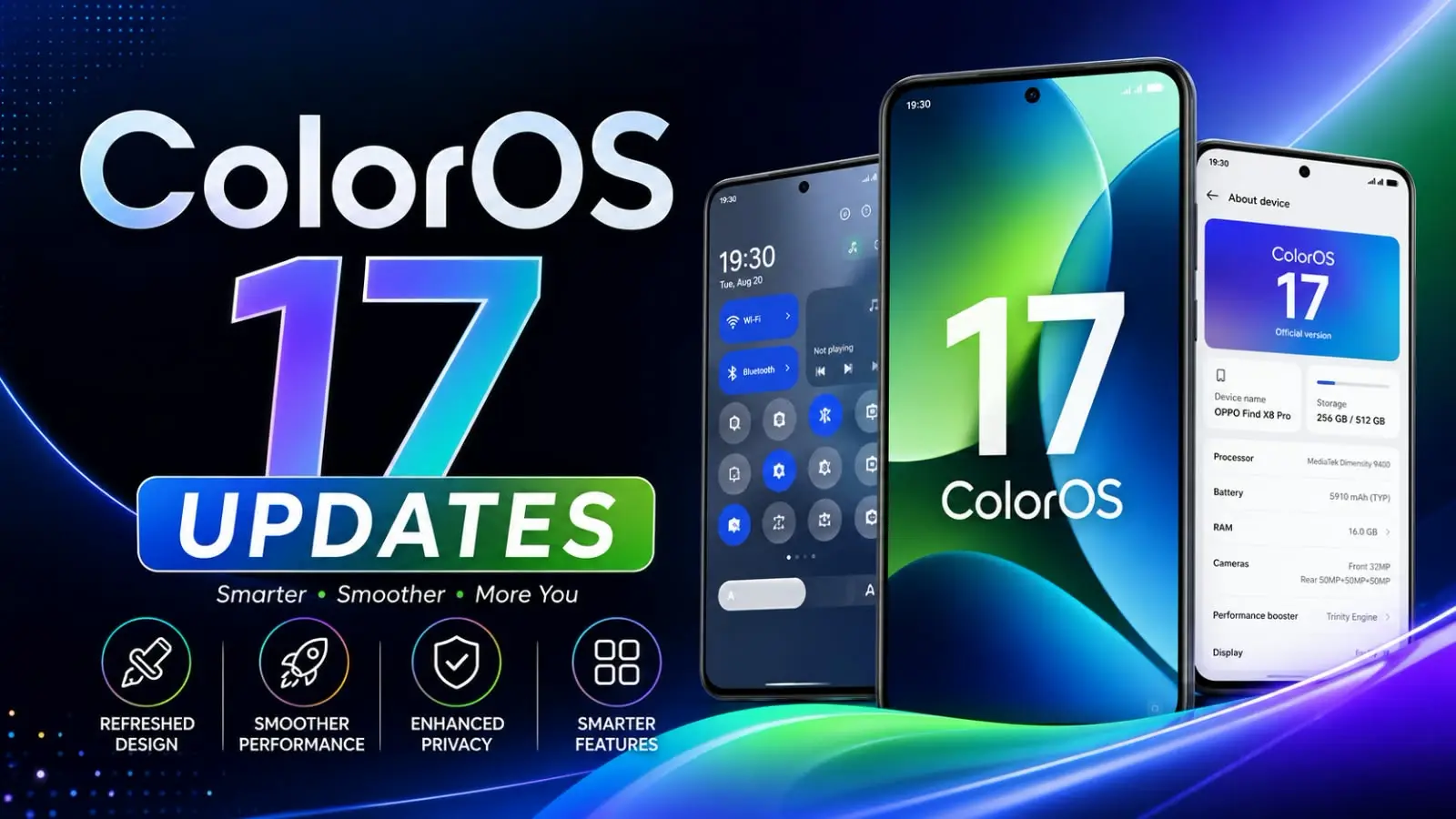
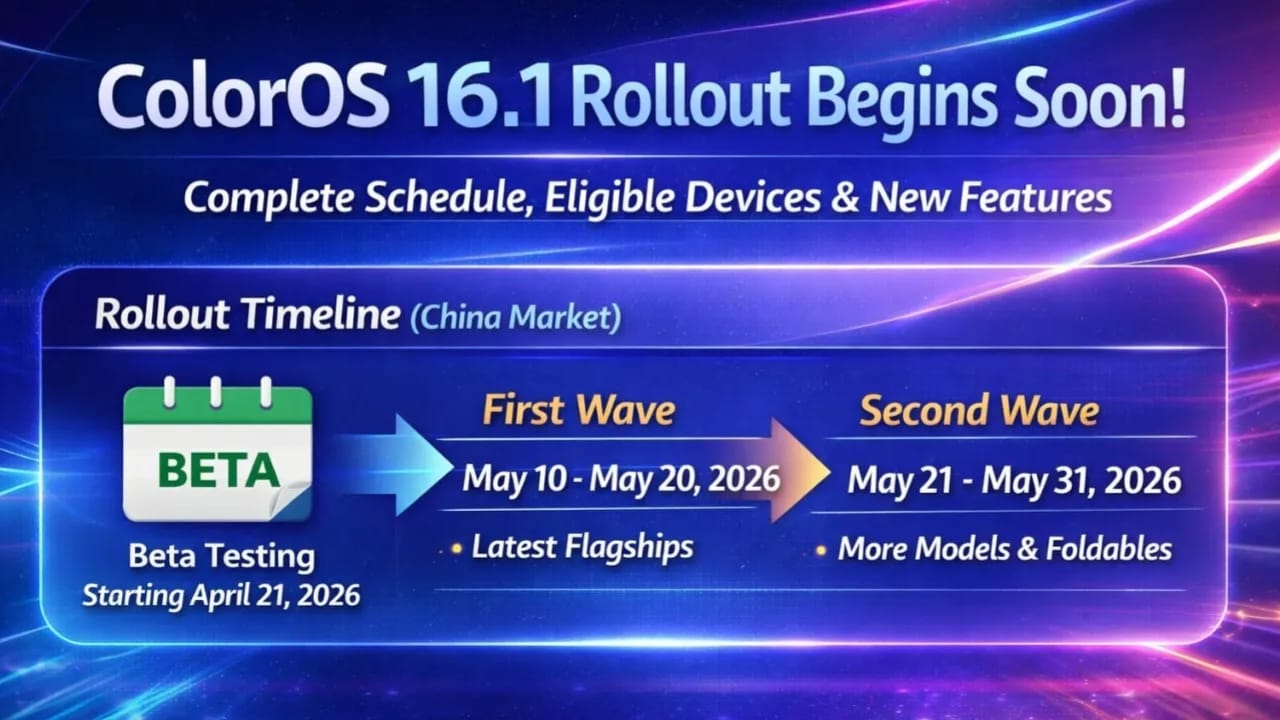
Oppo has announced the official rollout plan for its ColorOS 16.1 update, based on Android 16. This version makes the interface more attractive and responsive while also adding useful smart features that users use every day. Rollout Timeline in China Market – April 2026 Update Beta Testing: The application has been open for early access for a while and will close on April 17, 2026. I expect selected users on top flagships to receive the beta around April 21, 2026.Stable Version: First Wave (May 10 to May 20, 2026): I expect the newest and most premium devices will be covered first in this phase. Second Wave (May 21 to May 31, 2026): A wider rollout will be conducted for additional flagship, foldable, and mid-range models. The schedule mentioned in this article is for the Chinese market, and a global rollout, including India, is expected to occur a few weeks later – if leaks are to be believed, it could begin in late May or early June 2026, depending on your region and device variant. Updates tend to arrive gradually, so even after the official window opens, users need to be patient. Eligible Devices (Confirmed for Stable Rollout) Eligible Devices (Confirmed for Stable Rollout) Oppo and OnePlus have released the update for over 20 smartphones: First Wave (May 10–20): OnePlus Ace 6 Collection and OnePlus Turbo 6 Lineup Oppo’s Find X9, Find X8, and Find X8s smartphone series OnePlus 15 Series, OnePlus 13 Series Oppo Find N6 and Find N5 (Foldable) Oppo Pad 4 Pro OnePlus Tablet 2 Pro Second Wave (May 21–31): Reno 14 Pro Series, Oppo Reno 15 Series Oppo K15 Series, K13 Turbo Pro Oppo Find X7 Series Oppo Pad 5 Additional OnePlus models from previous series (final list subject to change) If your device is the latest flagship or high-end foldable, you have an even better chance of getting it in the first wave. Mid-range and older flagships are expected to arrive in the second wave or later in the global phase. Regularly check your phone’s Settings > About Phone > System Updates for updates. Also Read :  iPhone 17 Complete Information – Is It Worth Buying? What’s new in ColorOS 16.1? What’s new in ColorOS 16.1? ColorOS 16.1 isn’t just a single update—it includes a host of features that improve the lock screen and animations and make everyday use even easier. Smart Lock Screen Island / Live Activities Bar: A new pill-shaped or capsule-like area at the bottom of the lock screen that displays real-time information. It handles playback, flashlight, calls, navigation, music, time, and more in a compact, easily visible way. This design is inspired by the modern Dynamic Island concept but seamlessly integrated into ColorOS. The lock screen media player is now even better with an updated music widget: with the updated music widget, album artwork stands out more, and lyrics can be viewed directly on the lock screen or always-on screen. Smoother Animations and Transitions: The engine upgrade makes every system movement (scrolling, app switching, and interface) visible, further enhancing the user experience. Notification Improvements: Notifications are now displayed neatly on a single screen, reducing unnecessary information. Camera Interface Refresh: The camera UI has been redesigned to make modes and settings quicker and easier to access. AI and Performance Polishing: Additional AI-based features to improve smart interactions, reduce heating during extended use, and provide stable performance. Slightly increased power efficiency during extended use. Many initial impressions show how these lock screen changes make the phone feel more fresh and intelligent, without making things overly complicated. Tips for a Smooth Update Experience (Especially for Indian Users) Ensure your phone has at least 50% battery, is connected to stable Wi-Fi, and has plenty of free storage (around 5–8 GB is recommended). Back up important data before updating. Flagship users (Find X series or OnePlus 13/15) may see this soon. If you have a Reno or K-series device, expect this feature to arrive around the second wave or a little later in the global rollout. Realme smartphones with the same software may receive a parallel Realme UI update, but it may release at different times. ColorOS 16.1 continues Oppo’s move towards a cleaner, more responsive experience with thoughtfully designed smart elements. While the company is already working on future Android versions in the background, this 16.1 update delivers immediate daily improvements. Final Verdict ColorOS 16.1 is coming with a polish-focused update—it might not look like a big deal, but it has the potential to make everyday use feel smoother, smarter, and more modern. For users who prefer a clean UI and improved performance, this could definitely be a useful upgrade. It hasn’t hit the market yet. Once it does, we’ll definitely hear about its features through some means. All the information above is based on leaks. Also Read : Samsung Galaxy S26 Ultra 5G: 5000mAh battery, Snapdragon 8 Elite Gan 5, 200MP Camera. Pros of ColorOS 16.1 & Cons     Pros of ColorOS 16.1 Smoother & Faster Performance – animations, scrolling, app switching more fluidSmart Lock Screen Island – real-time updates for music, calls, timer, navigation Improved Camera UI – cleaner, faster, and premium-looking interface Better Notification Management – stacked notifications for clutter-free view Enhanced Music Lock Screen – album art + lyrics support AI Smart Features – better suggestions and system optimization Refined Premium Design – smoother transitions, transparency, modern UI   Cons of ColorOS 16.1 Minor Upgrade – not a major or revolutionary update Inspired Design – some UI elements look similar to iOS / One UI Possible Bugs – early builds may have glitches or stability issues Slow Rollout – update may arrive late on some devices Device Limitations – some features only on high-end phones Adjustment Time – new UI changes may take time to get used to Latest Post Oppo ColorOS 16.1: Impressive Yet Not Revolutionary ByThe Legend | April 21, 2026 | Read More Snapdragon 7 Gen 4 vs 7s Gen 4: Big Difference Explained! ByThe Legend | … Read more