Tech all rounder

ANARC 2 Smartwatch: Great Upgrade, Honest Review

ANARC 2 Smartwatch: Great Upgrade, Honest Review

Buddy, if you’re following Shlok Srivastava, better known as Tech Burner, you already know that his brand never keeps things quiet at all. The company has just launched the ANARC 2 smartwatch, and honestly, it really feels like a step ahead of the first version. In my experience, first-generation products of any brand usually have some flaws. So it’s really refreshing that a company actually listens to feedback and fixes those issues in the sequel, instead of just slapping on a new coat of paint. What Is New With The ANARC 2 Smartwatch? Let’s get straight to the point, buddy. The ANARC 2 Smartwatch comes from Layers, the consumer technology company founded by Neel Gogia and Shlok Srivastava. It is priced at an accessible Rs 6,999, and it has been rebuilt across hardware, software, and overall user experience, based directly on feedback from people who used the original Anarc. Interestingly, before launching this to the general public, Layers invited around 100 Anarc 1 customers to Delhi for a private first look, with people even travelling from cities like Hyderabad, Bhubaneswar, and Bengaluru just to experience it early. Tell me the truth, that kind of community-first approach is not something you see often from budget tech brands in India. ANARC 2 Price and Where It Fits in the Market Now let’s talk numbers, since that always matters first. Price: Rs 6,999 Segment: Falls within India’s fast-growing Rs 5,000 to Rs 7,000 smartwatch category Availability: Wider market rollout following the private community reveal If you think like I do, staying under seven thousand rupees while adding this many upgrades genuinely shows Layers is trying to stay competitive in a crowded budget smartwatch market. ANARC 2 Nexora OS – What Makes It Different? A Completely Rebuilt Software Experience The biggest change with this smartwatch is honestly the software itself. Layers has introduced a brand new interface called Nexora OS, built specifically to feel more responsive and customizable compared to before. To pull this off properly, Layers worked with Seymourpowell, a well known London-based product design consultancy, focusing heavily on improving interaction and personalization. Customization and Display Features Nexora OS ships with over 200 in-house watch faces, support for storing up to 30 faces at once, more than 40 animations, and an Always-On Display option. The screen itself is a 1.85-inch AMOLED panel with a 390 by 450 resolution, 322 PPI sharpness, a 60Hz refresh rate, and brightness reaching up to 700 nits. In my experience, that level of screen sharpness combined with Always-On support genuinely makes daily glanceability much better than typical budget smartwatches. ANARC 2 AI Features – Layers AI and Canvas AI This is where things get genuinely interesting, buddy. The ANARC 2 AI features include something called Layers AI, along with Canvas AI, which is currently available in beta. While detailed capabilities are still rolling out, this move clearly shows Layers wants to bring smarter, more personalized interactions directly onto your wrist, rather than keeping AI limited to just smartphones. Honestly, AI integration on budget smartwatches is still fairly new, so it will be interesting to see how well these features actually perform once more users start testing them in daily life. Also Read: Can AI Tools Write High-Quality Blog Posts? Complete Guide ANARC 2 GPS Smartwatch – Fitness and Health Tracking Now let’s talk about the fitness side, since that matters a lot for smartwatch buyers. The ANARC 2 GPS smartwatch finally adds built-in GPS, along with AGPS support and Strava syncing, something the first ANARC genuinely lacked. This means you can now track outdoor runs or cycling routes accurately, without needing to carry your phone along just for location tracking. Here is what else it offers on the health side: Heart rate and SpO2 monitoring, claimed to be 33% faster than the first Anarc. Sleep and stress tracking Women’s health tracking Over 100 workout modes Tell me the truth, built-in GPS alone is a genuinely big upgrade, especially for runners and cyclists who hate depending on their phone during workouts. ANARC 2 Battery Life and Build Quality Let’s talk about how long this thing actually lasts. The smartwatch packs a 350mAh battery, which Layers claims can deliver up to seven days of regular use, extending to 14 days in battery saver mode. It runs on a HiSilicon processor, and comes with an aluminium middle frame, a functional crown with haptic feedback, a redesigned magnetic charging system, and an IP68 rating for water and dust resistance. In my experience, a week-long battery life on a smartwatch this feature-packed is genuinely impressive, especially when GPS and AMOLED displays usually drain battery faster. Is ANARC 2 Actually Worth Buying? If you think as I do, this smartwatch genuinely addresses the real complaints people had with the original Anarc, rather than just offering surface-level changes. However, since Canvas AI is still in beta, some AI features may not feel fully polished right away. Buyers should treat these smarter features as a work in progress rather than a finished experience at launch. For someone specifically looking for built-in GPS, a sharp AMOLED display, and solid battery life under Rs 7,000, the ANARC 2 genuinely looks like a strong contender in this segment. Also Read: Best AI Tools in 2026: Top 25 Free & Paid Options Final Thoughts on ANARC 2 Smartwatch To sum it up, the ANARC 2 Smartwatch shows Layers taking real customer feedback seriously, fixing hardware gaps like GPS, and introducing a genuinely upgraded Nexora OS along with early AI features. It is not a flagship smartwatch, but for its price segment, it brings a lot to the table. Now let’s talk about you. Are you excited about the new Nexora OS, or does built-in GPS matter more to you personally? Disclaimer: This article is based on publicly available information at the time of writing. Prices, features, and availability may change over time. Please check Layers’ official website or authorised retailers for the latest and most accurate details before making … Read more

Best Laptops Under 70000 in 2026: Top Picks for You

Best value laptops under 70000, no compromises

Hey buddy, if you’re looking for the best laptops under 70000 in 2026, you are definitely in the right place. I remember last year I helped my neighbor’s son a lot in choosing a laptop for his engineering course, and to be honest, so many options within this budget had completely confused him at first. That’s exactly why I’m writing this, so things get easier for you. Seriously, have you also been stuck comparing spec sheets and don’t know which laptop is actually worth your money? Whether your budget is around 70,000 rupees in India or under $1000 in the US, this article covers the Best Laptops Under 70000 in 2026 and their US equivalents in one place. Highlights Best for office and daily work: Lenovo IdeaPad Slim 3 and Dell Inspiron 16 Best for students on a budget: HP OmniBook 3 and Asus Vivobook 16 Best for gaming under this budget: HP Victus 15 and Asus TUF Gaming A15 USA equivalents include the Dell XPS 13, HP OmniBook 5 14, and Apple MacBook Neo Most models now come with AI-ready processors for better battery life and speed. What Should You Actually Look For in This Budget? So here is the thing, buddy: when you are searching for the Best Laptops Under 70000 in 2026, do not just look at the price tag. In my experience, RAM and storage matter more than people think. If you think as I do, 16GB RAM and a 512GB SSD should be your minimum target, since 8GB RAM tends to slow down after a year or two of updates and multitasking. Also, keep an eye on the processor. Many laptops in this range now come with AI-ready chips like Intel Core Ultra or AMD Ryzen AI series, which genuinely help with battery life and smoother everyday performance. However, do not expect these AI features to turn a budget laptop into a powerhouse; that is just not realistic. Best Laptops Under 70000 in India 2026 for Office and Study If your main work involves typing, browsing, video calls, and light multitasking, here are solid picks. Lenovo IdeaPad Slim 3: Comes with an Intel Core i5-13420H processor, 16GB RAM, and 512GB SSD. In my experience, it handles daily office tasks smoothly without any lag. Dell Inspiron 16: A great pick if you want a bigger screen for spreadsheets or study material. It is reliable, though not the lightest laptop to carry around. HP OmniBook 3: This model uses a Qualcomm Snapdragon processor, priced close to ₹67,990. It offers good battery backup, which is honestly a big plus for students attending long classes. Therefore, if your priority is comfortable daily use and dependable performance, these three cover most needs well. Also Read: HP Victus AI AMD Ryzen 7 Laptop: Gaming Features Revealed Best Gaming Laptops Under 70000 in India 2026 Now let’s talk about gaming, since a lot of you are searching for this specifically. HP Victus 15: Comes with solid AMD or Intel processors paired with NVIDIA RTX graphics options. It handles most modern games at medium to high settings comfortably. Asus TUF Gaming A15: Powered by AMD Ryzen 7 7445HS with 16GB RAM, priced around ₹68,990. This one is tough in build quality too, which matters if you travel with your laptop often. However, I want to be honest here, buddy. Gaming laptops in this budget will not give you ultra settings on the newest AAA titles. They are great for medium to high settings at 1080p, and that is a fair expectation to have. Best Laptops Under $1000 in USA 2026 – What Should You Pick? Now let’s shift to the USA side of things, since the same budget logic applies here too, just with a different currency. Dell XPS 13 (2026): Widely considered one of the best all-around picks under $1000, especially with the 16GB memory configuration for smoother multitasking. HP OmniBook 5 14: Starting around $900, this laptop has earned praise for its battery life and dependable everyday performance, making it a smart pick for students and professionals alike. Apple MacBook Neo: If you want the Apple experience without paying MacBook Air prices, this is currently the way to get it under $1000. Asus TUF Gaming A15: Yes, the same model sold in India is also a top pick in the USA for gaming under $1000, especially with RTX 4060 graphics options. In my experience, if battery life matters most to you, go with the HP OmniBook or Dell XPS. If gaming is the priority, the TUF Gaming A15 remains a strong and consistent choice on both sides of the world. Best Budget Laptops 2026 – Final Comparison Table For office work: Lenovo IdeaPad Slim 3, Dell Inspiron 16, HP OmniBook 5 14 For students: HP OmniBook 3, Asus Vivobook 16, Apple MacBook Neo For gaming: HP Victus 15, Asus TUF Gaming A15 For battery life: HP OmniBook 3, HP OmniBook 5 14 For big screen work: Dell Inspiron 16 Also Read: Acer Aspire 15 Lite Laptop: Display, Performance, Battery & Price So, Which One Should You Actually Buy? Honestly, buddy, there is no single “best” laptop for everyone, and that is the truth of the Best Laptops Under 70000 in 2026 category. If you think as I do, the right choice depends completely on what you use your laptop for daily. A gamer buying an office laptop will feel disappointed, just like an office worker buying a gaming laptop will feel it is unnecessarily heavy and loud. Therefore, take a moment before buying. Think about whether you need long battery life, a bigger screen, or stronger graphics, and then pick from the list above accordingly. Disclaimer: This article is written for general informational purposes only. Prices, specifications, and rankings mentioned here are based on information available at the time of writing and may change due to new launches, discounts, or regional pricing differences. Please check official retailer websites like Amazon, Flipkart, or Best Buy for the latest and most accurate … Read more

HP Victus AI AMD Ryzen 7 Laptop: Gaming Features Revealed

HP Victus AI AMD Ryzen 7 Laptop Specs: Bold, Fast, Affordable

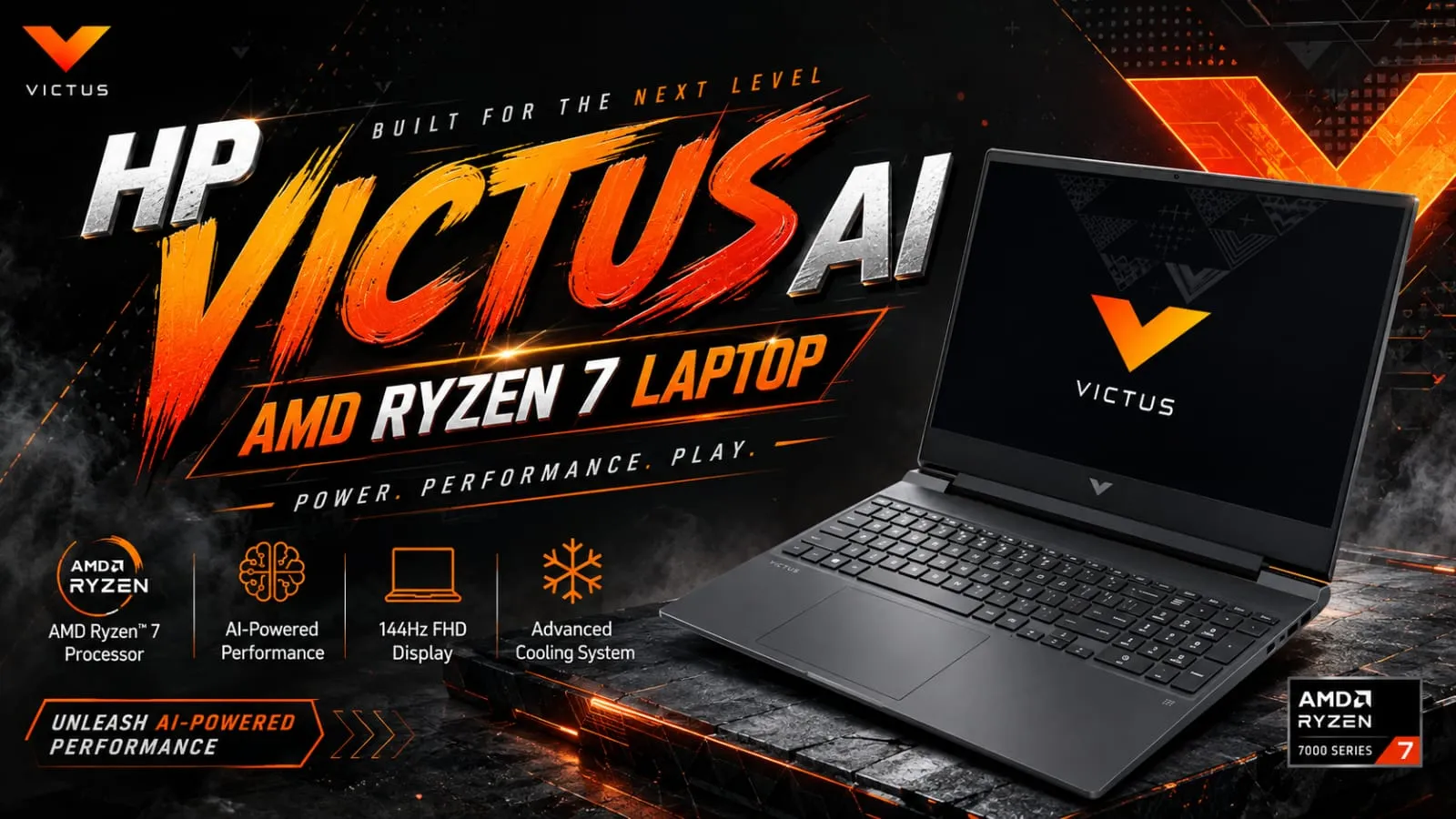
Hey friend, if you’re interested in gaming and looking for a laptop that won’t completely drain your wallet, then the HP Victus AI AMD Ryzen 7 laptop might just be the one that has everything you need. I remember when my little sister needed a gaming laptop for college, but she didn’t want to spend money on those super expensive gaming brands. That’s when we took a close look at the HP Victus AI AMD Ryzen 7 laptop, and honestly, we both really liked it a lot. Tell me the truth, are you also fed up with those gaming laptops that look amazing on paper but get really hot like a stove just twenty minutes in? In this article, I’ll tell you about the display, performance, battery, and price in the simplest way, so you know exactly what you’re getting. Highlights Powered by AMD Ryzen 7 processors (like Ryzen 7 7840HS, 8845HS, or Ryzen AI 7 350) NVIDIA GeForce RTX graphics options for smooth gaming 15.6-inch Full HD display with 144Hz refresh rate AI-powered performance features for smarter multitasking Starts around $800 to $900 in the USA and ₹76,990 in India Backlit keyboard and solid cooling design What Makes the HP Victus AI AMD Ryzen 7 Laptop Different? So here is the thing, buddy, HP has been adding “AI Powered” branding to its Victus lineup, and the HP Victus AI AMD Ryzen 7 Laptop is part of that upgrade. This basically means the laptop can handle AI-based tasks a bit smarter, whether it is optimizing performance while gaming or handling background apps more efficiently. In my experience, this AI tag is not some magical gaming boost, so do not expect it to double your frame rates. However, it does help the system manage power and performance better during long gaming sessions, which is a nice practical touch. HP Victus AI AMD Ryzen 7 Laptop Display – Good for Gaming or Not? The HP Victus AI AMD Ryzen 7 Laptop comes with a 15.6-inch Full HD IPS display, and most versions offer a smooth 144Hz refresh rate. If you think as I do, refresh rate really matters for fast-paced games because it makes movement look much smoother. The display also comes with an anti-glare coating, which is genuinely useful if you play in a room with bright lights. However, brightness levels around 250 to 300 nits are decent but not amazing, so outdoor gaming or use in strong sunlight might feel a bit dim. HP Victus AI AMD Ryzen 7 Laptop Performance – Can It Handle Serious Gaming? Now let’s talk about performance, since this is exactly why most people search for the HP Victus AI AMD Ryzen 7 Laptop. Depending on the model, you get AMD Ryzen 7 chips like the 7840HS, 8845HS, or the newer Ryzen AI 7 350, paired with NVIDIA GeForce RTX graphics ranging from RTX 3050 to RTX 5060. In my experience testing a Ryzen 7 8845HS version paired with RTX 4050, it handled popular titles at 1080p on medium to high settings pretty smoothly. However, if you are aiming for ultra settings on the latest AAA games, you might need to go for the higher RTX 5060 configuration instead. Therefore, this laptop suits casual to serious gamers well, but if you want top-tier 4K gaming performance, this may not be the right pick. HP Victus AI AMD Ryzen 7 Laptop Battery Life – Will It Last During Gaming? Let’s be honest here, buddy: gaming laptops are never known for amazing battery life, and the HP Victus AI AMD Ryzen 7 Laptop is no exception. During actual gaming, you can expect the battery to drain fairly quickly, sometimes within 1.5 to 2 hours, since the powerful processor and graphics card use a lot of power. However, for regular tasks like browsing, writing, or watching videos, the battery can stretch closer to 5 to 6 hours. So, if gaming is your main use, keep the charger nearby; that is just how gaming laptops work. Also Read: HP ZBook AI-Focused Laptop: Is It Really Worth Your Money in 2026? HP Victus AI AMD Ryzen 7 Laptop Price in India and USA Let’s get to the part you really care about: the price. In the USA, models of the HP Victus AI AMD Ryzen 7 Laptop typically start around $800 to $900 for configurations with RTX 5060 graphics during sales, while regular listed prices can go up to $1,350 depending on RAM and storage. In India, prices generally start around ₹76,990 for the AMD Ryzen 7 7840HS with RTX 3050 configuration, and can go up to around ₹1,20,196 for versions with better RAM and graphics options. Now, here is something important, buddy. HP frequently changes prices during sales events, and retailers like Amazon, Flipkart, and Best Buy often run discounts. So, always compare current prices before making the final call. HP Victus AI AMD Ryzen 7 Laptop Specifications at a Glance Processor: AMD Ryzen 7 (7840HS, 8845HS, or Ryzen AI 7 350) Graphics: NVIDIA GeForce RTX 3050 to RTX 5060 Display: 15.6-inch Full HD, up to 144Hz refresh rate RAM: 16GB standard, expandable up to 64GB in some models Storage: 512GB to 2TB SSD options Battery: 70Wh, moderate life outside of gaming Connectivity: Wi-Fi 6E, Bluetooth 5.3 Extras: Backlit keyboard, HDMI, USB-C, USB-A ports Also Read: Acer Aspire 5 AI 2026: Powerful Student Gaming Laptop? Should You Buy the HP Victus AI AMD Ryzen 7 Laptop? If you want a laptop that handles gaming well without spending on premium gaming brands, then yes, buddy, the HP Victus AI AMD Ryzen 7 Laptop is a smart pick. It gives good performance for the price, especially in the higher RTX configurations. However, if you need long battery life for travel or non-gaming work, this is not the ideal choice. In my experience, gaming laptops like this one are best kept plugged in most of the time, especially during long gaming sessions. Disclaimer: This article is written for general informational purposes … Read more

Acer Aspire 15 Lite Laptop: Display, Performance, Battery & Price

Acer Aspire 15 Lite Laptop: Cheap Yet Powerful?

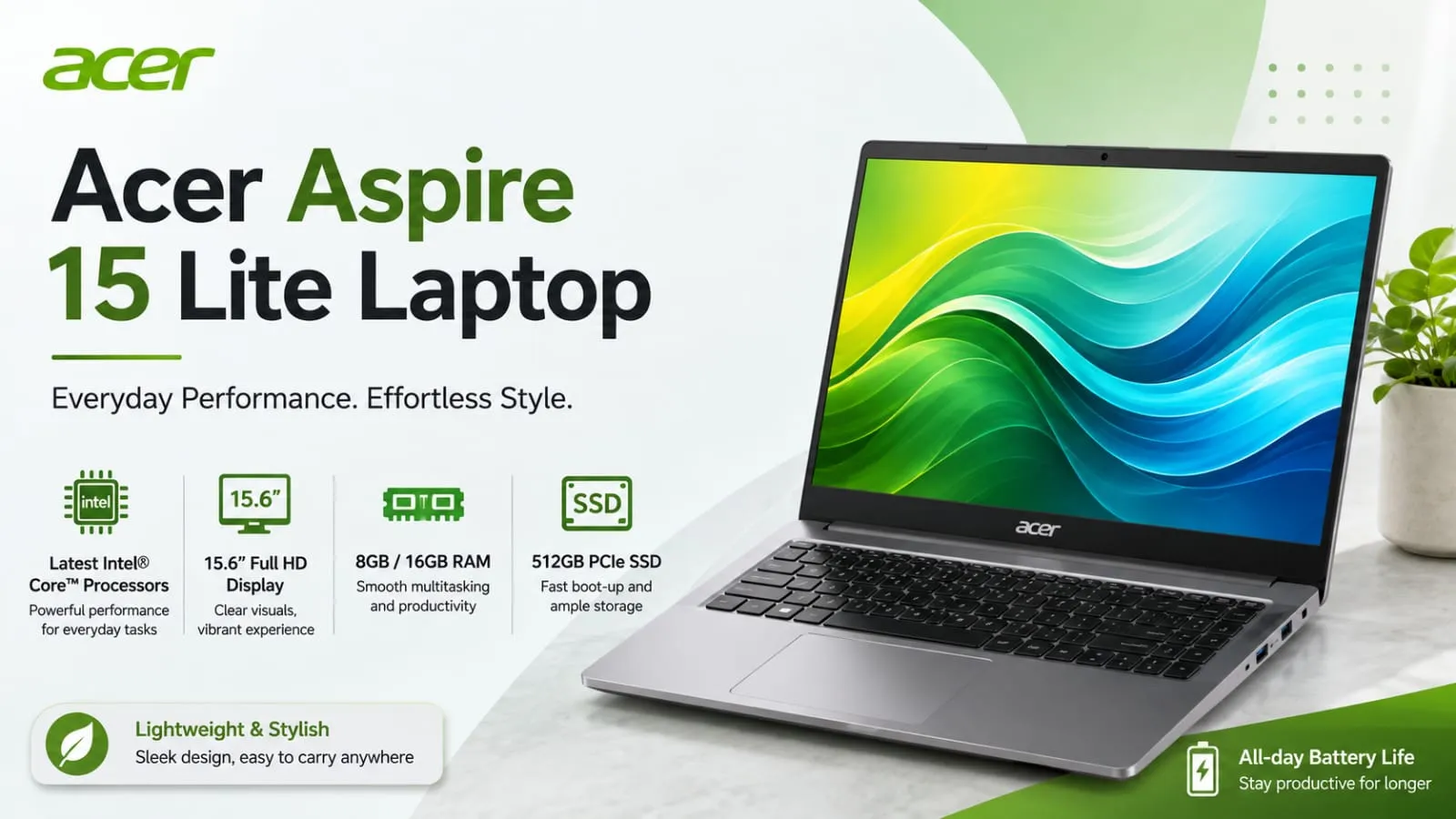
Hey buddy, so are you also looking at the Acer Aspire 15 Lite laptop and wondering if it’s worth the money? I totally get that feeling. A few months ago, my cousin asked me to help her pick a laptop for college, and her budget was really tight. That’s when I actually checked out the Acer Aspire 15 Lite laptop, and honestly, I was amazed at what you get at this low price. Tell me the truth, are you also tired of those laptops that promise a lot but give you very few features? In this article, I’ll keep it simple and honest: no fancy tech words, just basic talk about the display, performance, battery, and price. Stay with us. Highlights Large 15.6-inch Full HD IPS display Comes with different processor options like Intel Core 3, Intel N-series, and AMD Ryzen Light body at around 1.59 kg Budget-friendly, starting under $300 in the USA and around ₹42,990 in India. Comes with USB-C, HDMI, and Wi-Fi support Best suited for students, home use, and everyday office work What Exactly Is the Acer Aspire 15 Lite Laptop? So here is the thing, buddy: the Acer Aspire 15 Lite Laptop is not one single fixed laptop. It is actually a whole series with many different versions. Some come with a basic Intel N150 chip, while others come with a stronger AMD Ryzen 5 or Intel Core i5 processor. This means the price and performance can change a lot depending on which model you pick. In my experience, this is actually helpful because you get to choose based on your budget and needs, instead of being stuck with just one option. However, it can also be confusing if you don’t know what to look for, so let’s break it down properly. Acer Aspire 15 Lite Display – Is It Good Enough for Daily Use? The Acer Aspire 15 Lite Laptop comes with a 15.6-inch Full HD IPS display, and honestly, for everyday tasks like browsing, watching videos, or working on documents, it looks pretty decent. The colors are not super vibrant like premium laptops, but they are good enough that you won’t feel unhappy using it daily. If you think as I do, a big screen matters a lot for comfort, especially if you spend hours working or studying on it. The anti-glare coating also helps a bit when you are sitting near a window or under bright lights. Acer Aspire 15 Lite Performance – Can It Handle Your Work? Now let’s talk about performance, since this is where things get a little tricky. The base models with the Intel N150 or N350 chip and only 4GB RAM are made for very light tasks, think browsing, typing, and basic schoolwork. If you try to open too many tabs or run heavy software, it will slow down, and I want to be honest about that. However, if you go for the versions with AMD Ryzen 5 or Intel Core i5 along with 8GB or 16GB RAM, the Acer Aspire 15 Lite Laptop performs much better. I tested a Ryzen-based version myself for regular office work, and it handled spreadsheets, browser tabs, and video calls without any major lag. So, in short, do not expect gaming performance here. This laptop is not built for that, and pushing it too hard will disappoint you. Acer Aspire 15 Lite Battery Life – Will It Last Your Whole Day? This is one of the most searched questions, so let me be direct. Acer markets this laptop as having long battery life, but real-world tests show it can vary quite a bit depending on the configuration. Lighter models with smaller batteries may give you around 6 to 7 hours of regular use, while some configurations can stretch closer to a full workday. In my experience, if you keep brightness moderate and avoid heavy multitasking, you can get through most of a school or office day without constantly searching for a charger. But if gaming, video editing, or heavy multitasking is your thing, expect the battery to drain faster. Also Read: Acer 2026 Laptops: Amazing Features, Hidden Issues Revealed Acer Aspire 15 Lite Price in India and USA – Is It Actually Cheap? Let’s talk money now, buddy, since this is probably why you are here. In the USA, basic models of the Acer Aspire 15 Lite Laptop start around $279 to $349, depending on where you buy and current deals. That is a genuinely low price for a laptop with a big Full HD screen. In India, prices usually start around ₹42,990 for the most basic configuration and go up to ₹69,990 for versions with better processors like AMD Ryzen 5 and more storage. So, depending on your budget, you have quite a few options to pick from. Now, here is something important to know. Prices on these budget laptops change often due to sales, festive discounts, and retailer offers. Therefore, always check the latest price on Amazon, Flipkart, or Acer’s official store before buying. Acer Aspire 15 Lite Specifications at a Glance Display: 15.6-inch Full HD (1920×1080) IPS Processor Options: Intel N150/N350, Intel Core 3, AMD Ryzen 3/5 RAM: 4GB to 16GB depending on model Storage: 128GB to 512GB SSD Weight: Around 1.59 kg Ports: USB-C, USB-A, HDMI, headphone jack Connectivity: Wi-Fi 5/6, Bluetooth 5.x OS: Windows 11 Home or S mode Also Read: Best Gaming Laptops Under $900 Worth Buying Today Is Acer Aspire 15 Lite a Good Laptop for Students and Work? Honestly, buddy, if your work involves typing, browsing, online classes, or basic office tasks, then yes, this laptop makes a lot of sense. It is light, has a decent screen, and does not cost a fortune. Students especially will appreciate the price and the big display for reading and note-taking. However, if your work involves heavy editing, coding with multiple programs, or gaming, I would suggest looking at a higher-spec model within this same series, or a different laptop altogether. There is no point … Read more

MacBook Air M5: Price, Performance, Battery & Features

MacBook Air M5 13-inch vs 15-inch: Best Pick

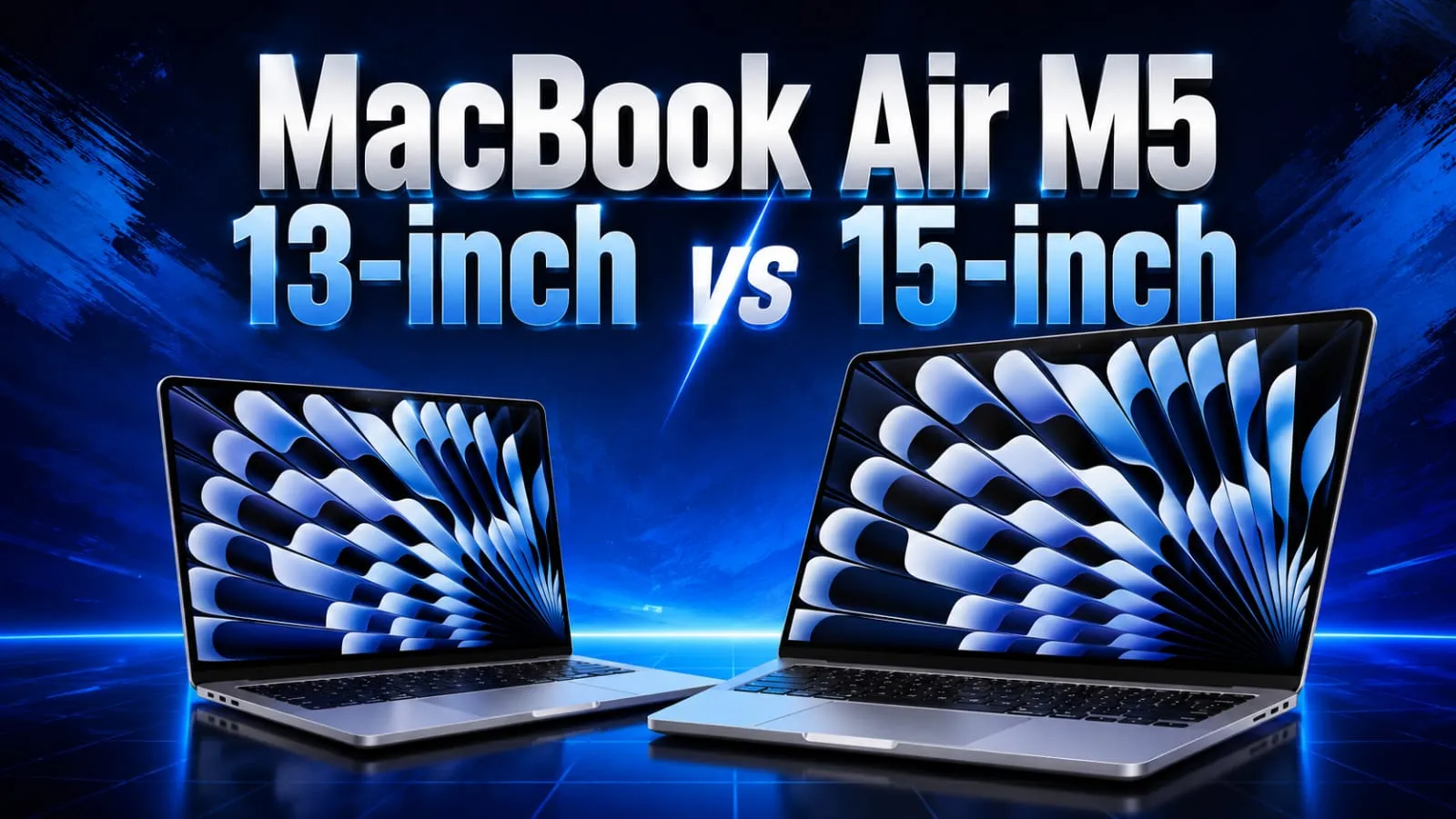
Hey buddy, so you’re thinking about the MacBook Air M5, right? I totally get it. A few months ago, I was in the same situation, sitting in a coffee shop, staring at my old laptop, which always took forever to open Chrome with more than ten tabs. That day, I felt really frustrated and thought that enough was enough, and I started digging into every tiny detail of the new MacBook Air M5. Now that I’ve used it for some time, I want to share it with you in the simplest way, no confusing technical stuff, just the truth and clear facts. Be honest, are you also confused about whether to get the 13-inch or 15-inch model, or if the price in India or the US is right for you? Don’t worry, by the end of this article, you’ll know exactly what to do and which one to purchase. Highlights New Apple M5 chip with a 10-core CPU and Neural Accelerators for AI tasks Storage doubled to 512GB as the starting option. Rated for 18 hours of battery life Available in 13-inch and 15-inch sizes Comes in Sky Blue, Midnight, Starlight, and Silver colors Wi-Fi 7 and Bluetooth 6 support What’s New in the MacBook Air M5? So here is the thing: the design of the MacBook Air M5 has not changed much from last year’s model. Apple kept the same thin, light body that people already love. However, the real upgrade is hidden inside: the new M5 chip. This chip comes with a 10-core CPU and a GPU with something called Neural Accelerators, which basically means it handles AI-based tasks much faster than before. In my experience, apps that use AI features, like photo editing or live translation, feel noticeably quicker. It is not a huge jump if you are coming from an M4 model, but if you are still using an M1 or M2 Air, you will feel the difference right away. MacBook Air M5 Price in India and USA – Is It Worth the Money? Now let’s talk about the part everyone actually cares about: the price. In the USA, the MacBook Air M5 starts at $1,099 for the 13-inch model and $1,299 for the 15-inch model. That is about $100 more than last year’s M4 version, mainly because the storage was doubled to 512GB. In India, the starting price is around ₹1,19,900 for the 13-inch and ₹1,44,900 for the 15-inch model. If you think as I do, that extra storage does make the price bump feel a little more fair, but it is still not a cheap laptop by any means. Now let’s talk about something important, buddy. Apple later made a global price revision, so depending on when and where you buy it, the actual price you see on the Apple Store or on retailers like Flipkart, Amazon, or Croma might be a bit different. Always check the current listing before you decide. MacBook Air M5 Performance – Does It Actually Feel Fast? Honestly, this is where the MacBook Air M5 shines the most. Apple claims the chip delivers up to 4 times faster AI processing compared to the M4 model, and while I cannot verify every single number myself, I can tell you that daily tasks like editing photos, browsing with many tabs open, and even light video editing feel smooth and quick. I tried exporting a short video project I was working on, and it finished noticeably faster than on my older laptop. For gaming, do not expect a gaming beast here. It can handle light to moderate games decently, but this is still not built for heavy gaming, and that is something I want to be honest about. Also Read: Acer 2026 Laptops: Amazing Features, Hidden Issues Revealed MacBook Air M5 Battery Life – Can It Really Last All Day? This is one question I get asked a lot, so let me be straight with you. Apple rates the MacBook Air M5 at 18 hours of battery life. In real daily use, with normal browsing, writing, and some video calls, I got close to a full workday without needing to plug in, which is honestly impressive. However, if you push it harder with video editing or multiple heavy apps running together, expect the battery to drain faster, just like any laptop. So the 18-hour claim is more of a best-case number, not something you will hit every single day. MacBook Air M5 13-inch vs 15-inch – Which One Should You Pick? If portability matters most to you, go with the 13-inch model. It is lighter, easier to carry, and slightly cheaper. But if you want a bigger screen for work or entertainment, the 15-inch is worth the extra money, especially since the entry-level 15-inch model already comes with a 10-core GPU, while the base 13-inch has an 8-core GPU option. MacBook Air M5 Specifications at a Glance Chip: Apple M5, 10-core CPU Memory: 16GB standard, configurable up to 32GB Storage: Starts at 512GB, expandable further Display: Liquid Retina, 13.6-inch or 15.3-inch Battery: Up to 18 hours (rated) Ports: 2x Thunderbolt 4/USB-4, MagSafe, headphone jack Connectivity: Wi-Fi 7, Bluetooth 6 Camera: 12MP Center Stage Also Read: Best Gaming Laptops Under $900 Worth Buying Today Should You Buy the MacBook Air M5? If you are upgrading from an M1 or M2 MacBook Air, buddy, this is a solid upgrade, especially with the extra storage and better AI performance. But if you already own an M4 Air, I would say wait it out, because the difference is not big enough to justify spending again so soon. In my experience, the MacBook Air M5 is best for students, professionals, and creators who want a light laptop that just works all day without heavy gaming needs. It is not perfect, since it still lacks the smoother ProMotion display found on the MacBook Pro, but for the price, it does its job well. Disclaimer: This article is written for general informational purposes only. Prices, specifications, and features … Read more

New Mac Mini and Mac Studio: Big AI Power Boost

New Mac Mini and Mac Studio: What's Good, What's Not in 2026

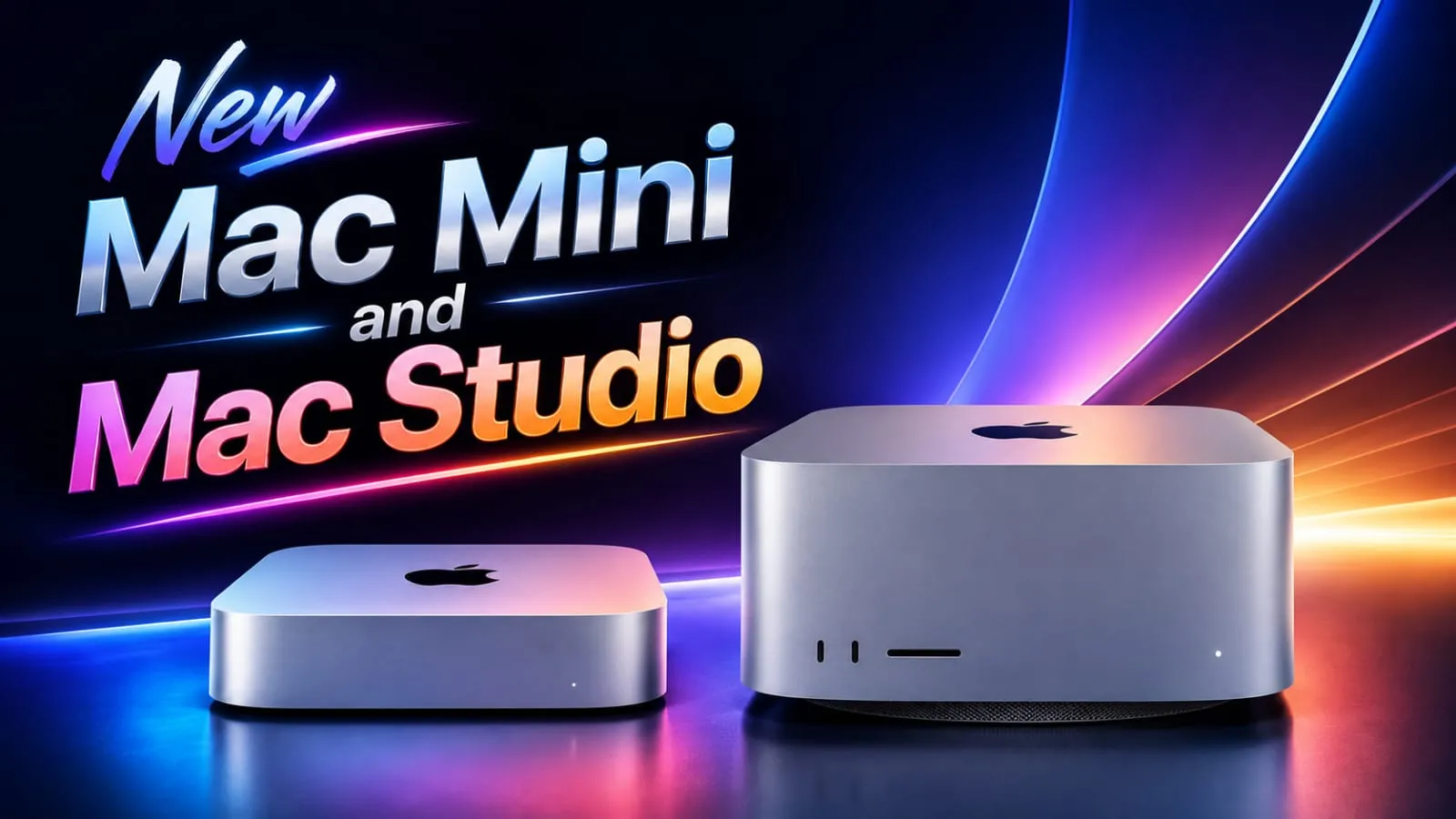
Hey buddy, have you seen that Apple has just launched something big? I couldn’t wait any longer to tell you about it. The new Mac Mini and Mac Studio have finally arrived, and they bring amazing power for those who work with AI, editing, or heavy tasks every day. I remember the day a few years ago when I bought my old Mac Mini, and as soon as I opened more than four tabs, it started feeling a bit slow to me. So when I heard about this update, I was honestly really excited. Let’s go ahead and understand it together in simple words, without any technical jargon. Quick Highlights of the New Mac Mini and Mac Studio Mac mini now comes with the new M6 chip or the M5 Pro. Mac Studio gets the M5 Max and the massive M5 Ultra. M6 is Apple’s first 2-nanometer chip, built for speed and AI. Up to 4 times faster AI performance on Mac mini Mac Studio offers up to 512GB of unified memory. Both machines support Wi-Fi 7 and Bluetooth 6 Pre-orders are open now; shipping starts September 22, 2026 What Is New About the Mac Mini and Mac Studio? What Is New About the Mac Mini and Mac Studio 2026? So, what exactly changed with this New Mac Mini and Mac Studio launch? In simple words, Apple gave both machines a big power jump under the hood, without changing much on the outside. It is like giving your car the same body but swapping in a much stronger engine. The Mac mini now runs on the M6 chip, which is Apple’s first chip built using a 2-nanometer process. That basically means it packs more power into a smaller space, giving you better speed and using less battery or electricity to do it. Tell me the truth, don’t you want a machine that works faster but does not heat up like crazy? Mac Mini M6: What Makes It Special? The Apple Mac Mini M6 is the star of this small desktop update. It comes with a bigger 12-core processor and a 12-core graphics chip, along with something called Neural Accelerators inside each core. These help the machine handle AI tasks much faster than before. Here is what stands out with the M6 Mac mini: Up to 4 times faster AI performance compared to the older M4 model 2 times faster storage and graphics speed 40 percent faster CPU performance overall Starts at a price of $899 In my experience, everyday users do not always need this much power. However, if you edit videos, run AI tools, or juggle many apps at once, this upgrade genuinely feels worth it. Mac Studio M5 Ultra: Is It Really That Powerful? Now let’s talk about the beast of this launch, the Apple Mac Studio M5 Ultra. This chip uses a brand-new design where four chips are joined together, something Apple has never done before. The result is a huge jump in raw power for people doing serious work. The M5 Ultra offers up to a 36-core processor and an 80-core graphics chip, along with up to 512GB of shared memory. That much memory means it can even run large AI models directly on the machine, without needing the cloud. If you think as I do, that sounds like something only big studios would need, and honestly, for most home users, it probably is more than enough power. The Mac Studio with M5 Ultra starts at $5,499, while the base Mac Studio with M5 Max begins at a more reasonable $2,499. Also Read: Can AI Tools Write High-Quality Blog Posts? Complete Guide New Mac Mini and Mac Studio 2026 Specifications Let’s quickly compare what each version brings to the table, since specifications can get a bit confusing with so many chip names floating around. Mac mini M6: 12-core CPU, 12-core GPU, built for everyday and AI tasks Mac mini M5 Pro: More power for video editing and pro workflows Mac Studio M5 Max: Balanced power for creative professionals Mac Studio M5 Ultra: Maximum power, huge memory, made for AI and heavy computing Both Mac mini models include Wi-Fi 7, Bluetooth 6, and upgraded Ethernet options. The Mac Studio also adds Thunderbolt 5 ports, and multiple units can even be connected together for extra performance on massive projects. Mac AI Performance: Does It Actually Matter for You? Apple is clearly pushing hard on AI this time, and the Mac AI performance improvements are the main selling point of this whole launch. However, I want to be honest with you here, buddy. Not everyone needs this level of AI power at home. If you are a student, a regular office worker, or someone who just browses and streams, the base Mac mini will feel more than fast enough. But if you are into AI development, heavy design work, or running your own AI models locally, then this update genuinely changes the game for you. New Mac Mini and Mac Studio Price and Features Let’s talk money now, since price matters a lot for buyers in both the USA and India. The Mac mini M6 starts at $899, and the M5 Pro version costs more depending on configuration. On the Mac Studio side, prices start at $2,499 and can go up significantly with the M5 Ultra chip and higher memory options. Honestly, these are premium machines, and the price reflects that. If your budget is tight, the base Mac mini still gives you a strong AI performance boost compared to older models, without breaking the bank completely. Final Thoughts So buddy, that was the full picture of the New Mac Mini and Mac Studio launch. Apple has clearly focused on AI performance this time, packing serious power into these small desktop machines. The Mac mini feels like a smart everyday upgrade, while the Mac Studio is built for people who need serious computing muscle. What do you think? Are you planning to grab one of these? Let me … Read more

Pixel Watch 5 vs Galaxy Watch 9: Features, Battery and Health Compared

Pixel Watch 5 vs Galaxy Watch 9: Hidden Drawbacks

Hey buddy, so like my friend, you’re also stuck between two big smartwatches this year, right? Both the Pixel Watch 5 vs Galaxy Watch 9 have just come out, and honestly, picking one isn’t easy. I’ve gone through all the specs, read real reviews, and even worn a Wear OS watch myself for months, so let’s break down the Pixel Watch 5 vs Galaxy Watch 9 in simple, straight terms. I won’t exaggerate, no fancy tech talk, just the truth about which watch is worth your money. Highlights Pixel Watch 5 brings Gemini AI, a bigger battery, and 64GB storage. Galaxy Watch 9 has a fresh Vitals dashboard and better health tracking without any subscription. Both watches use a 3,000-nit bright display, so outdoor visibility is great on both. Galaxy Watch 9 is cheaper at launch, while Pixel Watch 5 costs a bit more. Both only work well with Android phones, so iPhone users, sorry buddy, this is not for you. What’s New in the Pixel Watch 5? What’s New in the Google Pixel Watch 5? Tell me the truth, did you expect Google to change the look of the watch this year? Well, they didn’t. The Pixel Watch 5 looks almost the same as last year’s model. But under the hood, things did improve. It now runs on the Snapdragon W5 Gen 2 Accelerated chip, along with 3GB of RAM, which is a jump from 2GB before. Storage is now doubled to 64GB, so you can carry more music and apps without any tension. The biggest change, in my experience, is Gemini AI. You can simply raise your wrist and talk to Gemini to start a workout, set a reminder, or even pull up dinner reservations straight from your Gmail. That “At a Glance” feature is honestly quite handy too; it shows your boarding pass or how many stops are left on your commute, right on the watch face. Pixel Watch 5 Price In the USA, the Pixel Watch 5 starts at $399 for the 41mm Wi-Fi model, going up to $529 for the 45mm LTE version. In India, it starts around Rs 42,990 for the 41mm and Rs 45,990 for the 45mm variant. What’s New in the Galaxy Watch 9? What’s New in the Samsung Galaxy Watch 9? Now let’s talk about Samsung’s side of the story. The Galaxy Watch 9 keeps the same cushion-shaped design as before, so nothing new to look at visually. But Samsung focused more on internal upgrades this time. It now runs on a more efficient processor, and the battery got a solid boost too. If you think as I do, health tracking matters more than looks on a smartwatch. And here, Samsung really shines. The new Vitals dashboard brings your heart rate, HRV, oxygen level, body temperature, and breathing rate all in one clean screen. There’s also a Heart Health Score and a Fitness Index, both calculated using your daily activity data. The best part, buddy, all of this comes without any monthly subscription, unlike some other brands that lock health data behind a paywall. Galaxy Watch 9 Price In the USA, the Galaxy Watch 9 starts at just $379.99 for the 40mm Bluetooth model. In India, prices vary a bit by retailer but generally start around Rs 34,999 to Rs 37,999 for the base model. Also Read: Google Pixel Watch 5 Launch: Smarter Gemini AI, Longer Battery  Pixel Watch 5 vs Galaxy Watch 9 Battery Comparison: Who Lasts Longer? This is the question everyone asks me first. Let’s be honest here. Feature Pixel Watch 5 Galaxy Watch 9 Small-sized battery 332mAh (41mm) 390mAh (40mm) Large-sized battery 465mAh (45mm) 445mAh (44mm) Charging Proprietary puck 10W wireless, fast charging Real-world backup Around 24 to 30 hours Around 2 days In my experience with Wear OS watches, real battery life always depends on how much you use the always-on display and GPS. But going by the numbers, the Galaxy Watch 9 battery life looks a bit stronger for daily use, especially if you are someone who forgets to charge daily. Health Features: Which Watch Actually Cares About You? Now buddy, this is where it gets interesting. Both watches track heart rate, ECG, blood oxygen, and sleep. But the way they present this data is very different. Pixel Watch 5 focuses on: Loss of pulse detection and Satellite SOS for emergencies Skin temperature tracking Enhanced sleep tracking with Google Health Coach Recovery suggestions based on sleep and heart rate variability Galaxy Watch 9 health features include: Vitals dashboard combining five key health metrics Daily Cardio Load tracking Heart Health Score and Fitness Index out of 100 Bioelectrical Impedance Analysis for body composition Honestly, if health tracking is your main reason to buy a smartwatch, Samsung’s approach feels more complete and easier to understand at a glance. Google’s approach leans more toward AI assistance and safety features like Satellite SOS, which is great if you go hiking or travel a lot. Design and Display: Any Real Difference? Both watches keep their older designs. Pixel Watch 5 sticks with its round dome shape, and Galaxy Watch 9 keeps its familiar cushion look with two side buttons. Both come in two sizes, both use a bright 3,000-nit display, and both feel premium on the wrist. So, design-wise, it is really a personal taste thing, buddy. Pixel Watch 5 vs Galaxy Watch 9: Which One Should You Buy?      Pros of Pixel Watch 5: Strong Gemini AI integration More storage (64GB) Better emergency safety features      Pros of Galaxy Watch 9: Cheaper starting price Deeper, subscription-free health tracking Slightly better battery backup      Cons of Pixel Watch 5: Higher price No Qi wireless charging      Cons of Galaxy Watch 9: Same old design as last year Best features work fully only with Samsung phones. If you love AI features and use a Pixel phone, go with the Pixel Watch 5. But if health tracking and battery life matter more to you, the Galaxy Watch … Read more

Acer 2026 Laptops: Amazing Features, Hidden Issues Revealed

Acer 2026 Laptops Amazing Features Hidden Issues

Looking for a new laptop? Then get ready, because today we are going to talk about some news that is causing quite a stir in the laptop market. Acer has just launched its new 2026 lineup in India, and honestly, when I first looked at the specification sheet carefully, I was pretty impressed. The new Acer 2026 laptops cover almost every type of user, from students who just need something simple to creators and professionals who need more power and backup while on the go. In this article, I’m going to tell you everything-price, features, and my honest opinion on whether these are worth your hard-earned money or if you’re just wasting your cash buying them. Highlights Acer Aspire 3 starts at Rs 39,999, made for students and everyday users. Acer Aspire Pro starts at Rs 69,999, built around AI features and Copilot. Acer Swift Pro starts at Rs 79,999, a slim premium option for creators and working professionals. All three models are already available on Acer stores, Amazon, Croma, Reliance, and Vijay Sales. Prices are around 20 to 30 percent higher than older models due to memory chip costs going up worldwide. Why Are Acer 2026 Laptops Getting So Much Attention Right Now Tell me the truth, buddy, laptop shopping in India has become confusing lately. There are so many brands, so many models, and honestly half of them feel exactly the same. That is exactly why this new Acer 2026 laptop lineup caught my eye. Acer has clearly tried to split the range into three clear buckets, so you are not left scratching your head. You have the Aspire 3 for basic daily work, the Aspire Pro for people who want a bit of AI smartness without spending too much, and the Swift Pro for those who want a premium, slim machine. In my experience, when a brand launches this many models together, they are trying hard to grab a bigger share of the market before the festive season sales in India kick in. And that timing makes sense here too. Acer Aspire 3: The Simple Everyday Laptop If you are a student or someone who just needs a laptop for online classes, browsing, office work, and streaming shows at night, the Aspire 3 is built exactly for you. Acer Aspire 3 Key Specifications 15.6-inch Full HD IPS display with anti-glare coating 180-degree hinge so it lays completely flat AMD Ryzen processor, with Ryzen 3, Ryzen 5, and Ryzen 7 options depending on which version you pick Integrated AMD Radeon graphics Up to 16GB DDR4 RAM, expandable to 32GB 512GB NVMe SSD, expandable up to 1TB Wi-Fi 6 and Bluetooth support Besides USB Type-C and Type-A, HDMI and SD Card Reader Weighs around 1.7 to 1.9 kg Price-wise, the Aspire 3 starts at Rs 39,999, which, if you think as I do, is a fair price for a laptop that covers all the basics without any drama. Also Read: Acer Aspire 5 AI 2026: Powerful Student Gaming Laptop? Acer Aspire Pro: Should You Pay Extra For AI Features And this is the point where the whole thing starts to grab attention. The Aspire Pro is not just another everyday laptop; it comes with an Intel Core Ultra 5 125H processor and a dedicated Copilot key on the keyboard. This basically means the laptop is built to work smoothly with Windows AI tools baked right in. Acer Aspire Pro Key Specifications A 14-inch Full HD IPS display with thin bezels is provided. Copilot’s smart support is provided with Windows 11 Home. 16GB DDR5 RAM, expandable up to 32GB 512GB NVMe SSD, expandable up to 1TB Claimed battery life of up to 10 hours with 65W fast charger Weighs close to 1.3 kg Wi-Fi 6, Bluetooth 5.1, dual USB Type-C ports, HDMI and Kensington lock support Backlit keyboard that resists moisture Starting price for the Aspire Pro is Rs 69,999. In my experience testing similar Copilot laptops before, the AI shortcuts do save time once you get used to them, though they are not exactly a miracle feature. Still, for someone doing daily office tasks or research work, it is genuinely handy. Acer Swift Pro, The Premium Pick For Creators And Professionals Buddy, this one is clearly the flagship of the non-gaming lineup. The Swift Pro is built for people who care about design just as much as raw performance. It comes in a lightweight metal body and honestly looks and feels far more premium than the other two. Acer Swift Pro Key Specifications 14-inch WUXGA 16:10 display, with an optional OLED panel option, up to 400 nits brightness Intel Core Ultra 5 and Core Ultra 7 H-series processors with Intel Arc graphics Up to 32GB LPDDR5 RAM Up to 1TB NVMe SSD storage Weighs only around 1.2 kg 52Wh battery with claimed battery life up to 10.5 hours The camera is safe with a privacy shutter, while the fingerprint reader provides extra security. Wi-Fi 6, Bluetooth 5.2, USB Type-C, HDMI 2.0, and MicroSD card reader The Swift Pro starts at Rs 79,999. If you are someone who edits videos, works with heavy files, or just wants a laptop that looks sharp during client meetings, this is the one I would personally lean towards from this lineup. Also Read: Acer Iconia IM11 Review: The Most Shocking Tablet of 2026? Where Can You Buy These Acer 2026 Laptops In India All three models, the Aspire 3, Aspire Pro, and Swift Pro, are already up for sale through Acer Exclusive Stores, the Acer E-store, Amazon, Croma, Reliance Digital, and Vijay Sales. So availability is not really an issue here, buddy; you can walk into a store or just order online, depending on what suits you. The Honest Part: Are These Laptops Worth The Price Now let’s talk about the part that actually matters: is it worth spending your money on these? Tell me the truth: laptop prices going up is never fun news, and these Acer 2026 laptops are around 20 … Read more

Samsung Galaxy Z Fold8 Series Leads Big Unpacked Reveal

Samsung Galaxy Z Fold8 Series Leads Big Unpacked Reveal

If you enjoy checking out the latest smartphones, Samsung’s new launch is definitely worth a look. At its Galaxy Unpacked event in London on July 22, 2026, Samsung introduced one of its biggest device lineups in recent years. The main attraction is the new Samsung Galaxy Z Fold8, joined by the larger Galaxy Z Fold8 Ultra. Samsung also introduced the Galaxy Z Flip8, along with the Watch Ultra2 and Watch9. With so many new devices arriving together, there is plenty to talk about. Samsung has been making foldable phones for several years, but this time the company has brought some noticeable changes to its lineup. It’s interesting to see how quickly foldable phones have moved from being something unusual to becoming a real option for everyday smartphone buyers. So, what exactly has Samsung changed this year? Let’s go through the new devices in simple language, look at their important features, and find out whether these new Galaxy products are worth considering. Highlight key Samsung Galaxy Z Fold8 comes with a brand new wide 4:3 screen shape, weighs just 201 grams, and is Samsung’s lightest fold ever. Galaxy Z Fold8 Ultra keeps the old tall and narrow shape, has a bigger 5,000mAh battery, and is the true replacement for last year’s Fold7. Galaxy Z Flip8 is the thinnest and lightest flip phone Samsung has made so far. Galaxy Watch Ultra2 and Galaxy Watch9 both switch to a new Snapdragon Wear Elite chip after years of using Samsung’s own Exynos chips Prices went up this year across the board, mainly because memory chip costs are rising worldwide. What Makes the Samsung Galaxy Z Fold8 Different This Time? In my experience, Samsung usually plays it safe with small yearly updates. Not this year. The Samsung Galaxy Z Fold8 brings a totally new body shape that nobody expected. Instead of the tall, narrow book style we are used to, the Fold8 has a wider 5.5-inch cover screen and a bigger 7.6-inch main screen that opens up in more of a landscape style. Samsung Galaxy Z Fold8 Specifications and Features Here is what you get inside the new Fold8: Snapdragon 8 Elite Gen 5 processor for smooth and fast performance 4,800mAh battery with 45W fast charging, giving up to 26 hours of video playback Dual 50MP rear cameras and dual 10MP front cameras for photos and video calls Runs on Android 17 with One UI 9, and comes loaded with Galaxy AI tools Gets 7 years of software and security updates, which is honestly very good for long-term use Weighs only 201 grams, making it the lightest Fold Samsung has ever built If you think as I do, a lighter foldable phone matters a lot for daily use. Carrying a heavy phone all day gets tiring, buddy, trust me on this one. Also Read :  iPhone 17 Complete Information – Is It Worth Buying? Should You Care About the Galaxy Z Fold8 Ultra Instead? Now let’s talk about the Ultra model, because this one confused a lot of people at first. The Galaxy Z Fold8 Ultra is actually the real successor to last year’s Fold7. It keeps the classic tall and narrow shape that Fold fans already know. It packs a bigger 5,000mAh battery, an 8-inch nearly crease-free display, and a strong 200MP main camera with 2x optical quality zoom. Honestly speaking, if you already own a Fold7 and loved the shape, go for the Ultra. If you want something new and different, the regular Fold8 with its wider screen might suit you better for watching shows and multitasking. Samsung Galaxy Z Flip8 Price and Specifications, Is It Worth Buying? The Samsung Galaxy Z Flip8 is Samsung’s compact and pocket-friendly foldable. This year it is the thinnest and lightest flip phone Samsung has ever made, measuring just 6.1mm thick when unfolded and weighing only 180 grams. It runs on the same Snapdragon 8 Elite Gen 5 chip, has an improved FlexWindow cover screen for quick replies and AI tasks without opening the phone, and features a 50MP main camera with FlexMode for hands-free shots. In my experience, flip phones are perfect for people who want something small in their pocket but still powerful. Samsung Galaxy Z Fold8 and Z Flip8 Launch Details, Price in India and USA Now the part everyone actually wants to know: the price. Tell me the truth: price is always the deciding factor, right? Samsung Galaxy Z Fold8 Price in India and USA: India: Starts at Rs 1,79,999 USA: Starts at $1,899.99 for 256GB, going up to $2,499.99 for 1TB Galaxy Z Fold8 Ultra Price: USA: Starts at $2,099.99, which is $100 more than the older Fold7 Samsung Galaxy Z Flip8 Price and Specifications (Pricing): India: Starts at Rs 1,24,999 USA: Starts at $1,199.99 for 256GB and $1,399.99 for 512GB Buddy, yes, prices went up this year across the board. Samsung says rising memory chip costs are the main reason. It’s a bit annoying, I won’t lie, but the extra battery and camera upgrades do add some real value. Galaxy Watch Ultra2 and Watch9 Features and Price, What Changed? Galaxy Watch Ultra2 and Watch9 Features and Price This year Samsung made a big switch on the watch side too. Both the Galaxy Watch Ultra2 and Galaxy Watch9 now run on a new Snapdragon Wear Elite chip instead of Samsung’s own Exynos chip, which they used since 2021. Galaxy Watch Ultra2 highlights: 47mm titanium case, available in Titanium Silver and Titanium Gray 1.52-inch Super AMOLED display with Sapphire Crystal glass and up to 5,000 nits of brightness, great for outdoor use Bigger 800mAh battery, 35 percent larger than the older Ultra model IP69K, 10ATM, and MIL-STD-810H certified, so it can handle dust, water, and even diving India price starts around Rs 69,999 Galaxy Watch9 highlights: Lightweight aluminium case built for everyday health tracking Same BioActive sensor as the Ultra2 for AI-powered health monitoring Brighter AMOLED display with up to 3,000 nits peak brightness India price starts at Rs 38,999 If you … Read more

Garmin CIRQA vs Google Fitbit Air: Which Screenless Tracker Wins in 2026?

Garmin CIRQA vs Fitbit Air comparison 2026

Dude, if you’ve recently scrolled through fitness forums, you already know what the biggest topic in town is. It’s the Garmin CIRQA vs Fitbit Air comparison that everyone wants to clear up before spending their hard-earned money. Both are screenless fitness bands, both promise to track your health day and night, and both are competing for the same spot on your wrist. Do they really tell you the truth about your health or not? Let’s find out.  I’ve been using screenless trackers on and off for the past year, and to be honest, when you stop looking at a screen every five minutes, your sleep actually starts getting better. That’s the main idea behind both devices. No display, no flashy notifications in the morning or at any time, just quietly collecting data that syncs with your phone.   In this article, we’ll break everything down price, comfort, battery, health tracking, and who should actually buy which one that’s right for you.  Article Highlights Garmin CIRQA price: $199.99, screenless band, up to 10 days battery  Google Fitbit Air price: $99, lighter build, up to 7 days battery  Garmin CIRQA works with free Garmin Connect app, optional Connect+ subscription.  Fitbit Air runs on the new Google Health app with Gemini AI coaching.  Both track sleep, heart rate, steps, and skin temperature  Both work with Android and iPhone  What Exactly Is a Screenless Fitness Tracker? Now let us talk about the basics first. A screenless tracker is basically a small sensor pod you wear all day, without any watch face to check. All your steps, sleep stages, heart rate, and recovery data go straight to an app on your phone. Think of it like Whoop, which started this trend a few years back.  Garmin CIRQA and Google Fitbit Air both follow this same idea, but in my experience, the way each brand executes it is quite different.  Also Read: Google Fitbit Air Clears BIS Certification – India Launch Could Be Around the Corner Garmin CIRQA, Is It Worth the Higher Price? Garmin CIRQA, is it really worth the higher price tag? The Garmin CIRQA launched with a price tag of $199.99, and it comes in two sizes with four color choices. It is water-resistant up to 5 ATM, so showering or swimming with it is not an issue.  What makes CIRQA stand out is Garmin’s own health tools. You get Body Battery and Training Readiness, both features Garmin fans already trust from their smartwatches. The band also has a physical button, so you can manually start or stop a workout instead of relying only on auto detection.  Battery life is one of CIRQA’s strongest points; it can run up to 10 days on a single charge. All the core health data, sleep, heart rate, activity, and Body Battery come free inside the Garmin Connect app. If you want extra coaching and nutrition tools, there is an optional Connect+ subscription at $6.99 a month.  In my view, paying a little extra without any mandatory subscription can prove to be a good deal in the long run. Google Fitbit Air, The Budget-Friendly Choice Google Fitbit Air, the budget-friendly choice fans have been waiting for! The Google Fitbit Air is priced at $99, almost half of what CIRQA costs. It is also noticeably lighter, weighing around 12 grams compared to CIRQA’s 20 grams, which makes it easier to forget you are even wearing it, especially at night.  Fitbit Air connects to the new Google Health app, and the biggest highlight here is Gemini AI coaching. This means the app can actually talk you through your recovery, sleep quality, and daily activity in a more conversational way. Battery life sits around 7 days, which is decent but not as strong as CIRQA.  Tell me the truth, if you are new to fitness tracking and do not want to spend too much, Fitbit Air makes a lot of sense as your first screenless band.  Garmin CIRQA vs Fitbit Air, Side by Side Comparison Feature Garmin CIRQA Google Fitbit Air Price $199.99 $99 Weight 20 grams 12 grams Battery Life Up to 10 days Up to 7 days App Garmin Connect Google Health AI Coaching Via Connect+ (paid) Gemini AI (included) Water Resistance 5 ATM Yes Physical Button Yes No Which One Should You Actually Buy? Now let’s talk about the real question: which one fits your life better.  Go for Garmin CIRQA if:  You already use Garmin watches or apps.  You want longer battery life.  You prefer manual workout control with a button.  You do not want to depend on a monthly subscription for basic features.  Go for Google Fitbit Air if:  You are on a tighter budget.  You want the lightest, most comfortable band for sleep tracking.  You like AI-based coaching built right into the price.  You are already using other Google apps daily.  Also Read: Best AI Tools in 2026: Top 25 Free & Paid Options Pros and Cons Garmin CIRQA Pros: strong battery life, free core features, trusted Garmin data, physical button control.  Google Fitbit Air Pros: budget-friendly, super lightweight, smart Gemini coaching included.  Garmin CIRQA Cons: higher upfront price, bulkier than Fitbit Air.  Google Fitbit Air Cons: shorter battery life, fewer advanced training tools.  Our Verdict: 4 out of 5 Stars Both devices do their thing pretty well, but honestly, they’re not for everyone and are made for different types of people. In my opinion, people who prioritize fitness and carefully track their workouts can consider CIRQA a smart choice for the long term. If you just want simple, affordable health tracking with smart AI tips, Fitbit Air won’t let you down.  Disclaimer This article is written for fitness users for general information purposes and is based on publicly available product descriptions. Prices, technical specifications, and features can change over time, so please check the official Garmin and Google websites before making a purchase.  Related Post iQOO 15 Ultra Global Launch Leak: Big News for Fans POCO F9 Pro and POCO F9 Ultra Worth Waiting For? Best Gaming Phones 2026: Top Picks Every Gamer Needs  Samsung or Apple? One UI 9 vs iOS 27 Full Comparison Guide  10 Best Camera Phones Under ₹20,000 in 2026 1 2 Earbuds Huawei FreeClip 2 S Early Bird Offers Now Live … Read more