Tech all rounder

10 Ultimate Best AI Tools for Students for Better Grades

10 Ultimate Best AI Tools for Students for Better Grades

Hey friend, tell the truth: don’t you want an easy way to finish homework quickly and still understand everything in that method? Well, good news is, actually there is such a way, and it’s known as AI. In this article, I am sharing with you all the best AI tools for students that can help them study smartly, save time, and reduce stress, whether you are in the USA or India. I’ve personally used many of these tools while studying and working on projects, so this isn’t just some random list. It’s based on real experience-my own experience, so let’s get started. Highlight key These are simple, easy-to-use AI tools for students. Most of them have a free version. Useful for notes, writing, research, and time management Works great for school, college, and even competitive exam prep Perfect for students in USA, India, and everywhere else Why Do Students Need AI Tools Today Students using AI tools for smarter learning and homework assistance In my experience, students today have way more workload than before. Assignments, projects, exams, and part-time work- it’s a lot to handle. That’s exactly why AI tools for students have become so popular. They don’t do your work for you, but they make things faster and easier to understand. Now let’s talk about the actual tools, one by one. 1. ChatGPT: Your All-Round Study Buddy ChatGPT is probably the most popular tool out there, and for good reason. You can ask it to explain a tough topic, help you write an essay outline, or even solve math problems step by step. If you think as I do, sometimes textbooks explain things in a boring way. ChatGPT explains it like a friend would, in simple words. It’s one of the best AI study tools for quick doubt clearing. 2. Claude: Great for Long Assignments and Research My experience says that Claude is really very good when you have to write a long assignment or research paper. It can read long documents, summarize them, and fully help you organize your thoughts clearly; you just need to know how to give the commands correctly. I have personally used it for organizing messy notes into proper points, and it saved me a good hour of work. 3. Grammarly: Fixing Your Grammar Mistakes Grammarly checks your grammar, spelling, and tone while you write. This is one of the free AI tools for students that actually makes a big difference, especially if English is not your first language. However, don’t just accept every suggestion blindly. Read it, understand why it’s suggesting the change, and then apply it. 4. QuillBot: Best for Paraphrasing and Summarizing Struggling to reword a paragraph without changing the meaning? QuillBot handles that easily. It’s also handy for shortening long chapters into quick summaries before an exam. Tell me the truth, don’t we all wish we had this during exam night cramming sessions? 5. Notion AI: Organize Your Whole Study Life Notion AI is not just about writing; it also helps you organize your class notes, to-do lists, and project plans in one place. This makes it one of the best AI productivity tools for students who like to stay organized. It does take a little time to set up in the beginning, so keep that in mind. 6. Perplexity AI: Smart Research With Sources Perplexity works like a search engine but gives you direct answers along with sources. This is great for research papers where you need to double-check facts instead of blindly trusting one answer. I like this one because it shows where the information is coming from, which helps you stay honest in your research. 7. Photomath: Solving Math Step by Step If math gives you a headache, Photomath can be a lifesaver. Just take a picture of the problem, and it shows the full solution step by step, not just the final answer. This is especially useful for school students in India and the USA who are preparing for regular exams. Also Read : Top AI Music Generator Tools in 2026 (Free & Paid) 8. Otter.ai: Turning Lectures Into Notes Otter.ai records your class lecture and converts it into text notes automatically. This is great for students who find it hard to write and listen at the same time. In my experience, this tool is super useful for college students attending long lectures. 9. Elicit: Research Made Simple for College Students Elicit is more useful for college and university-level students doing serious research work. It helps you find relevant research papers and pulls out the key points, saving you hours of manual searching. This is one of the best AI tools for note-taking, writing, and research if you are working on a thesis or a big project. 10. Google Gemini: All-in-One Study Assistant Google Gemini is built into many Google apps already, which makes it super convenient. You can use it for writing help, quick research, and even generating study plans. Since most students already use Google Docs and Gmail, this tool fits naturally into your daily study routine without extra hassle. Which One Should You Actually Use Choosing the best AI tools for students based on study needs Now, you might be thinking, buddy, this is a long list; which one should I pick? Honestly, you don’t need to use all 10. Start with ChatGPT or Claude for general help, Grammarly for writing, and Photomath if math is your weak subject. Add more tools only if you feel the need. Final Thoughts All the tools I mentioned above are the best AI tools for students, but they are not here to replace your brain. They are meant to save your time and reduce stress. Use them smartly, understand what they are teaching you, and don’t just blindly copy-paste. With the help of these tools, you can learn some skills and even create your own future. This is the real difference between smart use and misuse of AI. Disclaimer This article has been written for students … Read more

Best AI SEO Tools in 2026 for Better Google Rankings

Best AI SEO Tools in 2026 for Better Google Rankings

Hey friend, if you are running a website in the US or India and want more people to search for you on Google, you would already know that SEO isn’t that easy anymore. Today, getting rankings needs smart help, and that’s why Best AI SEO Tools have become so important in 2026. In this article, I’ll tell you which tools actually work right now, which ones are just hype, and how you can use them for yourself without wasting money. I run techallrounder.com myself, and believe me, I tried a lot of tools last year. Some saved me a lot of time, and some just added more noise to my workflow and did zero work. So let’s talk about what really matters in 2026. Highlight key AI-powered keyword research made easy Improve content with AI optimization Save time using SEO automation tools Best AI SEO tools for small businesses Budget-friendly AI tools for bloggers Avoid wasting money on unnecessary tools Boost rankings in Google & AI search Human expertise still beats full automation Compare Semrush, Ahrefs, SurferSEO & more Why AI SEO Tools Matter More Than Ever Why AI SEO Tools Matter More Than Ever Google search has changed a lot. Now people also search on ChatGPT, Perplexity, and AI Overviews, not just plain Google. So, SEO is not only about keywords anymore, but it is also about showing up inside AI answers. This is why Best AI SEO Tools now do much more than old-school keyword checkers. They study top-ranking pages, understand what readers actually want, and even track how your brand shows up inside AI chat answers. In my experience, if you are still using old manual methods only, you are losing time that your competitors are using smartly with AI tools. Top AI Keyword Research Tools You Should Try Top AI Keyword Research Tools You Should Try in 2026 Good content starts with good keyword research, and this is one place where AI tools shine. Semrush AI and Ahrefs AI Content Helper are two of the biggest names right now. Both give you keyword ideas, competition level, and search intent in one place. Ahrefs is especially strong if you care about backlinks too, since it still has one of the largest backlink databases around. If you are a blogger on a smaller budget, NeuralText is worth checking. Buddy, tell me the truth: not everyone can afford expensive tools when starting out, and NeuralText gives solid keyword clustering without breaking your pocket.      Pros: Saves hours of manual research Shows real search intent, not just search volume Good for finding long-tail keywords for bloggers      Cons: Higher-tier tools are costly for small businesses. Some keyword suggestions still need human checking. Also Read : Best AI Coding Assistant Tools for Modern Developers in 2026 Best AI Content Optimization Tools for Better Rankings Once you have your keywords, the next step is writing content that actually ranks. This is where AI content optimization tools come in. Clearscope and SurferSEO are two names that keep coming up again and again in 2026, and honestly, for good reason. They scan top-ranking pages for your keyword and tell you what topics, questions, and related words you should cover. I use this method myself for a lot of my finance and tech articles, and it really does help content feel more complete. NeuronWriter and MarketMuse are also solid picks, especially MarketMuse if you are building topical authority across many articles on one subject. If you think as I do, you know that ranking is not just about stuffing keywords anymore. It is about covering a topic fully, the way a real expert would explain it to a friend. SEO Automation Tools That Save Real Time SEO Automation Tools That Save your Real Time Now let’s talk about automation, because honestly, this is the part that saves me the most time. SEO automation tools can handle repetitive work like technical audits, internal linking suggestions, and even basic content briefs. BrightEdge is a strong pick for bigger websites or agencies handling many clients at once. For smaller blogs, RankMath itself, along with its AI features, does a decent job of on-page SEO checks. However, I want to be honest with you here. No automation tool can guarantee rankings. There are too many ranking signals happening behind the scenes at Google that no tool can fully see. These tools speed up your work, but the final judgment still needs a human brain. Best AI SEO Tools for Small Business Owners in USA If you are running a small business website, you probably don’t need a full agency-level tool stack. You just need something simple and affordable. For small business owners, I would suggest starting with one all-in-one tool rather than five different subscriptions. Semrush and SurferSEO both offer plans that cover keyword research, content optimization, and basic technical checks together. This is enough for most small business websites to start ranking better in USA search results. In my experience, small business owners often waste money buying tools they never fully use. Start small, learn one tool properly, then expand later once you actually need more features. AI Tools for Bloggers: What Actually Works For bloggers specifically, content optimization and keyword research matter the most. You don’t always need heavy technical SEO tools unless your site is huge. I personally recommend combining a keyword tool like NeuralText with a content optimization tool like Clearscope or SurferSEO. This combo covers most of what a blogger needs without overspending. Add RankMath for on-page checks, and you have a solid, budget-friendly setup. Tell me the truth: buddy, most bloggers don’t need ten tools. They need two or three good ones used properly, week after week. Things to Keep in Mind Before Buying Any AI SEO Tool Before you spend money, keep a few honest points in mind. Free trials help you test before committing money. A higher price does not always mean better results for your niche. Tools work … Read more

Best AI Website Builder Tools That Deliver Best Results

10 Best AI Website Builder Tools That Deliver Best Results

Friend, have you ever wanted to get a website made but got scared by coding words like HTML or CSS? I can understand. I felt the same way a few years ago. That’s why today I want to talk to you about the best AI website builder tools that are helping ordinary people, small shop owners, and freelancers in the US and India create real, working websites without writing a single line of code. In my experience, the biggest problem is that to launch a website, you usually need a team of developers and a few months of time. Now that’s not the case anymore. Now let’s talk about how these smart tools have completely changed the game according to the current times. Highlight key AI website builder tools can create a full site from just a text prompt No coding skills needed at all, even for beginners Many tools offer a free plan with paid upgrades later Great for small business owners, bloggers, and freelancers in the USA and India Some tools even write your content and pick images for you Why Are So Many People Switching To AI Website Builder Tools? Tell me the truth: have you ever tried building a site the old way with drag-and-drop editors? It takes hours just to align one box properly. That is why the Best AI Website Builder Tools for beginners in 2026 are becoming so popular. You simply answer a few questions or type what your business is about, and the AI creates a working layout for you in minutes. I tried one of these tools last year for a small side project, a simple portfolio page for a friend who does photography. Honestly, I was not expecting much. But within ten minutes, the AI had already picked a clean layout, added sample photos, and written a short bio section. I just had to swap in real photos and fix a few lines of text. That saved me almost a full day of manual work. Best AI Website Builder Tools You Should Know About Now, let’s go through some names that are actually doing a good job in 2026. These are not random picks; these are tools that real users and small businesses are talking about. Wix Wix stands out as one of the strongest AI website design tools right now. Its AI assistant, called Aria, helps with design, marketing, and even finance tasks inside your dashboard. Wix also rolled out Wix Harmony, which mixes AI generation with simple drag-and-drop editing. If you want a good mix of automation and control, Wix is worth trying. Hostinger Website Builder Hostinger is a solid pick if you are watching your budget, which many freelancers and small shop owners in India often are. You just tell it your business goal, and it builds a ready website in minutes. The pricing is friendly too, which makes it one of the more affordable AI website builder tools for startups and freelancers. Squarespace  Squarespace brings its Blueprint AI builder into the mix, and it walks you through a short design process before creating your site. If you care a lot about how your site looks, this one leans more toward style and clean design work. Framer Framer is for the folks who want their site to look like it was made by a professional designer. The AI suggests layouts, but you still get pixel-level control if you want to tweak things. This one is more suited for portfolios or brand-focused pages. Durable Durable focuses on pure speed. It asks a few quick questions about your business and spits out a working site fast. It is now expanding into a full small business toolkit too, not just a website builder. 10Web 10Web is built specifically around WordPress, so if you already know WordPress or plan to grow your site later with plugins, this AI website creator rebuilds or creates WordPress sites using automation. Shopify Shopify is the pick if you are planning to sell products online. Its AI tools help write product descriptions and manage store setup, which makes it a strong choice among AI website design tools for small businesses running online stores. Quick Comparison Table Tool Best For Free Plan Good for USA Users Good for India Users Wix All-in-one website builder Yes Yes Yes Hostinger Website Builder Budget-friendly websites Limited Yes Yes Squarespace Design-focused websites No Yes Yes Framer Portfolios and brand websites Yes Yes Yes Durable AI-powered website creation Yes Yes Yes 10Web AI WordPress websites Limited Yes Yes Shopify eCommerce and online stores No Yes Yes Also Read : Complete Guide to the Best AI Image Generator Tools in 2026 Pros And Cons Of Using AI Website Builder Tools      Pros: Saves a lot of time compared to manual building No coding knowledge required Many offer free plans with custom domain support later Good for beginners, small businesses, and freelancers Some tools even help with SEO setup automatically      Cons: AI-generated content sometimes feels generic and needs a human touch Free plans often come with watermarks or limited pages You may still need to adjust images, text, and layout manually Advanced customization is still limited compared to full custom coding If you think as I do, saving time matters a lot, but so does having a website that actually feels like yours. That is why I always suggest using the AI output as a starting point, not the final product. Tweak the text, add your own photos, and make it sound like you. My Honest Rating I would give the current batch of AI website builder tools a solid 4 out of 5 stars. They are fast, beginner-friendly, and genuinely useful for anyone in the USA or India who wants a professional website without hiring a developer. However, for very advanced or highly custom projects, you may still need some manual work or a developer’s help later on. Final Thoughts So friend, if you are just getting started, don’t overthink … Read more

Best AI Coding Assistant Tools for Modern Developers in 2026

Best AI Coding Assistant Tools for Modern Developers in 2026

Hey buddy, quick question. Have you ever stared at a bug for two hours straight, only to find out it was just a missing bracket? Yeah, I’ve been there too. That’s exactly why the best AI coding assistant tools in 2026 have become such a big deal. They don’t just save your time; they save your sanity too. In this article, I’m going to tell you about the 10 best AI coding assistant tools that real developers are actually using this year—not just the ones that look good in ads. I’ll share what’s good, what’s not so great, and which type of user should use which. Let’s get started. Highlight key GitHub Copilot is still the most widely used AI programming tool because of its GitHub connection.  Cursor gives you the smoothest editor feel if you like agent-style coding. Claude Code is the pick for tough debugging and big codebases. Tabnine is the best free AI coding assistant option for privacy lovers. Gemini Code Assist has a very generous free plan for beginners. Why You Actually Need an AI Coding Software in 2026 Why You Actually Need an AI Coding Software Let’s be honest, coding without help these days feels a bit old school, like writing an email without spell check. The best AI coding assistant tools now do a lot more than finish your sentence. They read your whole project, catch bugs before you run the code, and even write tests for you. In my experience, using an AI code completion tool cut my daily coding time almost in half for simple tasks like forms, API calls, and boring repeated code. For tricky architecture work, it still helps, but you need to check its work closely. Tell me the truth: don’t you also copy-paste code and pray it works? These tools make that habit a little safer. 1. GitHub Copilot Copilot is Microsoft’s tool, and it works right inside VS Code, JetBrains apps, and even Xcode. If your team lives on GitHub, this fits like a glove because it understands your issues and pull requests directly.Good: Huge language support, strong ecosystem, good for teams.Bad: Some users on forums feel the suggestions got weaker lately, and pricing has shifted to a credit-based system.Rating: 4.5 out of 5 2. Cursor Cursor is basically VS Code with AI built deep into its bones. You type what you want in plain language, and it edits your files for you.Good: Feels natural, great agent mode, handles big changes well.Bad: Learning curve at the start, and heavy use can get pricey.Rating: 4.6 out of 5 3. Claude Code If you live in the terminal, Claude Code is your buddy. It reads your whole repository, plans changes, runs tests, and even respects your project rules like gitignore files.Good: Deep reasoning, great at debugging messy legacy code, understands large context.Bad: Free tier is limited, and background usage can hit rate limits.Rating: 4.7 out of 5 4. Tabnine Tabnine is built for teams that care about privacy. You can even self-host it so your code never leaves your own servers.Good: Strong privacy controls, good enterprise security.Bad: Suggestions are decent but not as sharp as Copilot or Claude for complex logic.Rating: 4.2 out of 5 5. Amazon Q Developer Amazon’s own AI developer tool works great if your stack already runs on AWS. It helps with code review, security scans, and cloud migrations.Good: Deep AWS integration, solid for enterprise compliance needs.Bad: Less useful if you are not on AWS already.Rating: 4.0 out of 5 6. Gemini Code Assist Google made this one free for individuals, and honestly, it is one of the most generous free AI coding assistant tools out there right now.Good: Huge free tier, works across VS Code, JetBrains, and Cloud Shell.Bad: Not as strong at deep architectural reasoning as Claude Code.Rating: 4.1 out of 5 Also Read : Best AI Voice Generator Tools for Realistic TTS Results 7. JetBrains AI (Junie) If you already use IntelliJ, PyCharm, or WebStorm, Junie fits right into your existing workflow with project indexing already built in.Good: Smooth for JetBrains fans, solid refactoring help.Bad: Not much use if you are outside the JetBrains family of editors.Rating: 4.0 out of 5 8. Cline Cline is open source and lets you bring your own model keys. If you think as I do and want full control over cost and data, this is worth trying.Good: Free, flexible, no vendor lock-in.Bad: Needs more setup than plug-and-play tools.Rating: 4.0 out of 5 9. Windsurf Windsurf focuses on smooth multi-file editing with a simple prompt credit system, which makes budgeting easier for small teams.Good: Clear pricing tiers, easy for beginners to pick up.Bad: Credits can run out fast if you use premium models often.Rating: 3.9 out of 5 10. Replit AI Agent Replit is perfect if you are not a hardcore developer but still want to build something real. Just describe your app, and it builds the files for you right in the browser.Good: Beginner-friendly, no local setup needed at all.Bad: Not built for huge, complex production codebases.Rating: 3.8 out of 5 Quick Comparison Table Tool Best For Free Option GitHub Copilot GitHub teams Limited free trial Cursor Agent-style coding Free trial only Claude Code Debugging and reasoning Minimal free access Tabnine Privacy and self-hosting Yes, limited Amazon Q AWS-based teams Free tier available Gemini Code Assist Beginners Generous free tier JetBrains AI JetBrains IDE users Trial-based Cline Full-control setups Fully free, open source Windsurf Small teams Free monthly credits Replit AI Agent Non-coders and quick apps Free tier available How to Pick the Best AI Coding Assistant for You How to Pick the Best AI Coding Assistant for You in 2026 Now let’s talk about picking the right one for your own workflow. If you are a beginner, start with a free AI coding assistant like Gemini Code Assist or Replit. If you work on messy, large codebases, Claude Code or Cursor will feel more useful. If your company cares about data privacy, Tabnine or Cline … Read more

Top AI Email Writer Tools You Should Try in 2026 (Free & Premium)

Top AI Email Writer Tools You Should Try in 2026

Hey brother, do you also spend half of your morning just staring at a blank email screen? Trust me, I’ve been there many times too. Writing the right email, with the right tone, takes more time than it should. That’s why in 2026, Top AI email writer tools have become lifesavers for many of us today. In my experience, once you start using these AI email writer tools, you can’t go back to typing every single line by hand. Whether you’re replying to a client, sending a cold email, or just writing a quick follow-up, these tools save you a lot of time and energy. So let’s talk about the best AI email writer tools you should try this year, both free and paid. Highlight key Top AI Email Writer Tools help you write faster, without sounding robotic. Some tools work inside Gmail and Outlook directly. Free options are great for beginners; premium ones give more control. Not every tool fits every job, so pick based on your need. Sales, daily replies, and marketing emails all need different tools. Why Do You Actually Need an AI Email Assistant? Why Do You Actually Need an AI Email Assistant? Tell me the truth: how many times have you rewritten a simple email five times just to get the tone right? An AI Email Assistant fixes this problem in seconds. It reads your context and gives you a clean draft, so you only need to tweak small details before sending. However, not all AI Email Assistant tools are built the same. Some focus on sales outreach, some are made for daily replies, and some sit right inside your inbox. Now let’s go through the best ones one by one. Which Are the Top AI Email Writer Tools in 2026? 1. Grammarly Grammarly is still one of the most reliable tools for everyday email writing. It checks grammar, adjusts tone, and even gives full drafts if you are stuck. If you think as I do, you want something that polishes your writing without changing your natural voice, and Grammarly does exactly that. It works inside Gmail, Docs, and even mobile apps. 2. ChatGPT ChatGPT is honestly my go-to option when I need quick ideas or a full email in seconds. You just explain the situation, and it gives you a solid first draft. It is great for cold emails, follow-ups, and even long, detailed messages. The only thing is you need to edit a bit to add your personal touch. 3. Google Gemini (Help Me Write) If you already use Gmail, Google’s own Help Me Write feature is built right into your compose window. It reads the email thread and gives a reply that stays on topic. It is bundled with Google Workspace Business Standard, so if your company already pays for that, you get it for free. 4. Copy.ai Copy.ai is a strong Professional Email Writing AI tool, especially for marketing and outreach emails. It has more than 30 email templates and can write subject lines, body content, and calls to action together. In my experience, it works best for cold outreach sequences rather than one-off replies. 5. Lavender Lavender is not a normal Email Writing Software; it is more like a coach. It scores your email before you send it and tells you exactly what is wrong; maybe your subject line is too long, or your opening line has no personalization. Sales teams love this one. 6. Rytr Rytr is one of the best AI Email Composer tools if you are on a tight budget. It is affordable, simple, and does not need you to connect your inbox anywhere, which is good for privacy too. It works well for short, quick emails and daily writing tasks. 7. Superhuman Superhuman is a premium email client with AI writing built right in. It is fast, clean, and made for people who send a huge number of emails daily. The price is on the higher side, so this one makes sense only if email speed really matters for your work. 8. Writesonic Writesonic is good when you need multiple email drafts at once. You just pick your use case, add recipient details, and it gives you several options together. This saves a lot of time when you need variations for a campaign instead of just one single email. Comparison Table Tool Best For Free Option Starting Price Grammarly Daily email polishing Yes $12/month ChatGPT Quick drafts and ideas Yes Free to use Google Gemini Gmail users Bundled $14/user/month (Workspace) Copy.ai Marketing and outreach Yes $39/month Lavender Sales email coaching Limited Paid plans available Rytr Budget friendly writing Yes Low cost premium plans Superhuman High volume professionals No Premium pricing Writesonic Bulk email drafts Yes Paid plans available Also Read : Top AI Music Generator Tools in 2026 (Free & Paid) Pros and Cons      Pros: Saves a lot of writing time Helps with tone and clarity Good for people who are not confident writers Many tools have solid free plans to start with      Cons: Some tools still sound generic if you do not edit Sensitive emails like apologies still need a human touch. Premium features can get costly for daily heavy use. Some tools need inbox access, which may raise privacy concerns. Also Read : Best AI PDF Summarizer Tools: Free Paid Picks for 2026 My Honest Take If you think like me and just want something quick and free, then starting with ChatGPT or Grammarly is the safest bet. But if your work is sales-heavy, then Lavender or Copy.ai will really help you a lot in writing emails that get responses. Don’t expect any AI email composer to write your final email perfectly—read it yourself carefully once, add your own touch, and then send it. Disclaimer This article is based on publicly available information and personal experience with these tools. Prices and features keep changing over time, so please check each tool’s official website before making a purchase decision. Related Post Lenovo … Read more

Best AI PDF Summarizer Tools: Free Paid Picks for 2026

Best AI PDF Summarizer Tools: Free Paid Picks for 2026

If you’ve ever opened a 60-page PDF and already felt overwhelmed before reading the first line, raise your hand. I’ve been there too, my friend. Just last month, I got a lengthy research report for one of my finance articles, and honestly, it would take me the entire evening to read the whole report. That’s when I turned to the Best AI PDF Summarizer Tools, and my evening was saved, and I fully enjoyed it there. In this article, I will tell you about the best AI PDF summarizer tools available in 2026, including both free and paid tools. Honestly, don’t you also want someone to give you the main points of a long PDF ready in seconds? That’s exactly what these tools do. Highlight key Which free AI PDF summarizer works best for students on a budget Why paid tools give you more accuracy for legal and business documents How an AI PDF summarizer actually reads and shortens your file The one mistake people make when trusting AI summaries blindly Our honest pick for the best free AI PDF summarizer for students What Is an AI PDF Summarizer and Why Do You Need One? An AI PDF summarizer is a handy tool that goes through your whole PDF and gives you a quick summary of the key points. Instead of reading 40 pages, you get a short, clear summary in a few seconds. In my experience, this saves so much time when you are dealing with contracts, research papers, or long reports for work. These tools use AI models to understand the meaning behind the text, not just shorten sentences randomly. So a good AI tool for PDF summary should keep the important facts and drop the filler. Best Free AI PDF Summarizer Tools Options You Can Try Today Now let’s talk about the free options, since most people want to try before they pay for anything. Best Free AI PDF Summarizer Tools ChatPDF This one lets you upload a PDF and chat with it like a friend. You get a summary the moment you upload, and you can ask follow-up questions too. The free plan gives you a couple of PDFs per day without signing up, which is decent if you just need a quick summary once in a while. Google NotebookLM This is Google’s free tool, and it is genuinely impressive. Besides summarizing, it can turn your document into a podcast-style audio, with two AI voices discussing your PDF. If you like listening while walking or driving, this feature is a nice bonus. QuillBot Summarizer If your PDF summary needs some polishing or rewriting along with shortening, QuillBot is a solid pick. The free plan has a word limit, so it works better for shorter documents rather than huge reports. NoteGPT NoteGPT also creates mind maps alongside your summary, which helps if you like seeing how ideas connect visually instead of just reading plain text. The free plan has limited monthly use, though. If you think as I do, and you mostly need quick summaries without spending money, these free tools cover most everyday needs. Best Paid AI PDF Summarizer Tools for Serious Work If you regularly work on long, technical, or important documents, paid tools are right for you. Here is why. Denser Denser stands out because it shows you the exact spot in the original PDF where a fact came from. This is great if you need to double-check something quickly, especially for work reports or research. The free plan has limited functionality, but premium users can get summaries of multiple documents in one place. Adobe Acrobat AI Assistant Since Adobe already owns the PDF format, their AI summary feature is built right into Acrobat. It creates a full outline with headings and bullet points for each section, which is handy for long business documents. Smallpdf Smallpdf started as a basic PDF editor but now has strong AI features too. It also works with Word files, PowerPoint, and even images, so it is not just limited to PDFs. Most useful features are behind their paid plan, though. SciSpace If you are a student or researcher working with academic papers, SciSpace is built just for that. It connects with millions of research papers, so if your PDF is part of academic work, this saves a ton of time. Also Read : Best AI Voice Generator Tools for Realistic TTS Results Free vs Paid: Who is actually better for you in real life? Here is the honest truth. If you only need summaries once in a while for simple documents, free tools like ChatPDF or NotebookLM work just fine. But if your PDFs are long, technical, or have a lot of tables and data, paid tools give you better accuracy and fewer mistakes. I will be honest with you: AI summaries are not perfect. They can miss small details or misread complex data, especially in scanned documents or files with lots of tables. So always treat the summary as a starting point, not the final word. If something looks important, like a number or a date, double-check it in the original PDF. Our Pick for Best Free AI PDF Summarizer for Students If you ask me which is the best free AI PDF summarizer for students, I would say NotebookLM and ChatPDF together cover most needs. NotebookLM is great for turning lecture notes into something you can listen to, and ChatPDF is fast for quick questions about your reading material. Final Thoughts Whether you choose free or paid options, an AI PDF summarizer that provides accurate summaries can really change the way you read long documents. In my experience, using these tools daily has cut my reading time to less than half, and now that time goes into applying what I’ve learned, instead of just skimming through pages like glasses. Disclaimer This article is based on general research and personal testing experiences. The pricing, features, and limitations of free plans mentioned above may change over time, so … Read more

Top AI Music Generator Tools in 2026 (Free & Paid)

7 Incredible AI Music Generator Tools for Songs

Hey friend, have you ever hummed a tune in your head but didn’t know how to turn it into a real song yourself? I’ve totally been there. A few months ago, I needed background music for one of my YouTube videos, but I didn’t know much about it, and hiring a music composer was not really doable for me since their price was too high. That’s when I started trying the free AI music generator tools, and honestly, it changed everything for me. In this guide, I’m going to tell you about the best AI music generator tools that you can also use right now to create original songs for yourself in just minutes. You don’t need a music degree or an expensive studio—just your phone or laptop and a bit of imagination. Highlight key AI Music Generator Tools let you create full songs with vocals in minutes. Suno and Udio remain the top picks for full song creation in 2026 ElevenLabs Music is great if you want realistic, human-like vocals. Beatoven and Mubert are best for background music and royalty-free tracks. Most tools offer a free plan, but commercial rights usually need a paid plan. What Are AI Music Generator Tools, Buddy? What Are AI Music Generator Tools? Simply put, AI Music Generator Tools are online platforms that use artificial intelligence to turn your text prompts into actual songs. You type something like “sad acoustic song about missing home,” and within seconds, the tool gives you a finished track with music, lyrics, and even singing. Tell me the truth, doesn’t that sound like magic? It kind of is. These tools have studied huge amounts of music data, so they understand rhythm, melody, and mood. Now let’s talk about which ones are actually worth your time in 2026. Best AI Music Generator Tools to Try in 2026 1. Suno If you ask me for one AI Song Generator to start with, I will say Suno without thinking twice. In my experience, it is still the most reliable name in this space. You give it a simple prompt or a few lyric lines, and it builds a complete song with vocals, structure, and emotion. It even has a Studio tool where you can edit your tracks properly, plus stem splitting so you can pull out vocals or instruments separately. The free plan gives you daily credits, which is good enough to experiment. If you want tools for YouTube or other platforms, then you should get a paid plan. 2. Udio Udio is built by people who used to work at Google DeepMind, and you can feel that quality in the output. It gives you strong control over genre, mood, and style through detailed prompts. What I like about Udio is that it does not stop at one output. You can keep reshaping the track with new prompts until it matches what is in your head. One thing to note, buddy: Udio went through some licensing changes recently, so always check their current terms before using tracks commercially. 3. ElevenLabs Music You probably know ElevenLabs from their voice cloning tools. Well, they now make music too, and the vocal realism is honestly impressive. Some users even said the voices sound “scary real.” If your content depends heavily on natural-sounding vocals, this is a solid AI Music Creator to try. The biggest downside is that most of the useful editing features are only available to users on their expensive plans, so budget users might feel a little bummed out. Also Read : Best AI Voice Generator Tools for Realistic TTS Results 4. Beatoven.ai This one is my personal favorite for background music. Beatoven lets you set the mood- sad, happy, dreamy, whatever fits your video, and it builds a track around that feeling. It works especially well if you are a content creator syncing music to video edits. I used it for one of my nursery rhyme project drafts, and it saved me hours of searching for royalty-free tracks. 5. Mubert Mubert focuses on unlimited royalty-free music generation, which makes it a favorite among YouTubers and podcasters. If you think as I do, that consistency matters more than fancy features, Mubert delivers exactly that. It is not the tool for full vocal songs, but for loops, intros, and background beats, it does the job well. 6. AIVA AIVA is more for cinematic and orchestral music. If you are working on a film project, game, or need a dramatic score, this AI music-making software fits that niche perfectly. It is not built for pop songs with vocals, so keep that in mind. 7. BandLab BandLab gives you a full cloud-based studio along with AI features like SongStarter. It is great if you want to record, mix, and produce your own tracks with a bit of AI help, rather than fully AI-generated songs. Free vs Paid AI Music Generator Tools Compared Tool Free Plan Vocals Best For Suno Yes (Daily Credits) Yes Full AI-generated songs Udio Yes (Limited) Yes Detailed prompts & custom songs ElevenLabs Music Limited Yes Realistic AI vocals Beatoven.ai Yes No Video background music Beatoven.ai Yes No Video background music Mubert Yes No Loops, intros & royalty-free music AIVA Yes (Limited) No Cinematic & orchestral scores Pros and Cons of Using AI Music Generator Tools      Pros: Saves huge time and money compared to hiring musicians No technical or musical skill needed Great for YouTube, reels, and podcast background music Most tools offer a free trial to test before paying      Cons: Commercial rights usually need a paid subscription. Lyrics can sometimes sound generic or repetitive. Licensing rules keep changing, so always double-check terms It cannot fully replace a real human musician for bespoke work. Also Read : 7 Best AI Presentation Tools for 2026 (My Honest Picks) My Verdict Rating: 4.3 out of 5 stars Honestly, bro, if you’re a content creator looking for royalty-free AI music generators, start with Suno for full songs and Beatoven for background tracks. Between … Read more

Best AI Voice Generator Tools for Realistic TTS Results

6 Best AI Voice Generator Tools With Stunning Human Voices

Let me tell you something, bro: have you ever heard an AI voice and thought, ‘Wait, is a real person actually speaking?’ That’s exactly what the best AI voice generator tools in 2026 can do for realistic text-to-speech. I’ve personally tested many of these tools for my YouTube projects and blog, and I want to share what really works and what doesn’t. In this article, we’ll take a thorough look at the best AI voice generator tools for realistic text-to-speech, compare their pricing (plans), and see which tool fits your needs and budget, whether you’re a YouTuber, teacher, or running a business. Today, we’re going to explore something new and different. Highlight key ElevenLabs still leads for emotional, human-like narration and voice cloning. Murf is the easiest tool for beginners who want quick voiceovers. Play.ht is great for long-form content like podcasts and audiobooks. NaturalReader and Speechify work best for reading documents aloud. Google Cloud TTS is solid for developers who want to build voice into apps. What Makes an AI Voice Sound Real? What Makes an AI Voice Sound Real? Before we jump into the list, let’s talk about why some AI voices sound fake, and others sound almost human. In my experience, three things matter the most.  Breathing and pauses: A good AI voice takes small breaths and pauses, just like a real person talking. Emotion control: The tool should let you add feelings like happy, sad, or excited into the voice. Clear pronunciation: Names, brand words, and numbers should sound correct, not robotic or broken. If a tool gets these three things right, you are looking at one of the best AI voice generator tools for realistic text-to-speech results. Best AI Voice Generator Tools for Realistic Text-to-Speech Results Now let’s talk about the tools themselves. I have picked the ones that I feel actually deliver good quality, not just fancy marketing. 1. ElevenLabs ElevenLabs is still the name most creators mention first. The voices breathe, pause, and sound emotional in a way that feels close to a real human voiceover artist. You can clone a voice with just a short audio clip, which is honestly a little scary, how fast it works. The free plan gives you a small number of characters every month, which is fine for testing but not enough for regular YouTube uploads. If you want to use it seriously, you will need to upgrade to a paid plan. Also Read : Top AI Resume Builder Tools to Create a Pro Resume Fast 2. Murf If you are just starting out and technology confuses you a bit, Murf is a friendly place to begin. The interface is simple, almost like using a basic slide tool. You can match your voice with video and images right inside the platform. However, some of the more advanced features like top-quality voice cloning are locked behind expensive plans. So if you think as I do, budget matters, keep that in mind before signing up. 3. Play.ht Play.ht works well for long content like podcasts and audiobooks. It offers hundreds of voices and lets you publish directly to podcast platforms. If your content is long-form and you need a steady, natural voice for many minutes, this is worth trying. 4. NaturalReader NaturalReader is built for a different purpose. Instead of making voiceovers for videos, it focuses on reading documents, PDFs, and articles aloud. Students and busy professionals often use it to listen to material instead of reading it. 5. Speechify Speechify is great if you want to listen to content on your phone while doing other things. It is popular among students and people who prefer audio learning. The voice quality is decent, though not as expressive as ElevenLabs for creative projects. 6. Resemble AI Resemble focuses on giving you more control over emotions in the voice. You can prompt it to sound happy, angry, or calm. It also has deepfake detection built in, which is a good thing for safety and trust. Tell me the truth, this sounds great on paper, but in my experience the voice changer feature can sometimes glitch or sound strange with certain scripts. It may take extra time to fine-tune. Google Cloud Text-to-Speech Google Cloud Text-to-Speech This one is more for developers and coders. If you are building an app or website and want to add voice features using code, Google Cloud TTS gives you a solid and affordable option with a generous free tier. Comparison Table Tool Best For Free Plan Voice Cloning ElevenLabs Realistic narration Limited characters Yes Murf Beginners and marketers Yes Limited Play.ht Podcasts and audiobooks Yes Yes NaturalReader Reading documents Yes No Speechify Mobile listening Yes No Resemble AI Emotion control Limited Yes Google Cloud TTS Developers and apps Yes No Pros & Cons      Pros: ElevenLabs: Very realistic voice, fast cloning, good emotional range Murf: Beginner-friendly, syncs with video easily Play.ht: Great for long content, many voices available      Cons: ElevenLabs: Free plan is limited, paid plans can get costly for heavy use Murf: Best cloning features are behind expensive tiers Play.ht: Learning curve for advanced settings. Also Read : 7 Best AI Presentation Tools for 2026 (My Honest Picks) Final Verdict If you ask me who to choose, in my experience, ElevenLabs wins for anyone who wants their voiceover to truly sound human. If I were to rate it out of 5 stars, I’d give it 4.5 stars. For beginners, Murf gets almost 4 stars, and Play.ht also gets 4 stars for podcasters. If you take my advice, start with the free plan of any tool before spending money. Test it with your actual script, not just the demo lines they show, because real content often reveals pronunciation issues that demo clips hide. That was my honest take on the best AI voice generator tools that deliver realistic text-to-speech results. Whatever tool you choose, my friend, always listen carefully to the output before publishing, because your audience can tell the difference between a lazy voiceover … Read more

7 Best AI Presentation Tools for 2026 (My Honest Picks)

7 Best AI Presentation Tools Worth Trying Today

Hey friend, let’s talk about that thing that gobbles up our precious hours when we’re getting presentations ready: making the actual presentations. Whether you’re a student stuck at 2 AM before a submission, a professional prepping for a client meeting, or an entrepreneur working on a pitch deck, presentations have become a part of life. And honestly, in my experience, no one really enjoys building slides from scratch. This is exactly where the best AI presentation tools come in handy—they save you a ton of time. These tools can turn your rough ideas into a complete, ready-to-use deck in minutes, not hours. Personally, I’ve tested a bunch of these tools for work this year, and I’m still using the same ones today. I’m going to tell you about the tools that actually work and the ones that just look good on paper. Honestly, tell me, how many times have you copied a template from Google and then spent 3 hours messing with font size and alignment? Yeah, I was the same at first. So let’s fix it. Highlight key Before we go deep, here is a quick snapshot of what you will find in this article:  Which AI presentation maker is best for students on a budget The top AI PowerPoint generator for business decks A tool that works right inside PowerPoint and Google Slides Real pros and cons, no sugarcoating An easy comparison table so you can quickly make a decision FAQs based on what people actually search on Google Disclaimer: I have used these tools personally or based on hands-on testing available up to mid-2026. Prices and features can change anytime, so please check the official website before you buy any plan. Why You Actually Need an AI Presentation Maker Why You Actually Need an AI Presentation Tools If you think as I do, time is the biggest currency we have. An AI presentation software does the boring 80 percent of the work, meaning structure, layout, and design, so you can focus on the 20 percent that actually matters, which is your message. In my experience, moving from a rough outline to a decent first draft takes these tools just 3 to 6 minutes. Doing the same by hand in old-school PowerPoint can eat up 2 to 4 hours easily. Now let’s talk about the actual tools. Also Read : Top AI Resume Builder Tools to Create a Pro Resume Fast 1. Gamma AI Presentation Maker Gamma is probably the most talked-about AI slide generator right now, and honestly, it deserves the hype. Instead of the old boring 16:9 slide format, Gamma uses a flexible web-based canvas. You type a prompt, and it builds a full deck with text, images, and layout in one go. Good things: Super fast, looks modern, works great if you plan to share your deck as a web link instead of a PPT file. Bad things: If you need a strict PowerPoint file for offline presenting, the export sometimes needs small manual fixes. Best for: Startups, students, and anyone who wants a quick, good-looking deck without spending hours on design. 2. Canva (Magic Design for Presentations) Canva is already a favorite for design work, and its AI presentation tools make it even better. You get a free plan with basic templates, and their Pro plan unlocks premium templates and unlimited exports. Good things: Full design control, huge template library, and you can export to PowerPoint, PDF, and even MP4 video. Bad things: The AI part is more of an assistant here. You still need to do some manual tweaking if you want a truly custom deck. Best for: Marketers, small business owners, and anyone who wants a presentation that also feels like a proper design project. 3. Microsoft Copilot for PowerPoint If your office already runs on Microsoft 365, this one makes sense. Copilot can generate a full deck from a text prompt, summarize long documents into slides, and even suggest design improvements. Good things: It works easily in sync with Microsoft Teams, OneDrive, and SharePoint. Works offline too, which is a big plus for people with unstable internet. Bad things: Struggles a bit with vague prompts. If you give it a clear outline, it does well. If not, results feel generic. Best for: Large teams and companies already using Microsoft products daily. 4. Beautiful.ai The name promises a lot, and in some ways it delivers, especially around brand consistency for teams. But honestly, in my testing, some of the auto-generated text felt a bit too wordy and didn’t always fit the slide properly. Good things: Strong brand controls, good for agencies that need every deck to look consistent. Bad things: Content quality can feel generic, and you will likely spend time trimming down the text. Best for: Teams and agencies that care more about brand consistency than raw speed. 5. Plus AI Plus AI plugs directly into Google Slides and PowerPoint, so you never have to leave the tool you are already comfortable with. It can generate full decks, rewrite existing slides, and build charts. Good things: No need to learn a new interface. Great if you already have PowerPoint or Slides muscle memory. Bad things: Generation can be a touch slower compared to standalone tools like Gamma. Best for: Professional presentation creators who don’t want to switch platforms. Also Read : Best AI Logo Maker Tools in 2026: Create Stunning Logos in Minutes 6. Prezi AI Prezi has always stood out for its zoom-based, non-linear style instead of flat slides. The AI features in it now really help a lot in creating both content and structure automatically. Good things: Great for live, interactive keynote speeches where you want to keep the audience engaged. Bad things: Has a bit of a learning curve compared to simple prompt-based tools. Best for: Public speakers and educators who want a more dynamic presentation style. 7. SlideSpeak SlideSpeak focuses on something a lot of tools ignore, which is clean PowerPoint exports. If you upload a document or report, it … Read more

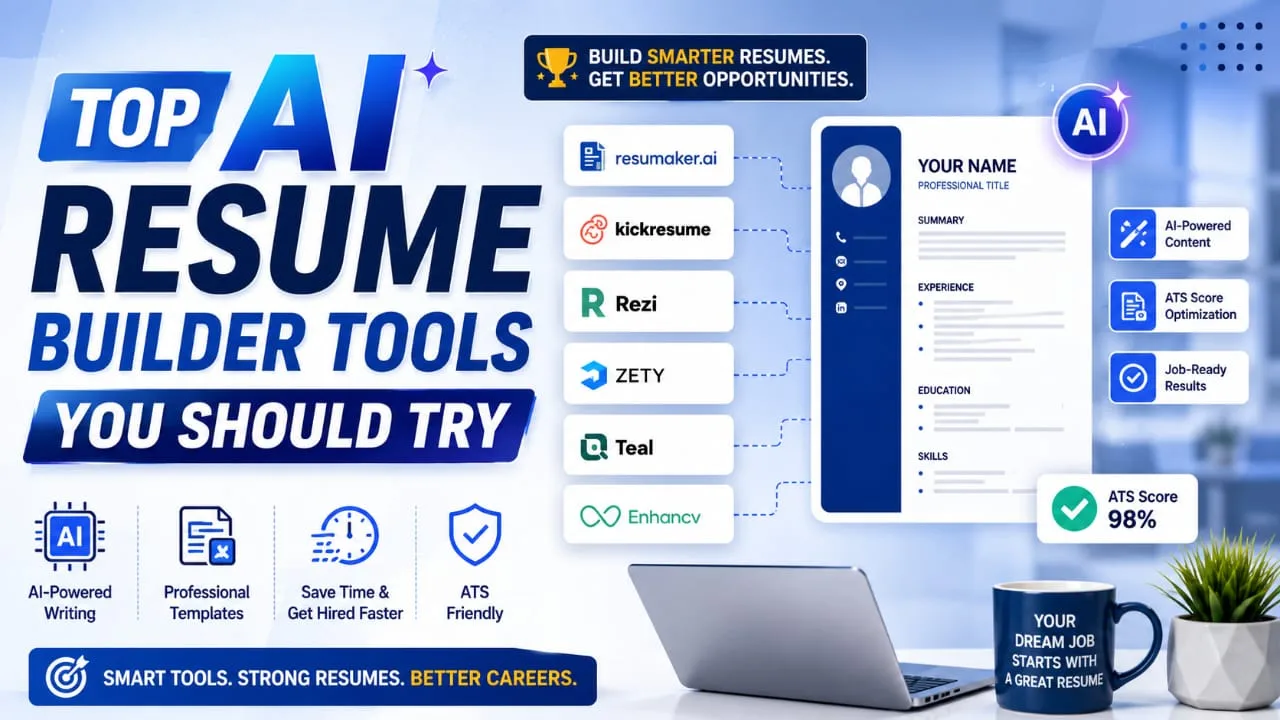
Top AI Resume Builder Tools to Create a Pro Resume Fast

Top AI Resume Builder Tools Review and Buying Guide in 2026

Bro, let’s be real. Writing a resume from scratch is boring and stressful. You sit for hours, delete a bunch of lines, copy old templates, and even then it doesn’t look good to you. That’s exactly when the best AI resume builder tools step in to save both your time and brain. In this article, I’m gonna tell you, really clearly, about the top AI resume builder tools in 2026 that are actually worth your time. I tested this like an average job seeker, checked out what each tool offers its users, and I’ll tell you straight up what’s good and what’s not that great. No hype, just the real deal, dude. Highlight key • Best AI Resume Builder Tools compared for USA and India job seekers• Which tools give a truly free AI resume builder experience• ATS-friendly resume builder options that actually pass real screening systems• Best picks for students, freshers, and working professionals• Simple tips to pick the right AI CV builder for your needs Why You Actually Need an AI Resume Builder Tool Why You Actually Need an AI Resume Builder Tool in 2026 Tell me the truth: have you ever sent fifty job applications and got zero replies? In my experience, most of the time the problem is not your skills. It’s your resume format. Big companies use ATS software to scan resumes before any human even opens them. If your resume is not ATS-friendly, it gets rejected in seconds, no matter how good you actually are at your job. A good AI resume builder fixes this problem quietly in the background. It picks keywords from the job post for you, arranges your resume properly, and writes your resume in neat bullet points for you. Basically, it does the boring work while you focus on interview prep and building confidence for the actual conversation with the hiring manager. There’s another side benefit too. Many of these tools also show you a score, so you know exactly where your resume stands before you hit submit. That single number can save you from wasting weeks applying with a weak document. Top AI Resume Builder Tools You Should Try Top AI Resume Builder Tools You Should Try Now 1. Kickresume Kickresume is one of the strongest tools when it comes to AI writing quality. You answer a short set of questions, and it builds a complete resume draft, including your summary and work experience bullets. Then you can go section by section and ask the AI to improve it further, almost like having a writing coach sitting next to you. Good: Fast first draft, good design templates, useful for people starting from a completely blank page. Bad: Full AI features are locked behind a paid plan, so free users get a limited taste only. 2. Rezi If you are targeting big companies that use Workday or similar ATS systems, Rezi is built exactly for that. It gives you a live score from 1 to 100 while you edit, so you know exactly how strong your resume is getting as you go. This kind of instant feedback keeps you motivated instead of guessing blindly. Good: Deep ATS scoring, useful keyword suggestions, and a one-time lifetime plan option for long job searches. Bad: Free plan is quite limited, only one resume and three downloads allowed. 3. Enhancv Enhancv works best if you already have an old resume sitting somewhere. Upload it, or link your LinkedIn profile, and the AI analyzes it on multiple points and suggests real improvements. The design output is genuinely one of the most polished in this whole space, which matters a lot for creative and design roles. Good: Great visual templates, useful content analyzer, cover letter tool included in the same platform. Bad: Not the best option if you’re building your very first resume from scratch with no material to work with. Also Read : Best AI Logo Maker Tools in 2026: Create Stunning Logos in Minutes 4. Teal Teal is more than a simple resume builder, buddy. It’s a full job search companion with resume tools plus a tracker to manage every application you send out. If you’re applying to many jobs at once, this keeps everything organized in one clean dashboard instead of messy spreadsheets. Good: Application tracking, LinkedIn import, and helpful AI bullet suggestions for busy job seekers. Bad: Keyword tailoring is not as sharp as some ATS-focused tools built purely for optimization. 5. Novoresume Novoresume is known for a genuinely generous free tier, which makes it a favorite among students and international job seekers on a tight budget. You can build from scratch or upload an old resume, though parsing an old file doesn’t always transfer perfectly and some sections may need manual fixing. Good: Strong free access, clean templates, and a smooth experience for beginners. Bad: Uploading and parsing an old resume can sometimes miss sections like skills or bullet points. 6. Zety Zety focuses more on clean design than deep AI tailoring. If presentations matter a lot in your field, like design or media, Zety’s templates look awesome and modern. But don’t expect strong job-specific keyword optimization here since it behaves more like a template builder. Good: Very clean template output, easy for anyone to use without a learning curve. Bad: Limited AI tailoring for specific job descriptions, so manual editing is still needed. Quick Comparison Table Tool Best For Free Plan AI Depth Kickresume First-time resume writers Limited High Rezi ATS-heavy applications Very Limited High Enhancv Upgrading an old resume Limited Medium-High Teal Managing multiple job applications Yes Medium Novoresume Students and budget-conscious users Generous Medium Zety Design-focused resumes Limited Low-Medium Also Read : Best AI Video Generator Tools: Top Picks for YouTube and Social Media in 2026 My Honest Verdict If you think as I do, you want something that saves time without wasting money. For most people who are starting something completely new, Kickresume or Novoresume are the right options as your first choice. If you’re chasing corporate jobs … Read more