Tech all rounder

HarmonyOS 7: Release Date, Features & What’s New (2026)

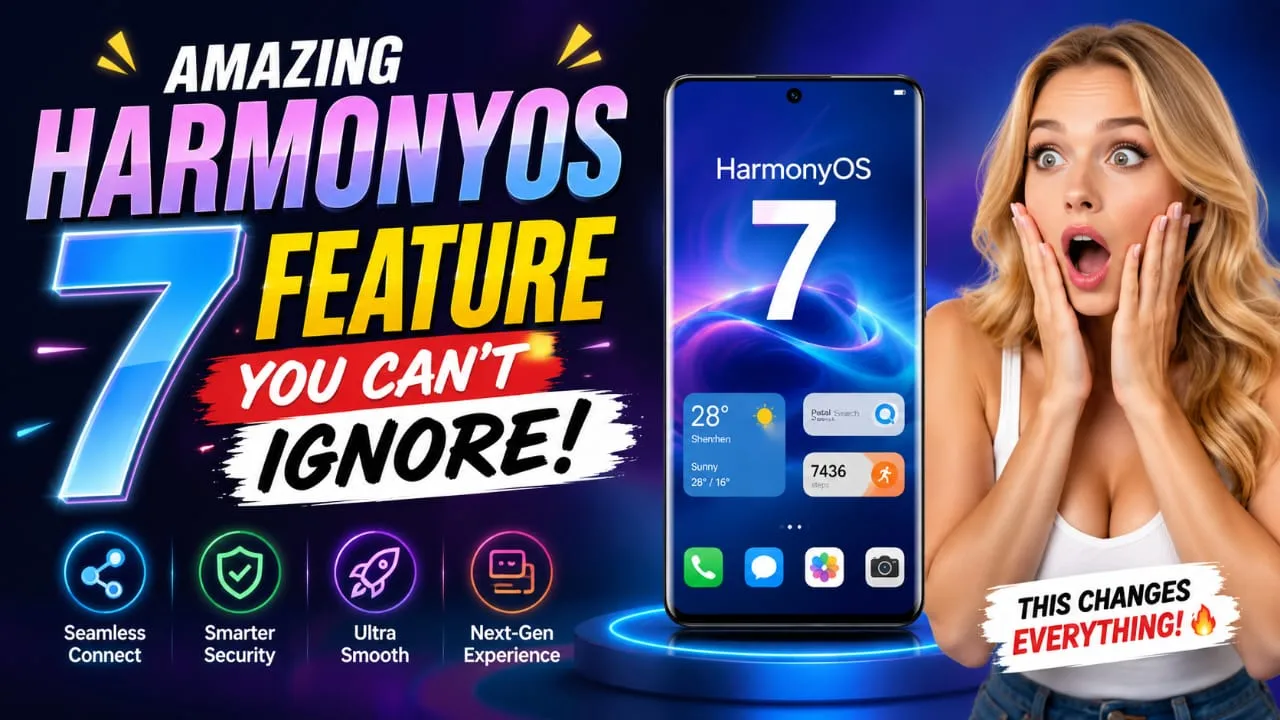
Amazing HarmonyOS 7 Features You Can't Ignore

Friends, if I’m right, you also have a Huawei phone and are into new tech, then I’m sure you’re also eagerly waiting for HarmonyOS 7. I remember when I updated my old Huawei tablet to the new HarmonyOS build, and honestly, the speed change blew me away. That’s why when Huawei showcased HarmonyOS 7 at their big developer event, I got excited again this time. In this article, I’ll explain everything about HarmonyOS 7 in simple words—no complicated technical stuff, just straight and true info for you. Highlight key HarmonyOS 7 was announced on June 12, 2026, at the Huawei Developer Conference (HDC 2026) Brings a new 3D “spatial” look with glass-like effects. Comes with stronger Agentic AI powered by the Celia assistant Claims up to 15% better performance than HarmonyOS 6.1 Developer beta is live now, stable version coming this fall. Mate 90 series will be the first phone with it pre-installed What Is HarmonyOS 7 and How Does It Work? What Is HarmonyOS 7 HarmonyOS 7 is Huawei’s newest operating system update, and it’s built for phones, tablets, laptops, smartwatches, and even smart home gadgets. Tell me the truth, most of us just want an OS that feels fast and doesn’t crash, right? Well, Huawei says this version is not just a small update. It is built from the ground up around AI, which means the whole system understands what you want to do and acts on it, instead of you tapping through five apps. In my experience, older HarmonyOS versions were already smooth for daily use. But HarmonyOS 7 goes a step further by making the AI assistant, called Celia, work like a real helper. It can now search for info, manage your reminders, and even complete tasks across different apps with just one voice command or text. HarmonyOS 7 Release Date and Availability Huawei showed HarmonyOS 7 to the world on June 12, 2026. The developer beta started rolling out the same day, but only for a small group of Huawei flagship devices in China. If you’re wondering when normal users like us will get it, the answer is simple: the full, stable version is expected sometime this fall, likely between September and November 2026. The Huawei Mate 90 series, launching around September, will be the first phone that comes with HarmonyOS 7 already installed out of the box. Other devices will get the update later through the usual software rollout, so patience is the key here. Also Read : One UI 8.5: A Revolutionary Update with Painful Compromises HarmonyOS 7 Features and Improvements Now let’s talk about the real features that make HarmonyOS 7 special. Friends, this update touches almost every part of the system. HarmonyOS 7 Features and Improvements New Spatial Design and UI The biggest visual change in HarmonyOS 7 is the new 3D spatial effect. Your lock screen wallpaper now reacts and shows depth, almost like it’s popping out of the screen. Buttons, sliders, and menus also get a soft glass-like glow. If you have seen Apple’s newer “Liquid Glass” look, this feels a bit similar, but Huawei has given it its own style. HarmonyOS 7 AI Features Explained This is where HarmonyOS 7 truly shines. The Celia AI assistant is now much smarter thanks to something called the Intelligent Agent Framework 2.0. In simple words, it means the AI can complete more than 90% of the tasks you give it, without you doing extra steps. You can ask it to write text, pull up real-time info, or manage in-app actions, and it just does the job. HarmonyOS 7 Performance Huawei claims OS 7 is about 15% faster than the earlier HarmonyOS 6.1. Apps open quicker, multitasking feels smoother, and there is less lag while switching between windows. If you think as I do, real-world speed matters more than lab numbers, so we will only know the true difference once regular users start using the stable build. HarmonyOS 7 Security Features Security is another strong point here. HarmonyOS introduces a new anti-fraud platform built right into the system. This helps protect users from common online scams, which is honestly a great addition given how many phone scams happen these days. Privacy controls also got tighter, giving users more say over what apps can access. HarmonyOS 7 Ecosystem and Connectivity One thing HarmonyOS has always been good at is connecting devices together. HarmonyOS 7 pushes this further, letting your phone, tablet, laptop, and wearables share tasks and data more smoothly. For example, you can start writing something on your phone and finish it on your tablet without any extra setup. HarmonyOS 7 Supported Devices List As of now, only a handful of devices are part of the early developer beta: Huawei Mate 80 Pro Huawei Mate X7 Huawei Mate XT Master Huawei Pura 90 Pro Max Huawei Pura X Huawei Pura X Collector’s Edition Huawei nova 15 Pro More models will join the beta program in the coming months. Once the stable version launches this fall, the list of HarmonyOS 7 compatible smartphones and tablets should grow a lot bigger, covering most recent Huawei devices. HarmonyOS 7 vs Android Comparison Many people ask me if HarmonyOS 7 can beat Android. Honestly, both have their strong points. Android still has way more apps and global support. But HarmonyOS 7 focuses heavily on device connectivity and AI-driven automation, something Android is still catching up on in certain areas. If you’re deep into the Huawei ecosystem, HarmonyOS 7 will feel more connected and personal. Also Read : Oppo ColorOS 16.1: Impressive Yet Not Revolutionary HarmonyOS 7 vs HarmonyOS Next HarmonyOS Next was the earlier big shift where Huawei dropped Android app compatibility completely. HarmonyOS 7 builds on that same independent base but adds the new spatial design and stronger AI layer on top. So basically, HarmonyOS 7 is the next step forward, not a separate branch. How to Update to HarmonyOS 7 Right now, only approved developers in China can join the beta. For the rest of … Read more

Can AI Tools Write High-Quality Blog Posts? Complete Guide

Can AI Tools Write High-Quality Blog Posts? Complete guide with AI writing example

Introduction: The question that every blogger is asking nowadays What is that question? Can AI tools write high-quality blog posts? To be honest, this is a question that almost every week my friends who are bloggers, content creators, and digital marketers ask me. And I can completely understand in detail why people are so confused about this. A few years ago, if someone came up to me and said that a machine could write an entire blog post in high quality, I would have laughed at that time. But the situation today is completely different. AI writing tools are everywhere, and they are getting better every month. Honestly, friend, AI tools can write blog posts. But whether these posts are actually “high-quality” or not depends on a bunch of different things. It depends on how you use the tool, what kind of topic you’re writing about, and how much human touch you add after the AI is done. In this entire article, we’ll cover everything well. We’ll talk about the best AI writing tools available right now, how AI content creation works for you, whether AI blog posts rank on Google, and when you should still rely on a human writer. By the end, you’ll have a really clear, close-to-real picture of it. So, let’s take a look at it from our perspective. Highlights at a Glance Topic Key Point Can AI write blog posts? Yes, but with human editing Best use case First drafts, outlines, ideation SEO performance Good if optimized properly Best AI writing tools ChatGPT, Jasper, Copy.ai, Writesonic Human touch needed? Absolutely yes Recommended for beginners? Yes, great starting point How Much Does AI Writing Cost? This is one of the first things people ask. Here is a quick breakdown of popular tools and their pricing as of 2025-2026:  ChatGPT Yes (GPT-3.5) $20/month (Plus) Jasper AI No Starts at $39/month Copy.ai Yes (limited) $36/month Writesonic Yes (limited) Starts at $16/month Rytr Yes $9/month (Saver) So honestly, AI writing tools are quite affordable, especially if you are a solo blogger or a small business. Even the free plans can help you get started. What Exactly Are AI Writing Tools? Understand how AI writing tools work and improve content creation. Before diving deeper, let’s make sure we’re both on the same page. AI writing tools are software programs that use artificial intelligence to generate text. They are trained on huge amounts of data from the internet, books, and other written content. You give them a topic, a keyword, or a short prompt. They then generate paragraphs, full articles, product descriptions, social media posts, and much more. So here’s the thing most people don’t really notice. These tools are not actually “thinking.” They are predicting the next best word based on patterns they learned during training. This is why AI content can sometimes feel a bit generic or repetitive if you do not guide it properly. But when used the right way, these tools can seriously speed up your content creation process. I personally use them to get a rough first draft done in minutes, and then I spend time polishing it to make it feel more human. Also Read: Best AI Tools in 2026: Top 25 Free & Paid Options Can AI Tools Write High-Quality Blog Posts for SEO? This is the big question, right? Let’s break it down honestly. What AI Does Really Well for SEO Blog Writing Tell me the truth: when it comes to SEO blog writing with AI, there are some things these tools genuinely do well. 1. Keyword Placement AI tools are pretty good at naturally including your focus keyword throughout an article. If you give them the right instructions, they will use it in the intro, in headings, and throughout the body without stuffing it awkwardly. 2. Article Structure One thing I really like is how AI handles structure. Give it a topic, and it will quickly organize the article into H1, H2, and H3 headings. This saves a lot of planning time and helps with readability, which Google loves. 3. Generating Ideas and Outlines Honestly, this might be where AI tools shine the most. When you are stuck and do not know where to start, just ask an AI tool to give you an outline. It will suggest sections, subheadings, and even FAQs that you might have missed. This alone is worth using these tools for. 4. Writing Meta Descriptions and Titles AI is surprisingly good at writing click-worthy titles and meta descriptions that include keywords naturally. This directly helps with your SEO click-through rate. 5. Long-form Content at Scale If you run a content website and need to publish regularly, AI content creation lets you produce a large volume of articles much faster. For a website like techallrounder.com, this is a huge advantage. Where AI Falls Short in Blog Writing Okay, now let’s talk about the not-so-good parts. Because I believe in giving you the full, honest picture. 1. Lack of Real Experience AI has never actually used a smartphone, eaten food, or traveled anywhere. So when you ask it to write a review or a personal experience-based article, it can only fake it. The content might sound okay on the surface, but it will not have that genuine feel that readers connect with. In my experience, readers can often sense when an article feels “off,” and they click away quickly. This hurts your bounce rate and eventually your rankings too. 2. Outdated Information Most AI models have a knowledge cutoff date. This means they may not know about the latest phone launches, current prices, or recent news. For a tech blog or current affairs website, this is a serious problem if you use AI without doing your own research first. 3. Repetition and Filler Content AI loves to repeat ideas in different words. You will often see it say the same thing three or four times in slightly different ways. This is called filler content, and it lowers the … Read more

MagicOS 9.0: Revolutionary Update You Can’t Ignore

With MagicOS 9.0, Honor has once again demonstrated its dedication to providing its users with the best possible experience. This new version, built on Android 16, is revitalizing Honor phones. Whether you’re gaming, working professionally, or using social media daily, MagicOS 9.0 is making an impact everywhere. I’ve personally spoken to several Honor users and compiled this article based on our testing. If you’re an Honor user or considering purchasing a new Honor phone, this comprehensive guide will be very useful. Let’s take a closer look at what MagicOS 9.0 offers and how it can enhance your phone. Release Timeline Honor has begun the MagicOS 9.0 rollout in phases. Q2 2026: Flagships like the Honor Magic 7, Magic 7 Pro, and Magic V3 are receiving the update first. Q3-Q4 2026: The Magic 6 series, Note series, and other mid-range models will receive the update. The rollout may be a little slower in India, but Honor typically provides 2-3 OS updates and 4-5 years of security patches. What is MagicOS 9.0? MagicOS 9.0 is Honor’s new operating system built on Android 16. Honor calls it a “smarter and smoother experience.” Compared to the previous MagicOS 8.0, it features significant improvements in AI capabilities, UI design, privacy features, and performance optimizations.Honor’s focus this time is on “Intelligent Interaction.” MagicOS 9.0 automatically adjusts the phone to your usage patterns – whether it’s gaming, multitasking, or battery saving. This update gives Honor the ability to compete directly with OnePlus’s OxygenOS and OPPO’s ColorOS. What exactly is MagicOS 9.0 changing? What exactly change in MagicOS 9.0 1. AI-Powered Intelligence MagicOS 9.0 features a significant boost in AI. Smart Scene Recognition — The phone automatically detects whether you’re gaming, watching videos, or working and optimizes the background. AI Assistant — Improved voice commands, real-time translation, and smart suggestions. AI Image & Video Editing — Remove unnecessary elements and change backgrounds in photos/videos without the need for an additional app. 2. New UI Design – Magic Glow MagicOS 9.0’s new design is called “Magic Glow.” It features glassy, ​​translucent effects, smooth animations, and a modern icon style. The Quick Settings panel, notification shade, and homescreen now look more elegant and intuitive. New styles have also been added to Dark Mode and Always-On Display. 3. Performance & Gaming Improvements Improved CPU/GPU management has reduced frame drops. Magic Gaming Mode – Bypass Charging, Anti-Interference, and High FPS Support. Multitasking is now smoother – split screen, floating windows, and app locker work better. 4. Battery Optimization MagicOS 9.0 has a noticeable improvement in battery life. Smart battery saving, background app control, and AI-based power management allow phones like the Honor Magic 7 series to easily last 1.5-2 days. This combination, combined with fast charging, is proving very popular with users. 5. Privacy & Security New Privacy Dashboard App Permission Manager Secure Folder and Private Space Improved biometric security (In-Display Fingerprint + Face Unlock) 6. Customization Options: Honor has made customization more powerful. There are numerous new options across themes, icon packs, fonts, Always-On Display styles, and home screen widgets. Also Read :  iPhone 17 Complete Information – Is It Worth Buying? Which Honor phones will get frist? Which Honor phones will get MagicOS 9.0 first? Key eligible devices: Honor has launched it as the Honor Magic 7 / 7 Pro / 7 Ultra. Honor Magic V3 (Foldable) Honor Magic 6 / 6 Pro / 6 RSR Honor Note 60 / Note 50 series Honor 400 Pro and select mid-range models This may be the last major update for some older models. Honor will update the official list periodically. The update is rolling out slowly in India, but Honor typically releases 2-3 major OS updates. If your phone is from the Magic 7 or Magic 6 series, you should receive a notification soon. OS 9.0 vs. OS 8.0 – What are the changes? MagicOS 8.0 was already good, but MagicOS 9.0 goes even further: The UI is more modern and smoother AI features are more useful Battery and performance improvements Gaming mode is more powerful Privacy tools are improved Overall, MagicOS 9.0 gives Honor a more premium feel. MagicOS 9.0 vs. Older Version MagicOS 8.0 was already better, but 9.0’s UI is more modern, AI is more useful, and performance is more stable. Animations are smoother, battery life is better, and minor bugs have been reduced. Overall, this upgrade really makes a difference. How to install Go to Settings → About Phone → Check MagicOS Version. When the update is available, download it while connected to Wi-Fi. Perform a full backup of your phone. Keep your phone charged during the update. Keep track of updates on Honor’s official website and community. Also Read : Samsung Galaxy S26 Ultra 5G: 5000mAh battery, Snapdragon 8 Elite Gan 5, 200MP Camera. Pros & Cons Pros Attractive Magic Glow UI – a glassy and elegant look Useful AI features that simplify everyday tasks Improved performance and gaming optimizations Good battery life and fast charging support Robust customization options Improved security and privacy Cons Rollout is currently in the pipeline – not all phones will receive it immediately According to Honor, not all older devices will be eligible for this update. Minor bugs may occur in the initial days AI features may be limited in some regions Some users may experience fewer features than ColorOS or OxygenOS Final verdict MagicOS 9.0 shows Honor is serious about giving users a complete package – good looks, smart features, solid performance, and decent battery life. It’s not trying to reinvent the wheel, but rather polish what already works and fix the small annoyances. For existing Honor owners, this update makes the phone feel fresh again. For anyone thinking about buying a new Honor device in 2026, MagicOS 9.0 is a big reason to consider their lineup seriously. The mobile experience keeps evolving, and Honor is clearly keeping pace. If your device is supported, MagicOS 9.0 is worth installing. It turns a good phone into one that feels more … Read more

Oppo ColorOS 16.1: Impressive Yet Not Revolutionary

Oppo ColorOS 16.1: Impressive Yet Not Revolutionary

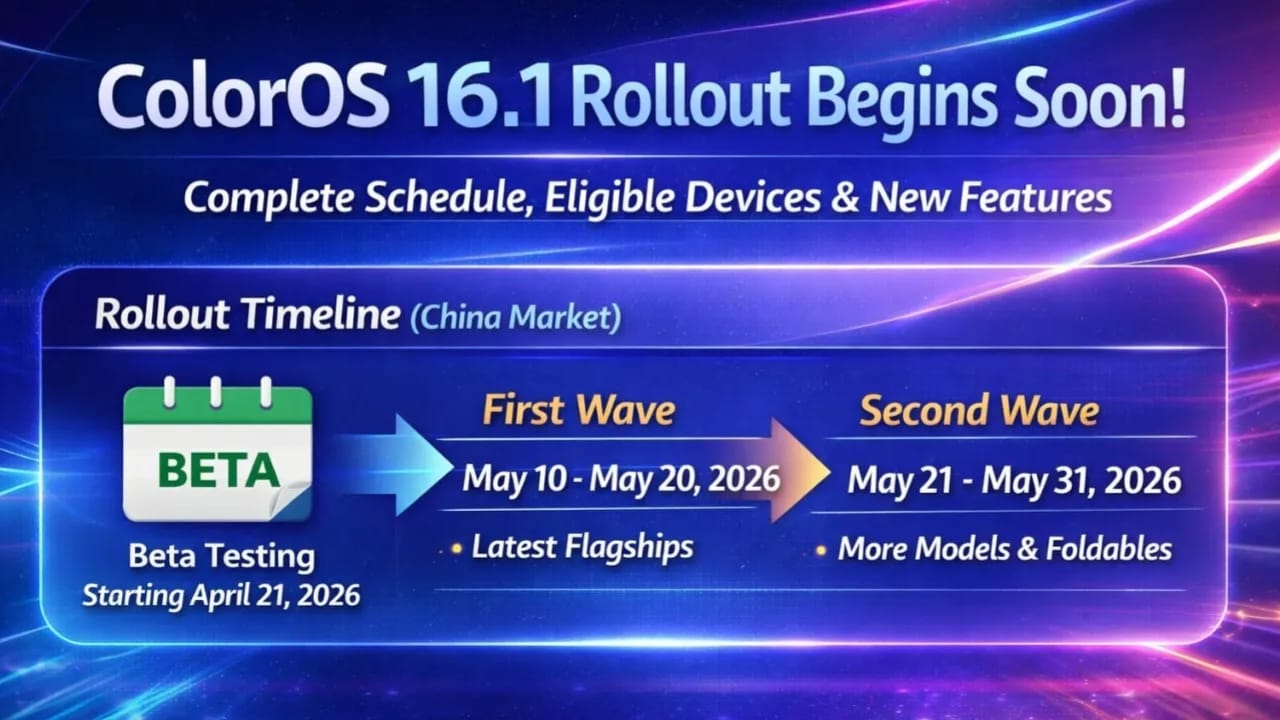
Oppo has announced the official rollout plan for its ColorOS 16.1 update, based on Android 16. This version makes the interface more attractive and responsive while also adding useful smart features that users use every day. Rollout Timeline in China Market – April 2026 Update Beta Testing: The application has been open for early access for a while and will close on April 17, 2026. I expect selected users on top flagships to receive the beta around April 21, 2026.Stable Version: First Wave (May 10 to May 20, 2026): I expect the newest and most premium devices will be covered first in this phase. Second Wave (May 21 to May 31, 2026): A wider rollout will be conducted for additional flagship, foldable, and mid-range models. The schedule mentioned in this article is for the Chinese market, and a global rollout, including India, is expected to occur a few weeks later – if leaks are to be believed, it could begin in late May or early June 2026, depending on your region and device variant. Updates tend to arrive gradually, so even after the official window opens, users need to be patient. Eligible Devices (Confirmed for Stable Rollout) Eligible Devices (Confirmed for Stable Rollout) Oppo and OnePlus have released the update for over 20 smartphones: First Wave (May 10–20): OnePlus Ace 6 Collection and OnePlus Turbo 6 Lineup Oppo’s Find X9, Find X8, and Find X8s smartphone series OnePlus 15 Series, OnePlus 13 Series Oppo Find N6 and Find N5 (Foldable) Oppo Pad 4 Pro OnePlus Tablet 2 Pro Second Wave (May 21–31): Reno 14 Pro Series, Oppo Reno 15 Series Oppo K15 Series, K13 Turbo Pro Oppo Find X7 Series Oppo Pad 5 Additional OnePlus models from previous series (final list subject to change) If your device is the latest flagship or high-end foldable, you have an even better chance of getting it in the first wave. Mid-range and older flagships are expected to arrive in the second wave or later in the global phase. Regularly check your phone’s Settings > About Phone > System Updates for updates. Also Read :  iPhone 17 Complete Information – Is It Worth Buying? What’s new in ColorOS 16.1? What’s new in ColorOS 16.1? ColorOS 16.1 isn’t just a single update—it includes a host of features that improve the lock screen and animations and make everyday use even easier. Smart Lock Screen Island / Live Activities Bar: A new pill-shaped or capsule-like area at the bottom of the lock screen that displays real-time information. It handles playback, flashlight, calls, navigation, music, time, and more in a compact, easily visible way. This design is inspired by the modern Dynamic Island concept but seamlessly integrated into ColorOS. The lock screen media player is now even better with an updated music widget: with the updated music widget, album artwork stands out more, and lyrics can be viewed directly on the lock screen or always-on screen. Smoother Animations and Transitions: The engine upgrade makes every system movement (scrolling, app switching, and interface) visible, further enhancing the user experience. Notification Improvements: Notifications are now displayed neatly on a single screen, reducing unnecessary information. Camera Interface Refresh: The camera UI has been redesigned to make modes and settings quicker and easier to access. AI and Performance Polishing: Additional AI-based features to improve smart interactions, reduce heating during extended use, and provide stable performance. Slightly increased power efficiency during extended use. Many initial impressions show how these lock screen changes make the phone feel more fresh and intelligent, without making things overly complicated. Tips for a Smooth Update Experience (Especially for Indian Users) Ensure your phone has at least 50% battery, is connected to stable Wi-Fi, and has plenty of free storage (around 5–8 GB is recommended). Back up important data before updating. Flagship users (Find X series or OnePlus 13/15) may see this soon. If you have a Reno or K-series device, expect this feature to arrive around the second wave or a little later in the global rollout. Realme smartphones with the same software may receive a parallel Realme UI update, but it may release at different times. ColorOS 16.1 continues Oppo’s move towards a cleaner, more responsive experience with thoughtfully designed smart elements. While the company is already working on future Android versions in the background, this 16.1 update delivers immediate daily improvements. Final Verdict ColorOS 16.1 is coming with a polish-focused update—it might not look like a big deal, but it has the potential to make everyday use feel smoother, smarter, and more modern. For users who prefer a clean UI and improved performance, this could definitely be a useful upgrade. It hasn’t hit the market yet. Once it does, we’ll definitely hear about its features through some means. All the information above is based on leaks. Also Read : Samsung Galaxy S26 Ultra 5G: 5000mAh battery, Snapdragon 8 Elite Gan 5, 200MP Camera. Pros of ColorOS 16.1 & Cons     Pros of ColorOS 16.1 Smoother & Faster Performance – animations, scrolling, app switching more fluidSmart Lock Screen Island – real-time updates for music, calls, timer, navigation Improved Camera UI – cleaner, faster, and premium-looking interface Better Notification Management – stacked notifications for clutter-free view Enhanced Music Lock Screen – album art + lyrics support AI Smart Features – better suggestions and system optimization Refined Premium Design – smoother transitions, transparency, modern UI   Cons of ColorOS 16.1 Minor Upgrade – not a major or revolutionary update Inspired Design – some UI elements look similar to iOS / One UI Possible Bugs – early builds may have glitches or stability issues Slow Rollout – update may arrive late on some devices Device Limitations – some features only on high-end phones Adjustment Time – new UI changes may take time to get used to Latest Post Oppo ColorOS 16.1: Impressive Yet Not Revolutionary ByThe Legend | April 21, 2026 | Read More Snapdragon 7 Gen 4 vs 7s Gen 4: Big Difference Explained! ByThe Legend | … Read more