
Bro, I need to ask you something. Have you ever tried making a logo yourself and ended up with a result that looks like a kid made it in five minutes? Yeah, I’ve done the same a long time ago, and I was really disappointed back then.
That’s exactly why, in 2026, the best AI logo maker tools have become such a big deal. These tools let you type in your business name, choose a style, and just like that, in minutes, they give you dozens of clean logo options.
I remember when I started my little blog project. I didn’t even have enough money to hire a designer, and to be honest, I didn’t really know what a ‘good design’ was or how it worked.
So I tried some of these AI tools, and I was amazed to see how far they’ve come nowadays. In this article, I’ll tell you about the best AI logo maker tools in 2026, what’s good about them, what’s not so great, and which tool might be a fit for your needs.
In This Article
ToggleHighlights
Best AI Logo Maker Tools now use smart image models that spell your brand name correctly, which was a big problem before
Free AI Logo Maker options are decent for quick drafts, but paid plans give you real commercial rights.
Looka, Canva, and Design.com remain strong picks for most small businesses.
Kittl and Brandmark work better if you want deep typography and customization control.
Tell me the truth: do you really need a $500 designer logo, or can AI Branding Tools do the job just as well?
Why Best AI Logo Maker Tools Matter for Your Brand in 2026
Your logo is the first thing people see, even before they read a single word about your business. In my experience, a messy or outdated logo makes people trust your brand less, even if your product is great.
The good news is that Best AI Logo Maker Tools have improved a lot this year. Earlier, AI tools were often used to write letters wrong or give users weirdly shaped text instead of clean text. Now, most Online AI Logo Creator platforms render your business name properly and give you options that actually look professional.
However, not every tool is equal. Some are still template-heavy, and some genuinely use smarter AI models to create something that feels made just for you.
What Makes a Good AI Logo Creator in 2026?
Before we jump into the list, let us talk about what actually matters when picking a tool.
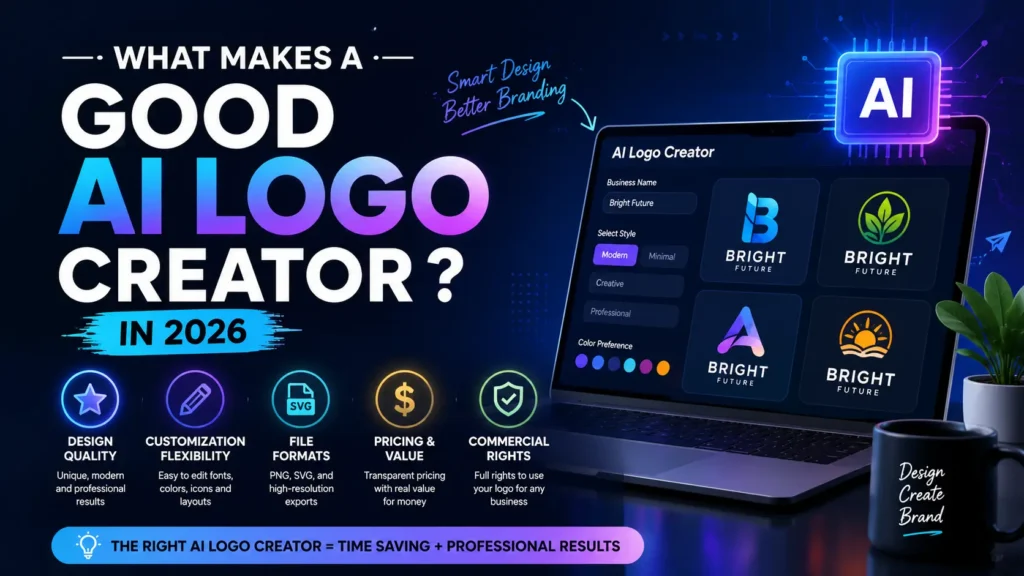
Design quality: Does the logo look fresh, or does it look like a template you have seen a hundred times
Customization: Can you tweak fonts, colors, and icons easily
File formats: Do you get PNG, SVG, and transparent background options
Pricing: Is there a genuine free option, or is everything locked behind a paywall
Commercial rights: Can you legally use the logo for your business without extra fees later
If you think as I do, commercial rights are honestly the most underrated point. Many free tools give you a nice logo, but then trap the SVG file behind a payment wall. So always check that part first.
Top Best AI Logo Maker Tools in 2026
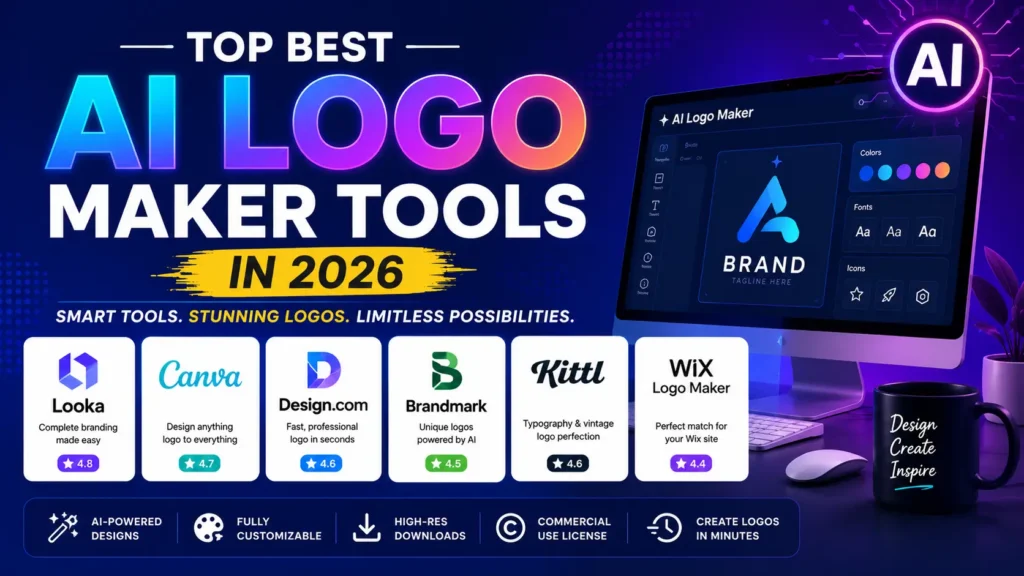
Looka has stayed consistent as one of the strongest all round options. It gives you a guided flow where you pick your industry and style, and then it generates a good variety of logo concepts.
What is good: The brand kit is solid. You get business cards, social media templates, and a full package, not just a logo.
What is not so great: Pricing starts around ten dollars a month for high resolution files, so the truly free version is limited to low res downloads only.
Best for: Small business owners who want a complete branding package, not just a single image file.
Canva is not built only for logos, but honestly, this is one of my personal favorites because I already use Canva for other design work too.
What is good: The free plan actually works. You get thousands of templates and can export PNGs with a transparent background at no cost.
What is not so great: SVG export and the full Brand Kit feature need Canva Pro, which is around fifteen dollars a month.
Best for: Anyone who wants their logo to match other marketing material, like posters or social posts, all inside one platform.
Design.com pulls from a massive template library and mixes it with AI suggestions based on your prompt.
What is good: The variety is honestly impressive. You get minimal, mascot style, vintage, and emblem options in one go.
What is not so great: Some users feel the free tier pushes you toward the paywall pretty quickly once you like a design.
Best for: Startups and creators who want a Professional AI Logo Maker experience without spending hours customizing.
Brandmark stands out because it focuses heavily on color harmony and icon design, not just plain text logos.
What is good: Even their most basic paid plan gives you a genuinely different-looking result compared to typical template tools.
What is not so great: The free preview is limited, and there are fewer brand kit extras compared to Looka.
Best for: Businesses that want an AI Logo Creator with a distinct visual mark, not just a wordmark.
If your brand needs something like a badge logo, a retro look, or heavy text styling, Kittl is genuinely one of the best AI Branding Tools out there right now.
What is good: The text effects and layering options go far beyond a simple font dropdown.
What is not so great: It has a slightly steeper learning curve compared to Canva or Looka.
Best for: Creators, cafes, and clothing brands that want a badge or vintage-style identity.
Wix asks you a few style questions and shows you logo pairs to click through, kind of like a taste test, until it learns what you like.
What is good: If your website is already on Wix, the logo blends naturally into your site design without extra work.
What is not so great: Outside of the Wix ecosystem, it does not offer much extra value compared to dedicated tools.
Best for: Solo entrepreneurs building their whole online presence on Wix from scratch.
Free AI Logo Maker vs Paid Plans - Which One Should You Pick?
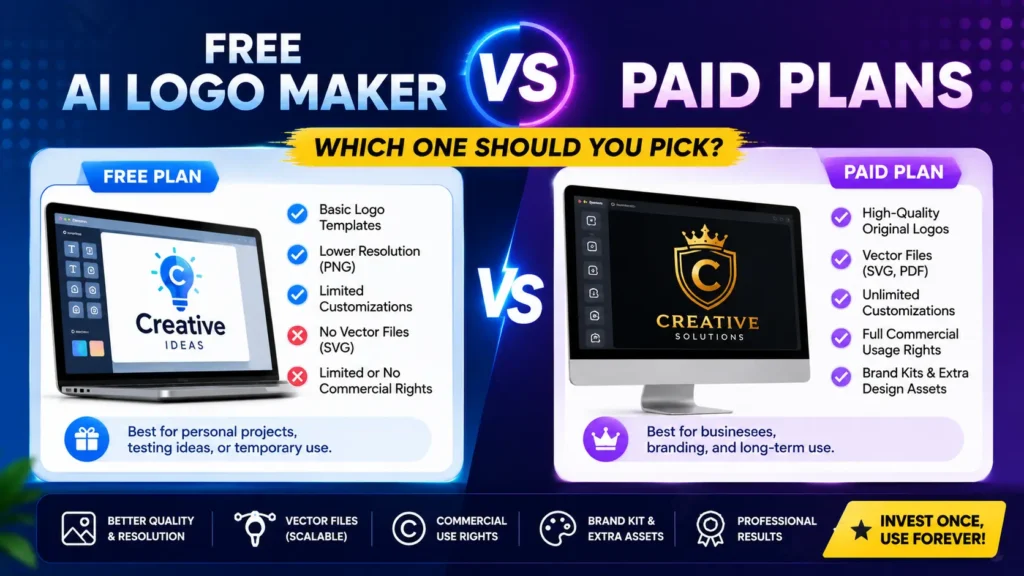
Here is the honest truth. A Free AI Logo Maker is perfectly fine if you are just testing an idea or making a logo for a college project. You get a decent PNG file, and that is enough for casual use.
But if you are running an actual business, paid plans are worth it. You get:
Vector SVG files that scale to any size without getting blurry
Full commercial usage rights so you will not face copyright issues later
Extra brand assets like business cards and social templates
Now, let us talk about something people often skip, which is copyright. In the United States, fully AI generated designs without meaningful human editing may not get full copyright protection. So it is smart to personalize your logo a bit, change colors, adjust spacing, tweak the icon, rather than using the raw AI output as it comes.
Tips to Get the Best Results from Any AI Logo Generator
Be specific in your prompt; do not just type “coffee logo” instead, try “minimal coffee cup icon, warm brown and cream colors, cozy cafe style”
Test at least three different tools before deciding, since each platform has a different visual personality.
Always download the SVG file if it is available, since PNG can get pixelated when resized.
Do not skip customizing colors and fonts even if the first draft looks fine.
Final Verdict
If you want my honest opinion, start with Canva if your budget is tight, or go for Looka if you want a full brand package. If your brand has a vintage or typography-heavy style, Kittl is definitely worth a try. Overall, I’d give the current generation of Best AI logo maker tools a 4.2 out of 5. They’re not a full replacement for professional designers, but for most small businesses and creators, they get the job done fast and affordably.
FAQ's
What are the Best AI Logo Maker Tools in 2026?
Is there a good Free AI Logo Maker available right now?
Can I use an AI generated logo for commercial business use?
Which AI Logo Creator is best for startups and small budgets?
Do AI Branding Tools also provide business cards and social media designs?
How is an Online AI Logo Creator different from hiring a designer?

Deepak Kumar is the founder and author of Techallrounder.com. He covers the latest technology news, smartphone and laptop reviews, gadget comparisons, buying guides, and tech tips. His goal is to provide accurate, easy-to-understand, and up-to-date information that helps readers make better technology decisions.