
Tech all rounder

Moto Pad 70 Goes Official: 5G, AI Tools and 10,200mAh Battery. 
Moto Pad 70 buy link

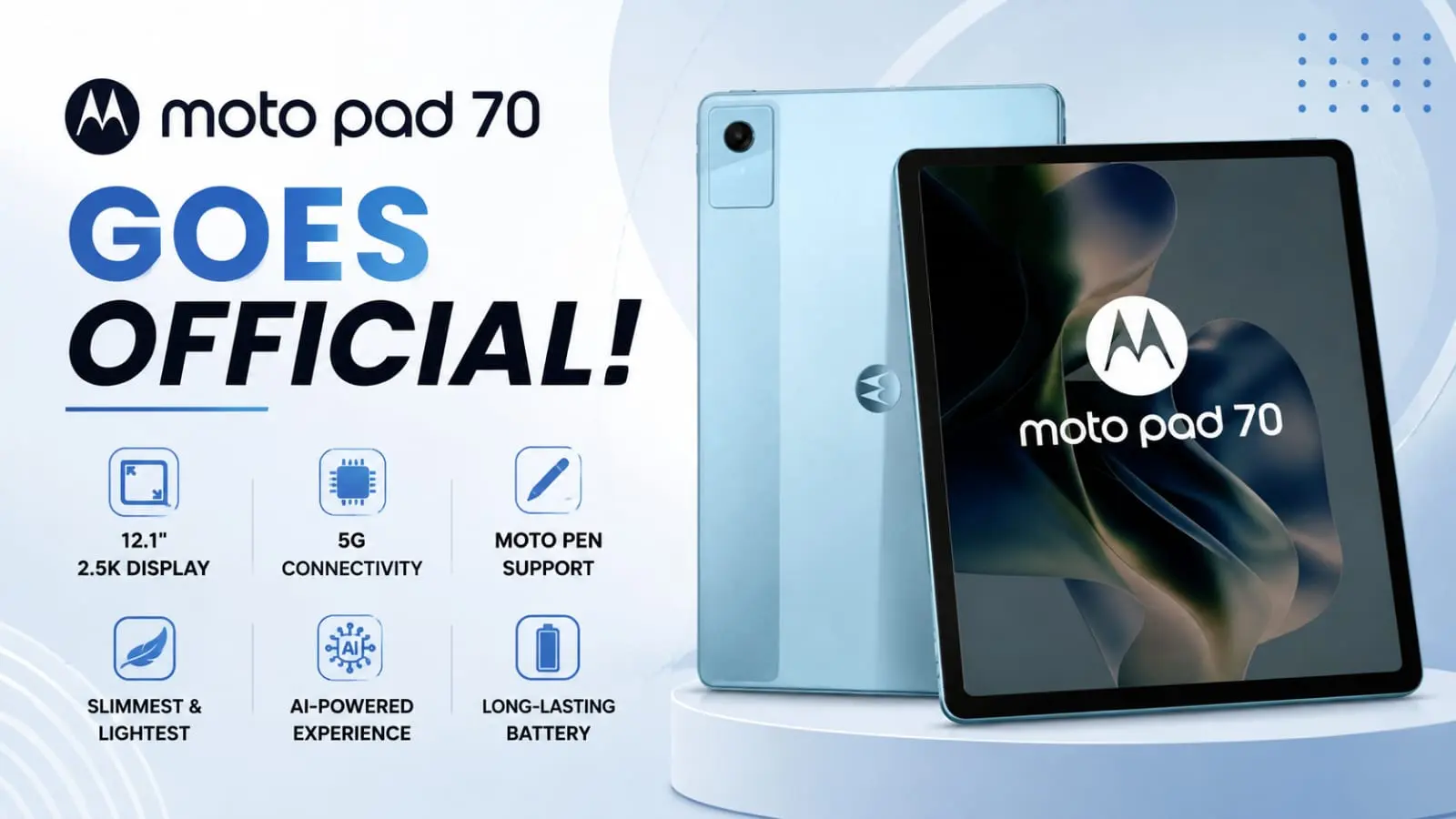
The Moto Pad 70 has finally gone official, friends, and I have to say, it grabbed my attention pretty quickly. Motorola has launched this tablet in India with 5G support, some smart AI tools, and a huge 10,200mAh battery that promises to easily handle your long day and stay with you all day. If you were waiting for a tablet that doesn’t constantly force you to sit near a charger, honestly, this launch might just be the one you needed.   From my experience testing tablets and following them over the years, battery life is usually the first thing that can ruin a good device. It looks like Motorola has fixed this issue here. So let’s talk about why the Moto Pad 70 is worth catching your eye.  Highlights 12.1-inch 2.5K display with 90Hz refresh rate  MediaTek Dimensity 6400 chipset with 5G support  Huge 10,200mAh battery with 68W fast charging  AI features like Circle to Search and AI Rewrite.  Moto Pen stylus included in the box.  Priced starting at Rs 33,999 in India  What Makes the Moto Pad 70 5G Special? The Moto Pad 70 5G is being called the thinnest and lightest 5G tablet in its price range, and honestly, that is a bold claim to make. At just 6.49mm thick and 530 grams in weight, it does feel like Motorola put real effort into keeping things slim without cutting corners.  Now here is the thing, buddy. Many tablets in this price range feel bulky and heavy after using them for an hour or two. If this tablet really holds up to its slim design claims, it could be a solid daily carry option for students and working professionals alike.  Display and Design: Is It Good Enough for Daily Use? Moto Pad 70 display and design good enough for daily use? The screen is a 12.1-inch LCD panel with 2.5K resolution, which means sharp text and clear videos. It also supports a 90Hz refresh rate, so scrolling and swiping should feel smooth rather than laggy. Brightness goes up to 800 nits in high brightness mode, which is helpful if you like using tablets outdoors.  If you think as I do, screen quality matters a lot on a tablet since we use it mostly for watching shows, reading, or browsing. The 96% DCI-P3 color coverage is a nice touch for anyone who enjoys watching movies or editing photos on the go.  Also Read: Galaxy Tab S12 Ultra Leak Hints at a Powerful MediaTek Flagship Chip Moto Pad 70 AI Features: What Can You Actually Do With Them This is where things get interesting. The Moto Pad 70 AI features include Circle to Search, AI Rewrite, AI Summary, and AI Continue Writing. These tools are meant to make daily tasks easier, whether you are searching for something quickly, fixing your writing, or summarizing a long document.  In my experience, AI tools on budget tablets are often more marketing than function. But if these features work as smoothly as promised, they could genuinely save time for students working on assignments or professionals drafting quick notes.  Moto Pad 70 10200mAh Battery Moto Pad 70 packs a massive 10200mAh battery Let’s be honest, buddy, the Moto Pad 70 10200mAh battery is the biggest reason people are talking about this tablet. A battery this big is rated to give you around 13 hours of YouTube streaming, which is genuinely impressive for this price segment.  Adding to that, the bundled 68W TurboPower charger can reportedly add close to two hours of usage in just 10 minutes of charging. That is the kind of quick top-up that actually matters when you are running late and forgot to charge overnight.  Moto Pad 70 Specifications Overview Here is a simple comparison table so you get the full picture at a glance.  Feature Details Display 12.1 inch, 2.5K, 90Hz Chipset MediaTek Dimensity 6400 RAM 8GB LPDDR4X Storage 128GB / 256GB, expandable to 2TB Battery 10,200mAh with 68W charging Rear Camera 13MP Front Camera 8MP Connectivity 5G, Wi-Fi Build IP52 rated, metal design OS Android 16 Moto Pad 70 Price in India: Is It Worth the Money? The Moto Pad 70 price in India starts at Rs 33,999 for the 8GB/256GB variant. That puts it in direct competition with tablets from Samsung, Xiaomi, and OnePlus, all fighting for the same budget-conscious buyer.  Now tell me the truth: at this price, having 5G, a bundled stylus, and this battery size is a pretty strong package. However, one thing worth noting is that it launches with Android 16 instead of the newer Android 17, which feels like a slight miss on Motorola’s part.  Pros and Cons   Pros:  Massive battery with fast charging  Slim and light design for a 5G tablet  Useful AI tools built in Stylus included at no extra cost.  Good display quality for the price Cons:  Ships with Android 16, not the latest version Limited to a single color option  India-only launch for now, no confirmed global release Also Read: Best AI Tools in 2026: Top 25 Free & Paid Options Final Verdict Rating: 4 out of 5 stars  Moto Pad 70 brings together a strong battery, a solid display, and handy AI tools, all at a price that also feels right. If you need a tablet for long study sessions, taking notes with a stylus, or binging shows without constantly charging, it might be seriously worth checking out.  Disclaimer  This article is based on the official information shared by Motorola at the time it was written. Prices, specifications, and availability can change over time, so make sure to verify the information from Motorola’s official website or its authorized sellers before making a purchase.  If You Want To Buy This Then Click Here Buy Now Latest Post Moto Pad 70 Goes Official: 5G, AI Tools and 10,200mAh Battery.  Infinix Hot 70 Pro Leak Reveals Active Matrix Cube Design  Vivo Y31T First Look: Big Battery Meets Snapdragon 4 Gen 2  Galaxy Tab S12 Ultra Leak Hints at a Powerful MediaTek Flagship Chip POVA AI Buds Pro Launch: AI Recording, Powerful ANC  Earbuds POVA AI Buds Pro Launch: AI Recording, Powerful ANC  Best iQOO Buds Features & Unexpected Downsides in 2026 Sony WF-1000XM6: New Earbuds Mark 10 Years of 1000X Series Laptops Acer 2026 Laptops: … Read more

WhatsApp Latest Update 2026: Amazing Privacy We Can’t Ignore

WhatsApp Latest Update 2026: Amazing Privacy image

So, WhatsApp is going through some big changes in 2026, and honestly, it’s kind of exciting to see. If you also use WhatsApp every day like everyone else (and I know most of us do), then this article is going to be very useful for you and your family and friends. The WhatsApp latest update 2026 is not just about small bug fixes. We are talking about real features that actually change how you chat, how private your messages are, and how smart the app has become. I personally have been using WhatsApp since 2013, and trust me, the app has come a very long way. From basic text messages to now having AI tools built right inside it, this is a big deal. So, let’s break everything down in simple words so you don’t have to search anywhere else. Highlight key Before we go deep, here is a quick look at what’s new: Meta AI is now inside WhatsApp with full privacy options Incognito chat with Meta AI will now be available to see. Writing Help now suggests full AI-based replies You will also get advanced chat privacy and a secret code chat lock. Username-based chatting without sharing phone number View Once for Voice Messages Group Message History for new members Status updates are now visible right on the Chats tab Side Chat AI feature coming soon These are not just small updates. These are some solid changes that make WhatsApp a smarter and safer app in 2026. WhatsApp AI Chat Tools: What’s Actually New? Smart AI features in WhatsApp Now let’s talk about the biggest thing everyone is curious about, and that is the AI features. WhatsApp’s latest features in 2026 include some seriously useful AI tools. Writing Help: AI That Replies For You This one is interesting. WhatsApp rolled out an update to its Writing Help feature that generates AI-powered suggested replies based on your actual conversations. The company also says chats remain private even when users use Writing Help. To use it, you just tap the chat bar, then tap the sticker icon, and then look for a pencil with a sparkle icon. That’s the AI button. It will suggest a reply based on what is being discussed in the chat. Now, tell me the truth, is this useful? For work chats, yes. For business replies, yes. But for private chats with your family, friends, or girlfriends? I would say, skip it. No one wants to receive an AI-written reply from you when they are having a real conversation. Still, the option is there, and that’s good. incognito chat with Meta AI: 100% private AI conversation This is the one feature that really stands out in the WhatsApp AI Chat Tools update. Meta has launched Incognito Chat with Meta AI on WhatsApp, where your conversations are processed in a secure environment that even Meta cannot see, and the messages disappear by default. When you start an Incognito Chat with Meta AI, you are creating a private, temporary conversation that only you can see. Your messages are processed in a secure environment, not saved, and then automatically disappear after a few days, giving you the space to ask questions and explore ideas without anyone watching over you. So, for example, if you want to ask about health issues, financial queries, or anything personal, you can do it through this Incognito Chat, and it stays completely private. That is a really good step. Side Chat with Meta AI: Coming Soon Meta also plans to introduce Side Chat with Meta AI on WhatsApp in the coming months. This will let users get private AI help within any WhatsApp chat, using the context of what’s being discussed, without disrupting the main conversation. In my experience, this kind of real-time AI help during a conversation could be very useful, especially for quick fact-checking or drafting a professional reply while chatting. Also Read :  iPhone 17 Complete Information – Is It Worth Buying? WhatsApp Privacy Features 2026: Your Data, Your Rules If you think as I do, privacy is the first thing you worry about whenever any app adds AI. And WhatsApp knows this. So, they have added some very solid privacy upgrades in this update. Username-Based Messaging One of the biggest highlights in the WhatsApp latest update is the introduction of username-based messaging, allowing users to chat without sharing their phone numbers. This is huge, especially for Indians who often have to share their personal number with strangers, shopkeepers, or business contacts. Now you can just share your username. Your real number stays hidden. This feature is designed to minimize phone number exposure, which has been a growing concern due to spam and unsolicited messages. Secret Code for Chat Lock The Secret Code for Chat Lock feature prevents people who know your device password from unlocking your hidden chats. This is a separate code, totally different from your phone’s lock screen password. So even if someone opens your phone and knows your PIN, they still cannot see your secret chats. That is a solid layer of protection. Advanced Chat Privacy WhatsApp’s advanced chat privacy feature can prevent others from exporting your chat content. That means no one can copy your private conversation and paste it somewhere else, forward it outside the app, or screenshot and share it. This is very helpful for sensitive professional or personal conversations. View Once for Voice Messages The View Once for Voice Messages feature automatically deletes a voice message after it is played once, preventing replays or forwarding. Think about it. How many times do you send a voice note and worry that the other person will replay it or share it? Now that worry is gone. Intelligent Silence for Unknown Callers WhatsApp has added Intelligent Silence, which automatically mutes calls from unknown numbers. Users can choose to silence all unknown callers, or only those with a high spam probability. If you are getting spam calls on WhatsApp (and I know many people are), this … Read more