Tech all rounder

HP ZBook Ultra G3a: Ryzen AI Max+ Pro Laptop With OLED
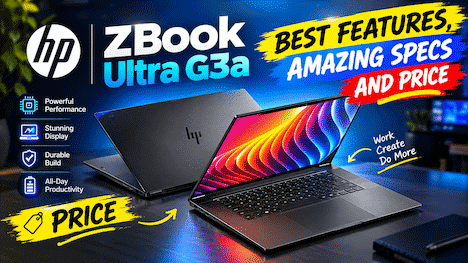
HP ZBook Ultra G3a laptop features and price

Honestly, tell me one thing: how many times has your laptop slowed down at the most important moments? I’ve been in that situation plenty of times. The HP ZBook Ultra G3a is designed to fix this issue. HP has recently launched this 16-inch workstation in India. It comes with an AMD Ryzen AI Max+ Pro chip and also offers an optional OLED display. In this article, I’ll break down the specs, price, pros, and cons in simple words for you all. Quick Highlights: Let’s take a look at the key information that you shouldn’t ignore:        Chip: up to Ryzen AI Max+ Pro 495 with 16 cores        Memory: up to 192GB unified memory        AI power: 55 TOPS NPU for AI tasks        Screen: 16-inch 2.8K OLED, 120Hz        Weight: about 1.9 kg, only 17.9 mm thin        Battery: 96Wh, with HP claiming up to 14 hours        India price: starts at Rs 2,89,990 (before taxes) HP ZBook Ultra G3a Specifications You Should Not Miss Now let’s talk about the HP ZBook Ultra G3a specifications. I kept only the most useful rows. Feature Details Laptop type 16-inch mobile workstation Processor Up to Ryzen AI Max+ Pro 495 CPU cores 16 cores, up to 5.2 GHz Graphics AMD Radeon integrated (up to 8065S) NPU Up to 55 TOPS Memory Up to 192GB unified Graphics memory Up to 160GB Storage Up to 8TB SSD Display 2.8K OLED, 120Hz (or WUXGA IPS) Battery 96Wh Weight About 1.9 kg Wireless Wi-Fi 7, Bluetooth 6.0 Operating system Windows 11 Pro Also Read: Microsoft NVIDIA Event: Surface Laptop Ultra Explained Is the Ryzen AI Max+ Pro 495 Really That Powerful? The brain of this HP ZBook Ultra G3a laptop is the Ryzen AI Max+ Pro 495. It has 16 cores and can reach up to 5.2 GHz. One chip handles normal work, graphics, and AI tasks together. That keeps the design simple and the body slim. Memory is the real star here. You can get up to 192GB of unified memory, and HP says up to 160GB can work as graphics memory. For comparison, many laptops give only 8GB or 16GB of video memory. In my experience, memory is where heavy 3D and AI work usually breaks down. Last year my old laptop froze while I was exporting a long video. I lost almost an hour of work. Since then, I care more about memory and cooling than looks. HP says the cooling design of the HP ZBook Ultra G3a supports up to 100W performance, which sounds good for long jobs. However, there is a catch. Those top numbers belong to the highest model. Cheaper versions, like the Ryzen AI Max Pro 480 or 490, come with less memory. So check your exact model before you pay. Can It Run Big AI Models Without the Cloud? HP says the HP ZBook Ultra G3a Ryzen AI Max+ Pro setup can run language models up to 300 billion parameters on the laptop itself. That claim fits only the 192GB version. Still, the benefit is clear. Your files stay on your device, and you save cloud costs. If you handle private client data, this matters a lot. Is the HP ZBook Ultra G3a OLED Display Worth Paying For? The HP ZBook Ultra G3a OLED display is a 16-inch 2.8K panel with 120Hz refresh rate. OLED gives deep blacks and rich colors, so photo and video editors will enjoy it. Text also looks sharp, and scrolling feels smooth. Now, here is the honest part. OLED is not on every model. HP also sells a cheaper WUXGA IPS screen. If you edit colors for a living, I would pick OLED. If you mostly write code or use spreadsheets, IPS may be enough and can save you money. Also, OLED can use more battery when you work with bright, white-heavy screens. How Much Does the HP ZBook Ultra G3a Cost in India and USA? Let’s talk money. In India, the HP ZBook Ultra G3a price starts at Rs 2,89,990 before taxes. You can buy it through HP commercial partners. HP has not said which exact configuration this starting price covers. For the HP ZBook Ultra G3a price in India and USA, the US side is less clear. I could not find an official US price. Early estimates from HP’s own calculator, reported by TechRadar, were about $3,899 for a 64GB Ryzen AI Max Pro 490 model, $5,999 for 128GB, and $7,449 for the 192GB model. Please treat these as estimates and check HP’s site before buying. Honestly, this is not a cheap laptop. It is a tool for people who earn money from heavy work. Design, Battery and Features: What Do You Get Daily? The HP ZBook Ultra G3a features a thin body of 17.9 mm and a weight of around 1.9 kg. It is being said that this is lighter than the Lenovo ThinkPad P16v Gen 3 and Dell Pro Precision 7 Series 16, which weigh around 2.1 kg and 2.17 kg, respectively. If you carry your laptop daily, that difference is easy to feel. The battery is 96Wh, and HP claims up to 14 hours. In real life, expect much less when you push the chip hard. You also get Wi-Fi 7 and Bluetooth 6.0. One retailer listing shows Thunderbolt 4, HDMI, and an SD card reader, so check ports on your exact model. HP ZBook Ultra G3a Good Points and Bad Points If something lives up to expectations, I would definitely consider it good. If it is bad, I will say that too.      What I like:   Huge memory for AI and 3D work   Bright, sharp OLED display option    Light and slim for a 16-inch workstation    Local AI means better privacy      What I do not like:  The price is very high  Top specs are only on the costliest model  Battery claims may not match heavy daily … Read more

Microsoft NVIDIA Event: Surface Laptop Ultra and More

Microsoft NVIDIA Event AI PCs and $2,599 laptop

Tell me one thing, friend, and tell me the truth about what I asked. Did you ever imagine that a laptop could run large AI models without the cloud? Because I didn’t. But the Microsoft Nvidia event in San Francisco on October 7th changed my mind. Microsoft and Nvidia introduced the Surface Laptop Ultra, new Nvidia RTX Spark PCs, and a massive DGX Station for Windows. In this article, I’ll explain everything announced at the Microsoft and Nvidia events in simple terms to help you decide if any of them are worthwhile.  Highlights Surface Laptop Ultra: A roughly 15-inch laptop or e-ski starting at $2,599  NVIDIA RTX Spark PCs: Lenovo, HP Dell, Acer, ASUS  Laptops and small desktops from MSI and Gigabyte  Surface RTX Spark Dev Box: A basic small developer machine starting at $6,000  NVIDIA DGX Station for Windows: A preview of a great deskside AI computer  Windows AI update: Could feature secure local AI agents and improved copilot options  Release date: Laptop pre-orders have begun, sales begin October 16th  That’s a brief overview of the Microsoft Nvidia event. Now let’s talk about each part individually.  Is the Surface Laptop Ultra Really Worth Your Money? Let’s start with the star of the Microsoft NVIDIA event. The Surface Laptop Ultra is a 15-inch laptop and is said to be the most powerful Surface Laptop yet.  The price starts at $2,599, and the top build with 128GB memory and 1TB storage goes up to about $5,900. Yes, that is a lot of money. However, this is not a normal office laptop.  Also Read: Can AI Tools Write High-Quality Blog Posts? Complete Guide Screen, Memory, and Ports The screen is a PixelSense Ultra touchscreen with a Mini LED panel. It has a 3:2 shape and can reach 2,000 nits of peak HDR brightness. In simple words, it is very bright and great for photos and videos. You can pick 24GB to 128GB of unified memory, and storage from 512GB to 2TB. Microsoft also says it has the most ports of any Surface Laptop, which is good news for creators.  Cooling Matters More Than You Think In my experience, heat is the biggest problem in thin laptops. Last year, my old laptop got so hot during a long video export that I had to put it on a book stand and aim a small fan at it. Microsoft says the new cooling system has up to 2.5 times the thermal capacity of its 15-inch Surface Laptop. If that works in real life, it is a big win.  What Are NVIDIA RTX Spark PCs and Why Should You Care? Now let’s talk about the brain inside. NVIDIA RTX Spark puts a Grace CPU with up to 20 cores and a Blackwell RTX GPU with up to 6,144 cores on one platform. They share up to 128GB of memory, so the laptop does not waste time moving data around. NVIDIA says it can reach up to 1 petaflop of AI power for local models.  Think of it like a kitchen. The old way is one cook in a small kitchen, and he keeps walking to a far store for food. With NVIDIA RTX Spark PCs, the store is right inside the kitchen. Therefore, AI tasks run faster and your data can stay on your device.  Gaming is part of the plan too. At the Microsoft NVIDIA event, Gears of War: E-Day was shown running on the Surface Laptop Ultra. So, this is not only for coders. If you game and also edit videos, you may like this mix.   Which Other Brands Are Making NVIDIA RTX Spark PCs? Microsoft is not alone here. This Microsoft NVIDIA partnership also brings laptops from Acer, ASUS, Dell, HP, Lenovo, MSI, and Gigabyte. Preorders for the partner laptops are open, and they arrive on October 16. Small desktop versions will follow in November. So, you will have many choices at many prices.  There is also the Surface RTX Spark Dev Box. It is a small desktop for developers with the same RTX Spark power and up to 128GB of memory. The price starts at $6,000. Honestly, this one is for professionals and teams, not for regular home use.   What Is NVIDIA DGX Station for Windows? This is the wild one. NVIDIA DGX Station is a deskside AI computer, and at this Microsoft NVIDIA event a Windows version was previewed. It uses the GB300 Grace Blackwell Ultra chip with about 748GB of memory and up to 20 petaflops of AI power. NVIDIA says it can run models as big as one trillion parameters on your desk.  However, please note one thing. It is only a preview for now. I did not find a final price or a sale date. Also, this is made for companies and AI teams, so most of us will never buy it. Still, it shows where Microsoft NVIDIA AI PCs are heading.  How Will Windows 11 Handle Local AI Agents Safely? AI agents are small helpers that can do tasks on your PC, like writing code or sorting files. That sounds nice, but it can also be risky. Therefore, Windows 11 will use Microsoft Execution Containers. They keep each agent task in its own safe box, so it cannot touch parts of your system without permission.  Copilot is also getting smarter. It can pick between a model on your device and a model in the cloud, based on the task. I like this idea, because simple jobs stay private and fast. If you think like I do, you will want that choice in your hands. Smart step from the Microsoft NVIDIA event.   What Is Good and What Is Not So Good? Let me be honest about the Microsoft NVIDIA event. The good part is real. Local AI power, a bright screen, strong cooling, and many ports make the Surface Laptop Ultra a serious machine for creators and coders.  Now the bad part. The price is high, and rising hardware costs make it worse. One report says NVIDIA’s DGX Spark desktop … Read more

Best Laptops Under 70000 in 2026: Top Picks for You

Best value laptops under 70000, no compromises

Hey buddy, if you’re looking for the best laptops under 70000 in 2026, you are definitely in the right place. I remember last year I helped my neighbor’s son a lot in choosing a laptop for his engineering course, and to be honest, so many options within this budget had completely confused him at first. That’s exactly why I’m writing this, so things get easier for you. Seriously, have you also been stuck comparing spec sheets and don’t know which laptop is actually worth your money? Whether your budget is around 70,000 rupees in India or under $1000 in the US, this article covers the Best Laptops Under 70000 in 2026 and their US equivalents in one place. Highlights Best for office and daily work: Lenovo IdeaPad Slim 3 and Dell Inspiron 16 Best for students on a budget: HP OmniBook 3 and Asus Vivobook 16 Best for gaming under this budget: HP Victus 15 and Asus TUF Gaming A15 USA equivalents include the Dell XPS 13, HP OmniBook 5 14, and Apple MacBook Neo Most models now come with AI-ready processors for better battery life and speed. What Should You Actually Look For in This Budget? So here is the thing, buddy: when you are searching for the Best Laptops Under 70000 in 2026, do not just look at the price tag. In my experience, RAM and storage matter more than people think. If you think as I do, 16GB RAM and a 512GB SSD should be your minimum target, since 8GB RAM tends to slow down after a year or two of updates and multitasking. Also, keep an eye on the processor. Many laptops in this range now come with AI-ready chips like Intel Core Ultra or AMD Ryzen AI series, which genuinely help with battery life and smoother everyday performance. However, do not expect these AI features to turn a budget laptop into a powerhouse; that is just not realistic. Best Laptops Under 70000 in India 2026 for Office and Study If your main work involves typing, browsing, video calls, and light multitasking, here are solid picks. Lenovo IdeaPad Slim 3: Comes with an Intel Core i5-13420H processor, 16GB RAM, and 512GB SSD. In my experience, it handles daily office tasks smoothly without any lag. Dell Inspiron 16: A great pick if you want a bigger screen for spreadsheets or study material. It is reliable, though not the lightest laptop to carry around. HP OmniBook 3: This model uses a Qualcomm Snapdragon processor, priced close to ₹67,990. It offers good battery backup, which is honestly a big plus for students attending long classes. Therefore, if your priority is comfortable daily use and dependable performance, these three cover most needs well. Also Read: HP Victus AI AMD Ryzen 7 Laptop: Gaming Features Revealed Best Gaming Laptops Under 70000 in India 2026 Now let’s talk about gaming, since a lot of you are searching for this specifically. HP Victus 15: Comes with solid AMD or Intel processors paired with NVIDIA RTX graphics options. It handles most modern games at medium to high settings comfortably. Asus TUF Gaming A15: Powered by AMD Ryzen 7 7445HS with 16GB RAM, priced around ₹68,990. This one is tough in build quality too, which matters if you travel with your laptop often. However, I want to be honest here, buddy. Gaming laptops in this budget will not give you ultra settings on the newest AAA titles. They are great for medium to high settings at 1080p, and that is a fair expectation to have. Best Laptops Under $1000 in USA 2026 – What Should You Pick? Now let’s shift to the USA side of things, since the same budget logic applies here too, just with a different currency. Dell XPS 13 (2026): Widely considered one of the best all-around picks under $1000, especially with the 16GB memory configuration for smoother multitasking. HP OmniBook 5 14: Starting around $900, this laptop has earned praise for its battery life and dependable everyday performance, making it a smart pick for students and professionals alike. Apple MacBook Neo: If you want the Apple experience without paying MacBook Air prices, this is currently the way to get it under $1000. Asus TUF Gaming A15: Yes, the same model sold in India is also a top pick in the USA for gaming under $1000, especially with RTX 4060 graphics options. In my experience, if battery life matters most to you, go with the HP OmniBook or Dell XPS. If gaming is the priority, the TUF Gaming A15 remains a strong and consistent choice on both sides of the world. Best Budget Laptops 2026 – Final Comparison Table For office work: Lenovo IdeaPad Slim 3, Dell Inspiron 16, HP OmniBook 5 14 For students: HP OmniBook 3, Asus Vivobook 16, Apple MacBook Neo For gaming: HP Victus 15, Asus TUF Gaming A15 For battery life: HP OmniBook 3, HP OmniBook 5 14 For big screen work: Dell Inspiron 16 Also Read: Acer Aspire 15 Lite Laptop: Display, Performance, Battery & Price So, Which One Should You Actually Buy? Honestly, buddy, there is no single “best” laptop for everyone, and that is the truth of the Best Laptops Under 70000 in 2026 category. If you think as I do, the right choice depends completely on what you use your laptop for daily. A gamer buying an office laptop will feel disappointed, just like an office worker buying a gaming laptop will feel it is unnecessarily heavy and loud. Therefore, take a moment before buying. Think about whether you need long battery life, a bigger screen, or stronger graphics, and then pick from the list above accordingly. Disclaimer: This article is written for general informational purposes only. Prices, specifications, and rankings mentioned here are based on information available at the time of writing and may change due to new launches, discounts, or regional pricing differences. Please check official retailer websites like Amazon, Flipkart, or Best Buy for the latest and most accurate … Read more

HP Victus AI AMD Ryzen 7 Laptop: Gaming Features Revealed

HP Victus AI AMD Ryzen 7 Laptop Specs: Bold, Fast, Affordable

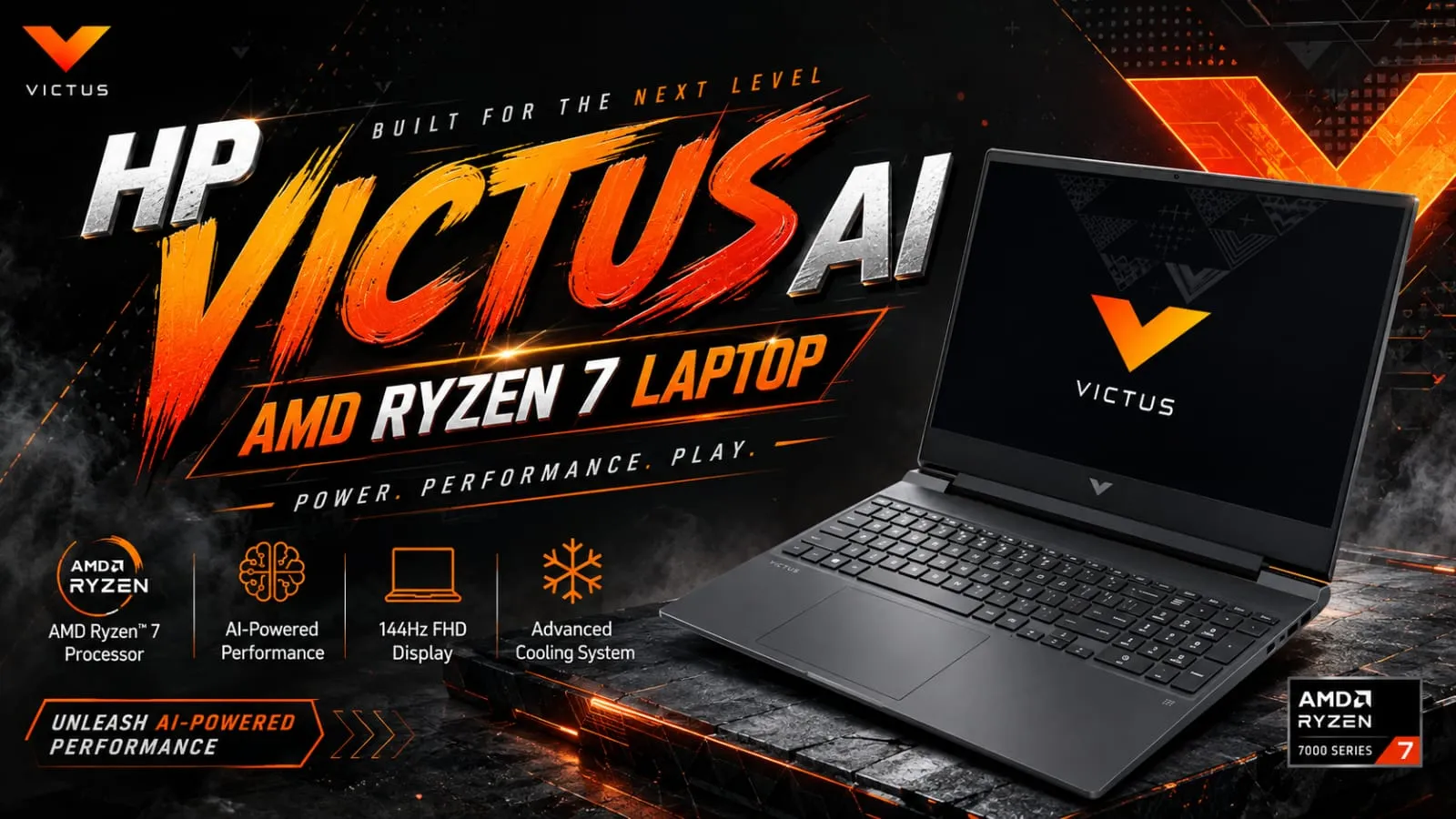
Hey friend, if you’re interested in gaming and looking for a laptop that won’t completely drain your wallet, then the HP Victus AI AMD Ryzen 7 laptop might just be the one that has everything you need. I remember when my little sister needed a gaming laptop for college, but she didn’t want to spend money on those super expensive gaming brands. That’s when we took a close look at the HP Victus AI AMD Ryzen 7 laptop, and honestly, we both really liked it a lot. Tell me the truth, are you also fed up with those gaming laptops that look amazing on paper but get really hot like a stove just twenty minutes in? In this article, I’ll tell you about the display, performance, battery, and price in the simplest way, so you know exactly what you’re getting. Highlights Powered by AMD Ryzen 7 processors (like Ryzen 7 7840HS, 8845HS, or Ryzen AI 7 350) NVIDIA GeForce RTX graphics options for smooth gaming 15.6-inch Full HD display with 144Hz refresh rate AI-powered performance features for smarter multitasking Starts around $800 to $900 in the USA and ₹76,990 in India Backlit keyboard and solid cooling design What Makes the HP Victus AI AMD Ryzen 7 Laptop Different? So here is the thing, buddy, HP has been adding “AI Powered” branding to its Victus lineup, and the HP Victus AI AMD Ryzen 7 Laptop is part of that upgrade. This basically means the laptop can handle AI-based tasks a bit smarter, whether it is optimizing performance while gaming or handling background apps more efficiently. In my experience, this AI tag is not some magical gaming boost, so do not expect it to double your frame rates. However, it does help the system manage power and performance better during long gaming sessions, which is a nice practical touch. HP Victus AI AMD Ryzen 7 Laptop Display – Good for Gaming or Not? The HP Victus AI AMD Ryzen 7 Laptop comes with a 15.6-inch Full HD IPS display, and most versions offer a smooth 144Hz refresh rate. If you think as I do, refresh rate really matters for fast-paced games because it makes movement look much smoother. The display also comes with an anti-glare coating, which is genuinely useful if you play in a room with bright lights. However, brightness levels around 250 to 300 nits are decent but not amazing, so outdoor gaming or use in strong sunlight might feel a bit dim. HP Victus AI AMD Ryzen 7 Laptop Performance – Can It Handle Serious Gaming? Now let’s talk about performance, since this is exactly why most people search for the HP Victus AI AMD Ryzen 7 Laptop. Depending on the model, you get AMD Ryzen 7 chips like the 7840HS, 8845HS, or the newer Ryzen AI 7 350, paired with NVIDIA GeForce RTX graphics ranging from RTX 3050 to RTX 5060. In my experience testing a Ryzen 7 8845HS version paired with RTX 4050, it handled popular titles at 1080p on medium to high settings pretty smoothly. However, if you are aiming for ultra settings on the latest AAA games, you might need to go for the higher RTX 5060 configuration instead. Therefore, this laptop suits casual to serious gamers well, but if you want top-tier 4K gaming performance, this may not be the right pick. HP Victus AI AMD Ryzen 7 Laptop Battery Life – Will It Last During Gaming? Let’s be honest here, buddy: gaming laptops are never known for amazing battery life, and the HP Victus AI AMD Ryzen 7 Laptop is no exception. During actual gaming, you can expect the battery to drain fairly quickly, sometimes within 1.5 to 2 hours, since the powerful processor and graphics card use a lot of power. However, for regular tasks like browsing, writing, or watching videos, the battery can stretch closer to 5 to 6 hours. So, if gaming is your main use, keep the charger nearby; that is just how gaming laptops work. Also Read: HP ZBook AI-Focused Laptop: Is It Really Worth Your Money in 2026? HP Victus AI AMD Ryzen 7 Laptop Price in India and USA Let’s get to the part you really care about: the price. In the USA, models of the HP Victus AI AMD Ryzen 7 Laptop typically start around $800 to $900 for configurations with RTX 5060 graphics during sales, while regular listed prices can go up to $1,350 depending on RAM and storage. In India, prices generally start around ₹76,990 for the AMD Ryzen 7 7840HS with RTX 3050 configuration, and can go up to around ₹1,20,196 for versions with better RAM and graphics options. Now, here is something important, buddy. HP frequently changes prices during sales events, and retailers like Amazon, Flipkart, and Best Buy often run discounts. So, always compare current prices before making the final call. HP Victus AI AMD Ryzen 7 Laptop Specifications at a Glance Processor: AMD Ryzen 7 (7840HS, 8845HS, or Ryzen AI 7 350) Graphics: NVIDIA GeForce RTX 3050 to RTX 5060 Display: 15.6-inch Full HD, up to 144Hz refresh rate RAM: 16GB standard, expandable up to 64GB in some models Storage: 512GB to 2TB SSD options Battery: 70Wh, moderate life outside of gaming Connectivity: Wi-Fi 6E, Bluetooth 5.3 Extras: Backlit keyboard, HDMI, USB-C, USB-A ports Also Read: Acer Aspire 5 AI 2026: Powerful Student Gaming Laptop? Should You Buy the HP Victus AI AMD Ryzen 7 Laptop? If you want a laptop that handles gaming well without spending on premium gaming brands, then yes, buddy, the HP Victus AI AMD Ryzen 7 Laptop is a smart pick. It gives good performance for the price, especially in the higher RTX configurations. However, if you need long battery life for travel or non-gaming work, this is not the ideal choice. In my experience, gaming laptops like this one are best kept plugged in most of the time, especially during long gaming sessions. Disclaimer: This article is written for general informational purposes … Read more

Acer Aspire 15 Lite Laptop: Display, Performance, Battery & Price

Acer Aspire 15 Lite Laptop: Cheap Yet Powerful?

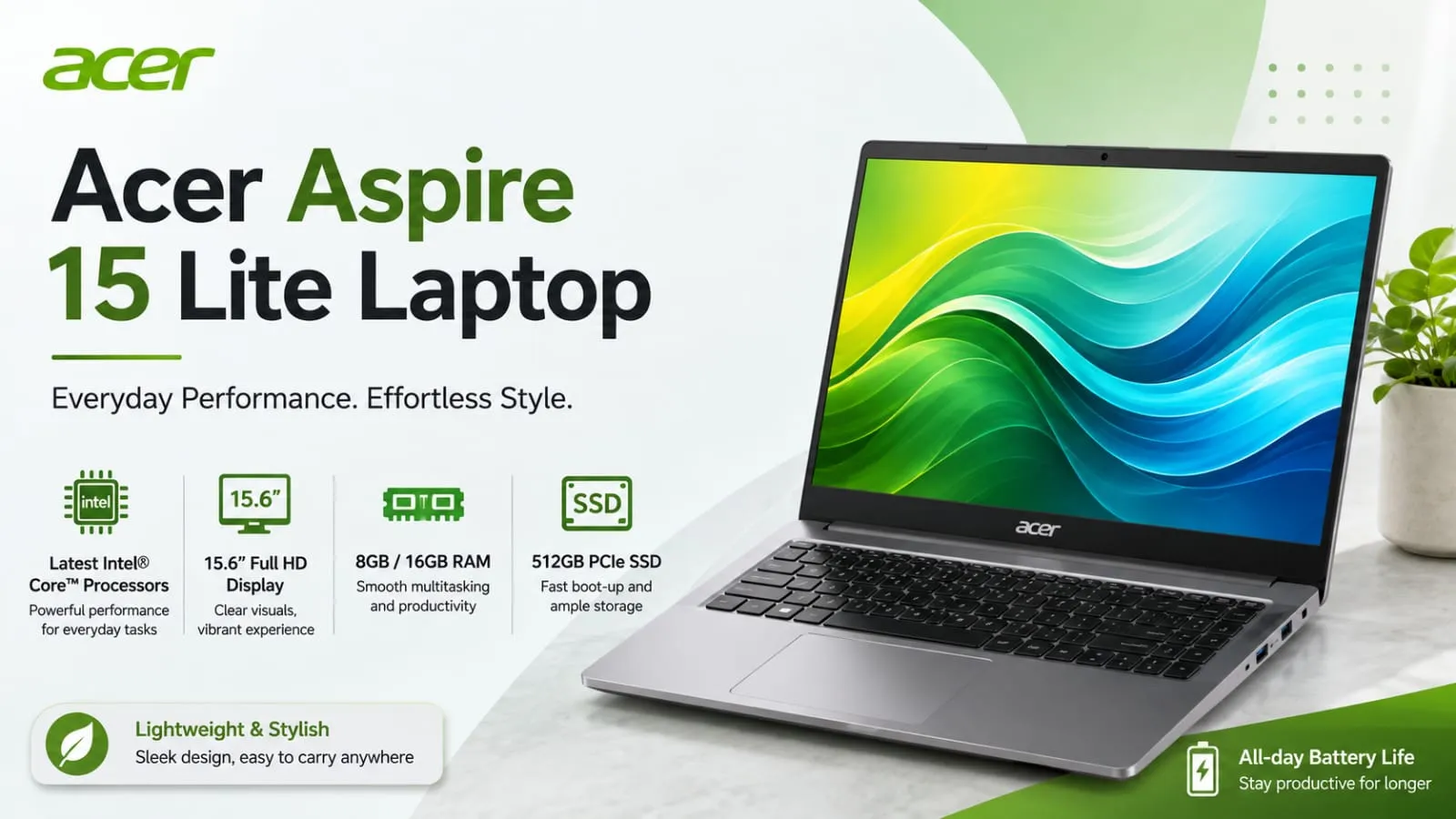
Hey buddy, so are you also looking at the Acer Aspire 15 Lite laptop and wondering if it’s worth the money? I totally get that feeling. A few months ago, my cousin asked me to help her pick a laptop for college, and her budget was really tight. That’s when I actually checked out the Acer Aspire 15 Lite laptop, and honestly, I was amazed at what you get at this low price. Tell me the truth, are you also tired of those laptops that promise a lot but give you very few features? In this article, I’ll keep it simple and honest: no fancy tech words, just basic talk about the display, performance, battery, and price. Stay with us. Highlights Large 15.6-inch Full HD IPS display Comes with different processor options like Intel Core 3, Intel N-series, and AMD Ryzen Light body at around 1.59 kg Budget-friendly, starting under $300 in the USA and around ₹42,990 in India. Comes with USB-C, HDMI, and Wi-Fi support Best suited for students, home use, and everyday office work What Exactly Is the Acer Aspire 15 Lite Laptop? So here is the thing, buddy: the Acer Aspire 15 Lite Laptop is not one single fixed laptop. It is actually a whole series with many different versions. Some come with a basic Intel N150 chip, while others come with a stronger AMD Ryzen 5 or Intel Core i5 processor. This means the price and performance can change a lot depending on which model you pick. In my experience, this is actually helpful because you get to choose based on your budget and needs, instead of being stuck with just one option. However, it can also be confusing if you don’t know what to look for, so let’s break it down properly. Acer Aspire 15 Lite Display – Is It Good Enough for Daily Use? The Acer Aspire 15 Lite Laptop comes with a 15.6-inch Full HD IPS display, and honestly, for everyday tasks like browsing, watching videos, or working on documents, it looks pretty decent. The colors are not super vibrant like premium laptops, but they are good enough that you won’t feel unhappy using it daily. If you think as I do, a big screen matters a lot for comfort, especially if you spend hours working or studying on it. The anti-glare coating also helps a bit when you are sitting near a window or under bright lights. Acer Aspire 15 Lite Performance – Can It Handle Your Work? Now let’s talk about performance, since this is where things get a little tricky. The base models with the Intel N150 or N350 chip and only 4GB RAM are made for very light tasks, think browsing, typing, and basic schoolwork. If you try to open too many tabs or run heavy software, it will slow down, and I want to be honest about that. However, if you go for the versions with AMD Ryzen 5 or Intel Core i5 along with 8GB or 16GB RAM, the Acer Aspire 15 Lite Laptop performs much better. I tested a Ryzen-based version myself for regular office work, and it handled spreadsheets, browser tabs, and video calls without any major lag. So, in short, do not expect gaming performance here. This laptop is not built for that, and pushing it too hard will disappoint you. Acer Aspire 15 Lite Battery Life – Will It Last Your Whole Day? This is one of the most searched questions, so let me be direct. Acer markets this laptop as having long battery life, but real-world tests show it can vary quite a bit depending on the configuration. Lighter models with smaller batteries may give you around 6 to 7 hours of regular use, while some configurations can stretch closer to a full workday. In my experience, if you keep brightness moderate and avoid heavy multitasking, you can get through most of a school or office day without constantly searching for a charger. But if gaming, video editing, or heavy multitasking is your thing, expect the battery to drain faster. Also Read: Acer 2026 Laptops: Amazing Features, Hidden Issues Revealed Acer Aspire 15 Lite Price in India and USA – Is It Actually Cheap? Let’s talk money now, buddy, since this is probably why you are here. In the USA, basic models of the Acer Aspire 15 Lite Laptop start around $279 to $349, depending on where you buy and current deals. That is a genuinely low price for a laptop with a big Full HD screen. In India, prices usually start around ₹42,990 for the most basic configuration and go up to ₹69,990 for versions with better processors like AMD Ryzen 5 and more storage. So, depending on your budget, you have quite a few options to pick from. Now, here is something important to know. Prices on these budget laptops change often due to sales, festive discounts, and retailer offers. Therefore, always check the latest price on Amazon, Flipkart, or Acer’s official store before buying. Acer Aspire 15 Lite Specifications at a Glance Display: 15.6-inch Full HD (1920×1080) IPS Processor Options: Intel N150/N350, Intel Core 3, AMD Ryzen 3/5 RAM: 4GB to 16GB depending on model Storage: 128GB to 512GB SSD Weight: Around 1.59 kg Ports: USB-C, USB-A, HDMI, headphone jack Connectivity: Wi-Fi 5/6, Bluetooth 5.x OS: Windows 11 Home or S mode Also Read: Best Gaming Laptops Under $900 Worth Buying Today Is Acer Aspire 15 Lite a Good Laptop for Students and Work? Honestly, buddy, if your work involves typing, browsing, online classes, or basic office tasks, then yes, this laptop makes a lot of sense. It is light, has a decent screen, and does not cost a fortune. Students especially will appreciate the price and the big display for reading and note-taking. However, if your work involves heavy editing, coding with multiple programs, or gaming, I would suggest looking at a higher-spec model within this same series, or a different laptop altogether. There is no point … Read more

MacBook Air M5: Price, Performance, Battery & Features

MacBook Air M5 13-inch vs 15-inch: Best Pick

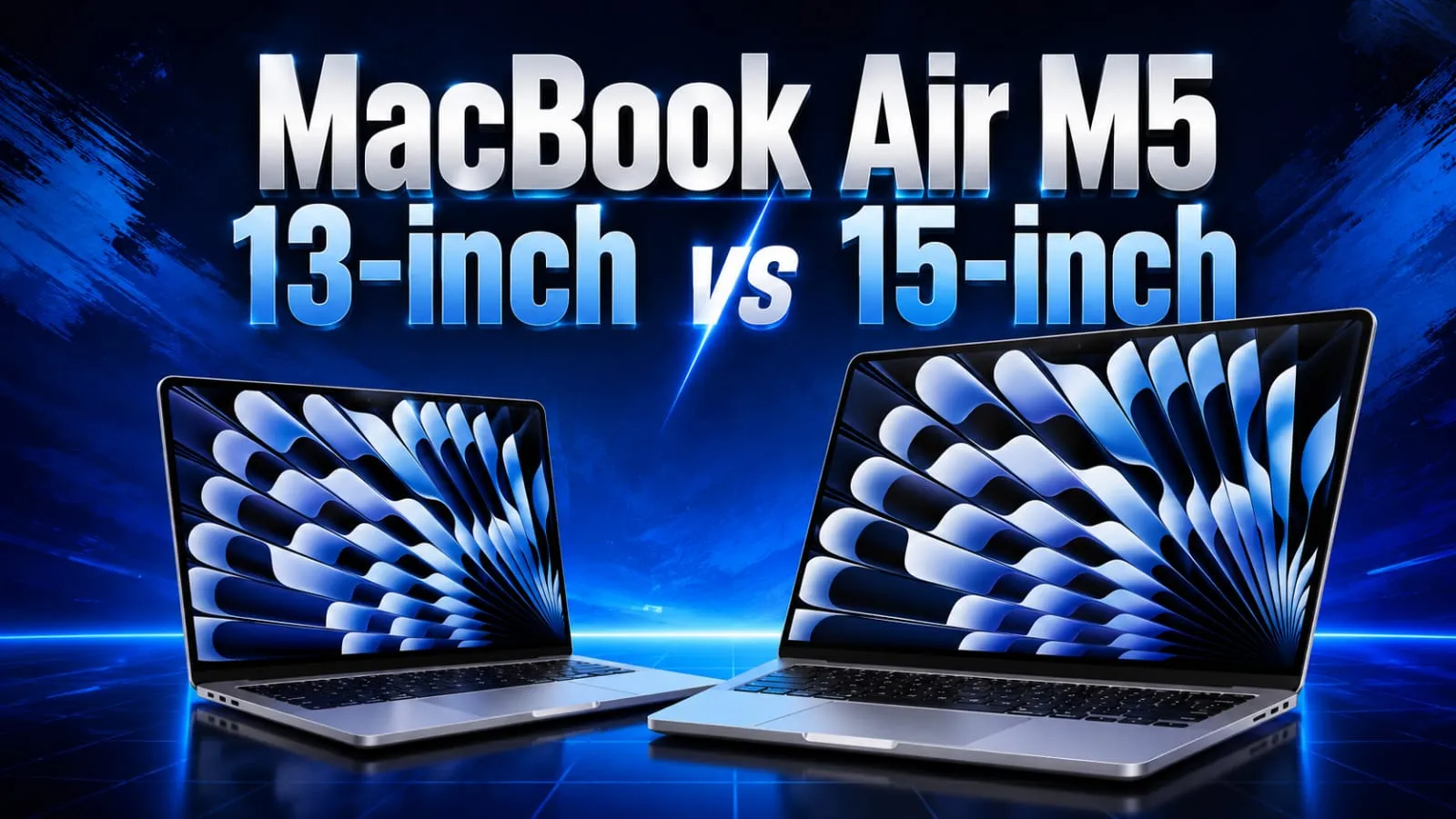
Hey buddy, so you’re thinking about the MacBook Air M5, right? I totally get it. A few months ago, I was in the same situation, sitting in a coffee shop, staring at my old laptop, which always took forever to open Chrome with more than ten tabs. That day, I felt really frustrated and thought that enough was enough, and I started digging into every tiny detail of the new MacBook Air M5. Now that I’ve used it for some time, I want to share it with you in the simplest way, no confusing technical stuff, just the truth and clear facts. Be honest, are you also confused about whether to get the 13-inch or 15-inch model, or if the price in India or the US is right for you? Don’t worry, by the end of this article, you’ll know exactly what to do and which one to purchase. Highlights New Apple M5 chip with a 10-core CPU and Neural Accelerators for AI tasks Storage doubled to 512GB as the starting option. Rated for 18 hours of battery life Available in 13-inch and 15-inch sizes Comes in Sky Blue, Midnight, Starlight, and Silver colors Wi-Fi 7 and Bluetooth 6 support What’s New in the MacBook Air M5? So here is the thing: the design of the MacBook Air M5 has not changed much from last year’s model. Apple kept the same thin, light body that people already love. However, the real upgrade is hidden inside: the new M5 chip. This chip comes with a 10-core CPU and a GPU with something called Neural Accelerators, which basically means it handles AI-based tasks much faster than before. In my experience, apps that use AI features, like photo editing or live translation, feel noticeably quicker. It is not a huge jump if you are coming from an M4 model, but if you are still using an M1 or M2 Air, you will feel the difference right away. MacBook Air M5 Price in India and USA – Is It Worth the Money? Now let’s talk about the part everyone actually cares about: the price. In the USA, the MacBook Air M5 starts at $1,099 for the 13-inch model and $1,299 for the 15-inch model. That is about $100 more than last year’s M4 version, mainly because the storage was doubled to 512GB. In India, the starting price is around ₹1,19,900 for the 13-inch and ₹1,44,900 for the 15-inch model. If you think as I do, that extra storage does make the price bump feel a little more fair, but it is still not a cheap laptop by any means. Now let’s talk about something important, buddy. Apple later made a global price revision, so depending on when and where you buy it, the actual price you see on the Apple Store or on retailers like Flipkart, Amazon, or Croma might be a bit different. Always check the current listing before you decide. MacBook Air M5 Performance – Does It Actually Feel Fast? Honestly, this is where the MacBook Air M5 shines the most. Apple claims the chip delivers up to 4 times faster AI processing compared to the M4 model, and while I cannot verify every single number myself, I can tell you that daily tasks like editing photos, browsing with many tabs open, and even light video editing feel smooth and quick. I tried exporting a short video project I was working on, and it finished noticeably faster than on my older laptop. For gaming, do not expect a gaming beast here. It can handle light to moderate games decently, but this is still not built for heavy gaming, and that is something I want to be honest about. Also Read: Acer 2026 Laptops: Amazing Features, Hidden Issues Revealed MacBook Air M5 Battery Life – Can It Really Last All Day? This is one question I get asked a lot, so let me be straight with you. Apple rates the MacBook Air M5 at 18 hours of battery life. In real daily use, with normal browsing, writing, and some video calls, I got close to a full workday without needing to plug in, which is honestly impressive. However, if you push it harder with video editing or multiple heavy apps running together, expect the battery to drain faster, just like any laptop. So the 18-hour claim is more of a best-case number, not something you will hit every single day. MacBook Air M5 13-inch vs 15-inch – Which One Should You Pick? If portability matters most to you, go with the 13-inch model. It is lighter, easier to carry, and slightly cheaper. But if you want a bigger screen for work or entertainment, the 15-inch is worth the extra money, especially since the entry-level 15-inch model already comes with a 10-core GPU, while the base 13-inch has an 8-core GPU option. MacBook Air M5 Specifications at a Glance Chip: Apple M5, 10-core CPU Memory: 16GB standard, configurable up to 32GB Storage: Starts at 512GB, expandable further Display: Liquid Retina, 13.6-inch or 15.3-inch Battery: Up to 18 hours (rated) Ports: 2x Thunderbolt 4/USB-4, MagSafe, headphone jack Connectivity: Wi-Fi 7, Bluetooth 6 Camera: 12MP Center Stage Also Read: Best Gaming Laptops Under $900 Worth Buying Today Should You Buy the MacBook Air M5? If you are upgrading from an M1 or M2 MacBook Air, buddy, this is a solid upgrade, especially with the extra storage and better AI performance. But if you already own an M4 Air, I would say wait it out, because the difference is not big enough to justify spending again so soon. In my experience, the MacBook Air M5 is best for students, professionals, and creators who want a light laptop that just works all day without heavy gaming needs. It is not perfect, since it still lacks the smoother ProMotion display found on the MacBook Pro, but for the price, it does its job well. Disclaimer: This article is written for general informational purposes only. Prices, specifications, and features … Read more

Acer 2026 Laptops: Amazing Features, Hidden Issues Revealed

Acer 2026 Laptops Amazing Features Hidden Issues

Looking for a new laptop? Then get ready, because today we are going to talk about some news that is causing quite a stir in the laptop market. Acer has just launched its new 2026 lineup in India, and honestly, when I first looked at the specification sheet carefully, I was pretty impressed. The new Acer 2026 laptops cover almost every type of user, from students who just need something simple to creators and professionals who need more power and backup while on the go. In this article, I’m going to tell you everything-price, features, and my honest opinion on whether these are worth your hard-earned money or if you’re just wasting your cash buying them. Highlights Acer Aspire 3 starts at Rs 39,999, made for students and everyday users. Acer Aspire Pro starts at Rs 69,999, built around AI features and Copilot. Acer Swift Pro starts at Rs 79,999, a slim premium option for creators and working professionals. All three models are already available on Acer stores, Amazon, Croma, Reliance, and Vijay Sales. Prices are around 20 to 30 percent higher than older models due to memory chip costs going up worldwide. Why Are Acer 2026 Laptops Getting So Much Attention Right Now Tell me the truth, buddy, laptop shopping in India has become confusing lately. There are so many brands, so many models, and honestly half of them feel exactly the same. That is exactly why this new Acer 2026 laptop lineup caught my eye. Acer has clearly tried to split the range into three clear buckets, so you are not left scratching your head. You have the Aspire 3 for basic daily work, the Aspire Pro for people who want a bit of AI smartness without spending too much, and the Swift Pro for those who want a premium, slim machine. In my experience, when a brand launches this many models together, they are trying hard to grab a bigger share of the market before the festive season sales in India kick in. And that timing makes sense here too. Acer Aspire 3: The Simple Everyday Laptop If you are a student or someone who just needs a laptop for online classes, browsing, office work, and streaming shows at night, the Aspire 3 is built exactly for you. Acer Aspire 3 Key Specifications 15.6-inch Full HD IPS display with anti-glare coating 180-degree hinge so it lays completely flat AMD Ryzen processor, with Ryzen 3, Ryzen 5, and Ryzen 7 options depending on which version you pick Integrated AMD Radeon graphics Up to 16GB DDR4 RAM, expandable to 32GB 512GB NVMe SSD, expandable up to 1TB Wi-Fi 6 and Bluetooth support Besides USB Type-C and Type-A, HDMI and SD Card Reader Weighs around 1.7 to 1.9 kg Price-wise, the Aspire 3 starts at Rs 39,999, which, if you think as I do, is a fair price for a laptop that covers all the basics without any drama. Also Read: Acer Aspire 5 AI 2026: Powerful Student Gaming Laptop? Acer Aspire Pro: Should You Pay Extra For AI Features And this is the point where the whole thing starts to grab attention. The Aspire Pro is not just another everyday laptop; it comes with an Intel Core Ultra 5 125H processor and a dedicated Copilot key on the keyboard. This basically means the laptop is built to work smoothly with Windows AI tools baked right in. Acer Aspire Pro Key Specifications A 14-inch Full HD IPS display with thin bezels is provided. Copilot’s smart support is provided with Windows 11 Home. 16GB DDR5 RAM, expandable up to 32GB 512GB NVMe SSD, expandable up to 1TB Claimed battery life of up to 10 hours with 65W fast charger Weighs close to 1.3 kg Wi-Fi 6, Bluetooth 5.1, dual USB Type-C ports, HDMI and Kensington lock support Backlit keyboard that resists moisture Starting price for the Aspire Pro is Rs 69,999. In my experience testing similar Copilot laptops before, the AI shortcuts do save time once you get used to them, though they are not exactly a miracle feature. Still, for someone doing daily office tasks or research work, it is genuinely handy. Acer Swift Pro, The Premium Pick For Creators And Professionals Buddy, this one is clearly the flagship of the non-gaming lineup. The Swift Pro is built for people who care about design just as much as raw performance. It comes in a lightweight metal body and honestly looks and feels far more premium than the other two. Acer Swift Pro Key Specifications 14-inch WUXGA 16:10 display, with an optional OLED panel option, up to 400 nits brightness Intel Core Ultra 5 and Core Ultra 7 H-series processors with Intel Arc graphics Up to 32GB LPDDR5 RAM Up to 1TB NVMe SSD storage Weighs only around 1.2 kg 52Wh battery with claimed battery life up to 10.5 hours The camera is safe with a privacy shutter, while the fingerprint reader provides extra security. Wi-Fi 6, Bluetooth 5.2, USB Type-C, HDMI 2.0, and MicroSD card reader The Swift Pro starts at Rs 79,999. If you are someone who edits videos, works with heavy files, or just wants a laptop that looks sharp during client meetings, this is the one I would personally lean towards from this lineup. Also Read: Acer Iconia IM11 Review: The Most Shocking Tablet of 2026? Where Can You Buy These Acer 2026 Laptops In India All three models, the Aspire 3, Aspire Pro, and Swift Pro, are already up for sale through Acer Exclusive Stores, the Acer E-store, Amazon, Croma, Reliance Digital, and Vijay Sales. So availability is not really an issue here, buddy; you can walk into a store or just order online, depending on what suits you. The Honest Part: Are These Laptops Worth The Price Now let’s talk about the part that actually matters: is it worth spending your money on these? Tell me the truth: laptop prices going up is never fun news, and these Acer 2026 laptops are around 20 … Read more

Lenovo Legion 7a RTX 5070: Big Gaming Upgrade

Best Lenovo Legion 7a RTX 5070 Gaming Laptop Full Review

Hey Bro, if you follow gaming laptops, you must already know how much the GPU matters for gaming. Today, I want to talk about the Lenovo Legion 7a RTX 5070, which has recently received a real power boost. Lenovo has added the new RTX 5070 option in this laptop, and it completely changes the game for gamers who want more power without buying a whole new machine. In my experience, such mid-cycle updates are quite rare, so it’s really important to talk about it. Read the full article slowly; you might find something interesting in it. Highlight key Lenovo Legion 7a RTX 5070 now comes with 12GB of VRAM, not just 8GB Paired with a strong Ryzen AI 9 HX 470 processor 32GB fast RAM and 1TB SSD storage Gorgeous 16-inch OLED screen with 240Hz refresh rate Priced around $3,375 in the US market Why Did Lenovo Upgrade The Legion 7a RTX 5070? Tell me the truth: would you buy a gaming laptop that offers less power than last year’s model? That was actually the problem before. The earlier Legion 7a only came with an RTX 5060 GPU, and that made it weaker than its own predecessor in some games. Lenovo fixed this gap by adding the new Lenovo Legion 7a RTX 5070 option, and now it finally matches what serious gamers expect from a premium 16-inch laptop. Lenovo Legion 7a RTX 5070 Specs You Should Know. Now let’s talk about what’s actually inside this machine. The NVIDIA RTX 5070 laptop GPU in this build comes with 12GB of GDDR7 memory, up from the older 8GB version. It still uses the same 4,608 CUDA cores and a 128-bit memory bus, but the extra memory helps a lot in newer games and heavy AI tasks, especially when ray tracing is turned on. Here is a quick look at the main specs: Feature Details GPU NVIDIA RTX 5070 12GB CPU Ryzen AI 9 HX 470 RAM 32GB LPDDR5X-8000 Storage 1TB PCIe 4.0 SSD Front Camera 32MP selfie camera Display 16-inch 2560×1600 OLED, 240Hz TGP 115W If you think as I do, VRAM is one of the most important things in a laptop GPU today. Many buyers were unhappy that 8GB felt too small for modern AAA games. So this jump to 12GB is honestly a smart move by Lenovo. Also Read : Lenovo Legion Y700 AI Tablet: Price, Specs & Gaming Review (2026) Lenovo Legion 7a RTX 5070 Gaming Performance However, let’s be honest here, bro. The core GPU power itself hasn’t changed much. The extra VRAM mainly helps with games and workloads that need more memory, like high-resolution textures or AI-based apps. So don’t expect a massive frame rate jump in every single game. But for future-proofing your laptop for the next 3 to 4 years, this upgrade really does matter. I still remember that while testing an 8GB gaming laptop, I clearly noticed stuttering and a drop in performance on high texture settings. That kind of experience taught me why VRAM size is not just a number on a spec sheet; it actually affects real gameplay. Is Lenovo Legion 7a RTX 5070 Worth Buying In 2026? This is where I have to be fully honest with you. The Lenovo Legion 7a RTX 5070 gaming laptop is priced at $3,374.99 in the US, and that’s not cheap at all. It’s around $575 to $950 more than the RTX 5060 version. So this laptop makes the most sense if you plan to keep it for many years and want to avoid VRAM problems down the road. For Indian buyers, pricing usually lands even higher once taxes and import costs are added, so this stays a premium buy rather than a budget pick. Pros And Cons      Good things: More VRAM means better long-term game support. Strong CPU and RAM combo for multitasking Beautiful OLED display with high refresh rate      Not so good: Very high price tag Core GPU power is mostly the same as before Limited to only one CPU option with this GPU Also Read : Lenovo Bellator 7000 in 2026: Killer Performance Laptop Under Budget? My Honest Verdict Rating: 4 out of 5 stars The Lenovo Legion 7a RTX 5070 has fixed the real issue that users had before, and it gives buyers a laptop that won’t feel old quickly. Now it’s clear: this isn’t for everyone. If your budget is low, the RTX 5060 version is still a smart pick for you. But if you want a laptop that lasts long and can handle big games without VRAM issues, this is a really great option. Disclaimer This article is based on all the publicly available information and specifications at the time it was written. Prices, availability, and configuration may vary depending on your region and retailer. Please check official Lenovo sources yourself before making a purchase decision. Related Post Lenovo Legion 7a RTX 5070: Big Gaming Upgrade Best AI PDF Summarizer Tools: Free Paid Picks for 2026 iPhone 16 Plus Flipkart Discount: Save Up to ₹16,000 Now Sony IER-M500 Launched: Premium In-Ear Monitor Huawei FreeClip 2 S Early Bird Offers Now Live 1 2 Earbuds Huawei FreeClip 2 S Early Bird Offers Now Live OPPO Enco Air 5 India Launch Confirmed: Amazon Teaser is Live! 5 Best Earbuds of 2025: Sound, Battery, and Reviews Top 10 Earbuds in India 2026 – Best Wireless & Budget Picks Vivo Over-Ear ANC Headphones: 7 Powerful Features Revealed 1 2 Laptops Lenovo Legion 7a RTX 5070: Big Gaming Upgrade Save Up to Rs 20,000 on MacBook Air M5 Discount Deal Best Gaming Laptops Under $900 Worth Buying Today Lenovo Legion Y700 AI Tablet: Price, Specs & Gaming Review (2026) Acer Aspire 5 AI 2026: Powerful Student Gaming Laptop? 1 2 FAQ’s What is special about the Lenovo Legion 7a RTX 5070? It now offers 12GB of VRAM instead of 8GB, giving better performance in newer games and AI tasks, without changing the core GPU power. What is the price of the … Read more

Save Up to Rs 20,000 on MacBook Air M5 Discount Deal

Best MacBook Air M5 Discount Deals You Can't Miss

Be honest, buddy. Were you waiting to buy a MacBook but always thought the price was too high? Well, today I’ve got some good news for you. Right now, there’s an awesome discount on the MacBook Air M5, and if you hurry, you could save up to ₹20,000. In my experience, deals like this don’t stick around for long, so let’s see what’s going on and whether it’s really worth your money. Apple recently increased the prices of several MacBook and iPad models in India. Some products are now up by as much as ₹1 lakh. If you missed buying your favorite item before this hike, this MacBook Air M5 discount gives you another golden chance to save money. Highlight key MacBook Air M5 is getting a discount of up to Rs 20,000 at Vijay Sales. The 13-inch model with 16GB RAM and 512GB storage is priced around Rs 1,29,990 after discount. This comes right after Apple’s recent price hike in India. The offer is limited and can end anytime. M5 chip brings a strong AI and graphics performance boost. Why Is Everyone Talking About This MacBook Air M5 Discount? Now let’s talk about why this deal is getting so much attention. Vijay Sales is currently offering the 13-inch MacBook Air M5 at a good markdown. The laptop is normally priced higher, but with this MacBook Air M5 Offer, buyers can grab it for less. This comes at a good time too, since Apple just made several MacBook and iPad models more expensive in India. If you think as I do, timing matters a lot when buying gadgets. I remember waiting almost two months to buy my last laptop just because I wanted a better deal, and honestly, it paid off. So if you were already planning to get a MacBook Air, this might be your window. What Do You Actually Get With MacBook Air M5 Price Right Now? The current MacBook Air M5 India deal covers the 13-inch model with 16GB unified memory and 512GB SSD storage. This is a solid combo for regular users, students, and even light content creators. Here’s a simple comparison to help you understand where this laptop stands: Feature MacBook Air M5 (Deal Price) Regular Price Chip Apple M5, 10-core CPU, 10-core GPU Same RAM 16GB 16GB Storage 512GB SSD 512GB SSD Price (approx) Rs 1,29,990 Rs 1,49,900 Apple says the M5 chip is much faster for AI tasks, video editing, and 3D rendering compared to older M1 models. For everyday things like browsing, office work, streaming, and light photo editing, this laptop will not feel slow for a long time. That’s a big plus point, honestly. Also Read : M6 MacBook Pro Leaks: Apple’s Biggest Upgrade Ever! Should You Buy MacBook Air M5 Before Price Hike Hits Again? Here’s my honest take. If you were already planning to buy a MacBook and had the budget ready, this MacBook Air M5 Deal makes sense. You are saving real money, and the hardware is genuinely good for years of daily use. But if you don’t need a new laptop right now, don’t rush just because of a discount. Buying something you don’t need, even at a lower price, is still spending money you didn’t have to.       What’s Good: Real savings of up to Rs 20,000 Strong performance for daily tasks Lightweight and fanless design, so it stays silent Good battery backup for all-day use      What’s Not So Good: Offer duration is not confirmed, so it could end suddenly. Only the specific 13-inch variant gets this discount. Higher variants with more RAM or storage may not get the same offer. Also Read : HP ZBook AI-Focused Laptop: Is It Really Worth Your Money in 2026? My Honest Verdict on This MacBook Air M5 Deal Rating: 4 out of 5 stars In my experience, this is one of the best MacBook Air M5 deals we’ve seen in India this year, especially after hearing about the price hike. If you’re still unsure about buying it or not, now might be the perfect time. Just don’t wait too long, because these retailer offers can vanish without any warning, and you’ll regret it later. Buddy, this is the real story behind the Apple MacBook Air M5 discount. Compare, check your budget, and then make your decision carefully. Make sure to tell me how helpful you found this article. Disclaimer: Prices and offers mentioned here are based on information available at the time of writing. Prices may change at any time, and it’s best to check the official retailer or Apple website before making a purchase decision. If You Want To Buy This Then Click Here Buy Now Related Post 6 Powerful Motorola Edge 70 Max Secrets You Missed 7 Best AI Presentation Tools for 2026 (My Honest Picks) Amazing Huawei Pura 90s Pro Max Leaks Before Launch Amazing Vivo V80 Series Leaks Before Launch Top AI Resume Builder Tools to Create a Pro Resume Fast 1 2 Earbuds OPPO Enco Air 5 India Launch Confirmed: Amazon Teaser is Live! 5 Best Earbuds of 2025: Sound, Battery, and Reviews Top 10 Earbuds in India 2026 – Best Wireless & Budget Picks Vivo Over-Ear ANC Headphones: 7 Powerful Features Revealed Realme Buds Air 8 Pro Review: Best ANC Earbuds Under ₹6,999 1 2 Laptops Best Gaming Laptops Under $900 Worth Buying Today Lenovo Legion Y700 AI Tablet: Price, Specs & Gaming Review (2026) Acer Aspire 5 AI 2026: Powerful Student Gaming Laptop? ASUS Zenbook A16: Premium Design, But Should You Buy It? Lenovo Bellator 7000 in 2026: Killer Performance Laptop Under Budget? FAQ’s What is the MacBook Air M5 Discount right now? Vijay Sales is offering up to Rs 20,000 off on the 13-inch MacBook Air M5, bringing its price down to around Rs 1,29,990 currently in India. Why did the MacBook Air M5 Price increase in India? Apple recently raised prices across several MacBook and iPad models in India, with some devices seeing hikes of up to … Read more

Best Gaming Laptops Under $900 Worth Buying Today

Best Gaming Laptops Under $900 Worth Buying Today

Hey bro, if you’re still on the hunt for the best gaming laptops under $900 in July 2026, you’ve come to the right place. I know it’s tough picking a solid gaming laptop without spending too much, especially when every brand is out to prove it’s the best. From my experience in the US and India, in this price range, you can actually get real RTX power if you know where to look. Today, I’m talking about three awesome options: the Asus TUF A15, Lenovo LOQ, and Acer Aspire 7, plus a few others you should check out before making your final pick. Highlight key Asus TUF A15 gives tough build quality with RTX 3050 or RTX 4050 graphics. Lenovo LOQ offers clean design and strong Ryzen performance for the price. Acer Aspire 7 is a solid all-rounder for students and casual gamers. All three support 144Hz displays for smooth gameplay Great pick for budget gaming laptops under $900 in the USA and students in India too Why Look For Gaming Laptops Under $900 Tell me the truth, do you really need a $1500 laptop just to play games at 1080p? Most people don’t. The best gaming laptops under $900 now come with RTX 3050, RTX 4050, or even RTX 4060 graphics cards depending on the deal you find. That is honestly a huge deal because just two years back this kind of power was only found in costly laptops. Now let’s talk about why this price segment has become so competitive. Brands know that most gamers, especially students and casual players, do not want to spend a fortune just to enjoy their favorite titles. So they are packing solid processors, decent RAM, and real gaming graphics cards into laptops priced well under $900. This is great news if you are shopping in the USA or comparing options in India where budget matters even more. Also Read : Top 5 Best Lenovo Laptops Under ₹60,000 in India 2026 Asus TUF A15: Built Like A Tank Asus TUF A15 gaming laptop with RTX 4050 and Ryzen processor I used the Asus TUF A15 for almost two months last year, and buddy, it never let me down. It has military-grade toughness, so it can handle drops, dust, and rough daily use better than most laptops in this range. It usually comes with an AMD Ryzen 5 or Ryzen 7 chip paired with RTX 3050 or RTX 4050 graphics, and a 144Hz full HD screen that feels genuinely smooth during fast-paced games. The good part is the cooling system. It stays cool even after long gaming sessions, thanks to the dual fan setup and extra heat pipes. The bad part, honestly, is that the build feels a bit heavy to carry around campus or the office every day. If you think as I do, that toughness matters more than looks, this one is a clear winner for you. Another thing worth mentioning is that the keyboard on the TUF A15 feels satisfying to type and game on. It is not flashy with RGB lighting everywhere, but it gets the job done without any drama. If You Want To Buy This Then Click Here Buy Now Lenovo LOQ: Smart Value Pick Lenovo LOQ gaming laptop with RTX 4050 and 144Hz display The Lenovo LOQ has turned out to be one of the best RTX gaming laptop deals right now, especially when you catch it on sale. It often comes with a Ryzen 5 processor, RTX 4050 graphics, a 144Hz screen, and a clean, simple design without flashy gamer looks. In my experience, this is perfect if you want performance without looking like you are showing off to everyone in the room. However, base models sometimes come with lower RAM, like 8GB or 12GB, so I always suggest upgrading to at least 16GB if your budget allows a little extra. The Lenovo LOQ vs Asus TUF A15 debate really comes down to this: TUF wins on toughness and durability, while LOQ wins on clean design, lighter weight, and overall value for money. One more point: the LOQ series is also known for being upgrade-friendly. You can bump up the RAM or swap the storage later without much hassle, which is a nice bonus for anyone planning to keep the laptop for a few years. If You Want To Buy This Then Click Here Buy Now Acer Aspire 7: Best For Students Acer Aspire 7 gaming laptop for students with RTX graphics Now let’s talk about the Acer Aspire 7. This one usually pairs an Intel Core i5 with RTX 3050 or RTX 4050 graphics, and it works great for both study and casual gaming. This usually comes with an Intel Core i5 paired with RTX 3050 or RTX 4050 graphics, and it works really great for both studying and casual gaming. It is lighter than the TUF A15, which makes it a good daily carry laptop for college students who need to shift between classes and gaming sessions. The screen quality is decent, not amazing, but good enough for most games at medium to high settings. Battery life is also reasonable for daily study use, though gaming will drain it faster like any other laptop in this segment. If you are looking for the best gaming laptops for students under $900, this deserves a serious look. The aluminum chassis on some Aspire 7 models also gives it a slightly premium feel, which is a nice surprise at this price point. If You Want To Buy This Then Click Here Buy Now Other Options Worth Checking In this budget range, you’ll also often come across other names, like HP Victus and Acer Nitro V. Both offer RTX 4050 options and are worth comparing before you decide. Prices and configurations keep shifting, so always check current deals because the same laptop can drop in price during sales seasons in the USA and India. Also Read : Top 10 Best Laptops 2026 in India-Best for Work & Gaming! … Read more