

So, WhatsApp is going through some big changes in 2026, and honestly, it’s kind of exciting to see. If you also use WhatsApp every day like everyone else (and I know most of us do), then this article is going to be very useful for you and your family and friends. The WhatsApp latest update 2026 is not just about small bug fixes.
We are talking about real features that actually change how you chat, how private your messages are, and how smart the app has become.
I personally have been using WhatsApp since 2013, and trust me, the app has come a very long way. From basic text messages to now having AI tools built right inside it, this is a big deal.
So, let’s break everything down in simple words so you don’t have to search anywhere else.
In This Article
ToggleHighlight key
Before we go deep, here is a quick look at what’s new:
Meta AI is now inside WhatsApp with full privacy options
Incognito chat with Meta AI will now be available to see.
Writing Help now suggests full AI-based replies
You will also get advanced chat privacy and a secret code chat lock.
Username-based chatting without sharing phone number
View Once for Voice Messages
Group Message History for new members
Status updates are now visible right on the Chats tab
Side Chat AI feature coming soon
These are not just small updates. These are some solid changes that make WhatsApp a smarter and safer app in 2026.
WhatsApp AI Chat Tools: What's Actually New?
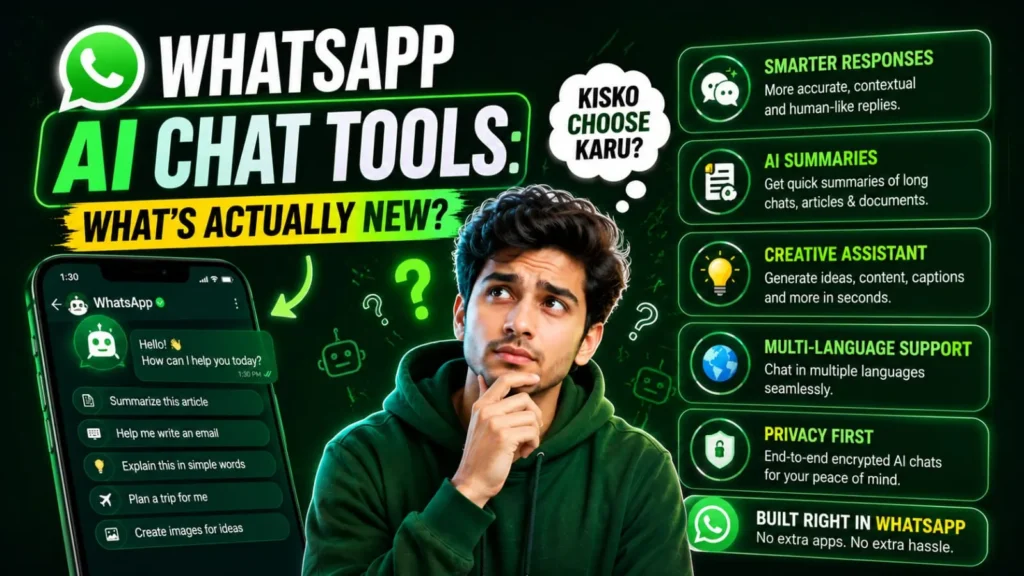
Now let’s talk about the biggest thing everyone is curious about, and that is the AI features. WhatsApp’s latest features in 2026 include some seriously useful AI tools.
Writing Help: AI That Replies For You
This one is interesting. WhatsApp rolled out an update to its Writing Help feature that generates AI-powered suggested replies based on your actual conversations. The company also says chats remain private even when users use Writing Help.
To use it, you just tap the chat bar, then tap the sticker icon, and then look for a pencil with a sparkle icon. That’s the AI button. It will suggest a reply based on what is being discussed in the chat.
Now, tell me the truth, is this useful? For work chats, yes. For business replies, yes. But for private chats with your family, friends, or girlfriends? I would say, skip it. No one wants to receive an AI-written reply from you when they are having a real conversation.
Still, the option is there, and that’s good.
incognito chat with Meta AI: 100% private AI conversation
This is the one feature that really stands out in the WhatsApp AI Chat Tools update. Meta has launched Incognito Chat with Meta AI on WhatsApp, where your conversations are processed in a secure environment that even Meta cannot see, and the messages disappear by default.
When you start an Incognito Chat with Meta AI, you are creating a private, temporary conversation that only you can see. Your messages are processed in a secure environment, not saved, and then automatically disappear after a few days, giving you the space to ask questions and explore ideas without anyone watching over you.
So, for example, if you want to ask about health issues, financial queries, or anything personal, you can do it through this Incognito Chat, and it stays completely private. That is a really good step.
Side Chat with Meta AI: Coming Soon
Meta also plans to introduce Side Chat with Meta AI on WhatsApp in the coming months. This will let users get private AI help within any WhatsApp chat, using the context of what’s being discussed, without disrupting the main conversation.
In my experience, this kind of real-time AI help during a conversation could be very useful, especially for quick fact-checking or drafting a professional reply while chatting.
WhatsApp Privacy Features 2026: Your Data, Your Rules
If you think as I do, privacy is the first thing you worry about whenever any app adds AI. And WhatsApp knows this. So, they have added some very solid privacy upgrades in this update.
Username-Based Messaging
One of the biggest highlights in the WhatsApp latest update is the introduction of username-based messaging, allowing users to chat without sharing their phone numbers.
This is huge, especially for Indians who often have to share their personal number with strangers, shopkeepers, or business contacts. Now you can just share your username. Your real number stays hidden. This feature is designed to minimize phone number exposure, which has been a growing concern due to spam and unsolicited messages.
Secret Code for Chat Lock
The Secret Code for Chat Lock feature prevents people who know your device password from unlocking your hidden chats. This is a separate code, totally different from your phone’s lock screen password.
So even if someone opens your phone and knows your PIN, they still cannot see your secret chats. That is a solid layer of protection.
Advanced Chat Privacy
WhatsApp’s advanced chat privacy feature can prevent others from exporting your chat content. That means no one can copy your private conversation and paste it somewhere else, forward it outside the app, or screenshot and share it.
This is very helpful for sensitive professional or personal conversations.
View Once for Voice Messages
The View Once for Voice Messages feature automatically deletes a voice message after it is played once, preventing replays or forwarding.
Think about it. How many times do you send a voice note and worry that the other person will replay it or share it? Now that worry is gone.
Intelligent Silence for Unknown Callers
WhatsApp has added Intelligent Silence, which automatically mutes calls from unknown numbers. Users can choose to silence all unknown callers, or only those with a high spam probability.
If you are getting spam calls on WhatsApp (and I know many people are), this feature is going to be a huge relief.
WhatsApp Beta Update: What's Being Tested Right Now
For those who follow the WhatsApp Beta Update closely, there are a few more features being tested that have not fully rolled out yet.
WhatsApp is testing screenshot alerts for private chats and disappearing messages. Users may receive a notification when someone takes a screenshot of their chat. This is similar to what Snapchat does and is very useful for private conversations.
Also, WhatsApp 2026 will allow users to hide selected chats behind a PIN that automatically expires after a set time. Even if someone accesses your phone, those hidden chats stay locked.
Another one that is in testing: users will soon be able to appear offline while actively using WhatsApp. Your online status stays invisible even during active chats. This is something many people have been waiting for!
WhatsApp Security Update 2026: End-to-End Encryption Gets Stronger

WhatsApp has always been proud of its end-to-end encryption. And in 2026, they are making it even more solid.
WhatsApp 2026 maintains its signature end-to-end encryption while also adding a centralized Privacy Dashboard that reviews your current privacy settings and suggests improvements, making it easy to stay on top of your security.
WhatsApp’s built-in fraud detection will warn users before suspicious UPI or payment requests. The app will also never ask for OTP or PIN via chat. This is especially important for Indian users where UPI payment scams have been on the rise.
So if someone sends you a message claiming to be WhatsApp support and asks for your OTP, you know it’s a scam. The app itself warns you now.
WhatsApp New Features for Groups and Channels

Group chats have also gotten some great upgrades. WhatsApp has added powerful tools for group chats such as polls, event reminders, member tags, and communities, making it easier to manage large groups and organize conversations.
Also, Group Message History is now available for new members. When someone new joins a group, they can now see the previous chat history. This is something many people wanted, especially for work or study groups where important information was shared before they joined.
Status Updates on the Chats Tab
WhatsApp introduced a major interface change in its April 2026 update by bringing Status updates directly to the top of the Chats tab, making them more visible and easier to access than before.
You don’t need to go to the Updates tab separately now. Just pull down your chat list and you see the Status tray right there. Clean and simple.
WhatsApp Latest Features for Business Users
If you are a business owner or a freelancer, the WhatsApp latest features in 2026 have some good stuff for you too.
WhatsApp Business has added AI-powered chatbots, broadcasts, and performance tracking tools. Businesses that need automation, segmentation, and multi-user collaboration can scale via WhatsApp Business API integration.
WhatsApp can now also help users find and delete large files directly within any chat. Users can choose to only clear media files when clearing a chat, while keeping the chat history intact. This is a very practical feature for people who often run out of storage because of heavy group chats.
WhatsApp Latest Update 2026: Is It Worth Getting Excited About?
Honestly, yes. This is one of the most complete updates WhatsApp has ever released. Let me give you a quick honest take:
What’s really good:
- Incognito Chat with Meta AI is a genuine privacy win
- Username messaging is long overdue and very welcome
- Secret Code Chat Lock and Advanced Chat Privacy are solid
- Writing Help AI is useful for professional use
What’s not perfect yet:
- Some features are still rolling out slowly, so you may not see them yet
- AI suggested replies may feel unnatural in personal chats
- Older phones are no longer supported, which is frustrating for budget users
Overall, WhatsApp is moving in the right direction. Privacy is finally being taken seriously, and AI tools are being added thoughtfully without forcing them on everyone.
Final Thoughts
So that’s the full breakdown of the WhatsApp latest update 2026. Whether you care about privacy, AI tools, or just want smoother group chats, there is something in this update for you. Keep your app updated from the Play Store or App Store to get these features as they roll out in your region.
Tell me the truth, aren’t you at least a little excited about the Incognito AI Chat and the username feature? I know I am.












FAQ's
What is the WhatsApp latest update 2026 about?
The WhatsApp latest update 2026 brings AI tools like Meta AI chat, Incognito Chat, privacy upgrades like username messaging, Secret Code chat lock, and smarter group features.
What is Incognito Chat with Meta AI on WhatsApp?
Can I now chat on WhatsApp without sharing my phone number?
What is the Secret Code Chat Lock feature in WhatsApp?
Is WhatsApp AI Writing Help safe to use?
Which older phones will no longer support WhatsApp in 2026?

Deepak Kumar is the founder and author of Techallrounder.com. He covers the latest technology news, smartphone and laptop reviews, gadget comparisons, buying guides, and tech tips. His goal is to provide accurate, easy-to-understand, and up-to-date information that helps readers make better technology decisions.