
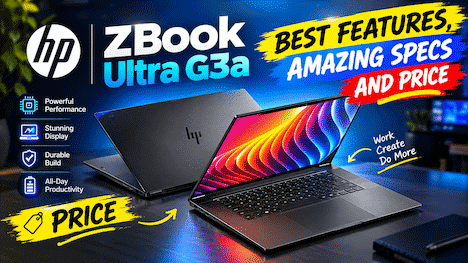
If you’ve been searching for a powerful laptop that can handle serious AI work, then buddy, you’re in the right place. The HP ZBook AI-focused laptop is making a lot of noise in the tech world right now, and honestly, for good reason. I’ve been following this machine closely, and today I want to break it all down for you in simple, honest language. No jargon, no hype, just real talk.
So whether you’re a video editor, a machine learning engineer, a 3D designer, or just someone who wants a laptop that doesn’t slow you down, let’s dig in together.
In This Article
ToggleHighlight key
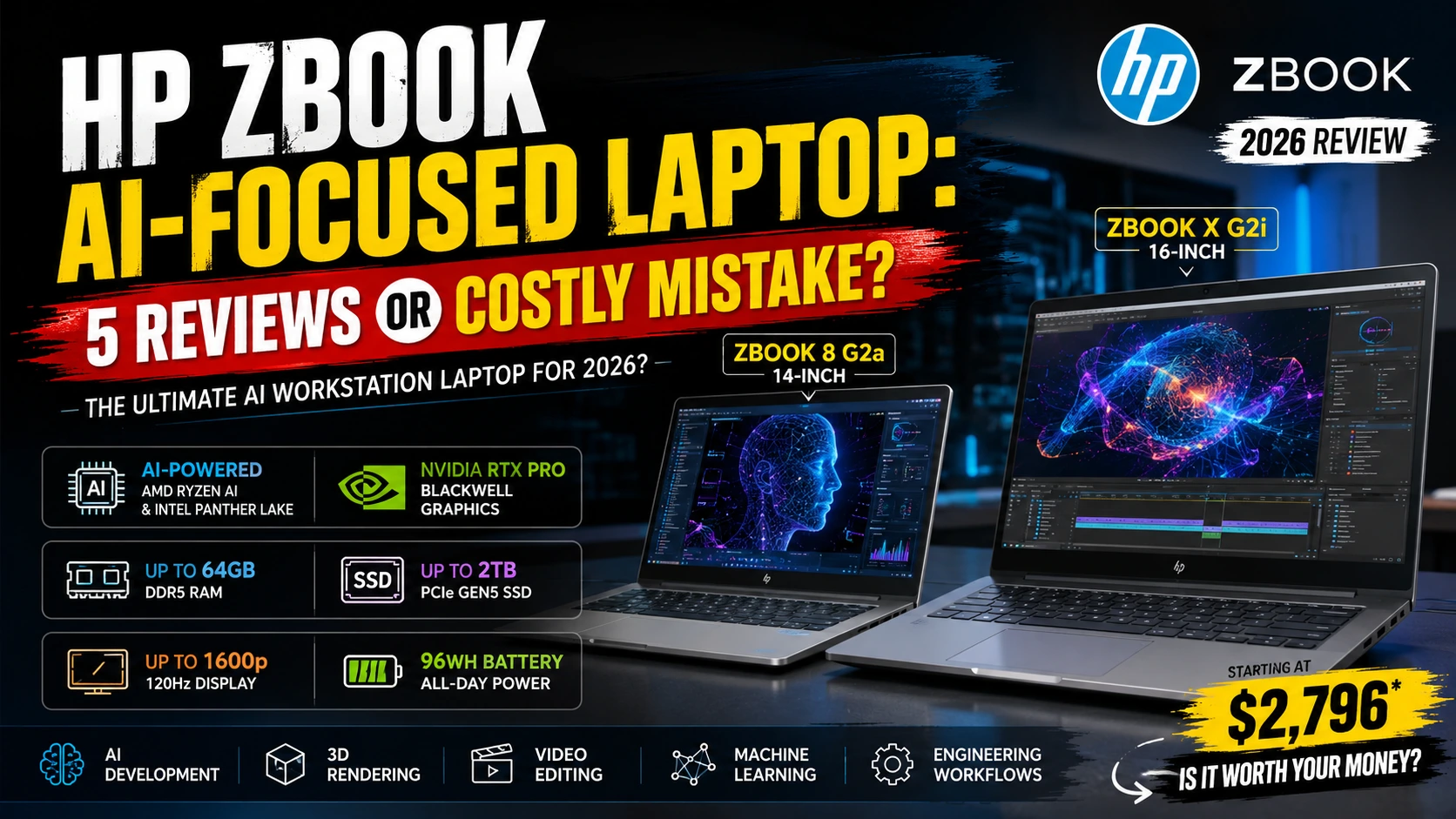
Before we go deep, here’s a fast summary of what the HP ZBook AI-focused laptop brings to the table:
- Two new models: ZBook 8 G2a (14-inch) and ZBook X G2i (16-inch)
- AI-powered chips: AMD Ryzen AI processors and Intel Panther Lake options
- GPU power: NVIDIA RTX Pro Blackwell graphics on the X G2i
- RAM: Up to 64GB DDR5
- Storage: Up to 2TB PCIe Gen5 NVMe SSD
- Display: Up to 1600p at 120Hz refresh rate
- Battery: 96Wh battery on the ZBook X G2i
- Starting Price: Around $2,796 (ZBook 8 G2a) and $3,609 (ZBook X G2i)
That’s quite a list, right? Now let’s talk about everything in detail.
Price and Launch: When Can You Get It?
Let’s be real, price matters a lot. The HP ZBook AI-focused laptop is not a budget machine. Not even close.
The ZBook 8 G2a (14-inch model) starts at around $2,796 in the US. The base configuration includes an AMD Ryzen AI 5 Pro processor, 16GB of memory, 512GB SSD storage, and a standard 1200p IPS screen. However, if you want the top-end configuration with more RAM, better display, faster chip, that price can climb quite a bit.
The ZBook X G2i (16-inch model) starts at around $3,609, and if you start adding high-end GPU options like NVIDIA RTX Pro 2000 Blackwell with more RAM and storage, the price can easily go beyond $10,000. Yes, you read that right.
These new HP laptops are now gradually becoming available across various global regions. The ZBook 8 G2a lineup with AMD processors is now available in numerous countries. The ZBook X G2i was expected to ship in early July 2026 in the US.
In my experience, waiting a few weeks after launch to buy premium laptops is smart. Initial stock issues and small firmware bugs tend to get sorted out quickly after launch.
HP ZBook AI-Focused Laptop: Design and Build Quality
A Laptop That Feels Like a Professional Tool
Tell me the truth, when you pick up a laptop, does it matter how it feels in your hands? For most of us, yes, it absolutely does.
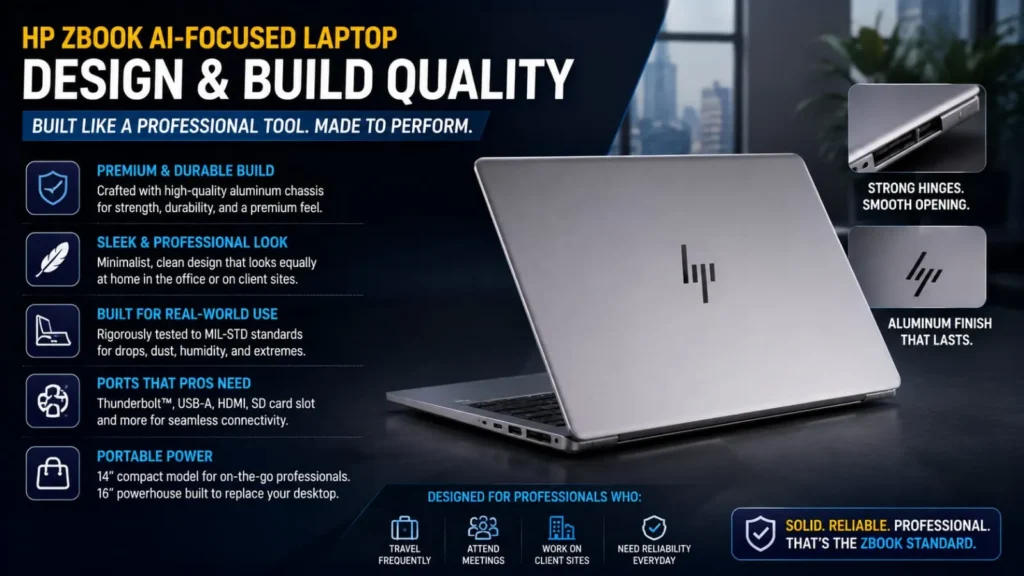
The HP ZBook line has always had a reputation for solid, professional build quality. These are not flashy, colorful gaming laptops. They’re built for people who need something reliable, sturdy, and serious-looking in a meeting room or on a client site.
The ZBook 8 G2a at 14 inches is compact enough to carry around without feeling like you’re hauling a brick. If you travel a lot for work as I do, you’ll appreciate a machine that fits easily in a bag without straining your shoulder.
The ZBook X G2i, at 16 inches, is bigger and heavier, but it’s designed to replace a desktop workstation. So the extra size makes sense. You’re not meant to carry it everywhere; it’s your go-anywhere desk replacement.
Both machines have a clean, no-nonsense design. Premium materials, good hinge quality, and ports that actually make sense for professionals, including Thunderbolt support, USB-A, HDMI, and SD card slots, depending on the model.
HP ZBook AI-Focused Laptop: Performance and AI Capabilities
The Real Heart of These Machines
AMD Ryzen AI in the ZBook 8 G2a
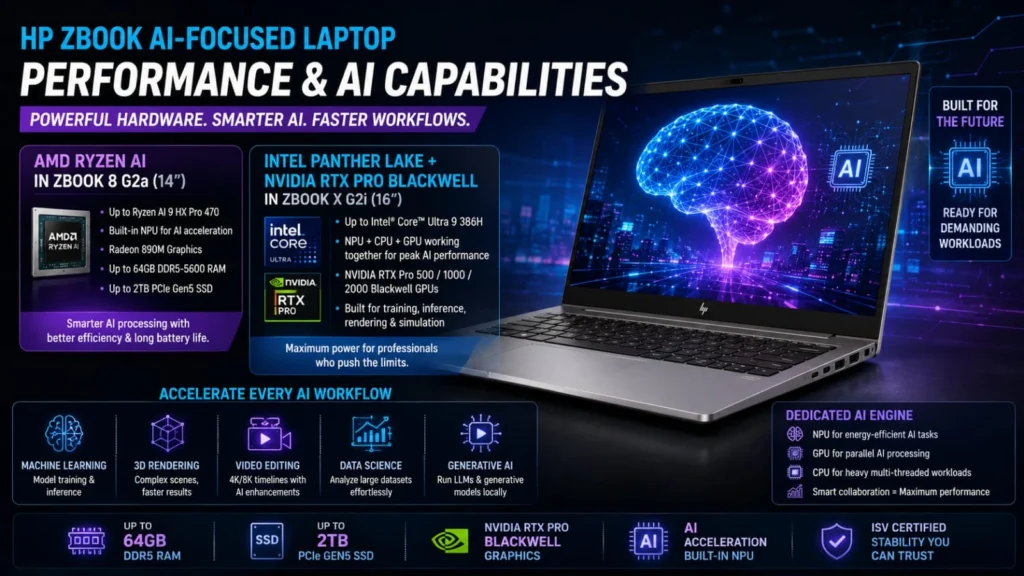
The 14-inch model runs on AMD Ryzen AI processors, starting from the Ryzen AI 5 Pro 435 and going all the way up to the Ryzen AI 9 HX Pro 470 with Radeon 890M integrated graphics.
What does “Ryzen AI” actually mean? Simply put, these chips have a built-in NPU (Neural Processing Unit), basically a dedicated mini-brain inside the chip that handles AI tasks really fast without killing your battery. So if you’re running AI tools that do things like noise removal, image upscaling, video enhancement, or even local AI models, this chip handles it much more smoothly than older processors.
The ZBook 8 G2a also supports up to 64GB of DDR5-5600 RAM and a 2TB PCIe Gen5 NVMe SSD. This is fast memory and fast storage. Loading large files, opening heavy software like Adobe Premiere or SolidWorks, it’s all buttery smooth.
NVIDIA RTX Pro Blackwell in the ZBook X G2i
For users who need top-tier AI performance, the ZBook X G2i delivers HP’s most advanced computing power. This 16-inch beast pairs Intel Panther Lake processors (Core Ultra 5, Core Ultra 7, up to Core Ultra 9 386H) with NVIDIA RTX Pro Blackwell graphics.
The GPU options include the RTX Pro 500, RTX Pro 1000, and RTX Pro 2000 Blackwell variants. These are workstation-grade GPUs, not gaming GPUs, but professional cards built for tasks like:
- Running large AI models locally
- 3D rendering and visual effects
- Scientific simulations
- Video production at high resolutions
If you think as I do, you probably wonder: “Is the GPU memory enough?” This is actually something worth discussing honestly. Earlier ZBook models like the G1i were criticized because the discrete GPU had only 8GB of VRAM, which isn’t enough for running modern AI models entirely in GPU memory. The Blackwell models aim to improve on this, but if you’re doing heavy AI model training, always check the exact VRAM specs of the configuration you’re buying.
HP ZBook AI-Focused Laptop: Display Options
Screens That Match Professional Needs
The display options on the HP ZBook AI-focused laptop are genuinely impressive, especially if you do color-accurate work.
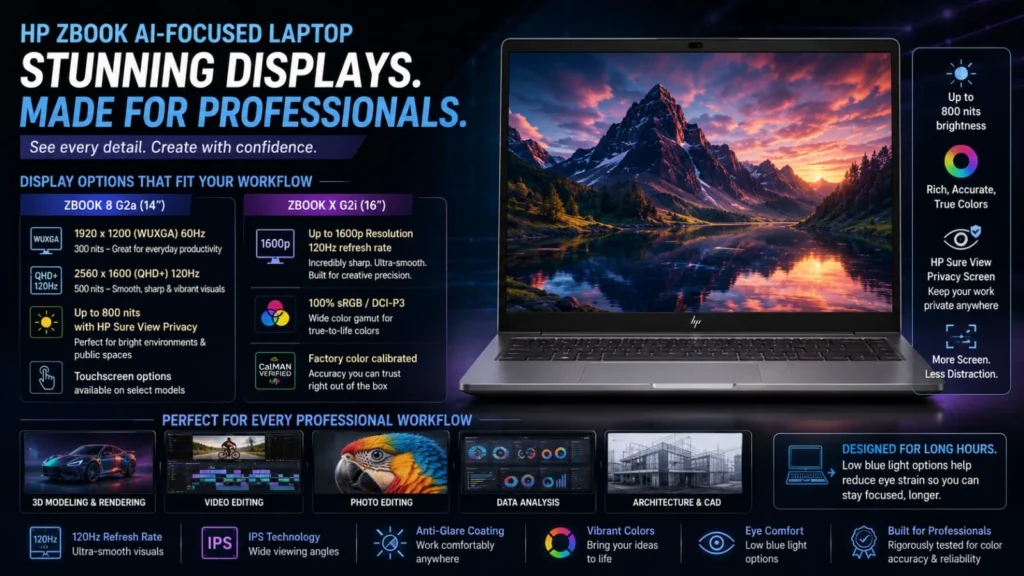
For the ZBook 8 G2a, you can choose from:
- A basic 1920×1200 (WUXGA) 60Hz panel at 300 nits is fine for everyday work
- A 2560×1600 120Hz variable refresh rate display at 500 nits, this is the sweet spot for most users.
- 800-nit panels with HP’s Sure View privacy screen are great if you work in public spaces like airports or co-working spaces
- Touchscreen options are also available on select configurations.
For the ZBook X G2i, some versions feature a 1600p display at 120Hz. This is incredibly sharp and smooth for a 16-inch laptop. Text looks crisp, videos look stunning, and if you’re doing detailed creative work, this display won’t let you down.
Honestly, one thing I really like here is the Sure View privacy screen option. I remember sitting next to someone on a flight who was reviewing confidential client documents on a regular laptop anyone nearby could see everything. The Sure View screen fixes that problem by making the display look blank to anyone not looking straight at it.
HP ZBook AI-Focused Laptop: Battery Life
How Long Will It Last Away from the Outlet?
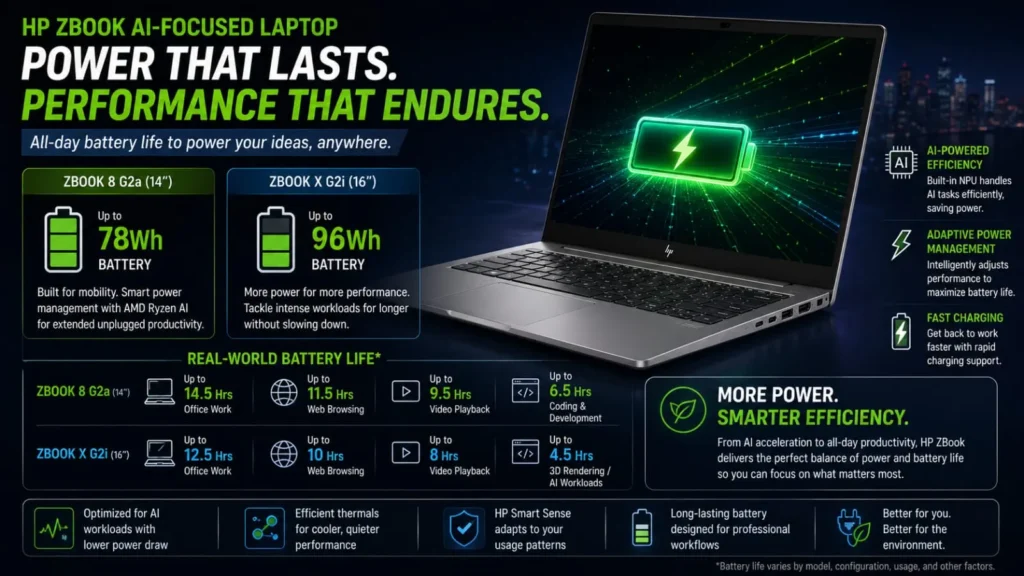
This is one area where you need realistic expectations. The ZBook X G2i comes with a large 96Wh battery, which is good for a machine of this power level. However, let’s be honest, when you’re running high-performance AI workloads, your battery is going to drain faster than on a normal laptop.
For typical office tasks, such as emails, documents, and video calls, you might get 6–8 hours easily. But if you’re rendering video or running heavy AI tasks, expect closer to 3–4 hours.
The ZBook 8 G2a’s AMD Ryzen AI chip is actually more power-efficient, so you may get better battery life on that model for mixed workloads, especially since the NPU handles AI tasks in a more energy-efficient way compared to using only the CPU.
If battery life is a top priority for you, the 14-inch ZBook 8 G2a with AMD Ryzen AI is probably the smarter pick.
HP ZBook AI-Focused Laptop: Who Should Actually Buy This?
Is This Laptop Really for You?
Now let’s get practical. The HP ZBook AI-focused laptop is a premium, professional machine. It is NOT for everyone, and I want to be transparent about that.
You should consider buying this if you are:
- A machine learning engineer or AI developer who needs serious local computing power
- A 3D designer or visual effects artist working with large files and render-heavy projects
- A video editor doing 4K/8K work and needs a fast, color-accurate display.
- A data scientist who needs to run large datasets and models without slowing down
- An enterprise professional who needs ISV certification and HP’s long-term support
You should probably skip this if you are:
- A student or casual user, this is total overkill and will empty your wallet fast.
- A budget-conscious buyer at $2,796 to $10,000+, there are better value options.
- Someone who wants a gaming laptop, these are professional GPUs, not gaming GPUs
- A content creator who only does basic photo editing a MacBook Pro or Dell XPS will serve you better at a lower price.
In my experience, people often overbuy laptops because the spec sheet looks impressive. Be honest with yourself about what you actually need before spending thousands of dollars.
HP ZBook AI-Focused Laptop vs Competition
How Does It Stack Up?
The HP ZBook AI-focused laptop competes in the premium mobile workstation market. Its main competitors include:
- Lenovo ThinkPad P Series: Also excellent for enterprise users, similar pricing, strong keyboard reputation
- Dell Precision Series: Strong competition with similar GPU options and display quality
- Apple MacBook Pro (M4 Pro/Max): Different ecosystem but incredible AI performance via Apple Silicon, and better battery life; however, macOS may not work for all workflows
Now, where HP has a clear advantage is in Windows ecosystem compatibility, ISV certifications (meaning software like AutoCAD, SolidWorks, and Maya are officially tested to run perfectly), and the modular configuration options that let you pick exactly the specs you need.
Where it falls behind, at least with some configurations, is in VRAM limitations and the price-to-performance ratio for pure AI model training. If you’re seriously training large language models, you’d likely want a cloud instance or a desktop workstation anyway.
HP ZBook AI-Focused Laptop: Security Features
Built for Enterprise, Built for Safety
HP has always been strong on security in the ZBook line, and the new models continue this tradition. Here’s what stands out:
HP Sure View: privacy display (on select models) keeps your screen private in public.
HP Wolf Security: built-in hardware-level security features to protect against firmware attacks
Biometric authentication: fingerprint reader, and an IR camera for Windows Hello face recognition
TPM 2.0 chip: standard for enterprise-grade encryption
MIL-SPEC testing: these machines are tested against military standards for durability (drops, dust, humidity, temperature extremes)
If you think as I do, security isn’t just a checkbox; it’s something you actually care about when your work involves sensitive client data or proprietary research. HP takes this seriously, and it shows.
HP ZBook AI-Focused Laptop: Pros and Cons Let's Be Honest
The Good Stuff
- Advanced AMD Ryzen AI and Intel Panther Lake processors for next-level performance
- NVIDIA RTX Pro Blackwell graphics delivering professional workstation-grade power
- Excellent display options, including 120Hz and privacy screens
- Up to 64GB DDR5 RAM and ultra-fast Gen5 SSD storage
- Strong build quality with MIL-SPEC durability testing
- Comprehensive security features for enterprise users
- ISV certified for professional software
The Not-So-Good Stuff
- The very expensive starting price of $2,796 is high, and it can easily exceed $10,000
- Heavy configurations are not truly portable for daily travel.
- Battery life drops significantly under heavy AI workloads.
- Some earlier models had VRAM limitations that affected AI task performance. Check specs carefully before buying.
- Overkill for most casual and mid-level users
Final Verdict: Should You Buy the HP ZBook AI-Focused Laptop?
Tell me the truth, are you someone who genuinely needs this machine?
The HP ZBook AI-focused laptop is one of the most capable professional laptops available in 2026. It’s built for the new era of work where AI tools, creative software, and heavy engineering applications all demand serious processing power. HP has done a smart job of putting together machines that address these real-world needs.
However, this is not an impulse buy. At the price points we’re talking about, you need to be very clear about your workflow. If you’re running AI models, doing video effects work, or engineering simulations daily, this laptop will serve you extremely well. If you’re doing anything less demanding, save your money.
In my experience, the ZBook 8 G2a is the better pick for most professionals who need portability combined with AI performance. The AMD Ryzen AI chip is efficient, the 14-inch size is manageable, and the starting price, while still high, is more reasonable than the larger model.
The ZBook X G2i is for those who truly need desktop-replacement power and don’t mind the size and price.
Either way, buddy, if you can afford it and need it, the HP ZBook AI-focused laptop is absolutely a machine worth considering in 2026. Just make sure your wallet is ready.



FAQ's
What is the starting price of the HP ZBook AI-focused laptop?
Which processor does the HP ZBook 8 G2a use?
Is the HP ZBook good for AI development and machine learning?
How is the battery life on the HP ZBook AI laptop?
Does the HP ZBook have MIL-SPEC durability?

Deepak Kumar is the founder and author of Techallrounder.com. He covers the latest technology news, smartphone and laptop reviews, gadget comparisons, buying guides, and tech tips. His goal is to provide accurate, easy-to-understand, and up-to-date information that helps readers make better technology decisions.