Tech all rounder

10 Powerful OxygenOS to ColorOS Changes Confirmed So Far

10 Powerful OxygenOS to ColorOS Changes Confirmed So Far

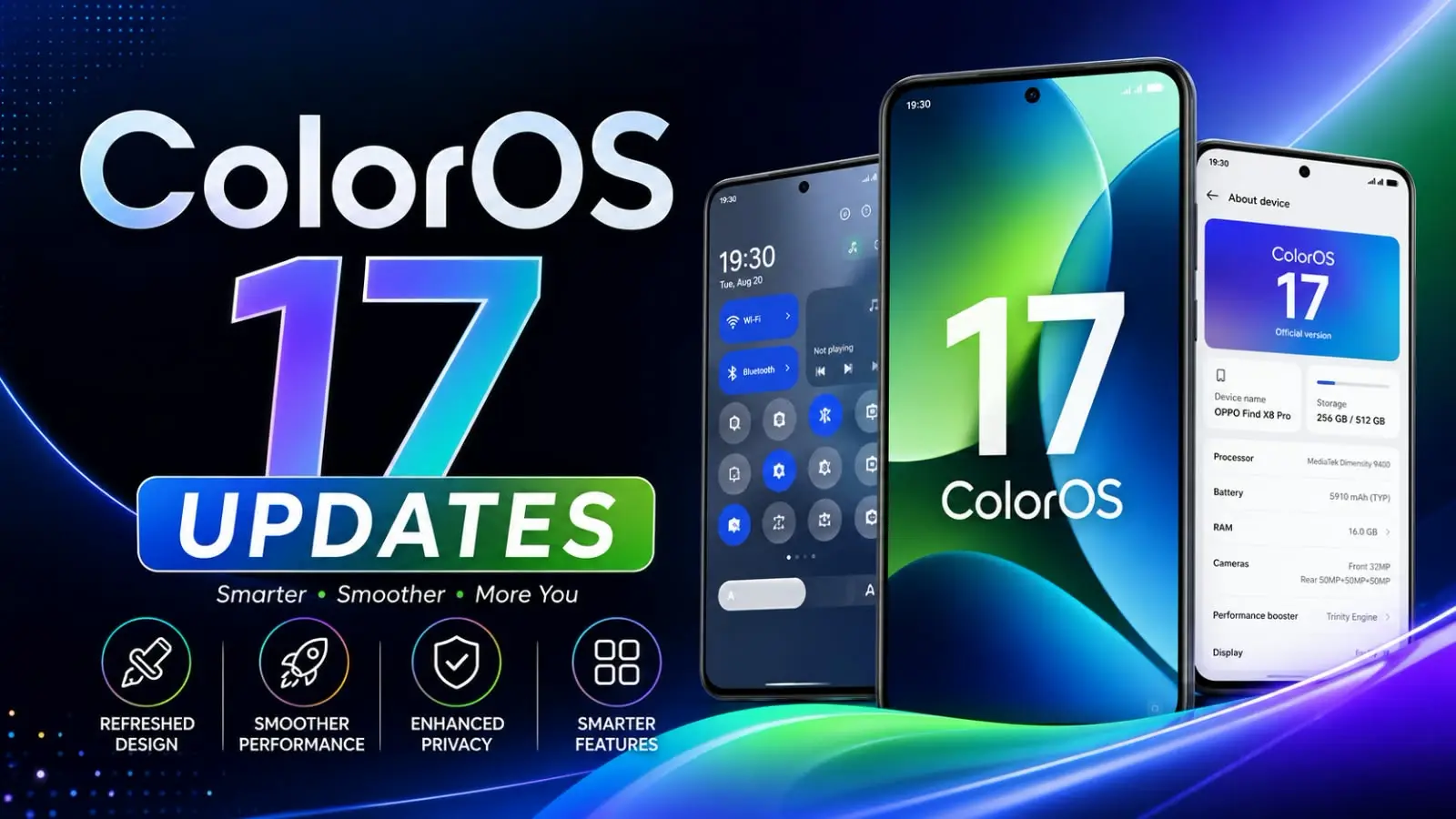
Hey Bro, if you use a OnePlus or Realme phone, then this news is very important for you. OnePlus and Realme have finally officially announced it. Both brands are now moving away from their own software towards OPPO’s ColorOS. Yes, what you just read is absolutely correct. The shift from OxygenOS to ColorOS is now confirmed; it’s no longer just a rumor. This is absolutely true. I remember when I first used a OnePlus phone years ago. OxygenOS felt clean, fast, and closest to stock Android. This was the main reason why people liked OnePlus phones so much. So when I heard this news, to be honest, I felt a little sad too. But let’s talk about what’s really happening, in simple words, so that you completely understand what changes you might see for yourself. Highlight key OnePlus and Realme are officially moving to ColorOS. The transition begins with the Android 17 update. Older devices will continue receiving OxygenOS maintenance updates. OnePlus promises a rollback option for eligible users. The move aims to deliver faster updates and better software support. Long-time OnePlus users may notice a major UI change. What Is Actually Changing Here Let’s break this down simply. OnePlus phones used OxygenOS. Realme phones used Realme UI. Both are now shifting to ColorOS, which is OPPO’s own software. This OxygenOS to ColorOS move will start with the Android 17 update. Here is how it works in simple terms: Phones eligible for Android 17 will get the option to move to ColorOS 17. Older phones that don’t get Android 17 will still get maintenance updates on OxygenOS, so don’t panic, buddy. If you upgrade to ColorOS, you will reportedly get an option to roll back to OxygenOS later. Full details on this are still coming. Also Read : OxygenOS 17: Powerful Features You’ll Love or Hate Why Are OnePlus and Realme Doing This Why OnePlus and Realme are replacing OxygenOS and Realme UI with ColorOS. Tell me the truth, have you ever noticed how OxygenOS and Realme UI already started feeling a lot like ColorOS in the last couple of years? Simply put, since all three of these brands have BBK Electronics as their parent company, you can see a lot of similarities between them. Back in 2021, OnePlus already agreed to share the same software base as ColorOS. This new step is basically the final part of that plan. The companies say this move will help them improve update speed, fix bugs faster, and use their engineering team better. Running three separate software systems for three brands costs a lot of money and time. Merging them into one makes updates come out quicker and with fewer bugs. In my experience, that part actually makes sense from a business point of view. Will Realme Users Notice Much Difference Honestly, not really. Realme UI was already built on top of ColorOS with small design changes here and there. So if you own a Realme phone, this switch will feel very smooth. You won’t see a big difference in how your phone looks or works. What About OnePlus Users, Buddy This one is a bigger change for OnePlus fans. OxygenOS had its own identity. It was known for being simple, fast, and close to clean Android without extra clutter. ColorOS, on the other hand, has more features but also carries a heavier interface and, in some regions, shows more ads inside apps. If you think as I do, this is the part that worries long-time OnePlus users the most. The whole reason many people picked OnePlus was that it felt different from other Android skins. Now that identity is slowly fading into ColorOS. Is This Also Linked To OnePlus Slowing Down In Some Markets Yes, buddy, and this is important to know. Along with this software update, OnePlus has also confirmed it is stopping new phone launches in the US and Europe. The brand will keep focusing mainly on India and China going forward. Meanwhile, Realme is pulling back from the Chinese market to focus more on international markets like India and other overseas regions. So this ColorOS shift isn’t just a software update. It’s part of a bigger plan where the parent company OPPO is trying to save money and simplify things by reducing three separate systems into one. Will Your Old Phone Still Get Updates Will Your Old Phone Still Get Updates today Yes. OnePlus has confirmed that phones that are not eligible for Android 17 will still continue getting regular software updates, security patches, and after-sales support. So your current phone is not going to stop working or lose support suddenly. However, going forward, all new phones and eligible upgrades will run on ColorOS instead of OxygenOS. My Honest Take On This Change Now let’s talk about the real question: is this good or bad for users? This is my own honest opinion, without exaggerating anything.     The good side: Faster and more consistent software updates Fewer bugs since one team works on one system Better long-term support since OPPO has a bigger resource pool      The bad side: Loss of OxygenOS identity that many fans loved ColorOS tends to feel heavier with more ads in some versions. Long-time users may need time to adjust to a new interface. In my experience, change like this always feels uncomfortable at first, especially for people who are used to a certain look and feel. But software companies do this to survive and grow, and honestly, in the phone industry today, this kind of consolidation is becoming common. Also Read : Oppo ColorOS 16.1: Impressive Yet Not Revolutionary Final Words Before You Go So friend, this is the complete and honest info for you about switching from OxygenOS to ColorOS. The software update from OnePlus and Realme is real; it’s officially confirmed, and it will later affect the look and feel of your phone. If you already have a OnePlus or Realme phone, then don’t worry at all; your device will still … Read more

Google Pixel 11 Teaser Reveals Pixel Glow, Pre-Orders August 12

Google Pixel 11 teaser Reveals futuristic design and brighter future concept.

Friend, if you like Google phones as I do, then you must have seen the reveal of this new Google Pixel 11 Teaser Reveals. You are going to really like this phone. The teaser for Google Pixel 11 has finally arrived, giving us our first real glimpse of the phone before the big launch. Last night, when I was scrolling on my phone, half asleep, this teaser suddenly appeared for me on the Google Store page. I immediately sat up straight. Honestly, don’t you get just as excited when a new Pixel is about to launch these days? This teaser isn’t just some random video. It confirms the name ‘Pixel 11’ for the first time, shows a glittering gold color, and reveals a brand new feature called Pixel Glow, which every pixel lover and more is talking about. On top of that, we now know that pre-orders will start from August 12. So, let’s understand everything in simple terms, no complicated tech stuff, just plain and easy. Google Pixel 11 Teaser Reveals Highlight key Google officially teases the Pixel 11 ahead of launch. New Pixel Glow notification light revealed. Pre-orders begin on August 12. Launch event scheduled for August 12 in New York. Google confirms Gemini AI updates at the event. Gold color variant showcased in the official teaser. US buyers can claim a promotional offer by signing up before August 7. Full specifications and pricing are still under wraps. Pixel 11 is expected to launch in both the US and India. More details will be announced at the Made by Google event. What Does The Google Pixel 11 Teaser Actually Show The Google Pixel 11 Teaser gives us a short clip on the Google Store homepage. It shows what looks like the Pixel 11 Pro in a gold finish. The page title simply says “The next generation Google Pixel 11 August 12.” Short and sweet, right? In my experience, Google likes to tease small pieces before the big reveal, and this is exactly that. We get a taste of the design, a hint of the color, and a first look at that new light feature. Nothing full yet, but enough to keep us talking for a month. Pixel Glow Feature Explained In Simple Words Okay, now let’s talk about the star of the show, Pixel Glow. This is a small circular light sitting right next to the camera lenses, in the same spot where the flashlight usually sits. It can light up in many different colors. Think of it like a tiny mood light on the back of your phone. When your phone is lying face down and something important happens, like a call or a message, the light glows up so you know without even flipping the phone over. Google says it helps you “stay in the moment without losing touch,” which honestly sounds pretty nice for people who get distracted easily by their screen. I remember using a phone years ago that had a simple notification light on the front, and I really missed it once phones stopped having that. So seeing Google bring back something similar, but way cooler, feels like a smart move. Also Read : Google Pixel 11 Pro: Amazing Under Price, Specs & Launch Date Should You Trust This Google Pixel 11 Teaser Yes buddy, this one is straight from Google itself, not some leak from a random website. The teaser is live on the official Google Store page, so there is no doubt about it. Google Pixel 11 teaser confirms Pixel Glow feature clearly, along with the pre-order date. However, Google has not shared full specs or pricing yet. So some things are still a mix of leaks and guesses. Here is what we know for sure and what is still a rumor. Confirmed by Google The name is officially Pixel 11 Pixel Glow feature is real and sits near the camera bar. Pre-orders begin August 12 Launch event happens on August 12 in New York, at 6 PM ET or 3 PM PT. Gemini Intelligence updates will be shown at the event. Still Rumors For Now Full Pixel 11 specs and price Whether Pixel Glow can show a different color for each contact Complete color options beyond gold and hints of olive and coral Google Pixel 11 Price And Release Date The Google Pixel 11 pre-orders begin on August 12, right when the launch event ends. This is normal for Google; they usually open orders the same day as the big show. As of now, Google has not revealed the Google Pixel 11 price, so anything you see online right now is just guesswork based on last year’s Pixel 10 pricing. If you are in the USA, there is a nice little bonus too. Sign up with your email on the Google Store page before August 7, and Google will send you a promo code on August 12 that you can use until August 27. Sadly, this offer seems limited to US residents only, so if you are reading from India, you might not get this specific deal, but the phone itself should launch in India as usual. Pixel 11 AI Features And What To Expect Since Google mentioned Gemini Intelligence in the same breath as the Pixel 11 launch, we can expect some fresh AI features baked right into the phone. Google has been pushing Gemini hard across all its devices, so this is not surprising at all. If you think as I do, the real question is not just about a glowing light, but how smart the phone actually feels to use daily. Camera improvements, faster AI replies, and better battery life usually matter more in real life than a fancy light show. Also Read : Google Pixel 10a Price in India, Full Specifications & Honest Review (2026) Should You Buy Google Pixel 11 in the USA And India Honestly, it is too early to say a clear yes or no. We still do not have the price, full specs, … Read more

Realme C100x Launch: Powerful 8000mAh Battery Beats Rivals

Realme C100x officially launches in India

Hey friend, the wait is finally over for what we were all waiting for. Realme has launched the Realme C100x in India and honestly, as soon as I saw its specification sheet, this phone caught my eye. If you are someone who charges your phone multiple times a day and has even gotten frustrated with it, then this phone might just be the answer you were looking for. I remember last year I bought a budget-friendly phone for my younger brother, and by the evening, the battery was already begging for a charger. This is exactly the kind of problem that the Realme C100x is trying to completely solve, and in this article, I’ll tell you everything about it its price, specifications, and whether it’s really worth your money or just a waste of it. Realme C100x Highlights 6.8 inch HD+ display with 120Hz refresh rate It comes with a massive 8000mAh Titan battery and 45W fast charging. It comes with a Unisoc T7250 processor, 4GB RAM, and 64GB storage. 50MP rear camera and 5MP front camera IP64 rating with military-grade durability Priced at Rs. 14,499 as a launch offer Realme C100x Price in India, How Much Will It Cost on the Pocket? Let’s talk money first, since that is what most of us care about, right? The Realme C100x price in India is set at Rs. 14,499 for the single 4GB RAM plus 64GB storage variant. This is a launch offer price, so if you are planning to buy it, grabbing it early might save you a little extra. You can buy the phone from realme.com, Flipkart, and a few offline stores as well. It comes in two color options, Deep Blue Tides and Golden Coast. Tell me the truth, don’t these names sound way fancier than just “blue” and “gold”? Realme C100x Full Specifications, What’s Actually Inside? Now let’s get into the Realme C100x specifications in simple words, without any confusing tech jargon. Realme C100x 120Hz Display Smooth display enhances gaming and scrolling experience The phone has a 6.8-inch HD+ IPS LCD screen with a resolution of 720 by 1570 pixels. The star feature here is the 120Hz refresh rate, which basically means scrolling through Instagram or WhatsApp feels smoother and faster. It also gets up to 700 nits of typical brightness and 900 nits under high brightness mode, so using it outdoors under harsh sunlight should not be a big issue. In my experience, a 120Hz display makes a huge difference in day-to-day use, even on a budget phone. It just feels less laggy, and that alone can change how you feel about a phone. Processor and Performance Under the hood, the Realme C100x runs on the Unisoc T7250 octa-core processor, built on a 12nm process, paired with a Mali-G57 MP1 GPU. It has 4GB of physical LPDDR4X RAM, but with virtual RAM tech, it can extend up to 12GB, which helps with multitasking. Now let’s be honest here, this is not a gaming beast. If your thinking is like mine, meaning you mainly want to use your phone for calls, chatting, social media, and light browsing, then this processor will handle it very easily. But if you are a heavy gamer, you might want to look somewhere else. Also Read: Realme 16 (2026): Amazing Mirror Selfie Camera Revealed! Realme C100x 8000mAh Battery This is the real showstopper. The Realme C100x packs a huge 8000mAh Titan battery, and Realme claims it is built to last up to seven years with around 1600 charge cycles. It supports 45W fast charging, so you are not stuck waiting forever for it to top up. There is also 6W reverse charging, which means you can use this phone to charge your earbuds or another small device in an emergency. I once had a friend who used a similar high battery phone during a two day trip with barely any charging points around, and it survived without any drama. That is the kind of peace of mind a big battery like this brings. Camera Setup Realme C100x Dual cameras capture detailed everyday photos effortlessly On the camera front, the Realme C100x features a 50MP rear camera along with a 5MP front camera for selfies and video calls. It is not going to compete with flagship cameras, but for everyday photos, family functions, or quick social media posts, it should do a decent job in good lighting. Build Quality and Durability Solid design ensures long-lasting everyday durability Realme has focused heavily on toughness this time with ArmorShell Protection. The phone has passed MIL-STD 810H military grade testing, including drop resistance from up to 2 meters. It also carries an IP64 rating, meaning it can handle dust and light water splashes without any issues. There is also a Pulse Light design on the back, which glows in different colors during calls, charging, or notifications, giving it a fun little personality. Realme C100x Price and Specs Comparison Table Feature Realme C100x Price Rs. 14,499 (launch offer) Display 6.8 inch HD+ 120Hz LCD Processor Unisoc T7250 RAM 4GB (up to 12GB virtual) Storage 64GB (expandable up to 2TB) Rear Camera 50MP Front Camera 5MP Software Android 15 with Funtouch OS 15 Battery 8000mAh with 45W charging Build IP64, MIL-STD 810H Is Realme C100x Worth Buying? Now comes the big question: is Realme C100x worth buying or not? Let’s break it into pros and cons so it is easier for you to decide.     Pros: Huge 8000mAh battery that easily lasts more than a day Smooth 120Hz display for everyday use Solid durability with IP64 and military-grade testing Fast 45W charging support Budget-friendly price tag      Cons: Only 4GB RAM in a single variant, no higher option Unisoc T7250 is not great for heavy gaming. Storage is 64GB only, which fills up fast with apps and photos. Also Read: Realme P4R: India Launch Date, Full Specs, Price & Everything You Need to Know My Honest Verdict I would rate the Realme C100x around 3.5 out of … Read more

Portable PS6 Rumors Explode After Sony Reveals Its Next Gaming Vision

Portable PS6 Rumors Could Transform Console Gaming

Friend, if you love PlayStation, you will definitely enjoy this. Portable PS6 rumors are really heating up right now,, and honestly, it feels like Sony is giving some new hint every week. I’ve been following gaming news for years, and I don’t remember the last time a handheld topic created so much buzz in the market, especially when the console hasn’t even been shown yet. Tell me the truth: have you recently checked gaming forums just to see what people are saying about the portable PS6? You’re not the only one. Even Sony’s own leadership is talking about ‘going beyond the living room,’ and this small statement has set the whole internet on fire. This is what the article is about. It discusses what you might find here regarding features, price, and release date. Highlight key Sony hints at portable PlayStation gaming. Portable PS6 rumors continue to grow. Native PS6 gaming is expected on the handheld. Fully digital gaming strategy supports the rumors. Launch is rumored for 2027–2028. Sony has not officially confirmed the device yet. Why Are People Talking About A Portable PS6 Now In my experience, rumors usually start small and fade away. But this time it is different. Sony’s president, Hideaki Nishino, spoke about creating gaming experiences that work in different places and different situations, not just sitting in front of your TV. He did not say the word handheld directly, but come on, what else could that mean? On top of that, Sony recently confirmed something big. Starting from January 2028, the company will stop making physical game discs for new PlayStation titles. This is a huge clue. A fully digital future makes a lot more sense for a small portable device, since a handheld does not really have room for a disc drive anyway. What We Actually Know So Far Now let’s talk about the real details, because there is a difference between confirmed facts and rumours floating around online. Sony has not officially announced a portable PS6 console yet. Leakers have used the codename “Canis” for a rumored handheld chip. The main PS6 console is being linked to a chip codenamed “Orion“ The handheld is expected to run games natively, not just stream them like the PS Portal. Rumored launch window is somewhere around 2027, though delays are possible. If you think as I do, you probably want a device that plays real PS6 games on the go, not just a screen that streams from your console. That is the dream, right? The PS Portal already gives us a taste of portable PlayStation gaming, but it only works through streaming. A true handheld would let you carry your games with you without needing strong WiFi all the time. Also Read : Best PlayStation Plus Premium July 2026 Games Revealed Portable PS6 Rumors After Sony’s Gaming Vision Reveal This whole topic really picked up pace after Sony’s recent investor discussions. The company mentioned wanting to match how people actually play today, including outside the living room. That single idea is basically fuel for every Portable PS6 rumor going around right now. I remember when the PS Vita came out years ago and did not do so well in sales. So naturally, some fans are a little nervous about Sony trying handheld gaming again. But this time the market looks very different. The Nintendo Switch 2 has been selling really well, and gaming handhelds like the ROG Ally have shown people genuinely want to play console quality games away from home. Is PlayStation 6 Going To Be Portable Nobody can say this with full confidence yet, buddy. Sony has dropped hints, leakers have shared chip codenames, and industry watchers keep connecting the dots. But until Sony makes an official announcement, everything is still a rumor. What I can honestly say is the signs are pointing in one direction. Between the disc production shutdown, the “beyond the living room” comments, and the growing handheld gaming market, it would not surprise me at all if Sony reveals a real portable PS6 device sometime in the next couple of years. PS6 Expected Release Date And Features Most leakers and analysts believe the PS6 could launch somewhere between 2027 and 2028. Sony has kept a fairly steady release pattern with its consoles over the years, so this timeline lines up with that history. As for features, expect stronger AI-powered graphics, better ray tracing, and improved performance over the PS5 generation. Again, none of this is officially confirmed by Sony, so take it as an educated guess based on current leaks. My Honest Take On The Portable PS6 Rumors If I am being real with you, I am excited but also a little cautious. Sony has a history of testing the waters before fully committing to new hardware ideas. The PS Portal was probably that first test. A true portable PS6 would be the next big step, and if priced fairly, it could be a huge hit alongside the Switch 2. However, pricing is where things could go wrong. Rising memory costs have already pushed console prices higher recently, so a premium handheld might not come cheap. That is something all of us buyers need to keep an eye on. Final Thoughts So buddy, that’s the thing. The rumors about the portable PS6 are no longer just internet news; they are supported by real hints from Sony itself. Looking at it, it seems that nothing is confirmed for sure, but the direction seems pretty clear. I’ll keep an eye on this, and I’d advise you to do the same. Disclaimer This article is based on current rumors, leaks, and public statements available at the time of writing. Sony has not officially confirmed a portable PS6 console. Details may change as more official information is released.  Related Post Best AI Website Builder Tools That Deliver Best Results Powerful iQOO 16 Features That Beat Expectations Best AI Coding Assistant Tools for Modern Developers in 2026 Premium iOS 27 Public Beta Benefits You’ll … Read more

Best AI Website Builder Tools That Deliver Best Results

10 Best AI Website Builder Tools That Deliver Best Results

Friend, have you ever wanted to get a website made but got scared by coding words like HTML or CSS? I can understand. I felt the same way a few years ago. That’s why today I want to talk to you about the best AI website builder tools that are helping ordinary people, small shop owners, and freelancers in the US and India create real, working websites without writing a single line of code. In my experience, the biggest problem is that to launch a website, you usually need a team of developers and a few months of time. Now that’s not the case anymore. Now let’s talk about how these smart tools have completely changed the game according to the current times. Highlight key AI website builder tools can create a full site from just a text prompt No coding skills needed at all, even for beginners Many tools offer a free plan with paid upgrades later Great for small business owners, bloggers, and freelancers in the USA and India Some tools even write your content and pick images for you Why Are So Many People Switching To AI Website Builder Tools? Tell me the truth: have you ever tried building a site the old way with drag-and-drop editors? It takes hours just to align one box properly. That is why the Best AI Website Builder Tools for beginners in 2026 are becoming so popular. You simply answer a few questions or type what your business is about, and the AI creates a working layout for you in minutes. I tried one of these tools last year for a small side project, a simple portfolio page for a friend who does photography. Honestly, I was not expecting much. But within ten minutes, the AI had already picked a clean layout, added sample photos, and written a short bio section. I just had to swap in real photos and fix a few lines of text. That saved me almost a full day of manual work. Best AI Website Builder Tools You Should Know About Now, let’s go through some names that are actually doing a good job in 2026. These are not random picks; these are tools that real users and small businesses are talking about. Wix Wix stands out as one of the strongest AI website design tools right now. Its AI assistant, called Aria, helps with design, marketing, and even finance tasks inside your dashboard. Wix also rolled out Wix Harmony, which mixes AI generation with simple drag-and-drop editing. If you want a good mix of automation and control, Wix is worth trying. Hostinger Website Builder Hostinger is a solid pick if you are watching your budget, which many freelancers and small shop owners in India often are. You just tell it your business goal, and it builds a ready website in minutes. The pricing is friendly too, which makes it one of the more affordable AI website builder tools for startups and freelancers. Squarespace  Squarespace brings its Blueprint AI builder into the mix, and it walks you through a short design process before creating your site. If you care a lot about how your site looks, this one leans more toward style and clean design work. Framer Framer is for the folks who want their site to look like it was made by a professional designer. The AI suggests layouts, but you still get pixel-level control if you want to tweak things. This one is more suited for portfolios or brand-focused pages. Durable Durable focuses on pure speed. It asks a few quick questions about your business and spits out a working site fast. It is now expanding into a full small business toolkit too, not just a website builder. 10Web 10Web is built specifically around WordPress, so if you already know WordPress or plan to grow your site later with plugins, this AI website creator rebuilds or creates WordPress sites using automation. Shopify Shopify is the pick if you are planning to sell products online. Its AI tools help write product descriptions and manage store setup, which makes it a strong choice among AI website design tools for small businesses running online stores. Quick Comparison Table Tool Best For Free Plan Good for USA Users Good for India Users Wix All-in-one website builder Yes Yes Yes Hostinger Website Builder Budget-friendly websites Limited Yes Yes Squarespace Design-focused websites No Yes Yes Framer Portfolios and brand websites Yes Yes Yes Durable AI-powered website creation Yes Yes Yes 10Web AI WordPress websites Limited Yes Yes Shopify eCommerce and online stores No Yes Yes Also Read : Complete Guide to the Best AI Image Generator Tools in 2026 Pros And Cons Of Using AI Website Builder Tools      Pros: Saves a lot of time compared to manual building No coding knowledge required Many offer free plans with custom domain support later Good for beginners, small businesses, and freelancers Some tools even help with SEO setup automatically      Cons: AI-generated content sometimes feels generic and needs a human touch Free plans often come with watermarks or limited pages You may still need to adjust images, text, and layout manually Advanced customization is still limited compared to full custom coding If you think as I do, saving time matters a lot, but so does having a website that actually feels like yours. That is why I always suggest using the AI output as a starting point, not the final product. Tweak the text, add your own photos, and make it sound like you. My Honest Rating I would give the current batch of AI website builder tools a solid 4 out of 5 stars. They are fast, beginner-friendly, and genuinely useful for anyone in the USA or India who wants a professional website without hiring a developer. However, for very advanced or highly custom projects, you may still need some manual work or a developer’s help later on. Final Thoughts So friend, if you are just getting started, don’t overthink … Read more

Powerful iQOO 16 Features That Beat Expectations

Powerful iQOO 16 Features That Beat Expectations

Hey friend, good morning! If you or any of your relatives are waiting for the iQOO 16 launch, then you are in the right place today. I am tracking every leak, every rumor, and every small detail about this phone, and I am here to explain it to you in simple and easy words. No confusing tech talk, just the information as if I am telling a friend about something with examples. This phone is currently the talk of the town in the smartphone world. Fans of iQOO 15 are very excited to see what the brand brings next. So let’s take a look and find out what this phone can offer us. Read the full article at your own pace. Highlight key Expected Price in India: around Rs 74,999 to Rs 80,000 processor: It will get the Snapdragon 8 Elite Gen 6 chipset Display: 6.85-inch 2K AMOLED with up to 165Hz refresh rate Camera: Triple 50MP rear camera setup with periscope telephoto lens Battery: Over 7500mAh with 100W fast charging support Launch expected: in China around October 2026, India launch likely November or December 2026 When Is the iQOO 16 Launch Happening? Tell me the truth: are you also refreshing the news every day waiting for this one? I get it, buddy. Right now, nothing is officially confirmed by iQOO. But leaks suggest the phone will first launch in China around October 2026. The India launch is expected a bit later, somewhere around November or December 2026. In my experience, iQOO always takes a few extra weeks to bring its China launch phones to India. So do not expect it too early. Patience is the key here. What About the iQOO 16 Expected Price? This is the question everyone wants answered first. Based on current leaks, the iQOO 16 Expected Price in India could sit somewhere between Rs 74,999 and Rs 80,000 for the base model. This price is not final, so take it with a small pinch of salt. If you think as I do, flagship prices only go up every year. So if you were planning to grab the iQOO 15 at a discount, this might actually be a smart move right now. Processor: Real Power Under the Hood Now let’s talk about performance. The iQOO 16 Processor is rumored to be the Snapdragon 8 Elite Gen 6 Pro. This is Qualcomm’s latest and most powerful chip, built for heavy gaming and smooth multitasking. If the leaks are true, this phone should handle any game you throw at it without any lag. I remember testing the iQOO 15 last year, and honestly the gaming performance blew me away. If the iQOO 16 improves on that, gamers are in for a treat. Also Read : iQOO Z11 India Launch: BIS Nod Sparks Buzz Display: Big Screen for Big Fun This phone Display is expected to be a 6.85-inch 2K AMOLED panel. Some reports even suggest a refresh rate as high as 165Hz, with a few rumors pointing towards 185Hz. That is super smooth for scrolling and gaming both. A big bright screen like this is great for watching movies too. However, keep in mind these numbers are still leaks, not confirmed facts. Camera: Will It Impress? Camera lovers, listen up. The iQOO 16 Camera setup is expected to include a triple 50MP system. This means a 50MP main sensor, a 50MP periscope telephoto lens, and a 50MP ultrawide camera. That is a solid combo on paper. However, I always tell people that camera hardware numbers do not always match real-life photo quality. We will only know the truth once actual camera samples come out. Battery: Will It Last All Day? Battery life matters a lot, right? The iQOO 16 Battery is rumored to be above 7500mAh, paired with 100W fast wired charging. That is a big battery, and it should easily last a full day of heavy use. If you think as I do and hate carrying a power bank everywhere, this could be a very welcome upgrade. iQOO 16 vs Other Flagship Smartphones 2026 iQOO 16 vs Other Flagship Smartphones Honestly, the flagship market in 2026 is packed. Brands like OnePlus, Vivo, and Samsung are also bringing strong phones this year. The Phone  will need to fight hard on price and camera quality to stand out. iQOO 16 vs iQOO 15 Feature iQOO 16 (Expected) iQOO 15 Processor Snapdragon 8 Elite Gen 6 Pro Snapdragon 8 Elite Gen 5 Display 6.85 inch 2K AMOLED, 165Hz 6.85 inch 2K AMOLED, 144Hz Battery 7500mAh+, 100W charging 7000mAh, 100W charging Price Rs 74,999 (expected) Rs 63,999 Pros and Cons      Pros: Powerful next-gen processor Big battery with fast charging High refresh rate display      Cons: Price could be on the higher side. Camera performance still unconfirmed No official launch date yet Also Read : iQOO Neo 11S 5G First Look: Leaked Specs, Design & What to Expect Should You Wait for the iQOO 16 in 2026? If you already own a good flagship, buddy, there is no rush. But if your phone is old and struggling, waiting a few more months for this Phone Launch could be worth it. My Honest Verdict Rating: 4 out of 5 stars (based on leaks so far) This phone looks good on paper. But since nothing is official yet, I would say wait for the actual launch before making any final decision. By the way, if you get all these features, would you buy it? Disclaimer All the information in this article is based on leaks, rumors, and tips from various sources. iQOO has not yet officially confirmed any specifications or pricing. Please take this as estimated information only until the official launch. Related Post Powerful iQOO 16 Features That Beat Expectations Best AI Coding Assistant Tools for Modern Developers in 2026 Premium iOS 27 Public Beta Benefits You’ll Love Top AI Email Writer Tools You Should Try in 2026 (Free & Premium) Lenovo Legion 7a RTX 5070: Big Gaming Upgrade 1 2 … Read more

Best AI Coding Assistant Tools for Modern Developers in 2026

Best AI Coding Assistant Tools for Modern Developers in 2026

Hey buddy, quick question. Have you ever stared at a bug for two hours straight, only to find out it was just a missing bracket? Yeah, I’ve been there too. That’s exactly why the best AI coding assistant tools in 2026 have become such a big deal. They don’t just save your time; they save your sanity too. In this article, I’m going to tell you about the 10 best AI coding assistant tools that real developers are actually using this year—not just the ones that look good in ads. I’ll share what’s good, what’s not so great, and which type of user should use which. Let’s get started. Highlight key GitHub Copilot is still the most widely used AI programming tool because of its GitHub connection.  Cursor gives you the smoothest editor feel if you like agent-style coding. Claude Code is the pick for tough debugging and big codebases. Tabnine is the best free AI coding assistant option for privacy lovers. Gemini Code Assist has a very generous free plan for beginners. Why You Actually Need an AI Coding Software in 2026 Why You Actually Need an AI Coding Software Let’s be honest, coding without help these days feels a bit old school, like writing an email without spell check. The best AI coding assistant tools now do a lot more than finish your sentence. They read your whole project, catch bugs before you run the code, and even write tests for you. In my experience, using an AI code completion tool cut my daily coding time almost in half for simple tasks like forms, API calls, and boring repeated code. For tricky architecture work, it still helps, but you need to check its work closely. Tell me the truth: don’t you also copy-paste code and pray it works? These tools make that habit a little safer. 1. GitHub Copilot Copilot is Microsoft’s tool, and it works right inside VS Code, JetBrains apps, and even Xcode. If your team lives on GitHub, this fits like a glove because it understands your issues and pull requests directly.Good: Huge language support, strong ecosystem, good for teams.Bad: Some users on forums feel the suggestions got weaker lately, and pricing has shifted to a credit-based system.Rating: 4.5 out of 5 2. Cursor Cursor is basically VS Code with AI built deep into its bones. You type what you want in plain language, and it edits your files for you.Good: Feels natural, great agent mode, handles big changes well.Bad: Learning curve at the start, and heavy use can get pricey.Rating: 4.6 out of 5 3. Claude Code If you live in the terminal, Claude Code is your buddy. It reads your whole repository, plans changes, runs tests, and even respects your project rules like gitignore files.Good: Deep reasoning, great at debugging messy legacy code, understands large context.Bad: Free tier is limited, and background usage can hit rate limits.Rating: 4.7 out of 5 4. Tabnine Tabnine is built for teams that care about privacy. You can even self-host it so your code never leaves your own servers.Good: Strong privacy controls, good enterprise security.Bad: Suggestions are decent but not as sharp as Copilot or Claude for complex logic.Rating: 4.2 out of 5 5. Amazon Q Developer Amazon’s own AI developer tool works great if your stack already runs on AWS. It helps with code review, security scans, and cloud migrations.Good: Deep AWS integration, solid for enterprise compliance needs.Bad: Less useful if you are not on AWS already.Rating: 4.0 out of 5 6. Gemini Code Assist Google made this one free for individuals, and honestly, it is one of the most generous free AI coding assistant tools out there right now.Good: Huge free tier, works across VS Code, JetBrains, and Cloud Shell.Bad: Not as strong at deep architectural reasoning as Claude Code.Rating: 4.1 out of 5 Also Read : Best AI Voice Generator Tools for Realistic TTS Results 7. JetBrains AI (Junie) If you already use IntelliJ, PyCharm, or WebStorm, Junie fits right into your existing workflow with project indexing already built in.Good: Smooth for JetBrains fans, solid refactoring help.Bad: Not much use if you are outside the JetBrains family of editors.Rating: 4.0 out of 5 8. Cline Cline is open source and lets you bring your own model keys. If you think as I do and want full control over cost and data, this is worth trying.Good: Free, flexible, no vendor lock-in.Bad: Needs more setup than plug-and-play tools.Rating: 4.0 out of 5 9. Windsurf Windsurf focuses on smooth multi-file editing with a simple prompt credit system, which makes budgeting easier for small teams.Good: Clear pricing tiers, easy for beginners to pick up.Bad: Credits can run out fast if you use premium models often.Rating: 3.9 out of 5 10. Replit AI Agent Replit is perfect if you are not a hardcore developer but still want to build something real. Just describe your app, and it builds the files for you right in the browser.Good: Beginner-friendly, no local setup needed at all.Bad: Not built for huge, complex production codebases.Rating: 3.8 out of 5 Quick Comparison Table Tool Best For Free Option GitHub Copilot GitHub teams Limited free trial Cursor Agent-style coding Free trial only Claude Code Debugging and reasoning Minimal free access Tabnine Privacy and self-hosting Yes, limited Amazon Q AWS-based teams Free tier available Gemini Code Assist Beginners Generous free tier JetBrains AI JetBrains IDE users Trial-based Cline Full-control setups Fully free, open source Windsurf Small teams Free monthly credits Replit AI Agent Non-coders and quick apps Free tier available How to Pick the Best AI Coding Assistant for You How to Pick the Best AI Coding Assistant for You in 2026 Now let’s talk about picking the right one for your own workflow. If you are a beginner, start with a free AI coding assistant like Gemini Code Assist or Replit. If you work on messy, large codebases, Claude Code or Cursor will feel more useful. If your company cares about data privacy, Tabnine or Cline … Read more

Premium iOS 27 Public Beta Benefits You’ll Love

Premium iOS 27 Public Beta Benefits You’ll Love

Think about it, friends: iOS 27 public beta has finally arrived. If you have been checking your phone for updates every hour, now you can stop. Apple released it on July 13, and honestly, I was among the first to get it on my spare iPhone. Now the big question is simple. Should you install iOS 27 public beta today, or should you just sit back and wait for the stable release in September? Be honest, you’re feeling a little tempted, right? Let’s talk about it like two friends over tea, no technical stuff, just a relaxed chat. Highlight key iOS 27 Public Beta launched on July 13, 2026 Works on iPhone 11 and every model after that Siri AI needs an iPhone 15 Pro or newer, plus a waitlist. Stable version is expected around mid-September 2026 Beta software still means some bugs and battery drain. What Is New In The iOS 27 Public Beta? What Is New In The iOS 27 Public Beta in 2026? In my experience, every big Apple update brings one headline feature, and this year it is Siri AI. It is a smarter Siri that now has its own app, so you can start a chat, go do something else, and come back to it later. Sounds neat, but here is the catch: this feature has a waitlist, and it is not fully open for everyone at once. Apple also gave the Screen Time section a fresh new look. Parents get more control now, like setting how long kids can use social apps or games each day. There is even an Ask To Browse option, so kids need approval before opening a new website. If you have children using your old iPhone, this alone might be worth checking out. The Liquid Glass design from last year got a little polish too. It looks cleaner, and text is easier to read now. Photos app also picked up smarter editing tools that can remove unwanted objects or stretch a photo to fill more space using AI. Also Read : Top AI Email Writer Tools You Should Try in 2026 (Free & Premium) Should You Install iOS 27 Public Beta Now? Here is my honest take. If your iPhone is your only phone, the one you use for calls, work emails, and UPI payments, please wait. I made this mistake two years back when I installed a beta on my main phone before an important work trip, and my banking app kept crashing at the worst possible moment. Never again. But if you or someone in your family has an old iPhone lying around, or if there’s just a second device for testing, then go ahead and try the iOS 27 public beta. It is actually a fun way to see new features early without any real risk. iOS 27 Compatible iPhones And How To Download The good news is that iOS 27 works on the same iPhones as iOS 26, so nothing gets left behind this year. That means iPhone 11 and every phone launched after it can run this update. However, Siri AI and a few Apple Intelligence tools only work on iPhone 15 Pro and newer models. Here is how you can grab the iOS 27 Public Beta Download: Visit beta.apple.com and sign up for the free Apple Beta Software Program. Open Settings on your iPhone, then go to General, then go to the Software Update option. Tap on Beta Updates and select the iOS 27 Public Beta. Restart your phone if you do not see it right away, then install Before you tap Install, please back up your iPhone. This step takes five minutes and can save you a lot of stress later. iOS 27 Battery Life And Bugs, The Honest Part Now let’s talk about the part nobody likes to mention: battery life. Early reports and my own testing show that this year’s developer betas have actually been more stable than usual. Battery drain is noticeably better compared to previous beta cycles, which is a nice surprise. That said, this is still beta software, so expect the odd app crash or a slower morning here and there. If you think as I do, a little instability is fine on a backup phone, but not on the device you rely on daily. iOS 27 Public Beta vs Stable Release The stable release is expected around September 14, as usually happens after Apple’s usual September keynote. If you want every app to work perfectly and no surprises, the stable release is the safer option. If you like trying out new things early and don’t mind small glitches, the public beta is waiting for you right now. You can try it out. Also Read : Best AI PDF Summarizer Tools: Free Paid Picks for 2026 Disclaimer This article is based on publicly available info and beta test reports at the time of writing. Software features, timelines, and performance might change before the final release. Always make sure to back up your device before installing any beta software, and try not to install it on your main or work phone. Related Post Top AI Email Writer Tools You Should Try in 2026 (Free & Premium) Lenovo Legion 7a RTX 5070: Big Gaming Upgrade Best AI PDF Summarizer Tools: Free Paid Picks for 2026 iPhone 16 Plus Flipkart Discount: Save Up to ₹16,000 Now Sony IER-M500 Launched: Premium In-Ear Monitor 1 2 Earbuds Huawei FreeClip 2 S Early Bird Offers Now Live OPPO Enco Air 5 India Launch Confirmed: Amazon Teaser is Live! 5 Best Earbuds of 2025: Sound, Battery, and Reviews Top 10 Earbuds in India 2026 – Best Wireless & Budget Picks Vivo Over-Ear ANC Headphones: 7 Powerful Features Revealed 1 2 Laptops Lenovo Legion 7a RTX 5070: Big Gaming Upgrade Save Up to Rs 20,000 on MacBook Air M5 Discount Deal Best Gaming Laptops Under $900 Worth Buying Today Lenovo Legion Y700 AI Tablet: Price, Specs & Gaming Review (2026) Acer Aspire 5 AI 2026: Powerful … Read more

Best PlayStation Plus Premium July 2026 Games Revealed

Best PlayStation Plus Premium July 2026 Games Revealed

Good morning, bro. There are some fresh gaming updates for you. If you own a PS5 or PS4 and are subscribed to PlayStation Plus Premium, then this article is absolutely for you. Sony has already told us about the PlayStation Plus Premium July 2026, and yes, it came out well before the usual release day. So let’s talk about what you are going to get in it, when you can play it, and whether it is really worth your time or not. I still remember when I first got PS Plus Premium just to try out old classic games, and honestly, the first few months felt more exciting compared to others. This July looks good for retro fans, so let’s get started. To know more about it well, read the full article. Highlight key The new PS Plus Premium July 2026 game is Psi Ops: The Mindgate Conspiracy. It joins the Classics catalog on July 21, 2026 Full PS Plus Extra and Premium list drops on July 15, 2026 You can also buy it alone from the PS Store if you don’t have Premium. Some regions may get it on slightly different dates this time. What Is The New PlayStation Plus Premium July 2026 Game? So the big reveal for PlayStation Plus Premium July 2026 is Psi Ops: The Mindgate Conspiracy. This is an old PS2 game from 2004, and Sony already showed it in the June State of Play, so honestly it was not a big secret for long. Tell me the truth: don’t you love it when old games come back on new systems? In my experience, these classic PS2 titles bring back a lot of memories for players who grew up with them, and for younger players it is a chance to try something totally different from today’s shooters. What Is Psi Ops About? Psi Ops puts you in the shoes of Nick Scryer, a guy who wakes up with no memory but soon finds out he has crazy psychic powers. We are talking telekinesis, mind control, and even fire powers called pyrokinesis. You use guns too, but the fun part is throwing enemies around with your mind or making them fight each other. If you think as I do, a game where you can literally use your brain as a weapon sounds like a fun change from normal shoot-and-cover games. It also has a stealth side, so you are not just running in guns blazing every time. Also Read : BSNL Satellite Phone Price: Costlier Than iPhone 17 Pro When Will Psi Ops Join PS Plus Premium? Mark your calendar, buddy. Psi Ops: The Mindgate Conspiracy joins the PS Plus Premium classics lineup on Tuesday, July 21, 2026. This is also when the rest of the PS Plus Extra and Premium catalog updates for July will go live. Now let’s talk about something important. Sony is currently testing a staggered release schedule in the US, UK, and Japan. This means players in these three countries might get the new games on a slightly different date compared to the rest of the world. However, last month’s Premium classic game came out on the same day everywhere, so it is not fully confirmed if this month will be different too. PS Plus Premium Subscription: Is It Worth It? PS Plus Premium Subscription If you are thinking about getting a Sony PS Plus Premium plan just for this, here is my honest take. PlayStation Plus Premium Subscription gives you access to a big classics catalog from PS1, PS2, PSP, and even some PS3 games through streaming. You also get game trials and cloud saves. However, if you only care about new AAA games, the Extra tier might be enough for you. Premium really shines for players who love old school gaming like me. PS Plus Extra And Essential July 2026 Games List Just so you have the full picture, the PS Plus Extra and Premium July 2026 Update was announced on July 15, along with new additions for Extra subscribers too. On the Essential side, July already brought titles like a big first-person shooter, a strategy roguelike, and a retro-style RPG, all available from July 7. So this month is actually packed for every tier, not just Premium users. My Honest Opinion Now here is where I get a little opinionated. I think Psi Ops is a solid pick for July, especially since telekinesis-based gameplay is rare these days. It is not a perfect game by today’s standards; some parts feel old, but the powers system still feels fresh and fun. If you already have PS Plus Premium, there is no reason to skip this one. And if you don’t have Premium, you can always buy Psi Ops separately from the PS Store once it releases. Final Words So this is everything Sony has already shared about the PlayStation Plus Premium July 2026 games. Psi Ops: The Mindgate Conspiracy is coming on July 21, and the full list of PS Plus July 2026 games will be confirmed on July 15. Stay tuned, friends, because more details might come after the official announcement.  Disclaimer This article is based on the information available at the time of writing. PlayStation Plus dates, games, and regional rollout details can change without notice. Before making any subscription decisions, please check Sony’s official PlayStation blog for the most current and confirmed updates. Also Read : iQOO Z11 India Launch: BIS Nod Sparks Buzz Related Post Top AI Email Writer Tools You Should Try in 2026 (Free & Premium) Lenovo Legion 7a RTX 5070: Big Gaming Upgrade Best AI PDF Summarizer Tools: Free Paid Picks for 2026 iPhone 16 Plus Flipkart Discount: Save Up to ₹16,000 Now Sony IER-M500 Launched: Premium In-Ear Monitor 1 2 Earbuds Huawei FreeClip 2 S Early Bird Offers Now Live OPPO Enco Air 5 India Launch Confirmed: Amazon Teaser is Live! 5 Best Earbuds of 2025: Sound, Battery, and Reviews Top 10 Earbuds in India 2026 – Best Wireless & Budget Picks … Read more

Top AI Email Writer Tools You Should Try in 2026 (Free & Premium)

Top AI Email Writer Tools You Should Try in 2026

Hey brother, do you also spend half of your morning just staring at a blank email screen? Trust me, I’ve been there many times too. Writing the right email, with the right tone, takes more time than it should. That’s why in 2026, Top AI email writer tools have become lifesavers for many of us today. In my experience, once you start using these AI email writer tools, you can’t go back to typing every single line by hand. Whether you’re replying to a client, sending a cold email, or just writing a quick follow-up, these tools save you a lot of time and energy. So let’s talk about the best AI email writer tools you should try this year, both free and paid. Highlight key Top AI Email Writer Tools help you write faster, without sounding robotic. Some tools work inside Gmail and Outlook directly. Free options are great for beginners; premium ones give more control. Not every tool fits every job, so pick based on your need. Sales, daily replies, and marketing emails all need different tools. Why Do You Actually Need an AI Email Assistant? Why Do You Actually Need an AI Email Assistant? Tell me the truth: how many times have you rewritten a simple email five times just to get the tone right? An AI Email Assistant fixes this problem in seconds. It reads your context and gives you a clean draft, so you only need to tweak small details before sending. However, not all AI Email Assistant tools are built the same. Some focus on sales outreach, some are made for daily replies, and some sit right inside your inbox. Now let’s go through the best ones one by one. Which Are the Top AI Email Writer Tools in 2026? 1. Grammarly Grammarly is still one of the most reliable tools for everyday email writing. It checks grammar, adjusts tone, and even gives full drafts if you are stuck. If you think as I do, you want something that polishes your writing without changing your natural voice, and Grammarly does exactly that. It works inside Gmail, Docs, and even mobile apps. 2. ChatGPT ChatGPT is honestly my go-to option when I need quick ideas or a full email in seconds. You just explain the situation, and it gives you a solid first draft. It is great for cold emails, follow-ups, and even long, detailed messages. The only thing is you need to edit a bit to add your personal touch. 3. Google Gemini (Help Me Write) If you already use Gmail, Google’s own Help Me Write feature is built right into your compose window. It reads the email thread and gives a reply that stays on topic. It is bundled with Google Workspace Business Standard, so if your company already pays for that, you get it for free. 4. Copy.ai Copy.ai is a strong Professional Email Writing AI tool, especially for marketing and outreach emails. It has more than 30 email templates and can write subject lines, body content, and calls to action together. In my experience, it works best for cold outreach sequences rather than one-off replies. 5. Lavender Lavender is not a normal Email Writing Software; it is more like a coach. It scores your email before you send it and tells you exactly what is wrong; maybe your subject line is too long, or your opening line has no personalization. Sales teams love this one. 6. Rytr Rytr is one of the best AI Email Composer tools if you are on a tight budget. It is affordable, simple, and does not need you to connect your inbox anywhere, which is good for privacy too. It works well for short, quick emails and daily writing tasks. 7. Superhuman Superhuman is a premium email client with AI writing built right in. It is fast, clean, and made for people who send a huge number of emails daily. The price is on the higher side, so this one makes sense only if email speed really matters for your work. 8. Writesonic Writesonic is good when you need multiple email drafts at once. You just pick your use case, add recipient details, and it gives you several options together. This saves a lot of time when you need variations for a campaign instead of just one single email. Comparison Table Tool Best For Free Option Starting Price Grammarly Daily email polishing Yes $12/month ChatGPT Quick drafts and ideas Yes Free to use Google Gemini Gmail users Bundled $14/user/month (Workspace) Copy.ai Marketing and outreach Yes $39/month Lavender Sales email coaching Limited Paid plans available Rytr Budget friendly writing Yes Low cost premium plans Superhuman High volume professionals No Premium pricing Writesonic Bulk email drafts Yes Paid plans available Also Read : Top AI Music Generator Tools in 2026 (Free & Paid) Pros and Cons      Pros: Saves a lot of writing time Helps with tone and clarity Good for people who are not confident writers Many tools have solid free plans to start with      Cons: Some tools still sound generic if you do not edit Sensitive emails like apologies still need a human touch. Premium features can get costly for daily heavy use. Some tools need inbox access, which may raise privacy concerns. Also Read : Best AI PDF Summarizer Tools: Free Paid Picks for 2026 My Honest Take If you think like me and just want something quick and free, then starting with ChatGPT or Grammarly is the safest bet. But if your work is sales-heavy, then Lavender or Copy.ai will really help you a lot in writing emails that get responses. Don’t expect any AI email composer to write your final email perfectly—read it yourself carefully once, add your own touch, and then send it. Disclaimer This article is based on publicly available information and personal experience with these tools. Prices and features keep changing over time, so please check each tool’s official website before making a purchase decision. Related Post Lenovo … Read more