Tech all rounder

HarmonyOS 7: Release Date, Features & What’s New (2026)
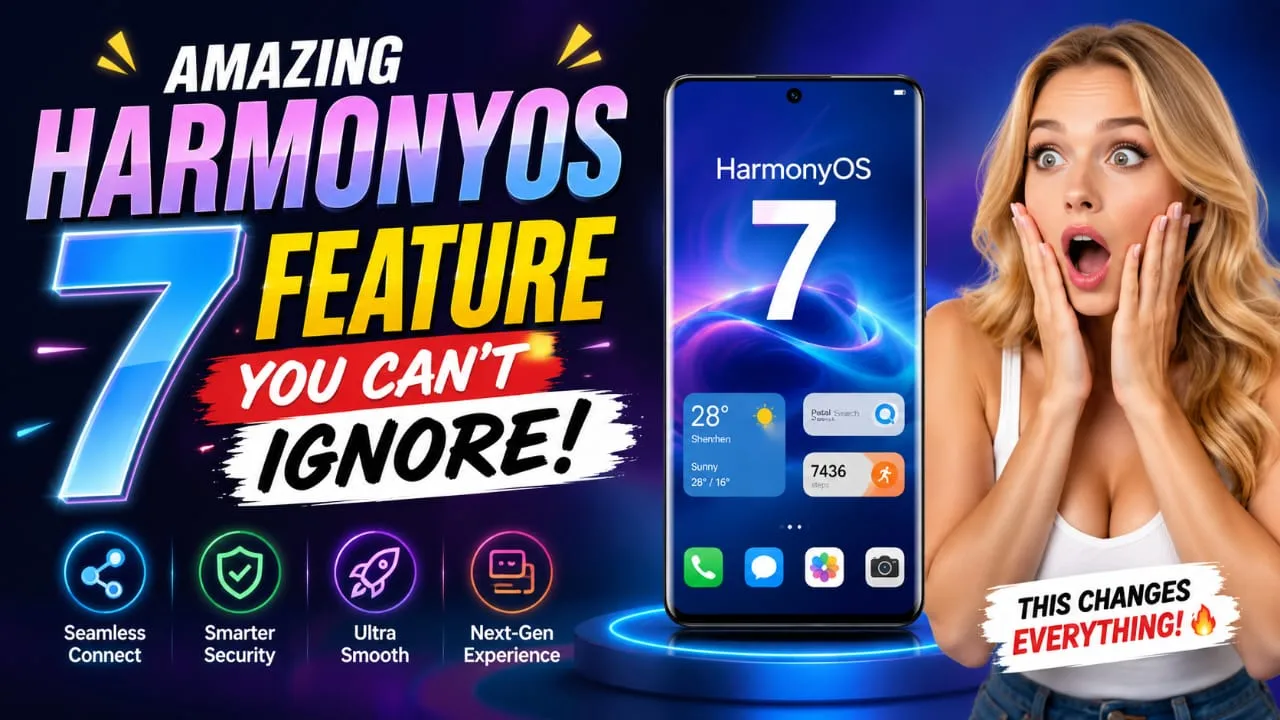
Amazing HarmonyOS 7 Features You Can't Ignore

Friends, if I’m right, you also have a Huawei phone and are into new tech, then I’m sure you’re also eagerly waiting for HarmonyOS 7. I remember when I updated my old Huawei tablet to the new HarmonyOS build, and honestly, the speed change blew me away. That’s why when Huawei showcased HarmonyOS 7 at their big developer event, I got excited again this time. In this article, I’ll explain everything about HarmonyOS 7 in simple words—no complicated technical stuff, just straight and true info for you. Highlight key HarmonyOS 7 was announced on June 12, 2026, at the Huawei Developer Conference (HDC 2026) Brings a new 3D “spatial” look with glass-like effects. Comes with stronger Agentic AI powered by the Celia assistant Claims up to 15% better performance than HarmonyOS 6.1 Developer beta is live now, stable version coming this fall. Mate 90 series will be the first phone with it pre-installed What Is HarmonyOS 7 and How Does It Work? What Is HarmonyOS 7 HarmonyOS 7 is Huawei’s newest operating system update, and it’s built for phones, tablets, laptops, smartwatches, and even smart home gadgets. Tell me the truth, most of us just want an OS that feels fast and doesn’t crash, right? Well, Huawei says this version is not just a small update. It is built from the ground up around AI, which means the whole system understands what you want to do and acts on it, instead of you tapping through five apps. In my experience, older HarmonyOS versions were already smooth for daily use. But HarmonyOS 7 goes a step further by making the AI assistant, called Celia, work like a real helper. It can now search for info, manage your reminders, and even complete tasks across different apps with just one voice command or text. HarmonyOS 7 Release Date and Availability Huawei showed HarmonyOS 7 to the world on June 12, 2026. The developer beta started rolling out the same day, but only for a small group of Huawei flagship devices in China. If you’re wondering when normal users like us will get it, the answer is simple: the full, stable version is expected sometime this fall, likely between September and November 2026. The Huawei Mate 90 series, launching around September, will be the first phone that comes with HarmonyOS 7 already installed out of the box. Other devices will get the update later through the usual software rollout, so patience is the key here. Also Read : One UI 8.5: A Revolutionary Update with Painful Compromises HarmonyOS 7 Features and Improvements Now let’s talk about the real features that make HarmonyOS 7 special. Friends, this update touches almost every part of the system. HarmonyOS 7 Features and Improvements New Spatial Design and UI The biggest visual change in HarmonyOS 7 is the new 3D spatial effect. Your lock screen wallpaper now reacts and shows depth, almost like it’s popping out of the screen. Buttons, sliders, and menus also get a soft glass-like glow. If you have seen Apple’s newer “Liquid Glass” look, this feels a bit similar, but Huawei has given it its own style. HarmonyOS 7 AI Features Explained This is where HarmonyOS 7 truly shines. The Celia AI assistant is now much smarter thanks to something called the Intelligent Agent Framework 2.0. In simple words, it means the AI can complete more than 90% of the tasks you give it, without you doing extra steps. You can ask it to write text, pull up real-time info, or manage in-app actions, and it just does the job. HarmonyOS 7 Performance Huawei claims OS 7 is about 15% faster than the earlier HarmonyOS 6.1. Apps open quicker, multitasking feels smoother, and there is less lag while switching between windows. If you think as I do, real-world speed matters more than lab numbers, so we will only know the true difference once regular users start using the stable build. HarmonyOS 7 Security Features Security is another strong point here. HarmonyOS introduces a new anti-fraud platform built right into the system. This helps protect users from common online scams, which is honestly a great addition given how many phone scams happen these days. Privacy controls also got tighter, giving users more say over what apps can access. HarmonyOS 7 Ecosystem and Connectivity One thing HarmonyOS has always been good at is connecting devices together. HarmonyOS 7 pushes this further, letting your phone, tablet, laptop, and wearables share tasks and data more smoothly. For example, you can start writing something on your phone and finish it on your tablet without any extra setup. HarmonyOS 7 Supported Devices List As of now, only a handful of devices are part of the early developer beta: Huawei Mate 80 Pro Huawei Mate X7 Huawei Mate XT Master Huawei Pura 90 Pro Max Huawei Pura X Huawei Pura X Collector’s Edition Huawei nova 15 Pro More models will join the beta program in the coming months. Once the stable version launches this fall, the list of HarmonyOS 7 compatible smartphones and tablets should grow a lot bigger, covering most recent Huawei devices. HarmonyOS 7 vs Android Comparison Many people ask me if HarmonyOS 7 can beat Android. Honestly, both have their strong points. Android still has way more apps and global support. But HarmonyOS 7 focuses heavily on device connectivity and AI-driven automation, something Android is still catching up on in certain areas. If you’re deep into the Huawei ecosystem, HarmonyOS 7 will feel more connected and personal. Also Read : Oppo ColorOS 16.1: Impressive Yet Not Revolutionary HarmonyOS 7 vs HarmonyOS Next HarmonyOS Next was the earlier big shift where Huawei dropped Android app compatibility completely. HarmonyOS 7 builds on that same independent base but adds the new spatial design and stronger AI layer on top. So basically, HarmonyOS 7 is the next step forward, not a separate branch. How to Update to HarmonyOS 7 Right now, only approved developers in China can join the beta. For the rest of … Read more


Save Up to Rs 20,000 on MacBook Air M5 Discount Deal

Best MacBook Air M5 Discount Deals You Can't Miss

Be honest, buddy. Were you waiting to buy a MacBook but always thought the price was too high? Well, today I’ve got some good news for you. Right now, there’s an awesome discount on the MacBook Air M5, and if you hurry, you could save up to ₹20,000. In my experience, deals like this don’t stick around for long, so let’s see what’s going on and whether it’s really worth your money. Apple recently increased the prices of several MacBook and iPad models in India. Some products are now up by as much as ₹1 lakh. If you missed buying your favorite item before this hike, this MacBook Air M5 discount gives you another golden chance to save money. Highlight key MacBook Air M5 is getting a discount of up to Rs 20,000 at Vijay Sales. The 13-inch model with 16GB RAM and 512GB storage is priced around Rs 1,29,990 after discount. This comes right after Apple’s recent price hike in India. The offer is limited and can end anytime. M5 chip brings a strong AI and graphics performance boost. Why Is Everyone Talking About This MacBook Air M5 Discount? Now let’s talk about why this deal is getting so much attention. Vijay Sales is currently offering the 13-inch MacBook Air M5 at a good markdown. The laptop is normally priced higher, but with this MacBook Air M5 Offer, buyers can grab it for less. This comes at a good time too, since Apple just made several MacBook and iPad models more expensive in India. If you think as I do, timing matters a lot when buying gadgets. I remember waiting almost two months to buy my last laptop just because I wanted a better deal, and honestly, it paid off. So if you were already planning to get a MacBook Air, this might be your window. What Do You Actually Get With MacBook Air M5 Price Right Now? The current MacBook Air M5 India deal covers the 13-inch model with 16GB unified memory and 512GB SSD storage. This is a solid combo for regular users, students, and even light content creators. Here’s a simple comparison to help you understand where this laptop stands: Feature MacBook Air M5 (Deal Price) Regular Price Chip Apple M5, 10-core CPU, 10-core GPU Same RAM 16GB 16GB Storage 512GB SSD 512GB SSD Price (approx) Rs 1,29,990 Rs 1,49,900 Apple says the M5 chip is much faster for AI tasks, video editing, and 3D rendering compared to older M1 models. For everyday things like browsing, office work, streaming, and light photo editing, this laptop will not feel slow for a long time. That’s a big plus point, honestly. Also Read : M6 MacBook Pro Leaks: Apple’s Biggest Upgrade Ever! Should You Buy MacBook Air M5 Before Price Hike Hits Again? Here’s my honest take. If you were already planning to buy a MacBook and had the budget ready, this MacBook Air M5 Deal makes sense. You are saving real money, and the hardware is genuinely good for years of daily use. But if you don’t need a new laptop right now, don’t rush just because of a discount. Buying something you don’t need, even at a lower price, is still spending money you didn’t have to.       What’s Good: Real savings of up to Rs 20,000 Strong performance for daily tasks Lightweight and fanless design, so it stays silent Good battery backup for all-day use      What’s Not So Good: Offer duration is not confirmed, so it could end suddenly. Only the specific 13-inch variant gets this discount. Higher variants with more RAM or storage may not get the same offer. Also Read : HP ZBook AI-Focused Laptop: Is It Really Worth Your Money in 2026? My Honest Verdict on This MacBook Air M5 Deal Rating: 4 out of 5 stars In my experience, this is one of the best MacBook Air M5 deals we’ve seen in India this year, especially after hearing about the price hike. If you’re still unsure about buying it or not, now might be the perfect time. Just don’t wait too long, because these retailer offers can vanish without any warning, and you’ll regret it later. Buddy, this is the real story behind the Apple MacBook Air M5 discount. Compare, check your budget, and then make your decision carefully. Make sure to tell me how helpful you found this article. Disclaimer: Prices and offers mentioned here are based on information available at the time of writing. Prices may change at any time, and it’s best to check the official retailer or Apple website before making a purchase decision. If You Want To Buy This Then Click Here Buy Now Related Post 6 Powerful Motorola Edge 70 Max Secrets You Missed 7 Best AI Presentation Tools for 2026 (My Honest Picks) Amazing Huawei Pura 90s Pro Max Leaks Before Launch Amazing Vivo V80 Series Leaks Before Launch Top AI Resume Builder Tools to Create a Pro Resume Fast 1 2 Earbuds OPPO Enco Air 5 India Launch Confirmed: Amazon Teaser is Live! 5 Best Earbuds of 2025: Sound, Battery, and Reviews Top 10 Earbuds in India 2026 – Best Wireless & Budget Picks Vivo Over-Ear ANC Headphones: 7 Powerful Features Revealed Realme Buds Air 8 Pro Review: Best ANC Earbuds Under ₹6,999 1 2 Laptops Best Gaming Laptops Under $900 Worth Buying Today Lenovo Legion Y700 AI Tablet: Price, Specs & Gaming Review (2026) Acer Aspire 5 AI 2026: Powerful Student Gaming Laptop? ASUS Zenbook A16: Premium Design, But Should You Buy It? Lenovo Bellator 7000 in 2026: Killer Performance Laptop Under Budget? FAQ’s What is the MacBook Air M5 Discount right now? Vijay Sales is offering up to Rs 20,000 off on the 13-inch MacBook Air M5, bringing its price down to around Rs 1,29,990 currently in India. Why did the MacBook Air M5 Price increase in India? Apple recently raised prices across several MacBook and iPad models in India, with some devices seeing hikes of up to … Read more

7 Best AI Presentation Tools for 2026 (My Honest Picks)

7 Best AI Presentation Tools Worth Trying Today

Hey friend, let’s talk about that thing that gobbles up our precious hours when we’re getting presentations ready: making the actual presentations. Whether you’re a student stuck at 2 AM before a submission, a professional prepping for a client meeting, or an entrepreneur working on a pitch deck, presentations have become a part of life. And honestly, in my experience, no one really enjoys building slides from scratch. This is exactly where the best AI presentation tools come in handy—they save you a ton of time. These tools can turn your rough ideas into a complete, ready-to-use deck in minutes, not hours. Personally, I’ve tested a bunch of these tools for work this year, and I’m still using the same ones today. I’m going to tell you about the tools that actually work and the ones that just look good on paper. Honestly, tell me, how many times have you copied a template from Google and then spent 3 hours messing with font size and alignment? Yeah, I was the same at first. So let’s fix it. Highlight key Before we go deep, here is a quick snapshot of what you will find in this article:  Which AI presentation maker is best for students on a budget The top AI PowerPoint generator for business decks A tool that works right inside PowerPoint and Google Slides Real pros and cons, no sugarcoating An easy comparison table so you can quickly make a decision FAQs based on what people actually search on Google Disclaimer: I have used these tools personally or based on hands-on testing available up to mid-2026. Prices and features can change anytime, so please check the official website before you buy any plan. Why You Actually Need an AI Presentation Maker Why You Actually Need an AI Presentation Tools If you think as I do, time is the biggest currency we have. An AI presentation software does the boring 80 percent of the work, meaning structure, layout, and design, so you can focus on the 20 percent that actually matters, which is your message. In my experience, moving from a rough outline to a decent first draft takes these tools just 3 to 6 minutes. Doing the same by hand in old-school PowerPoint can eat up 2 to 4 hours easily. Now let’s talk about the actual tools. Also Read : Top AI Resume Builder Tools to Create a Pro Resume Fast 1. Gamma AI Presentation Maker Gamma is probably the most talked-about AI slide generator right now, and honestly, it deserves the hype. Instead of the old boring 16:9 slide format, Gamma uses a flexible web-based canvas. You type a prompt, and it builds a full deck with text, images, and layout in one go. Good things: Super fast, looks modern, works great if you plan to share your deck as a web link instead of a PPT file. Bad things: If you need a strict PowerPoint file for offline presenting, the export sometimes needs small manual fixes. Best for: Startups, students, and anyone who wants a quick, good-looking deck without spending hours on design. 2. Canva (Magic Design for Presentations) Canva is already a favorite for design work, and its AI presentation tools make it even better. You get a free plan with basic templates, and their Pro plan unlocks premium templates and unlimited exports. Good things: Full design control, huge template library, and you can export to PowerPoint, PDF, and even MP4 video. Bad things: The AI part is more of an assistant here. You still need to do some manual tweaking if you want a truly custom deck. Best for: Marketers, small business owners, and anyone who wants a presentation that also feels like a proper design project. 3. Microsoft Copilot for PowerPoint If your office already runs on Microsoft 365, this one makes sense. Copilot can generate a full deck from a text prompt, summarize long documents into slides, and even suggest design improvements. Good things: It works easily in sync with Microsoft Teams, OneDrive, and SharePoint. Works offline too, which is a big plus for people with unstable internet. Bad things: Struggles a bit with vague prompts. If you give it a clear outline, it does well. If not, results feel generic. Best for: Large teams and companies already using Microsoft products daily. 4. Beautiful.ai The name promises a lot, and in some ways it delivers, especially around brand consistency for teams. But honestly, in my testing, some of the auto-generated text felt a bit too wordy and didn’t always fit the slide properly. Good things: Strong brand controls, good for agencies that need every deck to look consistent. Bad things: Content quality can feel generic, and you will likely spend time trimming down the text. Best for: Teams and agencies that care more about brand consistency than raw speed. 5. Plus AI Plus AI plugs directly into Google Slides and PowerPoint, so you never have to leave the tool you are already comfortable with. It can generate full decks, rewrite existing slides, and build charts. Good things: No need to learn a new interface. Great if you already have PowerPoint or Slides muscle memory. Bad things: Generation can be a touch slower compared to standalone tools like Gamma. Best for: Professional presentation creators who don’t want to switch platforms. Also Read : Best AI Logo Maker Tools in 2026: Create Stunning Logos in Minutes 6. Prezi AI Prezi has always stood out for its zoom-based, non-linear style instead of flat slides. The AI features in it now really help a lot in creating both content and structure automatically. Good things: Great for live, interactive keynote speeches where you want to keep the audience engaged. Bad things: Has a bit of a learning curve compared to simple prompt-based tools. Best for: Public speakers and educators who want a more dynamic presentation style. 7. SlideSpeak SlideSpeak focuses on something a lot of tools ignore, which is clean PowerPoint exports. If you upload a document or report, it … Read more

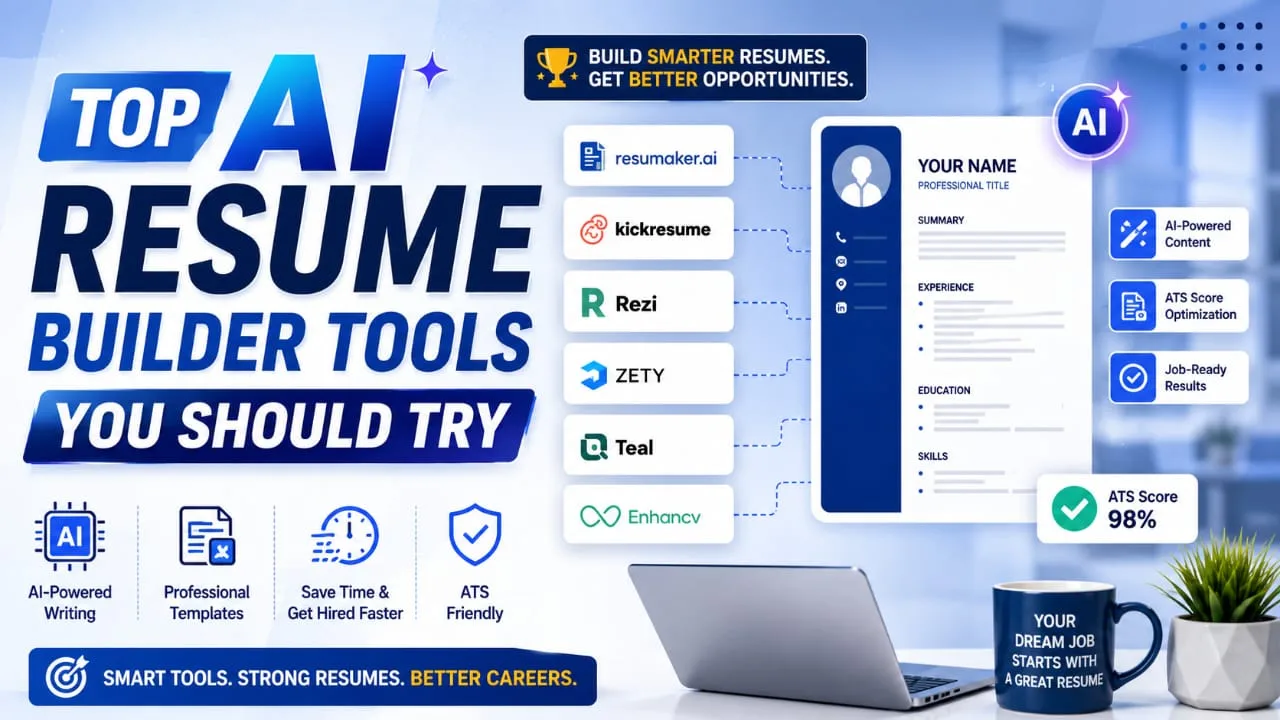
Top AI Resume Builder Tools to Create a Pro Resume Fast

Top AI Resume Builder Tools Review and Buying Guide in 2026

Bro, let’s be real. Writing a resume from scratch is boring and stressful. You sit for hours, delete a bunch of lines, copy old templates, and even then it doesn’t look good to you. That’s exactly when the best AI resume builder tools step in to save both your time and brain. In this article, I’m gonna tell you, really clearly, about the top AI resume builder tools in 2026 that are actually worth your time. I tested this like an average job seeker, checked out what each tool offers its users, and I’ll tell you straight up what’s good and what’s not that great. No hype, just the real deal, dude. Highlight key • Best AI Resume Builder Tools compared for USA and India job seekers• Which tools give a truly free AI resume builder experience• ATS-friendly resume builder options that actually pass real screening systems• Best picks for students, freshers, and working professionals• Simple tips to pick the right AI CV builder for your needs Why You Actually Need an AI Resume Builder Tool Why You Actually Need an AI Resume Builder Tool in 2026 Tell me the truth: have you ever sent fifty job applications and got zero replies? In my experience, most of the time the problem is not your skills. It’s your resume format. Big companies use ATS software to scan resumes before any human even opens them. If your resume is not ATS-friendly, it gets rejected in seconds, no matter how good you actually are at your job. A good AI resume builder fixes this problem quietly in the background. It picks keywords from the job post for you, arranges your resume properly, and writes your resume in neat bullet points for you. Basically, it does the boring work while you focus on interview prep and building confidence for the actual conversation with the hiring manager. There’s another side benefit too. Many of these tools also show you a score, so you know exactly where your resume stands before you hit submit. That single number can save you from wasting weeks applying with a weak document. Top AI Resume Builder Tools You Should Try Top AI Resume Builder Tools You Should Try Now 1. Kickresume Kickresume is one of the strongest tools when it comes to AI writing quality. You answer a short set of questions, and it builds a complete resume draft, including your summary and work experience bullets. Then you can go section by section and ask the AI to improve it further, almost like having a writing coach sitting next to you. Good: Fast first draft, good design templates, useful for people starting from a completely blank page. Bad: Full AI features are locked behind a paid plan, so free users get a limited taste only. 2. Rezi If you are targeting big companies that use Workday or similar ATS systems, Rezi is built exactly for that. It gives you a live score from 1 to 100 while you edit, so you know exactly how strong your resume is getting as you go. This kind of instant feedback keeps you motivated instead of guessing blindly. Good: Deep ATS scoring, useful keyword suggestions, and a one-time lifetime plan option for long job searches. Bad: Free plan is quite limited, only one resume and three downloads allowed. 3. Enhancv Enhancv works best if you already have an old resume sitting somewhere. Upload it, or link your LinkedIn profile, and the AI analyzes it on multiple points and suggests real improvements. The design output is genuinely one of the most polished in this whole space, which matters a lot for creative and design roles. Good: Great visual templates, useful content analyzer, cover letter tool included in the same platform. Bad: Not the best option if you’re building your very first resume from scratch with no material to work with. Also Read : Best AI Logo Maker Tools in 2026: Create Stunning Logos in Minutes 4. Teal Teal is more than a simple resume builder, buddy. It’s a full job search companion with resume tools plus a tracker to manage every application you send out. If you’re applying to many jobs at once, this keeps everything organized in one clean dashboard instead of messy spreadsheets. Good: Application tracking, LinkedIn import, and helpful AI bullet suggestions for busy job seekers. Bad: Keyword tailoring is not as sharp as some ATS-focused tools built purely for optimization. 5. Novoresume Novoresume is known for a genuinely generous free tier, which makes it a favorite among students and international job seekers on a tight budget. You can build from scratch or upload an old resume, though parsing an old file doesn’t always transfer perfectly and some sections may need manual fixing. Good: Strong free access, clean templates, and a smooth experience for beginners. Bad: Uploading and parsing an old resume can sometimes miss sections like skills or bullet points. 6. Zety Zety focuses more on clean design than deep AI tailoring. If presentations matter a lot in your field, like design or media, Zety’s templates look awesome and modern. But don’t expect strong job-specific keyword optimization here since it behaves more like a template builder. Good: Very clean template output, easy for anyone to use without a learning curve. Bad: Limited AI tailoring for specific job descriptions, so manual editing is still needed. Quick Comparison Table Tool Best For Free Plan AI Depth Kickresume First-time resume writers Limited High Rezi ATS-heavy applications Very Limited High Enhancv Upgrading an old resume Limited Medium-High Teal Managing multiple job applications Yes Medium Novoresume Students and budget-conscious users Generous Medium Zety Design-focused resumes Limited Low-Medium Also Read : Best AI Video Generator Tools: Top Picks for YouTube and Social Media in 2026 My Honest Verdict If you think as I do, you want something that saves time without wasting money. For most people who are starting something completely new, Kickresume or Novoresume are the right options as your first choice. If you’re chasing corporate jobs … Read more

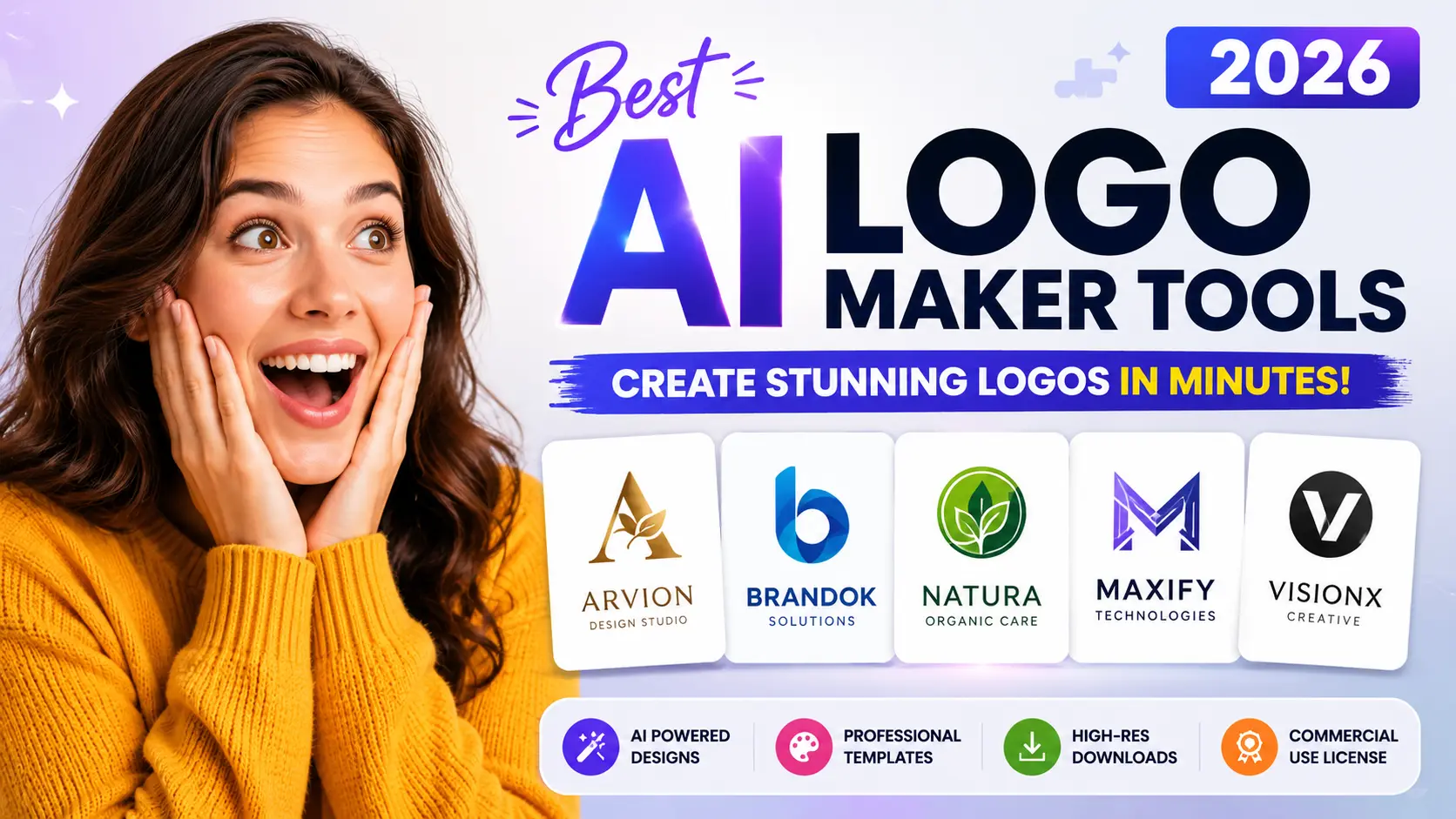
Best AI Logo Maker Tools in 2026: Create Stunning Logos in Minutes

Best AI logo maker tools creating modern business logos in 2026

Bro, I need to ask you something. Have you ever tried making a logo yourself and ended up with a result that looks like a kid made it in five minutes? Yeah, I’ve done the same a long time ago, and I was really disappointed back then. That’s exactly why, in 2026, the best AI logo maker tools have become such a big deal. These tools let you type in your business name, choose a style, and just like that, in minutes, they give you dozens of clean logo options. I remember when I started my little blog project. I didn’t even have enough money to hire a designer, and to be honest, I didn’t really know what a ‘good design’ was or how it worked. So I tried some of these AI tools, and I was amazed to see how far they’ve come nowadays. In this article, I’ll tell you about the best AI logo maker tools in 2026, what’s good about them, what’s not so great, and which tool might be a fit for your needs. Highlights Best AI Logo Maker Tools now use smart image models that spell your brand name correctly, which was a big problem before Free AI Logo Maker options are decent for quick drafts, but paid plans give you real commercial rights. Looka, Canva, and Design.com remain strong picks for most small businesses. Kittl and Brandmark work better if you want deep typography and customization control. Tell me the truth: do you really need a $500 designer logo, or can AI Branding Tools do the job just as well? Why Best AI Logo Maker Tools Matter for Your Brand in 2026 Your logo is the first thing people see, even before they read a single word about your business. In my experience, a messy or outdated logo makes people trust your brand less, even if your product is great. The good news is that Best AI Logo Maker Tools have improved a lot this year. Earlier, AI tools were often used to write letters wrong or give users weirdly shaped text instead of clean text. Now, most Online AI Logo Creator platforms render your business name properly and give you options that actually look professional. However, not every tool is equal. Some are still template-heavy, and some genuinely use smarter AI models to create something that feels made just for you. Also Read: Can AI Tools Write High-Quality Blog Posts? Complete Guide What Makes a Good AI Logo Creator in 2026? Key features every great AI logo maker should include Before we jump into the list, let us talk about what actually matters when picking a tool. Design quality: Does the logo look fresh, or does it look like a template you have seen a hundred times Customization: Can you tweak fonts, colors, and icons easily File formats: Do you get PNG, SVG, and transparent background options Pricing: Is there a genuine free option, or is everything locked behind a paywall Commercial rights: Can you legally use the logo for your business without extra fees later If you think as I do, commercial rights are honestly the most underrated point. Many free tools give you a nice logo, but then trap the SVG file behind a payment wall. So always check that part first. Top Best AI Logo Maker Tools in 2026 Best AI logo generators compared for businesses and creators Now, let us get into the actual list. I am giving you an honest picture here, not just hype. Looka – Best Overall AI Logo Creator Looka has stayed consistent as one of the strongest all round options. It gives you a guided flow where you pick your industry and style, and then it generates a good variety of logo concepts. What is good: The brand kit is solid. You get business cards, social media templates, and a full package, not just a logo. What is not so great: Pricing starts around ten dollars a month for high resolution files, so the truly free version is limited to low res downloads only. Best for: Small business owners who want a complete branding package, not just a single image file. Canva – Best Free AI Logo Maker Canva is not built only for logos, but honestly, this is one of my personal favorites because I already use Canva for other design work too. What is good: The free plan actually works. You get thousands of templates and can export PNGs with a transparent background at no cost. What is not so great: SVG export and the full Brand Kit feature need Canva Pro, which is around fifteen dollars a month. Best for: Anyone who wants their logo to match other marketing material, like posters or social posts, all inside one platform. Design.com – Best for Businesses Wanting a Fast Professional Look Design.com pulls from a massive template library and mixes it with AI suggestions based on your prompt. What is good: The variety is honestly impressive. You get minimal, mascot style, vintage, and emblem options in one go. What is not so great: Some users feel the free tier pushes you toward the paywall pretty quickly once you like a design. Best for: Startups and creators who want a Professional AI Logo Maker experience without spending hours customizing. Brandmark – Best for Unique Icon-Based Logos Brandmark stands out because it focuses heavily on color harmony and icon design, not just plain text logos. What is good: Even their most basic paid plan gives you a genuinely different-looking result compared to typical template tools. What is not so great: The free preview is limited, and there are fewer brand kit extras compared to Looka. Best for: Businesses that want an AI Logo Creator with a distinct visual mark, not just a wordmark. Kittl – Best for Typography and Vintage Style Logos If your brand needs something like a badge logo, a retro look, or heavy text styling, Kittl is genuinely one of the … Read more

Best Gaming Laptops Under $900 Worth Buying Today

Best Gaming Laptops Under $900 Worth Buying Today

Hey bro, if you’re still on the hunt for the best gaming laptops under $900 in July 2026, you’ve come to the right place. I know it’s tough picking a solid gaming laptop without spending too much, especially when every brand is out to prove it’s the best. From my experience in the US and India, in this price range, you can actually get real RTX power if you know where to look. Today, I’m talking about three awesome options: the Asus TUF A15, Lenovo LOQ, and Acer Aspire 7, plus a few others you should check out before making your final pick. Highlight key Asus TUF A15 gives tough build quality with RTX 3050 or RTX 4050 graphics. Lenovo LOQ offers clean design and strong Ryzen performance for the price. Acer Aspire 7 is a solid all-rounder for students and casual gamers. All three support 144Hz displays for smooth gameplay Great pick for budget gaming laptops under $900 in the USA and students in India too Why Look For Gaming Laptops Under $900 Tell me the truth, do you really need a $1500 laptop just to play games at 1080p? Most people don’t. The best gaming laptops under $900 now come with RTX 3050, RTX 4050, or even RTX 4060 graphics cards depending on the deal you find. That is honestly a huge deal because just two years back this kind of power was only found in costly laptops. Now let’s talk about why this price segment has become so competitive. Brands know that most gamers, especially students and casual players, do not want to spend a fortune just to enjoy their favorite titles. So they are packing solid processors, decent RAM, and real gaming graphics cards into laptops priced well under $900. This is great news if you are shopping in the USA or comparing options in India where budget matters even more. Also Read : Top 5 Best Lenovo Laptops Under ₹60,000 in India 2026 Asus TUF A15: Built Like A Tank Asus TUF A15 gaming laptop with RTX 4050 and Ryzen processor I used the Asus TUF A15 for almost two months last year, and buddy, it never let me down. It has military-grade toughness, so it can handle drops, dust, and rough daily use better than most laptops in this range. It usually comes with an AMD Ryzen 5 or Ryzen 7 chip paired with RTX 3050 or RTX 4050 graphics, and a 144Hz full HD screen that feels genuinely smooth during fast-paced games. The good part is the cooling system. It stays cool even after long gaming sessions, thanks to the dual fan setup and extra heat pipes. The bad part, honestly, is that the build feels a bit heavy to carry around campus or the office every day. If you think as I do, that toughness matters more than looks, this one is a clear winner for you. Another thing worth mentioning is that the keyboard on the TUF A15 feels satisfying to type and game on. It is not flashy with RGB lighting everywhere, but it gets the job done without any drama. If You Want To Buy This Then Click Here Buy Now Lenovo LOQ: Smart Value Pick Lenovo LOQ gaming laptop with RTX 4050 and 144Hz display The Lenovo LOQ has turned out to be one of the best RTX gaming laptop deals right now, especially when you catch it on sale. It often comes with a Ryzen 5 processor, RTX 4050 graphics, a 144Hz screen, and a clean, simple design without flashy gamer looks. In my experience, this is perfect if you want performance without looking like you are showing off to everyone in the room. However, base models sometimes come with lower RAM, like 8GB or 12GB, so I always suggest upgrading to at least 16GB if your budget allows a little extra. The Lenovo LOQ vs Asus TUF A15 debate really comes down to this: TUF wins on toughness and durability, while LOQ wins on clean design, lighter weight, and overall value for money. One more point: the LOQ series is also known for being upgrade-friendly. You can bump up the RAM or swap the storage later without much hassle, which is a nice bonus for anyone planning to keep the laptop for a few years. If You Want To Buy This Then Click Here Buy Now Acer Aspire 7: Best For Students Acer Aspire 7 gaming laptop for students with RTX graphics Now let’s talk about the Acer Aspire 7. This one usually pairs an Intel Core i5 with RTX 3050 or RTX 4050 graphics, and it works great for both study and casual gaming. This usually comes with an Intel Core i5 paired with RTX 3050 or RTX 4050 graphics, and it works really great for both studying and casual gaming. It is lighter than the TUF A15, which makes it a good daily carry laptop for college students who need to shift between classes and gaming sessions. The screen quality is decent, not amazing, but good enough for most games at medium to high settings. Battery life is also reasonable for daily study use, though gaming will drain it faster like any other laptop in this segment. If you are looking for the best gaming laptops for students under $900, this deserves a serious look. The aluminum chassis on some Aspire 7 models also gives it a slightly premium feel, which is a nice surprise at this price point. If You Want To Buy This Then Click Here Buy Now Other Options Worth Checking In this budget range, you’ll also often come across other names, like HP Victus and Acer Nitro V. Both offer RTX 4050 options and are worth comparing before you decide. Prices and configurations keep shifting, so always check current deals because the same laptop can drop in price during sales seasons in the USA and India. Also Read : Top 10 Best Laptops 2026 in India-Best for Work & Gaming! … Read more

Huawei Band 11 Series Features You Shouldn’t Miss

Huawei Band 11 Series Features You Shouldn't Miss

Hey friends, want to know all the details about the Huawei Band 11 series? You’ve come to the right place. Huawei has finally brought this band to India, and honestly, for its price, it offers a lot. Let’s be real, you probably just want to know two things: how much it costs, and whether buying it is really worth the money. Let’s understand it well in simple words. Highlight key 1.62-inch AMOLED display with sharp visuals Peak brightness up to 1,500 nits (2,000 nits on Pro) Battery life up to 14 days Three variants in India: Band 11, Band 11 Metal, Band 11 Pro 100+ workout modes Heart rate, SpO2, sleep, and stress tracking Built-in GNSS on Pro model Slim 8.99mm body, only 16-17 grams Huawei Band 11 Price and Launch Date in India Huawei launched the Band 11 Series in India on July 2, 2026. It is available on Flipkart, Amazon, and offline stores. Here is the pricing: Model MRP Launch Offer Huawei Band 11 Rs. 6,499 Rs. 3,999 Huawei Band 11 Metal Rs. 7,999 Rs. 4,799 Huawei Band 11 Pro Rs. 8,999 Higher tier In my experience, launch offers like this Rs. 3,999 price on the base model do not last long. If the price looks good to you, buddy, do not wait too long. The Metal variant gives a premium aluminium alloy look, while the Pro is built for serious fitness users thanks to its GNSS chip. Also Read : Tim Cook’s Biggest Mistake and Proudest Moment Revealed Before Leaving Apple Huawei Band 11 Series Features and Specifications Huawei Band 11 Series Features Display and Design The Huawei Band 11 Series has a 1.62-inch AMOLED screen. Colors look rich, and text stays readable even in sunlight. The standard model hits 1,500 nits of brightness, while the Pro goes up to 2,000 nits. If you work out outdoors under harsh sunlight, this brightness actually matters.At just 8.99mm thickness and 16-17 grams weight, it stays comfortable all day, even while sleeping. A bulky band ruins sleep tracking, and this one avoids that problem. Health Tracking Features This is where the Huawei Band 11 Series really shines:  Continuous heart rate monitoring SpO2 (blood oxygen) tracking Stress level monitoring Sleep tracking with HRV analysis Sleep breathing awareness Emotional wellbeing monitoring with breathing exercises Pulse Wave Arrhythmia Analysis Tell me the truth, how many bands in this price segment offer arrhythmia analysis? Not many. However, remember these are wellness features, not medical tools. Do not use them to self-diagnose anything serious. Huawei Band 11 Health (Black) Buy here Fitness and Workout Modes With 100+ workout modes, the band covers running, cycling, swimming, yoga, and gym sessions. It uses intelligent activity detection to auto-recognize some exercises. The Huawei Band 11 Pro adds built-in GNSS, so it tracks outdoor runs accurately without needing your phone nearby. Great news if you hate carrying your phone on every run. Battery Life The Huawei Band 11 Series promises up to 14 days of battery life. In real daily use, expect around 8 to 10 days depending on always-on display usage. It also supports magnetic fast charging, so topping up does not take forever. If you hate charging devices daily, this is a solid reason to pick this band. Huawei Band 11 vs Xiaomi and Samsung Xiaomi Smart Band models are usually cheaper with a huge user base already. However, the Huawei Band 11 Series brings a bigger display and stronger health features like arrhythmia analysis that budget Xiaomi bands often skip. Samsung Galaxy Fit works best only if you already own a Samsung phone. Huawei Band 11 Series, on the other hand, works with any Android 9+ phone, giving you wider compatibility regardless of brand. Should You Buy It? If you want a bright AMOLED display, solid health tracking, and long battery life without daily charging stress, yes, the Huawei Band 11 Series makes sense, especially at the launch price. But if you want smartwatch-level apps and calling features, this band may feel limited since it stays focused on fitness and health tracking. Final Thoughts The Huawei Band 11 series gives great value with its AMOLED display, strong battery, and real health tracking features, especially at the launch price of Rs. 3,999. Since offers aren’t always the same, if this is something you need, grab it quickly. No band is perfect for everyone, but at this price, buddy, it has emerged as one of the best options in India’s fitness band market right now. Also Read : Google Fitbit Air Clears BIS Certification – India Launch Could Be Around the Corner If You Want To Buy This Then Click Here Buy Now Related Post Huawei Band 11 Series Features You Shouldn’t Miss Samsung Galaxy Watch 9 and Ultra 2: Truth Behind the Hype Best AI Video Generator Tools: Top Picks for YouTube and Social Media in 2026 Nothing Phone 4b RCB Edition: Bold New Design Before Launch Complete Guide to the Best AI Image Generator Tools in 2026 1 2 Earbuds OPPO Enco Air 5 India Launch Confirmed: Amazon Teaser is Live! 5 Best Earbuds of 2025: Sound, Battery, and Reviews Top 10 Earbuds in India 2026 – Best Wireless & Budget Picks Vivo Over-Ear ANC Headphones: 7 Powerful Features Revealed Realme Buds Air 8 Pro Review: Best ANC Earbuds Under ₹6,999 1 2 Laptops Lenovo Legion Y700 AI Tablet: Price, Specs & Gaming Review (2026) Acer Aspire 5 AI 2026: Powerful Student Gaming Laptop? ASUS Zenbook A16: Premium Design, But Should You Buy It? Lenovo Bellator 7000 in 2026: Killer Performance Laptop Under Budget? FAQ’s What is the price of Huawei Band 11 in India? Priced at Rs. 6,499, but currently available at a launch offer of Rs. 3,999 on Flipkart. When did the Huawei Band 11 Series launch in India? It launched on July 2, 2026, via Flipkart, Amazon, and offline retail stores across India. What is the battery life of Huawei Band 11? Up to 14 days on a single charge, with typical usage lasting … Read more

Best AI Video Generator Tools: Top Picks for YouTube and Social Media in 2026

7 Best AI Video Generator Tools for YouTube & Social media

Good morning, friends. Have you ever thought about making a cool video but felt scared because you don’t know video editing? Be honest, most of us feel that way. Making a video used to take a camera, a laptop full of software, and hours of your hard work. But things have changed a lot now. With the Best AI video generator tools, you can turn a simple prompt idea into an actual video in just a few minutes. In this article, I’ll tell you all about the best AI video generator tools working in 2026. I’ll also share my own experiences with some AI tools so you can see what really works well and what doesn’t. Whether you run a YouTube channel or post daily on Instagram and TikTok, this article will help you choose the right tool. Highlight key Best AI video generator tools for beginners in 2026 Top Free AI Video Makers You Can Start Using Today Best text-to-video AI tools for quick content AI video maker tools that need zero editing skills Top AI video generator software for professional-level videos Why Are AI Video Generator Tools So Popular Now? In my experience, the biggest reason is speed. You just type what you want, and the AI creates a video for you. No camera, no actors, no big budget needed. Small creators and even big brands are using these tools daily to save time and money. Another reason is quality. Earlier, AI videos looked weird and shaky. Now the newer models create smooth, realistic clips with proper sound and lip sync. So the gap between a real video and an AI video is becoming very small. Best AI Video Generator Tools You Should Try in 2026 Now let’s talk about the actual tools. I have picked these based on what creators are really using and talking about right now. 1. Google Veo If you want a Best AI video Generator tools for realistic-looking clips, Veo is a top pick. It understands your text prompt well and gives good camera movement along with matching sound. In my experience, it works best when you write a clear and detailed prompt. The only issue is that the paid plans can feel a bit costly if you are just starting out. 2. Runway Runway is great if you care about camera control. You can add zoom, pan, and different camera angles very easily. It is more popular with people who already know a bit about filmmaking style. If you think as I do, tools like this are perfect for YouTube intros or short cinematic clips. The free plan is quite limited though, so keep that in mind. 3. Kling Kling is known for smooth motion and stable output. This means the video does not look shaky or broken, which is common in some free AI video generator tools. It works well for both text-to-video and image-to-video projects. Also Read : Complete Guide to the Best AI Image Generator Tools in 2026 4. PixVerse This one is good for beginners. PixVerse gives free daily credits, so you can test it without paying anything first. It supports different styles like anime, realistic, and 3D. The videos are short, usually around 15 seconds, which is perfect for Reels and Shorts. 5. HeyGen If your content needs a talking avatar, HeyGen is one of the Best AI video Generator tools out there. It supports voice cloning and many languages. This is great for explainer videos, tutorials, or even ads. Businesses also use it a lot because it feels more professional. 6. InVideo InVideo works a little differently. Instead of creating videos from scratch, it uses stock clips along with AI voiceover and editing. This is one of the best AI video generator tools for beginners in 2026 who want a polished video fast without knowing editing. 7. Luma Luma is simple and clean to use. It gives a good free trial with short clips, and you can also use start and end images to guide your video. It is more casual and easy to pick up compared to some heavier tools. Also Read : Claude AI Review: Pros, Cons & Use Cases – Is It Worth Using in 2026? Free vs Paid: What Should You Choose? 7 Best AI Video Generator Tools: Free VS Paid Now this is where I want to be honest with you. Free AI video generator tools are great for testing and learning. But most free plans add a watermark and give limited credits. If you are serious about YouTube or brand content, paid plans remove watermarks and give better quality output. My advice: start free. See which tool matches your style. Then move to a paid plan only for the tool you actually enjoy using. Things to Keep in Mind Before You Pick a Tool: Check how long the free trial or credits last. See if the tool supports your language, especially if you make Hindi or Hinglish content. Look at the video length limit; most tools give short clips only. Check commercial usage rights if you plan to use it for business or client work. Test the tool with your own prompt before buying any plan. Final Thoughts AI video generator tools have truly changed the world of making real videos and how regular people create content. Now, you don’t need big studios or years of editing skills. With a good idea and the right tool, you can make a solid video in minutes. In my experience, no single tool is perfect for everyone. Some are great for realistic cinematic videos, some are better for quick social media clips, and some are best for avatar-based explainer videos. So try two or three tools, compare the results, and stick with the one that fits your content style the best. If you’re just starting out, there’s no need to overthink it. Pick a free plan, try out a few text-to-video AI tools, and slowly build up your skills from there. Related Post Best … Read more

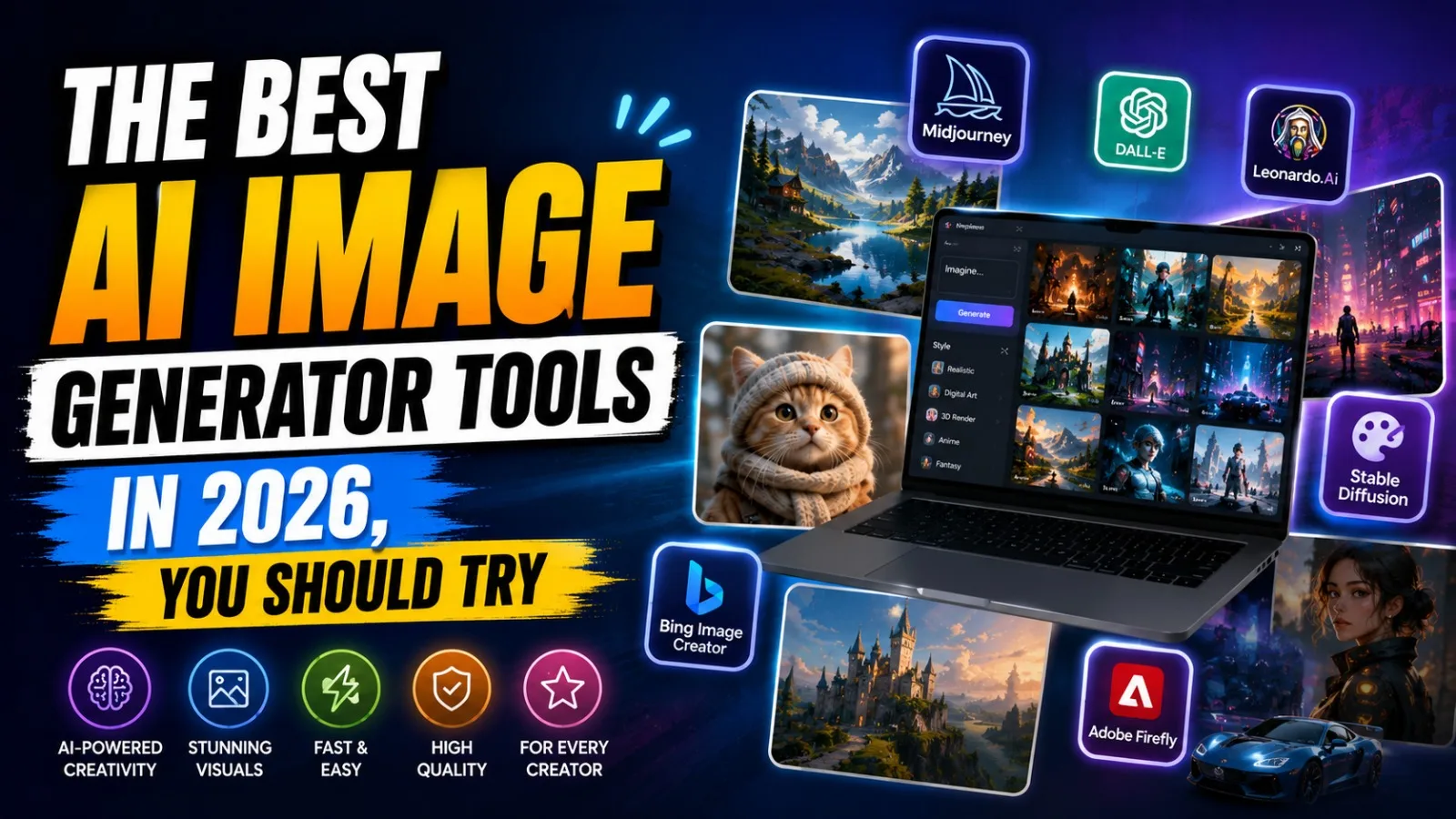
Complete Guide to the Best AI Image Generator Tools in 2026

The Best AI Image Generator Tools in 2026: Complete Guide

Hey friend, the best AI image generator tools in 2026 that you should try. If you’re into content creation, marketing, or just love making cool images, you already know that AI image generator tools have completely changed the game in this field in 2026. I remember the first time I used an AI tool to make a thumbnail, and honestly, I was blown away by how fast and well it works. Now, you don’t need to wait for a designer or spend hours in Photoshop. In this article, I’ll show you the top AI image generator tools worth trying in 2026. I’ve tried many of these for my own content work, so trust me, this isn’t just some random list copied from the internet. Let’s dive in. Highlight key Here is what you will learn in this guide: Which AI Image Generator Tools are actually worth your time in 2026 Free AI Image Generator tools that don’t put a watermark on your images Best tools for realistic images, text inside images, and fast social media content Honest pros and cons, not just hype Why Are AI Image Generator Tools So Popular Right Now? Tell me the truth; who has time to sit for hours designing a single image? These days, everyone wants fast results. Whether you need a YouTube thumbnail, a product photo, or just a fun picture for Instagram, AI Image Generator Tools do the job in seconds. That is the real reason why so many creators, marketers, and even small business owners are switching to these tools. The Best AI Image Generator Tools in 2026 You Should Try Google Gemini (Nano Banana Pro) In my experience, this is one of the best free AI Image Generator tools you can use right now. It gives clear, realistic images and handles small details really well. The best part is you can use it without paying anything, which makes it great for beginners. It also lets you upscale images and remove backgrounds easily. Midjourney V7 If you want artistic and cinematic-looking images, Midjourney is still the king. This tool is more about creative and beautiful art-style images rather than plain realistic photos. If you think as I do, that art should feel alive, Midjourney will not disappoint you. The only downside is it is a bit slower, and you need a paid plan for full access. Adobe Firefly Firefly is made for people who care about safe and legal image use, especially designers and businesses. It is trained on licensed content, so there is less worry about copyright issues. It works smoothly with Photoshop and Illustrator too. This is one of the best AI image generators for Designers who already use Adobe tools daily. ChatGPT (GPT Image) Honestly, ChatGPT is the easiest tool for beginners. You just type what you want in simple words, and it gives you the image right there in the chat. No complicated settings, no confusion. If you are new to Text to Image AI tools, start here. Also Read : Claude AI Review: Pros, Cons & Use Cases – Is It Worth Using in 2026? Ideogram 3 Now let’s talk about a common problem: text inside AI images looking weird or broken. Ideogram fixes that. If you need images for YouTube thumbnails, banners, or posters with clear, readable text, this tool does it better than most others. FLUX.2 This one is great if you want more control and even self-host your own setup. It is popular among developers and advanced users who want to connect it with their own apps or websites. Leonardo.ai Leonardo works like a full creative studio. It lets you sketch something rough, and the AI turns it into a proper image in real time. It also has a decent free plan, which is good news if you are just starting out. Which One Is Best for Realistic Images in 2026? If your main goal is realistic photos, Nano Banana Pro from Google and Adobe Firefly are your safest bets. They handle lighting, face and body textures, and small details in a very good and natural way. I have tried both for my own site images, and honestly, they saved me a lot of time. Free AI Image Generator Tools Worth Trying Not everyone wants to pay right away, and that is fair. Google Gemini and ChatGPT both offer solid free options. Leonardo.ai also gives free credits daily, which is enough if you are just experimenting or making content for personal use. Also Read : Can AI Tools Write High-Quality Blog Posts? Complete Guide My Honest Opinion Tell me the truth: no tool is perfect. Midjourney looks amazing but costs money. ChatGPT is easy but sometimes lacks fine control. Nano Banana Pro is a great mix of free and quality features, but it can feel slow during high-traffic times. So my advice, buddy, don’t stick to just one tool. Try two or three based on what you need. Final Thoughts In 2026, AI image generator tools aren’t just for fun anymore – they’ve become a real part of everyday content work. Whether you’re a student, blogger, YouTuber, or business owner, there’s definitely a tool for you. Just pick what you need – realistic photos, artistic style, or quick social media content, and you’re all set. Related Post Complete Guide to the Best AI Image Generator Tools in 2026 Lenovo Legion Y700 AI Tablet: Price, Specs & Gaming Review (2026) OPPO Reno 16 vs Vivo V70 Elite: Ultimate Buying Guide Top 5 Upcoming Mobile Phones India July 2026 Buying Guide 7 Amazing Samsung Galaxy S26 Ultra Features You Must Know 1 2 Earbuds OPPO Enco Air 5 India Launch Confirmed: Amazon Teaser is Live! 5 Best Earbuds of 2025: Sound, Battery, and Reviews Top 10 Earbuds in India 2026 – Best Wireless & Budget Picks Vivo Over-Ear ANC Headphones: 7 Powerful Features Revealed Realme Buds Air 8 Pro Review: Best ANC Earbuds Under ₹6,999 1 2 Laptops Lenovo Legion Y700 AI Tablet: Price, Specs & … Read more

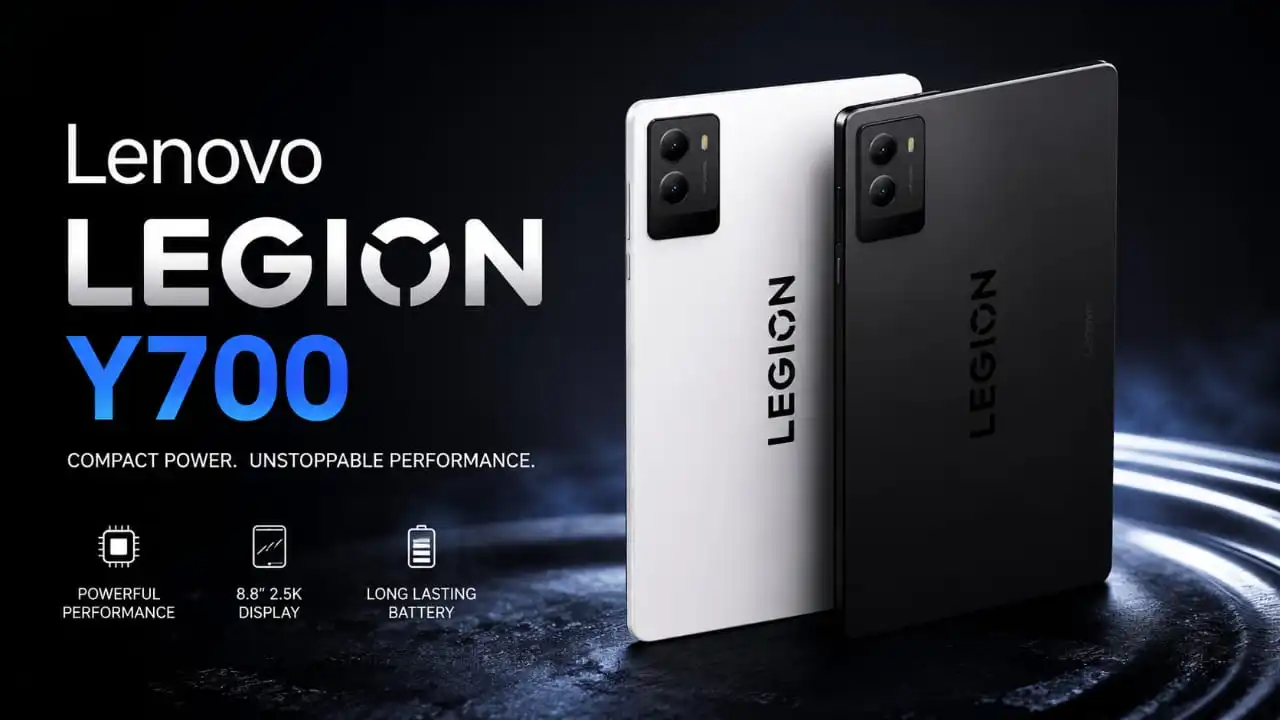
Lenovo Legion Y700 AI Tablet: Price, Specs & Gaming Review (2026)

Like my brother, you’re also looking for a gaming tablet that doesn’t feel like a toy, right? Be honest, most tablets look good, but the moment you start a heavy game, they heat up fast and start lagging in gaming. That’s exactly the problem the Lenovo Legion Y700 AI Tablet aims to fix. I’ve read about this tablet very carefully, checked out the specifications, compared it with older models, and honestly, it really feels like a true gaming machine, not just a regular tablet with a gaming sticker. In this article, we’ll go through everything—price, specifications, AI features, camera, battery, and whether you should actually buy it or not. No hype, just real talk, like I’m explaining it to a friend. Highlight key Before we go deep, here is a quick look at what makes the Lenovo Legion Y700 AI Tablet special: Snapdragon 8 Elite Gen 5 processor, one of the fastest chips available right now 8.8-inch display with 165Hz refresh rate, super smooth for gaming Up to 24GB RAM and 1TB storage, enough for heavy multitasking 9000mAh battery with 68W fast charging AI features for network boost, sound detection, and aiming help in games. 50MP rear camera with RGB lighting ring JBL-tuned dual speakers with Dolby Atmos Now let’s talk about each part in detail, buddy, because specs on paper are one thing, and real usage is another thing completely. Lenovo Legion Y700 AI Tablet Price and Launch Date Okay, this is what everyone wants to know first, so let’s not waste time. The Lenovo Legion Y700 AI Tablet was launched in China in March 2026, with sales starting from March 21, 2026. In China, the base 12GB plus 256GB model started around CNY 3,999, which is close to $580. The top model with 24GB RAM and 1TB storage went up to around CNY 5,999, close to $870. For the global market, Lenovo also brought out this tablet as the Legion Tab Gen 5, and that one launched in Europe for around €999 for the higher configuration, available from April 2026 onwards. In India, buddy, the Lenovo Legion Y700 AI Tablet price is expected to be around ₹59,990 for the base 12GB RAM and 256GB storage version. This is just an expected price for now, based on early listings, so the final Lenovo Legion Y700 price in India may change a little once it officially lands in stores here. If you are planning to buy, I would say wait for the official India launch event before making a decision, because sometimes companies adjust pricing for the Indian market. According to my experience and looking at Lenovo trends, Lenovo tablets usually come to India only two to three months after launching in China, so if the China unit came in March, it makes sense for it to launch in India around July or August 2026. Lenovo Legion Y700 AI Tablet Specifications Now let’s get into the real meat of this review, the Lenovo Legion Y700 specs. This is where the tablet actually proves itself. Display Quality Lenovo Legion Y700 AI Tablet 8.8 inch 165Hz display quality The Lenovo Legion Y700 AI Tablet comes with an 8.8-inch IPS LCD screen, and the resolution is sharp at 3040 x 1904 pixels. The best part, buddy, is the 165Hz refresh rate. When you scroll or play fast games, everything feels butter smooth. It also supports Dolby Vision, high brightness up to 800 nits, and good color coverage with DCI-P3 support. The touch sampling rate goes up to 2640Hz, which basically means almost zero delay between your finger touch and the action on screen. For competitive games like BGMI or PUBG Mobile, this really matters. Tell the truth, have you ever lost a match just because your tap worked one second late? With this kind of touch response, that excuse is gone. Also Read : Top 5 Best Lenovo Laptops Under ₹60,000 in India 2026 Processor and Performance Lenovo Legion Y700 AI Tablet Snapdragon 8 Elite Gen 5 performance This is a tablet that works on the Qualcomm Snapdragon 8 Elite Gen 5 chipset, built on a 3nm process. This is not some budget chip, buddy; this is proper flagship-level power. It has two super-fast cores running at 4.6 GHz and six more cores at 3.62 GHz, paired with the Adreno 840 GPU for graphics. In simple words, this chip can handle almost any Android game without breaking a sweat. Reports show the AnTuTu benchmark score crossing 4.5 million, which is honestly higher than many flagship phones and even some tablets that cost more. If you think as I do, that number alone tells you this Snapdragon gaming tablet means serious business. You get RAM options starting from 12GB and going all the way up to 24GB, with storage from 256GB up to 1TB. So whether you are a casual gamer or someone who downloads every big title with high graphics packs, there is a variant for you. AI Features Since this is called an AI-Powered Tablet, let’s talk about what AI actually does here, not just as a marketing word. AI Network Boost: This feature tries to keep your ping stable even in crowded WiFi areas, which is great for online multiplayer games. AI Sound Detection: The system can boost specific in-game sounds, like footsteps or gunfire, so you hear enemies before they see you. AI Aiming Assist: Helps improve precision during fast-paced shooting games. AI Performance Scheduling: Automatically manages power between CPU and GPU so the tablet does not overheat or drain battery too fast during long sessions. In my experience with other AI-powered gaming devices, these features work best when the software gets regular updates. So Lenovo needs to keep pushing updates to make sure these AI tools stay sharp. Battery Life Lenovo Legion Y700 AI Tablet 9000mAh battery and 68W charging The tablet packs a massive 9000mAh battery, which is honestly bigger than most tablets in this price range. It supports 68W fast charging, so even if you drain it … Read more